

5 Apple CarPlay Widgets You Should Install ASAP
Harry Howitt/Shutterstock
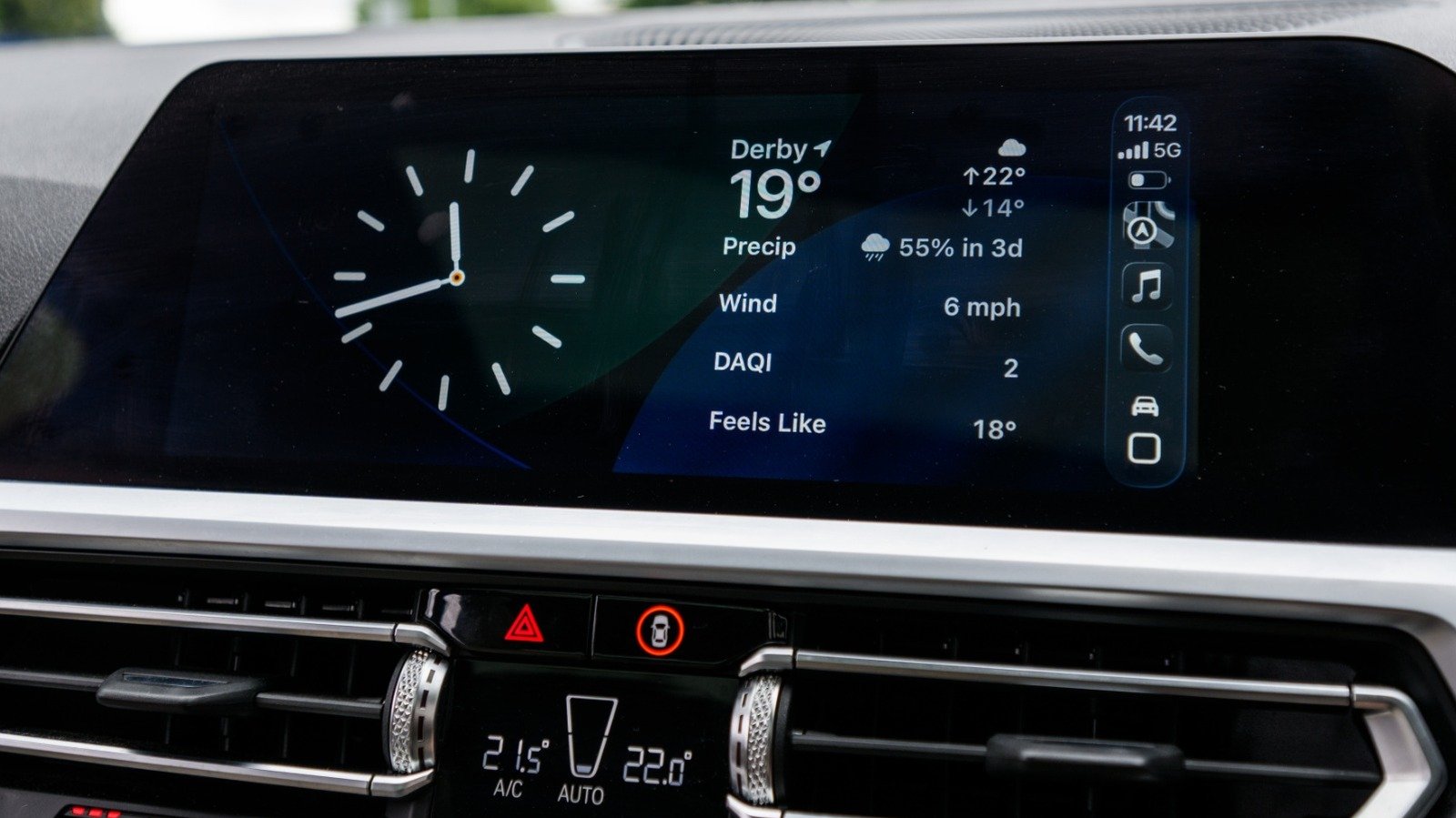
iOS 26 brought a host of improvements to the iPhone, with Apple adding several new features to CarPlay to enhance your driving experience. The widgets view is one of the new features introduced, allowing us to customize the infotainment display on our vehicle to show information we’d otherwise have to look at on our phone.
The great thing about widgets is that the app developer does not need to specifically create a CarPlay version for it to work — as long as the app already has a widget or Live Activity view, it will work with Apple CarPlay without extra effort from its creator. That means users would have many more options to choose from, although it does not necessarily mean that the widget will work on your car’s screen.
Of course, you should always keep your eyes on the road and hands on the wheel when you’re driving. However, widgets are pretty useful to see reminders, warnings, and other information as you sit in your car first thing in the morning, before you leave for home after a day at the office, or even while you take a break in the middle of a long drive. You can even use it to entertain your friends when you’re all out for a ride.
So, check out these Apple CarPlay widgets you should install ASAP to make the most of this new feature. You probably already have most of these apps on your phone, so you just need to know how to add them to your car’s infotainment screen to see them.
1. Calendar and Reminders
Jowi Morales / SlashGear
Apple’s Calendar and Reminders apps have separate widgets on CarPlay, but if your car has a large enough screen, you can display them side-by-side. However, they typically have the same purpose — to remind you of your meetings and tasks for the day. This is especially useful for busy individuals who have meetings all over the city, so you can immediately see what your day looks like as soon as you get behind the wheel.
For example, if you have a 9 am client meeting at a café a couple of blocks from your office, you’ll know that when you check your widget view. That way, you know you can just drive directly to the location instead of parking at your usual spot and walking about 15 minutes to get to your appointment. And with the Reminder widget beside or one swipe away from the Calendar widget, you can see your note to buy your client’s favorite cookies from the bakery in front of your office.
Alternatively, you can use the Reminder app to check for anything you need to buy before going home. That way, you won’t forget the daily routines you set on your iPhone, even if you’re out for a drive.
2. A Weather Widget
Jowi Morales / SlashGear
You might not think much about the weather app on your phone, but it’s particularly useful if you’re out and about. This widget displays the local weather forecast for your area, helping you prepare for rain or snow. After all, if you’re parked quite a distance from the supermarket doors, getting a sense of what the outside will look like when you’re done with your shopping can help you decide whether to bring an umbrella or just leave it in your car.
If you go with other, more advanced weather apps for the iPhone, you can even get a satellite view showing you how the weather would look in a region. This is particularly useful if you’re on a long drive and want to decide whether to push on or call it a day when inclement weather is forecast. So, instead of fishing out your phone to check what the roads might look like a couple of hundred miles down the highway, you can just check the widget on your Apple CarPlay and decide the safest course of action.
3. Apple Home or Google Home
Jowi Morales / SlashGear
If you have a smart home system, it makes sense to add its widget to CarPlay. This would make it so much more convenient to add your most-used commands to your fingertips, saving you time and effort. For example, you can either display your favorite devices in the Google Home app or choose custom devices, such as your smart garage door opener. You can then just swipe to your widgets on your infotainment system and tap on your garage door to open it.
The Apple Home widget is far more flexible — aside from letting you access your smart devices, it also has a couple of other views. You can pick between Grid Forecast, which shows you when your electricity provider is using renewable or green energy, Electricity Usage, which tells you how power your home is using, and Electricity Rates, so you can estimate how much you’ll pay for electricity when you plug in your EV, right from the CarPlay widgets view.
But because Apple CarPlay supports just about any widget, you can conveniently control your smart home whether you use Apple, Google, or Amazon. So, as long as its creator made a widget for it, you can add whichever of the best smart home hubs to your vehicle to control it right from the infotainment screen.
4. World Clock
Jowi Morales / SlashGear
You might not think of putting on the World Clock, especially as you’d typically find that in offices or airports. But if you frequently drive across state lines or work remotely, this is a pretty underrated widget. You have to select the Clock widget, then swipe left until you reach the last option to see the World Clock. This gives you four city options, so you can see the exact time at each location.
This is particularly useful for remote workers and for those with family, friends, and colleagues all over the world. So, if you plan to work at a café away from your home, you can just glance at the World Clock widget to see the current time at your office, helping you estimate what time you should get to your destination and set up your laptop in time for your shift. You can also use it to check the local time of people close to your heart, so you can check their local time before calling them while you’re in your car.
Unfortunately, while you can make the clock bigger on iOS 26, you cannot change the size of the World Clock widget, as it will always depend on the size of your car’s infotainment system. So, if you have a particularly small screen, you might not be able to clearly see which cities are marked on the clocks. Still, if you have a large enough display or memorize which cities are shown, it’s a good way to tell the time in other parts of the globe.
5. Dynamic Lyrics
Jowi Morales / SlashGear
This might not be the most productive widget you’ll find on this list, but it’s certainly the most fun. As the name suggests, Dynamic Lyrics is an app that shows the lyrics of the song playing on Spotify or Apple Music. Since it comes with a phone widget, you can also add it to Apple CarPlay so your passengers can sing along to the music. Of course, you should not use this if you’re the driver, especially as it can distract you from the road. But if you’re on a long road trip with your buddies, this is a great way to pass the time.
You need to download Dynamic Lyrics from the Apple App Store and connect it to your Spotify or Apple Music account for it to show the lyrics of your song. Once you’ve set up the app, you can have Carpool Karaoke, allowing your passengers to sing their hearts out while you’re driving on the freeway or stuck in city traffic.
How did I choose these apps?
Adrianhancu/Getty
I picked these apps because they are the widgets I use in my own car. I found the reminders and world clock particularly useful for my work and lifestyle, while the Dynamic Lyrics widget is perfect for long drives with my wife. Since I run my smart home with Google Home, it’s perfect for turning on the AC in my house as I back into my garage — that way, I can immediately cool down after spending an entire day outside in the hot sun. The weather widget has also saved me a couple of times from getting wet.
I’ve also browsed through other apps on my phone and tested them on Apple CarPlay, but found them either lacking or completely non-functional. So, these are my best picks, and I recommend that you get them on your vehicle, too, to make your life so much easier.
