Close Menu

    Subscribe to Updates

    Get the latest creative news from FooBar about art, design and business.

    What's Hot

    Major iPhone update: iOS 26.3 makes switching to Android and third-party smartwatches easier

    “The world is in peril”: Anthropic’s head of AI safety resigns, unable to reconcile his work with his values

    Xiaomi 17 Ultra falls behind Apple iPhone 17 Pro in camera test

    Facebook X (Twitter) Instagram
    • Artificial Intelligence
    • Business Technology
    • Cryptocurrency
    • Gadgets
    • Gaming
    • Health
    • Software and Apps
    • Technology
    Facebook X (Twitter) Instagram Pinterest Vimeo
    Tech AI Verse
    • Home
    • Artificial Intelligence

      Read the extended transcript: President Donald Trump interviewed by ‘NBC Nightly News’ anchor Tom Llamas

      February 6, 2026

      Stocks and bitcoin sink as investors dump software company shares

      February 4, 2026

      AI, crypto and Trump super PACs stash millions to spend on the midterms

      February 2, 2026

      To avoid accusations of AI cheating, college students are turning to AI

      January 29, 2026

      ChatGPT can embrace authoritarian ideas after just one prompt, researchers say

      January 24, 2026
    • Business

      The HDD brand that brought you the 1.8-inch, 2.5-inch, and 3.5-inch hard drives is now back with a $19 pocket-sized personal cloud for your smartphones

      February 12, 2026

      New VoidLink malware framework targets Linux cloud servers

      January 14, 2026

      Nvidia Rubin’s rack-scale encryption signals a turning point for enterprise AI security

      January 13, 2026

      How KPMG is redefining the future of SAP consulting on a global scale

      January 10, 2026

      Top 10 cloud computing stories of 2025

      December 22, 2025
    • Crypto

      How Polymarket Is Turning Bitcoin Volatility Into a Five-Minute Betting Market

      February 13, 2026

      Israel Indicts Two Over Secret Bets on Military Operations via Polymarket

      February 13, 2026

      Binance’s October 10 Defense at Consensus Hong Kong Falls Flat

      February 13, 2026

      Argentina Congress Strips Workers’ Right to Choose Digital Wallet Deposits

      February 13, 2026

      Monero Price Breakdown Begins? Dip Buyers Now Fight XMR’s Drop to $135

      February 13, 2026
    • Technology

      Major iPhone update: iOS 26.3 makes switching to Android and third-party smartwatches easier

      February 13, 2026

      “The world is in peril”: Anthropic’s head of AI safety resigns, unable to reconcile his work with his values

      February 13, 2026

      Xiaomi 17 Ultra falls behind Apple iPhone 17 Pro in camera test

      February 13, 2026

      Haru Mini retro camera takes on Kodak Charmera with a 20MP sensor in tiny retro SLR body

      February 13, 2026

      Under $8: Fantasy-themed strategy RPG reaches new all-time low on Steam

      February 13, 2026
    • Others
      • Gadgets
      • Gaming
      • Health
      • Software and Apps
    Check BMI
    Tech AI Verse
    You are at:Home»Technology»5 Things You Should Consider Before Buying Power Tool Batteries
    Technology

    5 Things You Should Consider Before Buying Power Tool Batteries

    TechAiVerseBy TechAiVerseNovember 3, 2025No Comments7 Mins Read1 Views
    Facebook Twitter Pinterest Telegram LinkedIn Tumblr Email Reddit
    5 Things You Should Consider Before Buying Power Tool Batteries
    Share
    Facebook Twitter LinkedIn Pinterest WhatsApp Email

    5 Things You Should Consider Before Buying Power Tool Batteries

    We may receive a commission on purchases made from links.

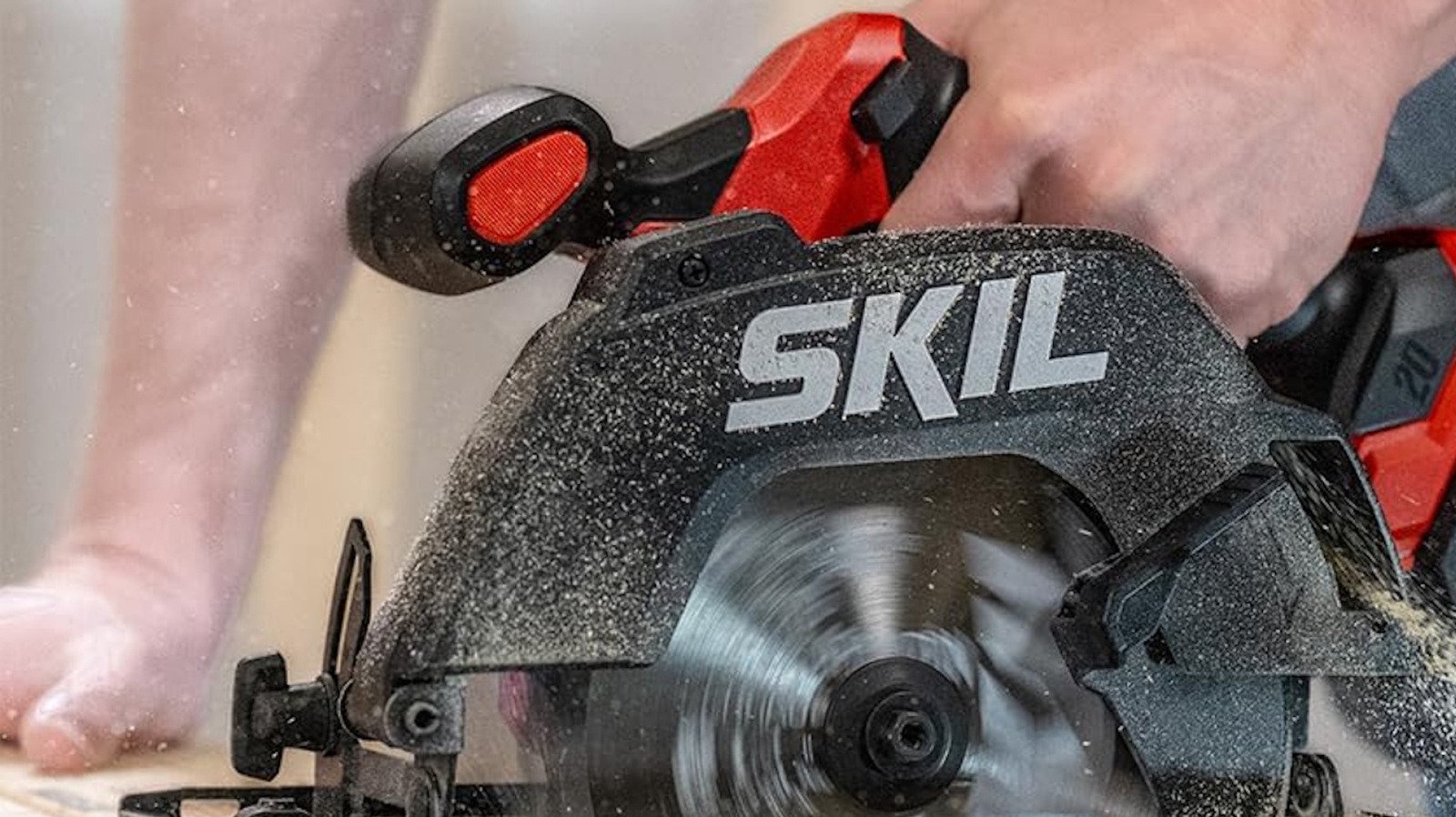
    A battery in a wireless power tool is a fundamental addition that keeps these robust tools working efficiently as you work on any project, either one at home or in your professional life. A powerful tool with a battery provides you with additional freedom not to feel tied down to working only where an outlet is nearby. Although these batteries might be more convenient, they do have their drawbacks, such as failing or entirely running out of energy, forcing you to recharge or replace them. When this happens, there are a few things you need to consider about what type of battery to acquire next.

    Before you dive into learning about these batteries, it also helps to do some research about the power tool you’re using. For example, knowing that you can’t use batteries from one power tool brands on another, as they don’t all work the same. Even though there are third-party adapters that allow you to do this for power tools with almost every major tool brand, it’s not recommended. We’ll be listing out the most important things you should learn about a power tool battery and what you should be asking yourself before you buy one.

    What is the budget for your project?

    Keeping track of your budget is an important thing to do for every construction project, whether you’re a professional or you’re doing something for your home. It’s a good idea to keep track of how much you can spend, and also to figure out what type of project you’re going to be doing when picking out batteries for your power tools.

    For example, those who are working long hours, nonstop, should consider investing in batteries with a higher amp-hour (Ah) rating, as it represents a battery’s runtime before you need to charge it. A two-pack of Dewalt 20V 2Ah batteries can run you $90, with varying battery lifetime based on the type of tool you’re using. A 2Ah is ideal for smaller power tools, like compact drivers. If you’re planning to use a saw or an angle grinder, you might want something more substantial, like a 5Ah, but they’re more costly, with a pack of two Dewalt 20V 5Ah batteries costing $169.

    On top of knowing the cost of buying a powerful battery, tracking down a robust charger is also useful. If you only need one or two batteries, then the single-slot charger, like the 20V Max Battery Charger for $29.99, should be fine, or you can go with a Dual-Port Charger for $119.00. These are vital details that you want to consider before diving deep into a project.

    What is the voltage of the battery?

    You always want to match a battery’s voltage with a power tool that has the exact same voltage requirement. The best-known power tool manufacturers offer 12V, 18V, 20V, and 36V models (although 18V and 20V batteries are effectively the same). So even if the batteries are the same brand, they won’t work for every cordless power tool crafted by that manufacturer.

    For example, you don’t want to use a Milwaukee 12V battery on an 18V Milwaukee M18 tool — even if the battery fits — since the battery won’t supply enough voltage. When a power tool doesn’t have enough charge from a lower voltage, it won’t perform as effectively as you want, and the battery could damage itself. The same applies to using batteries with a higher voltage than the tool is rated for, as you can cause chemical and thermal damage to your tools. Between the two, over-voltage is far more dangerous, as this can cause damage to internal circuit boards through overheating, or there’s the chance for the tool to fail instantly. Even though it is challenging to use an incorrect battery on a power tool, it’s essential to remain mindful of this whenever working on a project.

    Does the battery have a charging station?

    Another critical factor to consider when purchasing a power tool battery is whether your purchase comes with a charging station or not. While off-brand chargers are available for many batteries, using the same brand ensures it receives the best charge possible and reduces the likelihood of failure. You want to remain in the same brand as your battery, and you want to figure out if you want a fast or slow charger, which range in price and time of recharging your tools. The most significant difference between slow and fast chargers is the amount of amperage they apply to the batteries, as fast chargers provide more, which generates more heat and potentially consumes batteries faster. However, modern innovations have curbed most of these negative effects, for a price.Slow charging stations are more cost-effective than fast ones, as some of the larger power stations are pricey.

    If you need to purchase a charging station separately, consider what additional features come with it. You might want one with a display to show how much charge a battery has while it’s plugged in, or how long you have to wait until it’s fully charged. Look for overcharging or short-circuit protection, which prevents the battery from being damaged, particularly if you leave it plugged into the station for extended periods of time. Also consider the warranty offered by the manufacturer, which should enable you to replace the charger if anything goes wrong.

    How much weight does the battery add to your power tool?

    Cordless power tools offer convenience and portability, but their batteries add weight when compared to corded versions. This can affect the quality of the work being done, as a heavier tool may be more challenging to keep in place and feel less comfortable to use. Furthermore, even if you’ve matched a battery’s voltage and brand to your power tool, there’s another variable that can make a significant difference to its weight: the amp-hours of a battery, which measure a battery’s total charge capacity.

    A DeWalt 20V Max 5Ah is going to be lighter than the 20V 12Ah models, although the 5Ah won’t be able to hold as much charge and so won’t last as long as the 12Ah ones, similar to using a 4Ah battery over a 6Ah. However, a 5Ah battery might be a better option for you if you’re regularly bringing the power tool with you up to high places, or if you’re just carrying it around a lot.

    Does the battery have safety features?

    It’s always worth checking what built-in safety features a battery includes, which protect the battery and power tool during charging and while in use. These features should include protection against overheating, as well as overcharging and short-circuiting protection when plugged into a charging station. It may be preferable to charge your power tool batteries before storing them, but overcharging a power tool battery is a common mistake that can ruin a battery.

    There are other steps you can take to keep your batteries safe and prolong their lifespan, so they continue to keep working optimally for long after their purchase date. When you’re not using a power tool battery, disconnect it from the tool and keep it in a dry, cool location alongside the charging station. You don’t want to keep them in an area where they could be exposed to liquids or oils, and away from extreme temperatures.

    Share. Facebook Twitter Pinterest LinkedIn Reddit WhatsApp Telegram Email
    Previous ArticleTesla Owner Shows Just How Cheap It Can Be To Charge An EV
    Next Article Tesla’s ‘Mad Max Mode’ Has The Government’s Attention – And Not For A Good Reason
    TechAiVerse
    • Website

    Jonathan is a tech enthusiast and the mind behind Tech AI Verse. With a passion for artificial intelligence, consumer tech, and emerging innovations, he deliver clear, insightful content to keep readers informed. From cutting-edge gadgets to AI advancements and cryptocurrency trends, Jonathan breaks down complex topics to make technology accessible to all.

    Related Posts

    Major iPhone update: iOS 26.3 makes switching to Android and third-party smartwatches easier

    February 13, 2026

    “The world is in peril”: Anthropic’s head of AI safety resigns, unable to reconcile his work with his values

    February 13, 2026

    Xiaomi 17 Ultra falls behind Apple iPhone 17 Pro in camera test

    February 13, 2026
    Leave A Reply Cancel Reply

    Top Posts

    Ping, You’ve Got Whale: AI detection system alerts ships of whales in their path

    April 22, 2025669 Views

    Lumo vs. Duck AI: Which AI is Better for Your Privacy?

    July 31, 2025258 Views

    6.7 Cummins Lifter Failure: What Years Are Affected (And Possible Fixes)

    April 14, 2025153 Views

    6 Best MagSafe Phone Grips (2025), Tested and Reviewed

    April 6, 2025111 Views
    Don't Miss
    Technology February 13, 2026

    Major iPhone update: iOS 26.3 makes switching to Android and third-party smartwatches easier

    Major iPhone update: iOS 26.3 makes switching to Android and third-party smartwatches easier – NotebookCheck.net…

    “The world is in peril”: Anthropic’s head of AI safety resigns, unable to reconcile his work with his values

    Xiaomi 17 Ultra falls behind Apple iPhone 17 Pro in camera test

    Haru Mini retro camera takes on Kodak Charmera with a 20MP sensor in tiny retro SLR body

    Stay In Touch
    • Facebook
    • Twitter
    • Pinterest
    • Instagram
    • YouTube
    • Vimeo

    Subscribe to Updates

    Get the latest creative news from SmartMag about art & design.

    About Us
    About Us

    Welcome to Tech AI Verse, your go-to destination for everything technology! We bring you the latest news, trends, and insights from the ever-evolving world of tech. Our coverage spans across global technology industry updates, artificial intelligence advancements, machine learning ethics, and automation innovations. Stay connected with us as we explore the limitless possibilities of technology!

    Facebook X (Twitter) Pinterest YouTube WhatsApp
    Our Picks

    Major iPhone update: iOS 26.3 makes switching to Android and third-party smartwatches easier

    February 13, 20262 Views

    “The world is in peril”: Anthropic’s head of AI safety resigns, unable to reconcile his work with his values

    February 13, 20262 Views

    Xiaomi 17 Ultra falls behind Apple iPhone 17 Pro in camera test

    February 13, 20262 Views
    Most Popular

    7 Best Kids Bikes (2025): Mountain, Balance, Pedal, Coaster

    March 13, 20250 Views

    VTOMAN FlashSpeed 1500: Plenty Of Power For All Your Gear

    March 13, 20250 Views

    This new Roomba finally solves the big problem I have with robot vacuums

    March 13, 20250 Views
    © 2026 TechAiVerse. Designed by Divya Tech.
    • Home
    • About Us
    • Contact Us
    • Privacy Policy
    • Terms & Conditions

    Type above and press Enter to search. Press Esc to cancel.