

5 Useful Steam Deck Accessories You Can Find For Under $50
mooresretro/Shutterstock
We may receive a commission on purchases made from links.
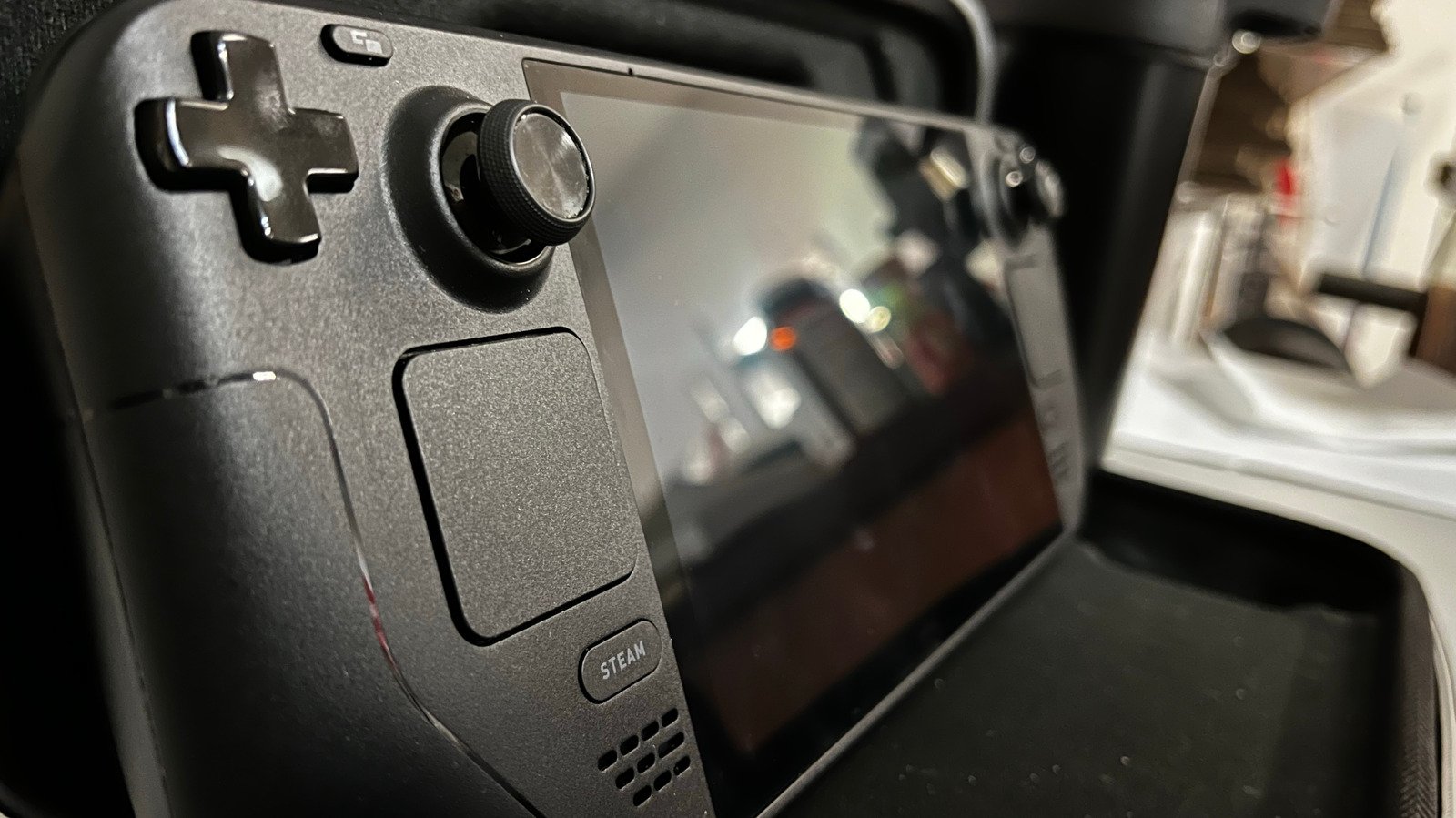
There’s arguably no more affordable way to game these days than a Steam Deck. Starting at $399.99, you have everything you need to play all but a few AAA titles, along with a handheld form factor that can go almost anywhere. It’s a comeback no one saw coming, as, just a decade ago, the original Steam Machine flopped spectacularly and led many to believe Valve’s days in gaming hardware were over. Now the Steam Deck is the gold standard for gaming handhelds. Even three years on, people recommend it despite other options that are more powerful. Core to the Steam Deck’s success is its value proposition. You don’t need to spend a fortune to trick it out, either.
I’m a long-time Steam Deck user and these are my accessory recommendations. Valve’s console stands perfectly well on its own, but it needs just a bit more to reach its full potential. Everything on this list sells for under $50, and every option I recommend has great alternatives that cost just as much — or even less.
JSAUX Mod Case
JSAUX is a household name in the Steam Deck community for its clever (typically affordable) handheld-oriented accessories. The JSAUX Mod Case is a must-have if you’re traveling with your Steam Deck case-free. This is effectively a protective case plus an attachable cover that saves your screen from cracks, and keeps the joysticks and triggers from getting banged up. The Steam Deck comes with an excellent case, to be clear, but it can be bulky on trips. This could be a happy halfway point that would prevent the majority of accidental damages.
Further, the mod case supports — as the name no doubt makes clear — several “mods.” What is a mod? Put simply, the wristwatch-shaped strap on the back connects to the case and then holds on to accessories — any accessories: coolers, NVMe drives, power banks, and more. It basically allows you to use certain accessories on the go that would otherwise require a less portable configuration. Instead of having your external hard drive dangling perilously from the USB-C port, you could strap it down to the back with the M.2 Kit.
The mod aspect of JSAUX’s Mod Case is entirely optional. It starts at $29.99 for the base kit with no extra mods, and you’re free to keep the mod holder detached and use the protective cover only. The strap holder could, in theory, hold any third-party accessories you desire. Instead of buying JSAUX’s Power Bank kit, you could just strap your own Steam Deck power bank to the back. Since most external Steam Deck accessories can be cumbersome (batteries, external storage, etc.), the Mod Case keeps them safely locked in wherever you go.
Docking Station
When Valve markets the Steam Deck as a game-anywhere device, it’s not kidding. It works as a handheld or a docked console, similar to the Nintendo Switch 2. Plug it in via HDMI and (in my experience) it sets itself up flawlessly with whatever monitor or TV you’ve got. JSAUX also makes one of the best docks on the market. The 6-in-1 Multifunctional Docking Station goes for $45.99, and less on sale. As an owner of this particular dock, I can confirm it’s one of the best.
It’s got all the plug-in capabilities you could ever need: USB-C, two USB-As, Ethernet, HDMI 2.1, and a 100W power delivery USB-C. Output supports up to 4K at 120Hz or 1080p at 240Hz, Gigabit ethernet, and 5Gbps speed over external drives. The glossy plate on the front can be removed to add a customizable card, and the USB-C connector can be plugged into a protective storage slot. The entire plug-in block can be removed for storage, or to use with a computer like a USB hub. Bear in mind, this docking station is compatible with a wide array of handhelds, not just the Steam Deck.
The JSAUX 5-in-1 Docking Station sells for $29.99. I’ve seen other third-party docking stations in the $20 (or less) range on various websites. The Steam Deck supports wide compatibility, so any USB-C hub or docking station should work. Having said all that, keep in mind that the Steam Deck is fairly underpowered. It’ll struggle with 1080p gaming for AAA games made in the current decade, so docked mode is probably best for indie titles or using the Steam Deck as a computer.
Screen Protector
Good news first: the Steam Deck is more durable than it might seem. JerryRigEverything’s bend test proved that you’re going to need superhuman strength to snap this thing in half, much less crack the screen. Still, that screen is glass and (in the words of Zach on JerryRigEverything) glass breaks. iFixit rates the Steam Deck screen replacement as a “moderate” 2-3 hour process that could cost you about $89.99, so a screen protector is critical. JSAUX is a household name in the Steam Deck community, partially because it makes every kind of accessory a Steam Deck needs. The Anti-Glare Screen Protector is $14.99 and one of the best on the market.
First, it’s anti-glare. Outside gamers won’t suffer from glossy reflections. Second, it comes with an installation guide so you can set the protective glass perfectly the first time, no mistakes. It claims to be five times more durable than other protectors, but that’s difficult to verify without rigorous testing. In my own personal experience, it has survived all the bumps and bangs I’ve put it through. Plus JSAUX has an even cheaper 2-Pack Ultra HD Screen Protector for $9.99.
There don’t appear to be any options for screen protectors that use stronger materials than tempered glass. Sapphire screen protectors, for example, have been demonstrated to be more durable. That said, you’re less likely to drop a Steam Deck in the same way you drop a phone, and if it goes down screen first, the thumbsticks are probably going to ward off a good chunk of the damage.
Comfort Grips
In my personal opinion, the Steam Deck has the best ergonomics of any handheld, hands down. However, there’s no denying that it’s inferior to the ergonomics of, say, a controller. Ergonomics also don’t change the fact that you’re holding up a device that weighs 640 grams (about 1.4 pounds); it can quickly get tiring to sustain, especially when playing while lying in bed. The deck also lacks any sort of texture. Keeping a secure grip may be difficult with smooth plastic — though this has never been an issue for me, personally. Comfort Grips provides an affordable solution however. Comfort Grips are made by a small Etsy seller that creates 3D-printed, easily attachable grips for a wide variety of handhelds.
The aim is to give the Steam Deck a slightly more pronounced, controller-like shape, and a dotted grip texture, without requiring a full-blown case or any permanent modification. The selected model is just under $20. Installation takes a second; slide them up from the bottom onto the Steam Deck and the grip clicks securely into place. The display images show mostly bright colors typical of 3D printer filaments, but you can purchase the black version so the grips are less noticeable. They only add a bit of extra thickness; it’s likely you can leave them on when storing them in your case.
Note that you’re buying a set of grips, one that’s shorter and stubbier, the other almost the full height of the Steam Deck. The seller has incredibly high ratings on the Steam Deck grips and the grips they sell for other handhelds. If you plan on purchasing the grips outside of the US, do be prepared to handle the customs and imports taxes by yourself.
MicroSD Card
The most expensive Steam Deck that Valve sells for $649 only comes with a 1TB NVMe SSD drive. While that’s a lot for a portable device, in the gaming world you’ll feel pressed for space if you play anything but indie titles. “Cyberpunk 2077,” to give you a frame of reference, needs at least 70 GB of space. So if all your games were that big, your storage will run out after about 14 AAA titles. Replacing the SSD is fairly easy, but it is stressful and requires a set of specialized screws. There’s a better option for those who don’t want to void their warranty or the have that stress: a microSD card. I’ve never personally noticed a difference in loading speeds playing a title from the microSD card versus the internal SSD.
The cheapest microSD card that stays under our $50 limit is the 512GB Samsung PRO Plus at $49.99. If you’ve got a bigger budget, microSDs can go up to 2 TB. This SanDisk 2TB Extreme is one highly rated example at $179.99. Generally speaking, microSDs are going to cost close to the same internal storage capacity. The 1TB Samsung Pro Plus microSD retails for slightly less than the 1TB Crucial P310 M.2 2230 SSD.
Unfortunately, MicroSD cards do overcomplicate things with all their standards and symbols. Whichever one you decide to go with, make sure it’s at least UHS-1, per Valve’s recommendations. Ideally, look for a card that is U3 (the highest speed class) and A2 (the best IOPS, or read-write capabilities). Since you’re going to be downloading big game files, and those game files need to quickly load several gigabytes of assets upon running them, higher speeds are imperative.
Our process for choosing these options
David McQ/Shutterstock
I bought the Steam Deck shortly after its release in 2022 and upgraded to the OLED in 2023. I’ve replaced the SSD several times, swapped out the thumbsticks for Hall-based sensors ones, run emulators, and customized the Deck with software like Decky. I’ve used it extensively on the go (on a long-haul flight, in the hospital, in the car), and in docked mode. Suffice it to say, I’m pretty knowledgeable with the handheld. This list includes a small subset of the many accessories I’ve tried out.
Items for this list not only had to fall below the $50 threshold, but also actually be useful in a wide range of scenarios. I’ve personally used these items (or items like them) for months and years at a time, and can attest to their durability and utility. Items also had to have high user ratings. Where possible, we’ve included Amazon links, though many of these items are sold on a manufacturer’s website or can be purchased via third-party retailers. Most of the options have stronger alternatives above the $50 threshold, but for the most part, Steam Deck accessories do not need to be expensive. Check out our other guides on how to undervolt a Steam Deck, hidden Steam Deck features, and Steam Deck accessories that are a waste of money.
