

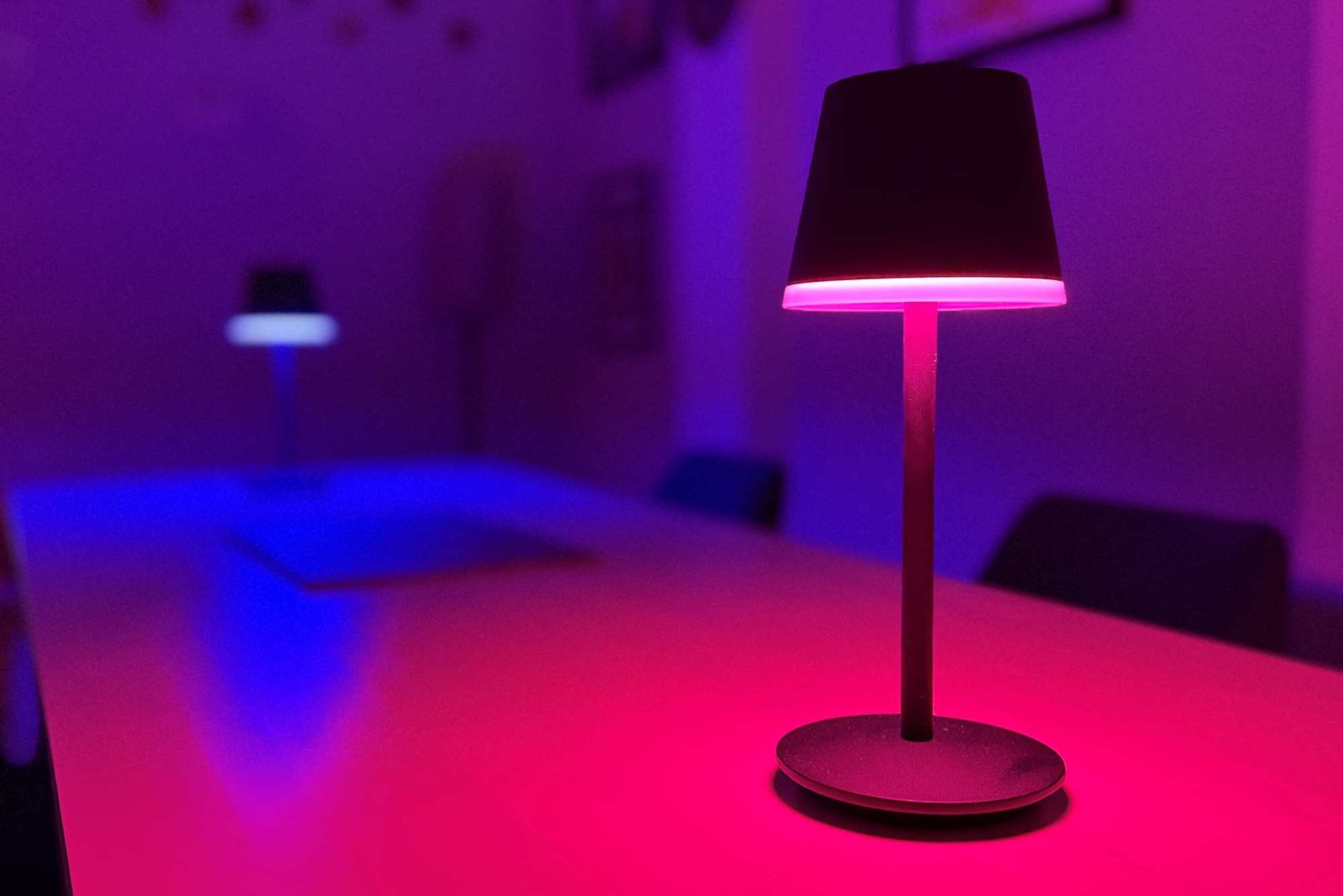
7 awesome Philips Hue smart light features you’re not using
Image: Ben Patterson/Foundry
Summary created by Smart Answers AI
In summary:
- PCWorld highlights seven underutilized Philips Hue features including fade duration controls, light-based security alarms, and MotionAware motion sensing capabilities.
- These hidden tools enhance home automation and security through customizable light effects, presence simulation, and timer functions that work seamlessly with existing setups.
- Key features like light alarms and mimic presence mode provide effective home security without additional hardware investments.
The Philips Hue app has grown in complexity over the past several years, with more and more new features and settings being tucked into the user interface. That makes it all too easy to miss the latest and greatest in Hue functionality.
Besides such newer features as light alarms, “mimic presence,” and—flashiest of all—Hue’s motion-sensing MotionAware technology, there are also old favorites like light timers and fade durations. Taken together, these (often well hidden) features can add polish to your Hue routines, keep your daily schedules on track, and even protect your home from would-be intruders.
Read on for seven hidden Hue features you need to try, starting with…
Mimic presence mode
Philips Hue recently made the jump into the home security market, adding a series of Hue Secure-branded cameras along with door and window sensors and floodlights, But even if you’re not ready to invest in a Hue camera, you can still boost your security with this built-in Hue feature.
Just activate the “Mimic Presence” mode, and the Hue app will automatically turn your lights on and off to “mimic the activities that would be expected in those types of rooms,” perfect for scaring off burglars or anyone else thinking of sneaking into your empty home.
The “Mimic presence” feature is tucked into a long list of options on the Automations screen. Tap it, select one or more rooms, then select some or all the lights associated with the room. You can also set the mode to run all day, or only when it’s dark outside.
To trigger the “Mimic presence” mode, just locate it on the Automations tab and tap the “Play” button, or “Stop” to deactivate the mode. You can also set a Hue button to turn “Mimic presence” on or off, or map the mode to a Hue smartphone widget.
Light alarms
Here’s another Hue feature that can help keep your home safe. Rather than using audible alarms to ward off intruders, the Hue app can trigger light-based alarms that rapidly flash some or all of your Hue lights, ideal for spooking crooks as well as alerting your neighbors that something’s amiss.
To use light alarms, you’ll need a supporting device such as a Hue Secure camera, a Hue motion sensor (there are indoor and outdoor models), or a Hue contact sensor. You’ll also need to enable the Hue Security center (Settings > Security).
As you’re configuring Hue Security, it will guide you through the process of setting up a light alarm. For example, you’ll be able to decide which lights in your home should flash when the alarm is tripped, as well as whether your lights should flash white or red.
You can set your Philips Hue light alarms to flash either white or red.
Ben Patterson/Foundry
Besides a flashing light alarm, you can also create automations that trigger light scenes when a Hue sensor detects activity. For example, I created an automation that activates a bright light scene in my downstairs home office whenever the upstairs kitchen door is opened, handy for letting me know when my daughter comes home from school.
In my case, I drilled down to the settings for my Hue door and window sensors (Settings > Devices > Sensors > Contact Sensors), selected the lights that I wanted triggered (Office), then adjust the Behavior settings (“Bright” when the door is opened, “Return to previous state” when the door is closed).
MotionAware motion-sensing technology
One of the coolest new Philips Hue features is also one that’s restricted to the new Hue Bridge Pro. Dubbed “MotionAware,” the feature lets you turn your Hue lights into motion sensors, perfect for triggering light scenes when people enter or leave an area.
MotionAware works its magic by detecting disturbances in the wireless Zigbee signals used to connect Hue lights to the bridge, and you’ll need at least three MotionAware-capable Hue lights in an area to enabled a motion zone.
MotionAware does have its foibles and as I just mentioned, it only works with the Hue Bridge Pro, not the standard Hue Bridge. Still, it makes for a great way to quickly deploy motion zones throughout your home, and while the $98.99 Bridge Pro is roughly twice the price of the regular bridge, it’s still cheaper than paying for individual Hue motion sensors in each room.
The Hue Bridge Pro can turn your Hue lights into motion sensors.
Ben Patterson/Foundry
Fade duration
The Hue app offers both wake up and sleep automations that will gradually boost or dim the brightness in the morning or at night, but you can also set any light scenes to gradually fade in or out.
I find the “fade duration” setting particularly handy for smoothly changing daytime light scenes from, say, a warm morning glow to a cooler daytime look, all without making anyone in the room do a double-take. (The Hue app also has a “Natural Light” scene that changes the light temperature throughout the day, with an optional “transition time” between each time window. I just happen to prefer my own scene settings.)
Whenever you create a custom automation (tap the Automations tab, then tap the blue “+” button in the top-right corner of the screen), the Fade Duration option will appear as you’re setting the start time for the routine. The duration itself can last for anywhere between five minutes to an hour.
If you’re adjusting an existing scene, you’ll need to tap “Start at” or “End at” to access the Fade Duration setting.
Light effects
Hue lights can do more than just shine in solid colors or white color temperatures. They can also flicker, shimmer, and pulse in a variety of shades, perfect for simulating a candle, a fireplace, or a lava lamp.
Just select any of your Hue lights in a room, then tap the Effects button (the one with a sparkly icon) next to the color and white color temperature controls. You’ll then see a variety of light effects, depending on the type of Hue light you’ve selected. Dimmable-only Hue white lights will offer Candle effects, while dimmable and tunable White Ambience lights will add Glisten and Sparkle effects. While and Color Ambience lights get even more effects, including Fireplace, Underwater, Cosmos, and Opal, all with different color options.
Among the Hue light effects you can choose are Candle, Fireplace (left), Underwater, and Cosmos (middle). You can also adjust the color, brightness, and speed for any of the effects (right).
Ben Patterson/Foundry
Even better, you can create your own custom effect for each category; tap Create Fireplace, for example, and you can pick your own color, as well as adjust the brightness and speed.
Once you’ve added effects for different lights in a room, you can create a scene with those effects by tapping the Save button.
Animated light scenes
Speaking of scenes, you can animate any Hue scene in a room (that is, any scenes aside from basic scenes like Bright, Dimmed, and Nightlight) with a single tap.
If you see a “Play” icon on a light scene, try tapping it; when you do, the scene will animate itself, pulsing gently according to its own rhythm. Tap the Edit button to change the brightness or speed of the animation, or to make the scene animate itself by default.
Light timers
Need to set a timer but hate the blare of an audible alarm? Just as the Hue app offers light alarms, it also has light timers that can activate lighting scenes after a set duration of time.
Tap the “+” button on the Automations screen, then select the Timer option. You’ll need to set how long the timer should last (anywhere from a minute to 24 hours), which room or rooms will be included (or your entire home, if you like), and which scene you’d like activated when the timer ends.
Once that’s all set, you’ll see your new timer with a “Play” button at the top of your list of automations. Press the Play button, and when the countdown ends, the timer will trigger the lighting scene you selected.
This feature is part of TechHive’s in-depth coverage of the best smart lighting products. Updated with details about Hue’s MotionAware motion-detection technology.
Author: Ben Patterson, Senior Writer, TechHive
Ben has been writing about technology and consumer electronics for more than 20 years. A PCWorld contributor since 2014, Ben joined TechHive in 2019, where he has covered everything from smart speakers and soundbars to smart lights and security cameras. Ben’s articles have also appeared in PC Magazine, TIME, Wired, CNET, Men’s Fitness, Mobile Magazine, and more. Ben holds a master’s degree in English literature.
