

Laptop Battery Dying? Here’s What You Need To Know Before You Replace It
brizmaker/Shutterstock
Once upon a time, computers were gigantic installations that filled up several rooms, and scientists thought computers would only get larger from there. Instead, computers shrank. Yes, gigantic supercomputers are some of the most powerful calculation machines on the planet, but laptops allowed people to take their computers on the go. As long as they have a viable power source, that is.
All laptops run on lithium-ion batteries, which offer several hours of life before they need a recharge. Depending on the computer’s components, workload, and overall power capacity, a battery’s lifespan can vary wildly. To make matters worse, lithium-ions can only recharge so many times before they start to fail. You can often see the telltale signs of a dying laptop battery long before it happens, but replacing a lithium-ion isn’t like popping out AA or AAA alkalines and inserting a new pair. In the war between lithium-ion and alkaline batteries, while lithium lasts longer, when they inevitably wear out, conduct research to find a proper replacement to avoid accidentally starting a trash fire.
Before you install a new laptop battery, here’s everything you need to know about them and what to do first.
Rule Out Other Problems
D3sign/Getty Images
Many computer issues can be traced to defective or failing batteries. These can include laptops overheating, shutting down suddenly, performing tasks slowly, and charging unreliably. In more extreme cases, a laptop can fail to recognize that a battery is even inserted and can only power up when plugged into an outlet. However, all these problems could be symptoms of other, more common issues completely unrelated to batteries.
Before you start assuming every problem is caused by a failing battery, remember Occam’s razor: The most probable solution is often the simplest one. Is your laptop overheating? It could be the battery, or more likely, the cooling vents are clogged and need a good cleaning. Is your laptop slowing down? The battery might be at fault, but you probably need to free up storage space. Does your laptop only work when plugged in? Either the battery is dying or the laptop’s Advanced Configuration and Power Interface (ACPI) is acting up, and you need to reset it – an easy task in Windows 10 and 11. If these solutions don’t work, then the battery might actually be at fault.
Make Sure You Actually Need a New Battery
Afanasiev Andrii/Shutterstock
Laptops are designed for portability. You can use them to take your graphic design work wherever you go and play video games while on the road. However, batteries are only one source of electricity you can use to power your laptop.
Every laptop includes a charging cable that, as its name suggests, provides the battery with a fresh stream of electricity. However, once the battery is full, where does the electricity go if the computer remains plugged in? Most manufacturers recommend unplugging devices after charging to preserve a battery’s longevity, but laptops are different. Sometimes, leaving a laptop plugged in can reduce a battery’s lifespan, but other times, it is the recommended state. Gaming laptops provide superior graphical fidelity, resolution, and framerates when plugged in.
If you have confirmed that your laptop battery is indeed dying, ask yourself a serious question: Do you even need a new battery? If you only use your laptop when it’s plugged in (e.g., to get the most out of PC games), you actually might get away with keeping it that way. Just treat your laptop like a standard desktop PC, albeit one you can put in your backpack. If you find yourself always carrying your laptop between rooms, a faulty or dying battery might prove problematic or, at the very least, annoying.
Create a Battery Report
Many modern devices alert you when their batteries are running low, but laptops go a step further. Because they run on lithium-ion power cells, modern laptops can scan their batteries and provide a detailed report.
This built-in feature will tell you everything you need to know about your laptop battery, including its max charge capacity and its current capacity. If you believe your laptop’s battery doesn’t last as long as it used to, which is inevitable with lithium-ion batteries, create a battery report to see just how much capacity the battery has lost.
Creating a battery report is a simple process, though it varies by operating system. If you have a Windows 10 or 11 laptop, open your computer’s command prompt, type “powercfg /batteryreport”, press the Enter button, and find your battery report in your System32 file. If you own a Mac, just open the About This Mac menu, select System Report, click on Hardware, and then Power. This menu will provide a wealth of information, from battery cycle count to the current max capacity. If the report shows your battery has only a fraction of its original capacity remaining even when fully charged, it’s a clear sign that a replacement is needed.
Check if Warranty Covers Battery Replacement
D3sign/Getty Images
Most tool, device, and vehicle purchases include a limited warranty that guarantees the manufacturer or retailer will cover the costs of certain repairs. Depending on the warranty’s length and specific coverage, you might be tempted to purchase an extended warranty for cars and similarly expensive items. That is doubly true if you are worried about your laptop’s battery.
Computer warranties address a wide variety of issues. Not every potential problem, but enough to cover most bases. In the case of laptops, these warranties also extend to batteries. Let’s look at the HP Notebook warranty as an example. According to documentation, these laptop batteries are supposed to maintain most of their capacity for the duration of the warranty (usually one year after purchase) or 1,000 charge cycles, whichever comes first. HP also provides an extended warranty that provides up to three years of coverage. Other computer manufacturers, such as Dell, have their own laptop battery warranties.
Should a battery die before the appointed period due to a manufacturing defect, a computer warranty guarantees you are eligible for a free replacement battery and/or installation service (this will be important later). Most laptop battery warranties don’t cover replacements for normal wear and tear or external damage, such as dropping the laptop or getting the battery wet. These warranties won’t get you a new battery, but they can reduce the cost. You can never be too careful when it comes to computer maintenance and repairs.
Make Sure You Get the Right One
Sol De Zuasnabar Brebbia/Getty Images
Another key difference between lithium-ion and alkalines is that alkaline batteries generally have a universal design. All AAs and AAAs can power all devices with the appropriate battery holders; the only question is how many are needed. The same isn’t true for rechargeable batteries.
Much like other laptop components, laptop batteries come in many shapes, sizes, and strengths. Each piece is hand-picked to work with the rest, at least until a future update occurs. Virtually all these batteries are proprietary, so if you go shopping for a new laptop battery, find one that will fit in your computer and actually support the included components.
Every battery report includes nuggets of info such as the battery’s name, manufacturer, and serial number. These tell you the specific model of battery powering your laptop, which is important in any battery replacement procedure since their proprietary nature is part of their functionality. A battery’s individual circuitry is like a car key; if you don’t have the right one, the computer won’t start up. And if possible, if you do find the correct battery, try to purchase the most recently manufactured version. Even though lithium-ion laptop batteries are rechargeable, they have a shelf life that starts ticking down as soon as they roll off the production line. Older unused batteries don’t last as long as newer unused batteries, and you don’t want to buy another battery for your replacement a year later.
Third Party Batteries are a Roll of the Dice
Jun Xu/Getty Images
Unless you are building your own PC from the CPU up, you have to make do with the computer manufacturer’s chosen components. This isn’t a bad thing, mind you; computer companies generally use quality parts sourced from their own or partner warehouses.
Nine times out of ten, you should use official components when fixing devices. You might have to settle for third-party products if the originals are sold out or are no longer being made. Most third-party alternatives are less expensive than their official counterparts, laptop batteries included, which sounds like an argument in favor of buying third-party components. However, those savings aren’t all they’re cracked up to be.
Ask any computer repair tech, and they’ll let you know you can’t trust third-party replacement batteries. Or to be more specific, the answer is an emphatic “only if you don’t mind testing your luck.” You might purchase a fully functioning battery, or you might purchase a lemon of a replacement that only functions for a few weeks. You won’t know until you actually receive the battery. And even if the battery does work at first, unless the manufacturer has a solid reputation, that third-party laptop battery might end up turning into a third-party laptop grenade. That’s essentially what happened with hoverboards and their subsequent recalls. Unless you want your laptop to set your house on fire, stick with official replacement batteries.
Check If You Can Replace the Battery on Your Own
Laia Ros/Getty Images
Since you can recharge lithium-ion batteries, you don’t need to replace them as often as alkaline batteries. However, that advantage has given rise to an annoying design philosophy: If the batteries are supposed to last at least a decade without replacement, why bother building an easy replacement method into the gadgets they power?
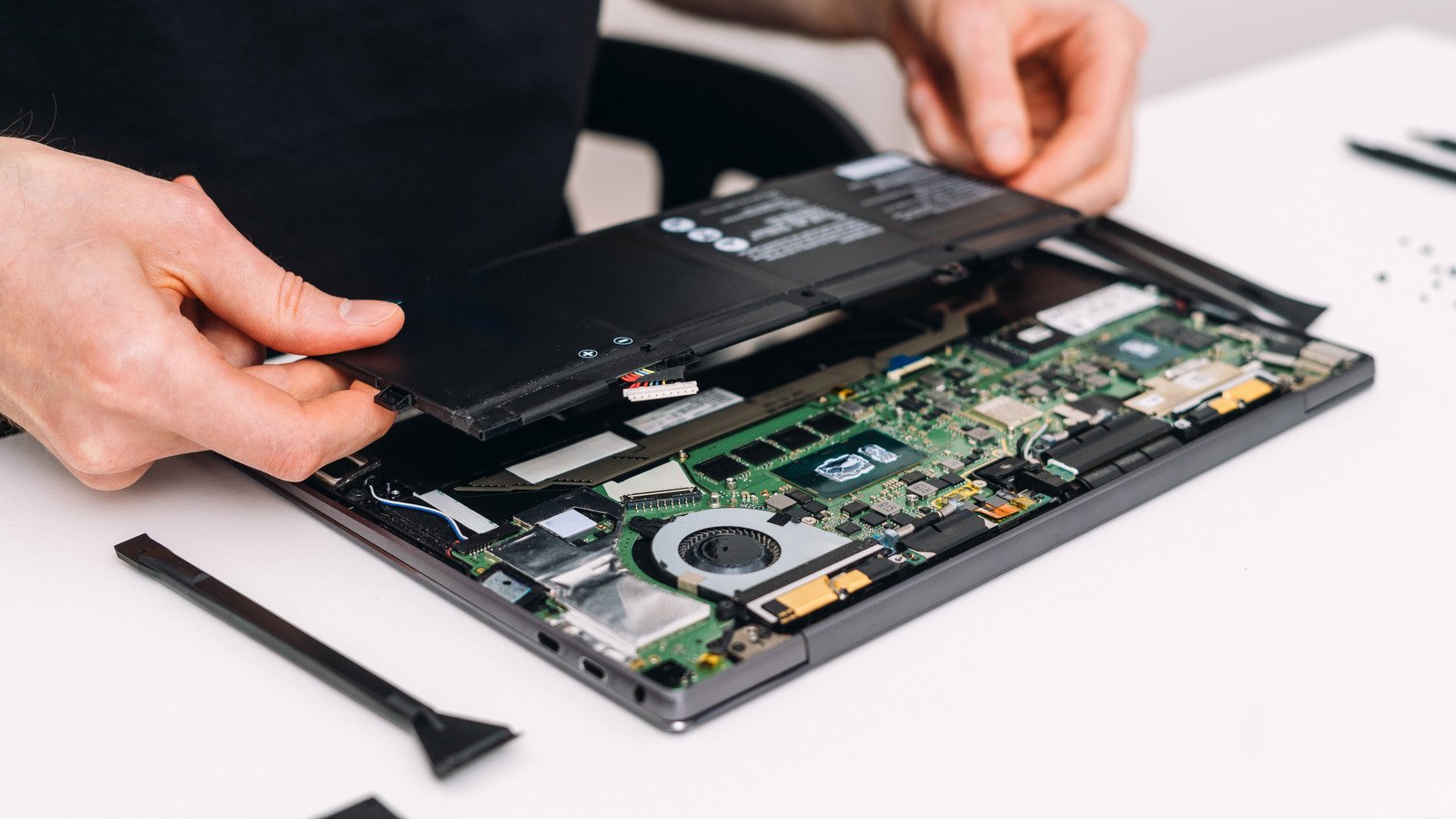
In the past, most laptop batteries were easily removable. You just powered down the computer, unlatched a few security locks, and popped out the battery. While some manufacturers stick to this design, most opt for fully internal batteries. You can’t remove these unless you disassemble your laptop, and depending on the design, you’ll need to remove several components to access the battery. And then you have to put everything in the correct order when you’re finished. Plus, you need specific tools to perform the operation.
If your laptop has an easily removable battery, you can replace it yourself as soon as it arrives. If your computer uses an internal power pack, most computer repair experts recommend you send in your laptop. If you aren’t a computer repair master, you stand a good chance of damaging your laptop. Even if you successfully replace the battery, your device might need repair for other issues that you caused.
Find Where to Dispose of Your Batteries
N Universe/Shutterstock
Even though batteries don’t contain any electrical components, they are still classified under the important moniker of “e-waste” because they provide a source of electricity. Unlike standard trash, you must dispose of e-waste a certain way, and that is doubly true if you are tossing a rechargeable laptop battery.
After you’ve completed the laptop battery replacement, you will need to throw out the old one. Finding a disposal location is a Google search away, and sites like Call2Recycle often provide reliable answers. When batteries can no longer hold a reliable charge, they can be dropped off at designated battery recycling locations. These services are specifically designed to handle and process old, but stable, batteries. If your battery is damaged, especially if it’s swollen, it becomes a fire hazard. Take precautions to avoid potential conflagration.
Normally, researching where and how to dispose of batteries is the last step. If your battery is bloated and starting to resemble a balloon – or is damaged in any other way – you need specialized handling kits to prevent sparks, explosions, and fires. And the sooner you get one, the better. Some battery disposal sites have the proper kits, but if they don’t, you need to buy one yourself before shipping it off. Again, sites such as Call2Recycle sell these disposal tools and boxes, but they aren’t cheap. If you research before replacing the battery, you will save yourself a lot of trouble.
