

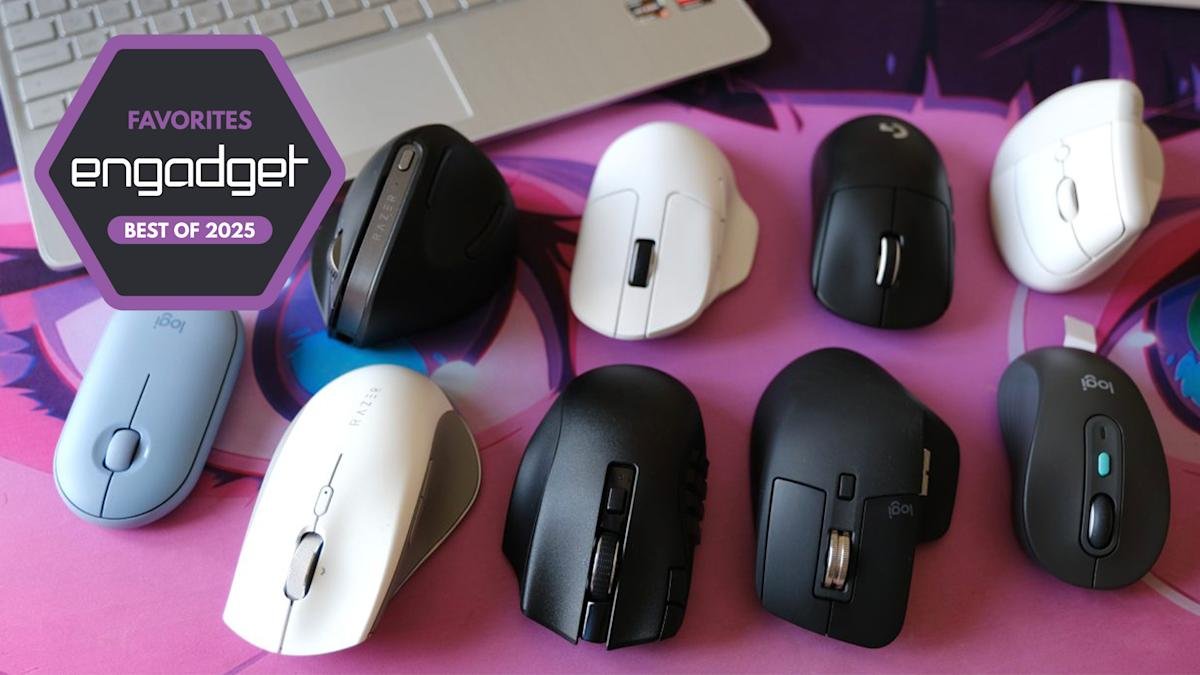
The best wireless mice for 2025
Why you can trust us
Engadget has been testing and reviewing consumer tech since 2004. Our stories may include affiliate links; if you buy something through a link, we may earn a commission. Read more about how we evaluate products.
The humble PC mouse is underestimated; these are the best we’ve tried for all kinds of users.
James TrewFormer Editor-at-Large
Updated
We may deliberate for days when buying a laptop or computer or spend hours lining up the most comfortable and stylish keyboard before aimlessly adding a utilitarian mouse to our basket. The impact of a good, feature-rich and — perhaps most importantly — ergonomic mouse can be huge. Not just to your productivity, but to the quality and comfort of your worklife overall. A good mouse has long offered some level of configuration and customization, but more modern options go beyond that with the ability to automate repetitive tasks or convoluted keypresses at the click of a button. Unsurprisingly, even mice haven’t escaped the wave of AI hype, with many flagship models bringing services like ChatGPT or Copilot to your fingertips.
Beyond the fancy features, there’s still a lot to consider to find the best mouse for work, creativity or even play. Will the mouse fit your grip style or handedness? Do you prefer the convenience of Bluetooth or stability of a 2.4Ghz USB dongle? Can it connect to more than one device easily? Is the smoothness of the scroll wheel going to be a dealbreaker? Perhaps the companion software unlocks new functionality you never knew you needed? If you hadn’t considered all of those things, the good news is, we have (and more). Below are our picks for the best wireless productivity mice you can buy right now.
Best wireless mice for 2025
There’s a reason the MX Master 3S is right up the top of our list. The ergonomic design almost feels like a hand rest that places three customizable buttons and a second scroll wheel within easy reach of your thumb. Every button is configurable via Logitech’s Options+ software, which is a treasure trove of productivity potential.
Beyond standard customization options such as click-speed and scroll direction, you can assign all manner of shortcuts and create profiles for specific apps — so the buttons do different things depending on the app you’re using at the time. “Smart Actions” take things up a notch, allowing you to bring an app to the foreground, perform a series of keystrokes, automate text entry and even restart or shutdown your PC. We’re fully in the AI era, so of course there’s a way to summon ChatGPT here, too. Closing a Zoom meeting, muting your volume and summarizing your notes in a team email in one click? With the MX Master 3S you can.
Logitech’s flagship mouse is also quite practical. The MX Master 3S offers 70 days of use between charges, which is plenty. Even if you’re caught short, a minute or two of charge time will get you through the rest of your working day. The sensor is highly responsive with an 8K DPI (Dots Per Inch) and the button clicks are quieter than a literal mouse. At 170g, it’s sturdy but hardly lightweight — in case that’s important to you. Multi-device connectivity isn’t rare, but with the MX Master 3S you can also seamlessly work between two PCs at the same time. It detects when you reach the edge of the screen on one before switching to the other — it’ll even let you copy and paste files between them as well.
We were fans of the original Razer Pro Click, and the second model comes with several big improvements. Some are long overdue, like the switch from Micro USB to USB-C charging, while others like one-click access to AI tools feel like a step into the future. Simply highlight and copy some text and have ChatGPT or Windows CoPilot rephrase, summarize or create an email based on it. And those are just the default prompts; you can also add your own, making this mouse a productivity powerhouse beyond many programmable buttons and macro support (which it also has).
Other reasons we like the Pro Click V2 include its relative light weight (110g), its stylish, ergonomic appearance and its ability to control up to five devices via multiple connectivity modes (2.4GHz, Bluetooth, USB). While not a productivity feature, the Pro Click V2’s RGB lighting adds a welcome dash of flair to an otherwise very practical, comfortable work tool.
After making a name for itself with its affordable but feature-rich mechanical keyboards, it wasn’t long before Keychron applied the same formula to mice. The M7 absolutely nails the balance between quality, features and price. Weighing in at just 63g, it makes most flagship mice feel like a lump of coal and the soft matte finish is surprisingly luxurious. The ergonomic design is comfortable and all the buttons are easy to reach. There’s Bluetooth (no multi-device support though) and traditional 2.4GHz wireless connectivity, too. The 70 hours of battery life matches its rivals but all in a sleek, lightweight design that’s a joy to use.
Unlike much of the competition that requires you install companion software, you configure the M7 via a web interface. While not as extensive as the likes of Logitech or Razer’s software, it’s simpler to use and with all the key options you’d expect such as mapping buttons to Windows/Mac features, macros and more. It’s worth noting, the macro button on the M7 is programmable when using the 2.4GHz connectivity, but the other buttons can be configured for use in Bluetooth mode also.
If you’re looking for something a little more streamlined, a lightweight gaming mouse, such as the Pro X Superlight from Logitech’s G gaming series, is a great choice. Weighing in at 63g it feels like a feather compared to some of the more chunky options on this list. Despite that, you’ll still enjoy a comfortable, ergonomic design (albeit right-handed only, sadly).
Button customization is limited here with just some simple reconfiguration options, but since it’s a gaming mouse, you can get very specific about the sensitivity and click speed so if you jump between apps and work fast this will power-up your workflow. The Superlight has 70 hours of battery life, but it’s also compatible with Logitech’s Powerplay mouse mats that can charge devices wirelessly — so if you hate having to plug your mouse in every so often, this combo eliminates the need to ever do that.
Razer’s first ever vertical mouse shows the competition how it should be done. With all the productivity features of its horizontal sibling mentioned earlier, the Vertical Edition provides comfort without compromises. The company describes the angle of the mouse as the perfect “handshake” posture. It may take a little getting used to if you’re coming from a conventional mouse, but once you adjust, it feels very natural and your wrists might thank you in the long run.
All Razer’s software productivity tools, such as macros, app-specific button assignment and one-click AI tools are here, as is the decorative RGB lighting and multi-device connectivity. At 150g, it’s slightly heavier than the regular Pro Click V2, but the more natural grip position will likely offset that for those that prefer it. The company claims up to six months’ battery life, which is almost double its sibling, making this an attractive mouse in its own right even if you don’t feel you need the ergonomic benefits.
The left-handed folks among us are often overlooked when it comes to premium productivity mice, and it can be especially challenging when it comes to vertical and ergonomic designs. Logitech’s Lift is available for people of either handedness and stands out further in that it’s designed for “small to medium” hands, making this likely the best option for a generally under-served group of users. The result is a comfortable workhorse of a mouse that doesn’t feel like it comes with any compromises despite its slightly smaller size.
You won’t find the same depth of customization here that the MX Master 3S offers, but there are still configurable front and back buttons alongside an extra central button and clickable scroll wheel. As with most mice on this list, you can assign just about anything to any button you’d want in the Logitech Options+ software, including the macros and summoning ChatGPT on demand. The Lift is powered by a single AA battery, which means up to two years of use per cell — just be sure to remember to keep a spare handy for the day it does eventually expire.
Everything about the M750 Signature AI Edition screams simplicity, from the comfortable and practical ambidextrous design, right down to the humble brown cardboard packaging the mouse comes in — and that’s what we love about it. The AI Edition might be wearing office attire by day, but click the perky green button on top to add a little spice by summoning ChatGPT in an instant. By default, the two side buttons are configured to pull up common tasks like rephrasing or summarizing highlighted text, or a floating ChatGPT interface you can use for your own on-the-fly prompts. There’s even a shortcut to dictation mode meaning theoretically you could write a whole report without touching your keyboard (we don’t recommend that though).
The M750 AI Edition is fairly small and light, perfect for throwing in a bag — but those with bigger paws might not find it comfortable for everyday use. As it uses AA batteries for power, it should last up to two years in USB dongle mode (note: There’s no wired mode here). You can customize the buttons to anything available in Logitech’s Options+ if you don’t care for the AI integrations, and there’s multi-device Bluetooth connectivity here too, making it a good all-rounder at an affordable price.
Logitech’s Pebble is a mobile mouse in the purest form. At 100g, it’s light without feeling cheap. There are only three buttons: the standard left and right buttons and the click wheel, so there’s minimal customization here. Instead, the Pebble focuses squarely on the essentials. That said, you still have the choice between Bluetooth and 2.4GHz dongle connectivity. A nice touch is that you can stow the USB dongle under the top plate as that’s also where you’ll change the (AA) battery (many portable mice, unfortunately, are not rechargeable).
The Pebble has a slight wedge shape (forward decline) which provides some ergonomic benefit despite the low-profile form factor. It won’t be as comfortable as a larger ergonomic mouse, but it’s enough to set the Pebble apart from other lightweight options. The two aces up the Pebble’s sleeve, however, are its epic battery life: A claimed 18 months (though this will obviously depend on how often you use it) and the $25 price tag, making it one of the best budget mice on our list.
Who was betting on Microsoft having the one of the most stylish mice on this list? The Arc is a delight with a “transforming” design that pops into shape (an “arc,” no less). When you’re done, simply snap it flat again for easy storage in a pocket of your laptop bag. You don’t even need to turn it on separately as “snapping” it into shape also acts as a power switch. Oh, and did I mention that the touchpad area does double duty as left/right click and vertical or sideways scroll (Magic Mouse style)? There’s even the option for a “triple” click to give the Arc an extra, assignable button.
As satisfying as it is to click into shape, the hollow area under the arc does mean that your thumb and little finger don’t have anywhere to naturally rest. The curve of the arc can lead to more of a “claw” style grip, which might be less comfortable for those with more of a palm style — something to consider if you plan on using this for extended periods. As a purely mobile mouse, though, it’s one of the more pleasing, especially if you like its semi-trackpad nature.
Many of the mice on this list feature configurable buttons. None feature anything near the 19 available on the Razer Naga V2 Hyperspeed. Designed for MMO gamers, the Naga V2’s calculator-esque side panel alone hosts 12 buttons you can configure for anything from quick text input (ideal for common code or editing tasks) to complex Macros and app-specific controls. If you want a shortcut powerhouse, this mouse is it.
Beyond extra buttons, the V2 features a comfortable ergonomic design and the full suite of wired, 2.4Ghz and Bluetooth connectivity. There are some caveats, though. The Naga V2 is Mac compatible for basic functions, but software support for customization isn’t there yet. Also, the mouse isn’t rechargeable and instead relies on a single AA battery, although that does mean it lasts a long time — up to a whopping 400 hours in Bluetooth mode. Those who prefer the convenience of USB charging might be less enthusiastic.
Unlike the world of mechanical keyboards, boutique-style mice are harder to find. Lofree offers two models that break out of the “office or gaming” mold while still delivering some unique functionality.
The Wavy Chips wins the competition for the cutest name, and those wavy chip-style mouse buttons are much more tactile than most you find on regular models. There’s 2.4Ghz and Bluetooth connectivity here for multi-device support and an estimated 50-day battery life. Beyond the eye-catching design, there’s a scrollwheel located just where your thumb rests, which is perfect for those zooming in and out of timeline, graphics or images all day long. That wheel is also an extra button that can be used for gesture-style controls. We’re not complaining about the interesting colorways available, either.
As for the Touch PBT, with its interchangeable keyboard-inspired button caps, it’s the perfect compliment for those who have a mechanical keyboard they already love. There’s even a tiny display for showing battery life, wireless mode and sensor sensitivity (DPI). The Touch PBT can connect to four devices and should last over a month between charges.
