

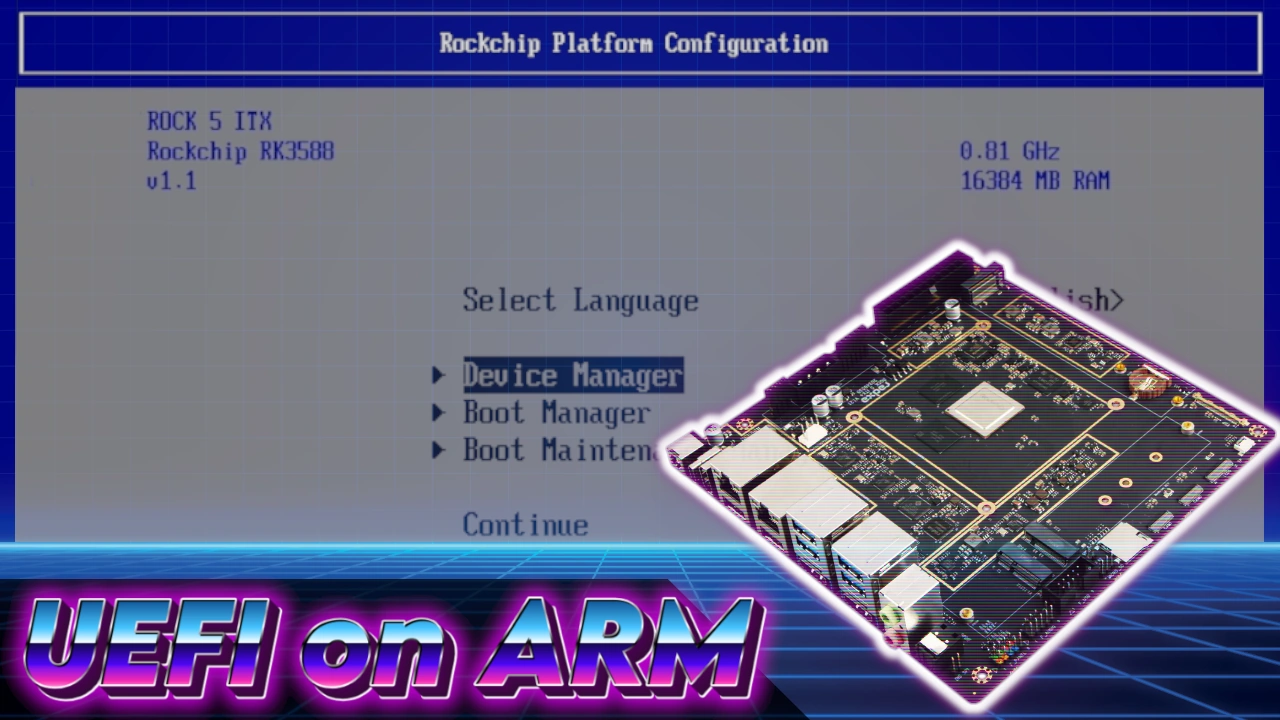
Installing UEFI Firmware on ARM SBCs
I am a huge fan of my Rock 5 ITX+. It wraps an ATX power connector, a 4-pin Molex, PoE support, 32 GB of eMMC, front-panel USB 2.0, and two Gen 3×2 M.2 slots around a Rockchip 3588 SoC that can slot into any Mini-ITX case. Thing is, I never put it in a case because the microSD slot lives on the side of the board, and pulling the case out and removing the side panel to install a new OS got old with a quickness.
I originally wanted to rackmount the critter, but adding a deracking difficulty multiplier to the microSD slot minigame seemed a bit souls-like for my taste. So what am I going to do? Grab a microSD extender and hang that out the back? Nay! I’m going to neuralyze the SPI flash and install some Kelvin Timeline firmware that will allow me to boot and install generic ARM Linux images from USB.
At least, that’s the plan 🙂
EDK2 RK3588
EDK2-RK3588 is a UEFI firmware implementation based on EDK2 for various RK3588 boards. It delivers a PC-like, standardised boot experience, supporting multiple operating systems, such as Windows, Linux, BSD, and VMware ESXi. At least, that’s what it says on the tin.
In a perfect world, I could write the EDK2 firmware to a microSD and try before you buy. Welp, that’s not going to work on the Rock 5 ITX+ because it’s a wee bit, what’s a polite way to put this, special. Not only does the microSD trick not work, it also refuses to let me boot the EDK2 firmware from eMMC.
Time to break out the neuralyzer!
ARMBIAN
To pull off this roundabout feat of engineering, I first need to boot the Rock 5 ITX+ to a desktop, and there is exactly one correct answer to that problem: Armbian 25.2.2 Noble Gnome with kernel 6.1.
Once booted to the desktop, it’s time to crack open a copy of Chromium, head over to the EDK2-RK3588 GitHub page, and download the latest rock-5-itx UEFI release.
Remember the “specialness” I talked about earlier? Yeah, the Rock 5 ITX+ exposes the SPI flash as a standard 17 MB block device, meaning I can flash the UEFI image with GNOME Disks.
Granted, I’m still flashing the SPI, so I had to remind myself not to freak out when it seized up at the start, then proceeded to write the image at the speed of smell. The whole process ended up taking about a minute.
All that’s left to do at this point is power down the system, pop out the microSD, and reapply the electrons. Saying a prayer to an elder deity is optional but highly recommended.
UEFI BOOT
After a mild panic attack, I realised the EDK2 boot screen only shows up on when connected to the first HDMI output. I was finally greeted by a Radxa splash screen, and tapping Escape got me into the setup menu.
There’s a gang of settings to play around with, but for the time being I’m only focused on one, ACPI / Device Tree.
It’s located in Device Manager > Rockchip Platform Configuration > ACPI / Device Tree. Here I could tell the Rock 5 ITX+ to boot using ACPI, Device Tree, or both.
I decided to keep the Config Table Mode set to both, with Device Tree Configuration set to Mainline, and DTB override and firmware fixups enabled.
GENERIC ARM LINUX
The whole point of this experiment was to be able to download generic ARM images for any distribution and install them as I would on my x86-64 desktop PC. The thing is, there’s a miniboss hiding in plain sight on the EDK2-RK3588 GitHub page.
Basically, if I want a hardware-accelerated desktop (or anything else), I’m going to need a distribution shipping with kernel 6.15+, and while that might seem comical to anyone reading from the future, Debian 13 was released this week and it’s rocking 6.12.
The kernel 6.15+ requirement rules out the current releases of Armbian, openSUSE, Ubuntu, and Fedora. Thankfully, both Ubuntu (Daily) and Fedora (Rawhide) have bleeding-edge builds, so I’m crossing my pinky toes, hoping that one of them works.
FEDORA RAWHIDE
If you haven’t heard of Rawhide, it’s bleeding-edge Fedora, aimed at advanced users, testers, and anyone trying to shove Fedora onto an ARM SBC running EDK2 firmware in the glorious year of his noodly appendage, 2025.
Out of the gate, Fedora was being fussy, requiring me to switch the Config Table to Device Tree just to get a display. Even then, it took a reboot (or two) before finally gracing me with display output.
Once I defeated GRUB, it was smooth sailing. Pick a language, select the installation drive, agree to murderate some databits, and exit to the desktop. All that’s left to do is power off the system, remove the flash drive, and reapply the electrons.
After the reboot, I was greeted by a non-functioning GNOME desktop. Well, it wasn’t completely broken, as I could wiggle the mouse pointer, and that is how things remained until Mr 🙁 showed up.
One of the superpowers you develop while working with ARM SBCs is the ability to get up and walk away in case it’s having an extended think, knowing the solution is simply to wait it out.
After however long it took me to make a cup of tea, I came back to a task failed successfully and was finally able to complete the setup.
A quick poke around the GNOME Control Center revealed that networking, power, and display options were intact and operational.
Then I clicked on sound. I’m going to assume this is solvable by enabling some third-party repository, but that’s for someone else to figure out.
UBUNTU 25.10
I’ve talked an egregious amount of smack about Ubuntu over the decades, 73.6% of it deserved, but credit where it’s due: they’ve put serious time and energy into making their desktop work on both ARM and RISC-V.
So I wasn’t terribly surprised that GRUB appeared after I reset the EDK2 firmware to its defaults, followed by the installer’s splash screen.
If you have installed Ubuntu before, there is nothing of note here. Like Fedora, it offered the option to install the system on NVMe or eMMC, along with settings to enable third-party repositories.
Another rummage in the GNOME Control Center revealed that networking, power, and display options were intact and operational. Unlike Fedora, Ubuntu dispelled the myth that sound does not work on Linux. At least on ARM, out of the box… on a bleeding edge distro.
I also want to point out that Vulkan worked on both Ubuntu 25.10 and Fedora Rawhide. The open-source drivers still have some catching up to do, but they are most certainly getting there and are more than enough to provide a smooth desktop experience.
NETBSD?
I also grabbed a copy of NetBSD daily, and it booted right up. I didn’t bother trying to install it, but it picked up the ethernoodles, so you could probably get up to, something?
VERDICT
This all started because I wanted to put the Rock 5 ITX+ into a rackmount case and have a way to swap out the OS without pulling it from the rack and fiddling with the SD card. And yes, while writing this, all I can think about is how long it will take for someone to point out the existence of SD card extenders in the YouTube comments.
I won’t fault them for doing so. A simple SD extender plus a little arts and crafts with a Dremel would have been my solution if I needed a working fix yesterday.
But I really wanted to see where EDK2 RK3588 stands, since Collabora is hard at work upstreaming support for the RK3588 to the Linux kernel, and that’s going to be the SoC where everything JustWorks™ in a year or so.
Right now, EDK2 + RK3588 isn’t there yet, but it’s not that far off either. It’s the worst of all states, kinda works if you squint a little. The big hangup is kernel 6.15, but that only matters if you need HDMI output with hardware acceleration. Building a headless fileserver? You’re already good to go.
It looks like the Rock 5 ITX+ has escaped the rack, for now.
PRODUCT LINKS
All the links in this article go directly to the sources they reference. There are no affiliate links and no backlinks to unrelated articles because I absolutely loathe how common that has become. If you want to support Interfacing Linux, you can use the affiliate links listed below or join the Patreon.
- Radxa ROCK 5 ITX+: https://s.click.aliexpress.com/e/_olkG93p
- IN WIN PC Case: https://amzn.to/3JrTKk5
Some posts contain affiliate links. If you click on an affiliate link and later make a purchase, I may receive a small commission.
Have questions about your Linux setup? Ask in the forums.
