

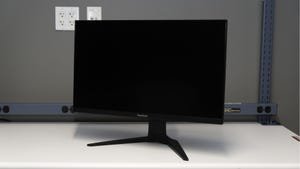
ViewSonic’s XG275D-4K Gaming Monitor Review: Bright Colors, Muddy Shadows
ViewSonic XG275D-4K
Pros
- Excellent color accuracy out of the box
- Good build quality and an adjustable stand
- Fantastic motion clarity
- The 25-inch 1080p/320Hz mode is a nice perk for esports gamers
Cons
- No USB hub
- Poor off-angle viewing
- Low peak brightness with just average contrast
- More expensive than the competition when not on sale
Just a few years ago, it would have been impossible to find a high-refresh-rate, 27-inch, 4K gaming monitor like the $500 ViewSonic XG275D-4K, a DFR — dynamic frequency and resolution — monitor that can operate at 160Hz in its native 4K resolution or 320Hz in a 1080p, 25-inch window. Now, you can choose from myriad similar competitors at this size for under $400, many of which offer the excellent text and image sharpness delivered by 4K resolution plus refresh rates par for an IPS display in its price class.
But, while $500 is a lot for what it delivers, when the ViewSonic is discounted to compete with models like the Acer Nitro XB273K V5bmiiprx — for instance, at review time it was around $390 at Amazon and Best Buy — it may offer enough no-nonsense style for gamers who want a display that can pull double duty at the office.
Design and features
Why don’t you want to buy it at the manufacturer’s list price? The monitor skimps on features that less expensive monitors tend to include. It has speakers, though they’re low-power, 2W versions which are typically found on cheap monitors (if they include speakers at all). Speakers are always appreciated, though, because they’re at least good for system notifications. But the monitor lacks a built-in USB hub. There’s a single USB-C port with 65 watts of power delivery for mobile devices and video input, but that’s it. And even for the discounted price, it’s disappointingly dim.
ViewSonic XG275D-4K specifications
| Price | $500 |
|---|---|
| Size (diagonal) | 27 in/69cm |
| Panel and backlight | IPS with LED |
| Flat or curved | Flat |
| Resolution and pixel density | 3,840 x 2,160, 163ppi |
| Aspect ratio | 16:9 |
| Maximum gamut | 94% P3 |
| Brightness (nits, peak/typical) | 300 nits |
| HDR | HDR10 |
| Adaptive sync | FreeSync Premium, G-Sync Compatible |
| Max vertical refresh rate | 320Hz (1080p), 160Hz (4K) |
| Gray/gray response time (milliseconds) | 2 |
| Connections | 1 x DP 1.4, 2 x HDMI 2.1, 1 x USB-C in (65W PD) |
| Audio | 2W stereo speakers, headphone jack |
| VESA mountable | Yes, 75 x 75mm |
| Panel warranty | 3 years |
| Release date | March 2025 |
Setting up the ViewSonic XG275D-4K is straightforward, and I was struck by how solid, if simple, the screen’s construction and accompanying stand are. The stand is very sturdy, meaning the panel doesn’t wobble while typing, and has a large opening for routing cables. Its adjustability is top-notch for a gaming monitor, allowing you to adjust height, swivel and tilt, as well as pivot the screen vertically. The display and stand both seem very durable.
The ViewSonic has the bare minimum of ports.
Lori Grunin/CNETNavigating the built-in on-screen display is simple, and helpfully, the battery life of the attached device is shown at the bottom of the menu where applicable, as is the current brightness level. When you open the OSD for the first time, it prompts you to enter your country, and if you’re in the US, it automatically enables Eco Mode and caps the brightness. This is an easy change to revert, though.
Performance
It’s a good thing the XG275D-4K’s performance largely makes up for the lack of features. At 4K/160Hz, there’s little discernible motion blur when tracking fast-moving objects. I typically test fast displays with games like Hades and Enter the Gungeon, where reaction time is critical, and the monitor held up admirably. For esports players, or gamers with systems that aren’t powerful enough to drive a high-refresh-rate display at 4K, the aforementioned 1080p mode is a great way to push more frames. It requires enabling the mode in the OSD and then restarting the attached system to switch between resolutions, which can be awkward.
The color accuracy is more impressive. I measured an average delta E of 1.7 at maximum brightness, both in a 10% center window and full screen, as well as a maximum delta E of 4.7. That’s an excellent out-of-the-box result and makes the XG275D-4K a strong contender for a display one can both game and use for color-sensitive photo or video work after calibration. ViewSonic doesn’t provide a factory calibration report anywhere; however, as this is technically a gaming monitor (though more and more manufacturers offer them these days).
Color gamut coverage is about average for an IPS display, although there’s no way to clamp the gamut to sRGB, a disappointing oversight that means colors appear oversaturated in the default viewing mode, especially reds. But it also means that colors pop in games, and bright titles like Avowed, the Spider-Man series, and Hearthstone look vibrant and lively, while the high pixel density makes edges especially sharp.
But contrast is mediocre at a little more than 1,000:1 out of the box (at 70% brightness), about what is normal for an IPS panel. Those used to OLED displays with their deep blacks and virtually infinite contrast ratio may find dark areas in games and scenes in movies hazy or muddy, and even the five-year-old Gigabyte M27Q I use daily measures 1,200 to 1. Shadows in Alan Wake 2 look washed out, and exploring the city of Nokron in Elden Ring was underwhelming, not atmospheric.
Color measurements
| Preset | Gamut (% coverage) | White point | Gamma | Peak brightness (full screen in nits) | Accuracy (DE2K average/max) |
|---|---|---|---|---|---|
| Default/Native | 93% P3 (128% sRGB) | 6400K | 2.3 | 290 | 1.4/2.0 |
| FPS | n/a | 6980K | 2.7 | 284 | n/a |
| RTS | n/a | 6400K | 3.3 | 287 | n/a |
| MOBA | n/a | 6500K | 3.3 | 288 | n/a |
| Movie | n/a | 7000K | 2.5 | 287 | n/a |
The XG275D-4K isn’t very bright, either, topping out at a measured 290 nits at maximum brightness. Although the display is listed as supporting HDR10, that just means it can do the math for tonal mapping; the low brightness precludes any HDR usage and might require that users modulate the amount of light coming into the room. The low maximum brightness is especially egregious considering the $300 MSI MAG 274URFW is VESA DisplayHDR 400 certified, as is the $349 Asus ROG Strix XG27UCS — and neither will provide a great HDR experience, but they will at least hit 400 nits and pack the same specs.
ViewSonic uses a very effective anti-glare coating on the panel, but this has the unintended side effect of hurting the viewing angles. Looking at the monitor dead-on is great, but viewing from above, below or from the sides washes the picture out. That’s a potentially important consideration for multimonitor setups or off-center placement.
For the price, there are plenty of gaming monitors with effectively the same specs from Asus, Acer, and Amazon-only brands like KTC and KOORUI. And I wouldn’t be surprised if they were all using the same IPS panel. The fact is, the ViewSonic XG275D-4K is just alright, and though it’s color-accurate out of the box, it’s simply more expensive and not as bright as the competition. Even the 1080p, 320Hz mode isn’t unique; most of the monitors linked above can also pull that trick off. Unless you find it for around $350, gamers looking to get the most for the money should look elsewhere.
How we test monitors
All measurements are performed using the most recent version of Portrait Display’s Calman Ultimate software, an X-Rite i1Display Pro Plus (rebranded as Calibrite ColorChecker Display Plus HL), and a variety of included patch sets. Additional HDR testing is performed using a Murideo Six-G pattern generator and/or the Client3 HDR patterns within Calman. We periodically spot-check the colorimeter’s accuracy against the Konica Minolta CS-2000 spectroradiometer used for our TV testing.
Core tests — those we run on every display, regardless of intent or price — include:
- The white point, brightness (peak and minimum), contrast and gamma for sRGB and the native color space were measured across 21 gray patches (0 to 100%), reported rounded down to the nearest 50K if there are no big variations. A plus or minus 200K variation around the target color temperature is considered acceptable for all but the most color-critical displays.
- Color gamut coverage and accuracy for sRGB and the native color space using Calman’s standard Pantone patch set, plus grayscale and skin tone patches.
- We add Blur Busters‘ motion tests for gaming monitors to judge motion artifacts (such as ghosting) or refresh rate-related problems.
You can find a more detailed description of our test methodology on our How CNET Tests Monitors page.
