Close Menu

    Subscribe to Updates

    Get the latest creative news from FooBar about art, design and business.

    What's Hot

    Best PlayStation 5 Controllers in 2026: The Top PS5 Controllers From Sony, Razer, Nacon and More

    Keep Your Dry Streak Going With These 13 Best Nonalcoholic Drinks

    New Trump Phone Reportedly Costs More, Looks Different, and Isn’t Made in America

    Facebook X (Twitter) Instagram
    • Artificial Intelligence
    • Business Technology
    • Cryptocurrency
    • Gadgets
    • Gaming
    • Health
    • Software and Apps
    • Technology
    Facebook X (Twitter) Instagram Pinterest Vimeo
    Tech AI Verse
    • Home
    • Artificial Intelligence

      Read the extended transcript: President Donald Trump interviewed by ‘NBC Nightly News’ anchor Tom Llamas

      February 6, 2026

      Stocks and bitcoin sink as investors dump software company shares

      February 4, 2026

      AI, crypto and Trump super PACs stash millions to spend on the midterms

      February 2, 2026

      To avoid accusations of AI cheating, college students are turning to AI

      January 29, 2026

      ChatGPT can embrace authoritarian ideas after just one prompt, researchers say

      January 24, 2026
    • Business

      New VoidLink malware framework targets Linux cloud servers

      January 14, 2026

      Nvidia Rubin’s rack-scale encryption signals a turning point for enterprise AI security

      January 13, 2026

      How KPMG is redefining the future of SAP consulting on a global scale

      January 10, 2026

      Top 10 cloud computing stories of 2025

      December 22, 2025

      Saudia Arabia’s STC commits to five-year network upgrade programme with Ericsson

      December 18, 2025
    • Crypto

      HBAR Shorts Face $5 Million Risk if Price Breaks Key Level

      February 10, 2026

      Ethereum Holds $2,000 Support — Accumulation Keeps Recovery Hopes Alive

      February 10, 2026

      Miami Mansion Listed for 700 BTC as California Billionaire Tax Sparks Relocations

      February 10, 2026

      Solana Drops to 2-Year Lows — History Suggests a Bounce Toward $100 is Incoming

      February 10, 2026

      Bitget Cuts Stock Perps Fees to Zero for Makers Ahead of Earnings Season, Expanding Access Across Markets

      February 10, 2026
    • Technology

      Best PlayStation 5 Controllers in 2026: The Top PS5 Controllers From Sony, Razer, Nacon and More

      February 10, 2026

      Keep Your Dry Streak Going With These 13 Best Nonalcoholic Drinks

      February 10, 2026

      New Trump Phone Reportedly Costs More, Looks Different, and Isn’t Made in America

      February 10, 2026

      TikTok-Linked AI Video Tool Debuts With a Catch for the US

      February 10, 2026

      24 Best Last-Minute Valentine’s Day Gifts in 2025: Physical and Digital Options for Everyone

      February 10, 2026
    • Others
      • Gadgets
      • Gaming
      • Health
      • Software and Apps
    Check BMI
    Tech AI Verse
    You are at:Home»Technology»Your PC won’t boot. Stay calm—here’s how to get your data back
    Technology

    Your PC won’t boot. Stay calm—here’s how to get your data back

    TechAiVerseBy TechAiVerseOctober 20, 2025No Comments4 Mins Read4 Views
    Facebook Twitter Pinterest Telegram LinkedIn Tumblr Email Reddit
    Your PC won’t boot. Stay calm—here’s how to get your data back
    Share
    Facebook Twitter LinkedIn Pinterest WhatsApp Email

    Your PC won’t boot. Stay calm—here’s how to get your data back

    Image: Pexels: Athena Sandrini

    If your computer won’t start you might be pulling out your hair at the prospect of losing all your precious data. But all isn’t necessarily lost.

    If the drive is corrupted or dead, you are in a pickle. Any attempt to retrieve data in that case is going to be very difficult and possibly cost an arm and a leg.

    But the PC may not be starting for a more benign reason – i.e., the power supply is on the blink or there’s a corrupted sector, in which case your data may well be intact. There are two main options if that’s the case, either to boot from a USB flash drive or remove the drive entirely and plug it into a working computer. Here we walk you through the former and give you advice on the latter.

    Option 1: Create a bootable Windows USB drive

    This is the method to try if your PC still turns on but just won’t boot into Windows.

    1. Create the bootable drive

    • Get another PC and a USB flash drive with at least 16GB on it.
    • Now go to Microsoft’s Media Creation web page and download the installation media.
    • Run the .exe file and select Create Installation media. You will have the option of choosing ISO or bootable media, choose bootable media.

    2. Boot into Recovery Environment

    • Next boot into the BIOS / UEFI on your PC that won’t boot and find the option that lets you change the order of the boot device. Set the USB/flash device as the first device. Plug in the USB drive and save and exit from the BIOS / UEFI.
    • Once the USB flash drive is detected, you should see a Windows installation screen. Choose the option Repair your computer. This will open Advanced Recovery.
    • Click on Troubleshoot > Advanced Options > Command Prompt.

    Dominic Bayley / Foundry

    3. Use the Command Prompt to recover the data

    • When the prompt appears on the screen, type notepad.exe and press Enter.
    • Click on File > Open to reveal Windows File Explorer.
    • Navigate to your drive and right click on it. Use the Send to option to copy the contents of the drive to external storage.

    Dominic Bayley / Foundry

    Option 2. Remove the drive and plug it into another computer

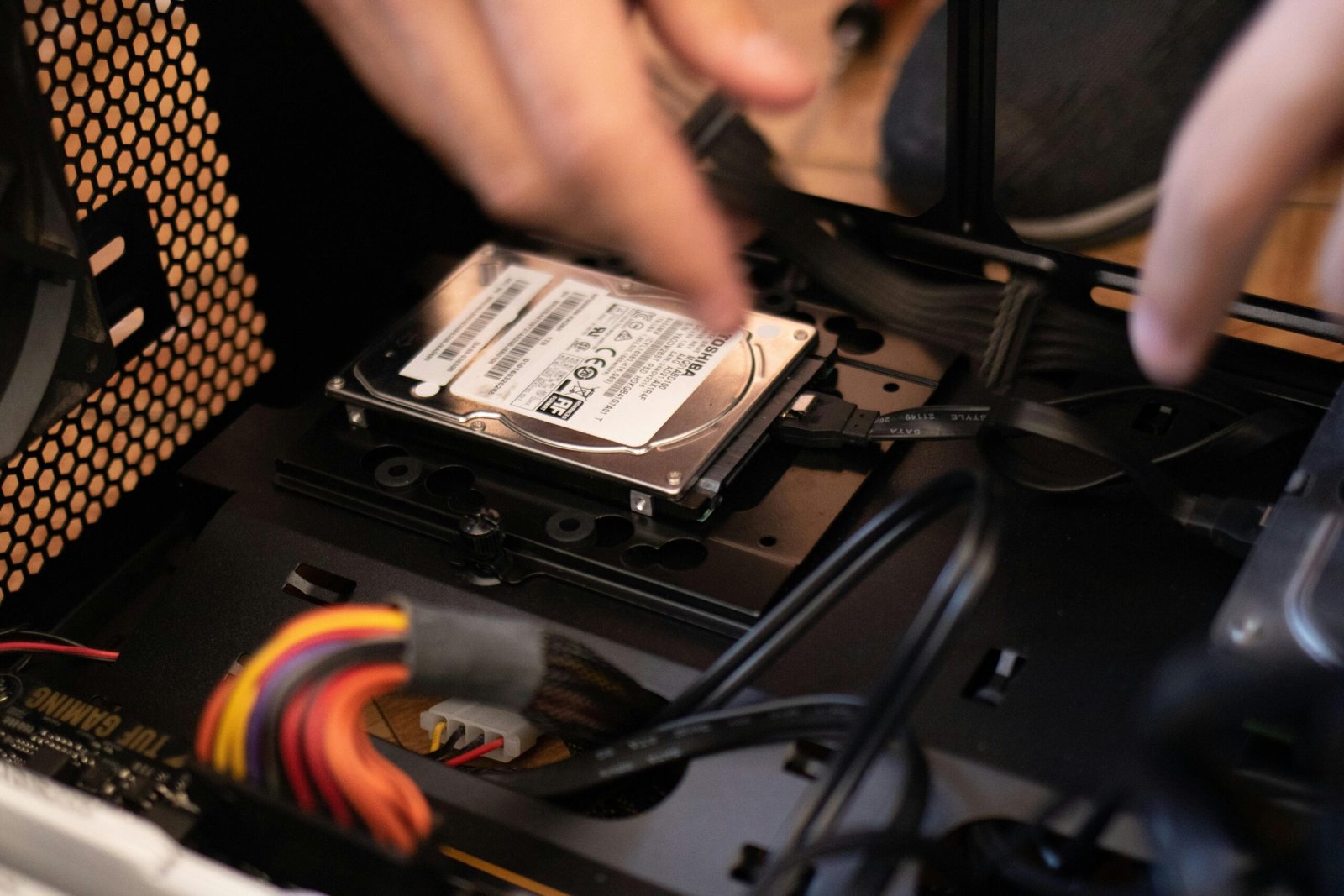
    If your computer won’t turn on, you won’t be able to boot from a USB flash drive. Instead, you’ll need to remove the drive from the PC and plug it into a functional PC to retrieve the data.

    There are a few things you’ll need. First off, you’ll need a screwdriver to open your PC and remove the drive. Also, to plug your drive into a working PC you’ll need to buy the correct cable, either a SATA to USB cable for a 2.5-inch drive, or if your drive is an M.2 type, SATA M.2-to-USB adapter or NVMe M.2-to-USB adapter (check your PC’s manufacturer specifications to see the drive type).

    Pexels: IT Services EU

    It can be tricky finding the right cable, but suppliers like Amazon tend to carry the different types. You may need to seek technical help or watch an online guide to remove your drive. In some laptops the drive is soldered onto the motherboard. If that’s the case, you won’t be able to remove the drive — you’ll have to take the PC to the repairer instead.

    Once the drive is removed, you simply have to plug it into the adapter and then plug it into a working USB port. With luck you should see the drive appear in File Explorer.

    You can then select all the files you need and copy them to an external drive. If you’re looking for an external drive, you can browse our PCWorld recommendations. When that’s done you can attempt to repair your PC with the knowledge that your files are safe and sound.

    Finally, make sure you have a reliable backup plan, so incidents like this aren’t so dire.

    Related content

    • How to solve the dreaded Blue Screen of Death on Windows PCs
    • 7 clever ways to use your old USB flash drives
    • How (and why) to boot Windows 11 from a USB flash drive


    Author: Dominic Bayley
    , Australian Editor, PCWorld

    Based in Australia, Dominic Bayley is a hardcore tech enthusiast. His PCWorld focus is on PC gaming hardware: laptops, mice, headsets and keyboards.

    Share. Facebook Twitter Pinterest LinkedIn Reddit WhatsApp Telegram Email
    Previous ArticleHow I instantly free up hard drive space in Windows 11
    Next Article Intel Core Ultra & Windows Copilot: What local AI can (and can’t) do
    TechAiVerse
    • Website

    Jonathan is a tech enthusiast and the mind behind Tech AI Verse. With a passion for artificial intelligence, consumer tech, and emerging innovations, he deliver clear, insightful content to keep readers informed. From cutting-edge gadgets to AI advancements and cryptocurrency trends, Jonathan breaks down complex topics to make technology accessible to all.

    Related Posts

    Best PlayStation 5 Controllers in 2026: The Top PS5 Controllers From Sony, Razer, Nacon and More

    February 10, 2026

    Keep Your Dry Streak Going With These 13 Best Nonalcoholic Drinks

    February 10, 2026

    New Trump Phone Reportedly Costs More, Looks Different, and Isn’t Made in America

    February 10, 2026
    Leave A Reply Cancel Reply

    Top Posts

    Ping, You’ve Got Whale: AI detection system alerts ships of whales in their path

    April 22, 2025664 Views

    Lumo vs. Duck AI: Which AI is Better for Your Privacy?

    July 31, 2025250 Views

    6.7 Cummins Lifter Failure: What Years Are Affected (And Possible Fixes)

    April 14, 2025150 Views

    6 Best MagSafe Phone Grips (2025), Tested and Reviewed

    April 6, 2025111 Views
    Don't Miss
    Technology February 10, 2026

    Best PlayStation 5 Controllers in 2026: The Top PS5 Controllers From Sony, Razer, Nacon and More

    Best PlayStation 5 Controllers in 2026: The Top PS5 Controllers From Sony, Razer, Nacon and…

    Keep Your Dry Streak Going With These 13 Best Nonalcoholic Drinks

    New Trump Phone Reportedly Costs More, Looks Different, and Isn’t Made in America

    TikTok-Linked AI Video Tool Debuts With a Catch for the US

    Stay In Touch
    • Facebook
    • Twitter
    • Pinterest
    • Instagram
    • YouTube
    • Vimeo

    Subscribe to Updates

    Get the latest creative news from SmartMag about art & design.

    About Us
    About Us

    Welcome to Tech AI Verse, your go-to destination for everything technology! We bring you the latest news, trends, and insights from the ever-evolving world of tech. Our coverage spans across global technology industry updates, artificial intelligence advancements, machine learning ethics, and automation innovations. Stay connected with us as we explore the limitless possibilities of technology!

    Facebook X (Twitter) Pinterest YouTube WhatsApp
    Our Picks

    Best PlayStation 5 Controllers in 2026: The Top PS5 Controllers From Sony, Razer, Nacon and More

    February 10, 20264 Views

    Keep Your Dry Streak Going With These 13 Best Nonalcoholic Drinks

    February 10, 20263 Views

    New Trump Phone Reportedly Costs More, Looks Different, and Isn’t Made in America

    February 10, 20263 Views
    Most Popular

    7 Best Kids Bikes (2025): Mountain, Balance, Pedal, Coaster

    March 13, 20250 Views

    VTOMAN FlashSpeed 1500: Plenty Of Power For All Your Gear

    March 13, 20250 Views

    This new Roomba finally solves the big problem I have with robot vacuums

    March 13, 20250 Views
    © 2026 TechAiVerse. Designed by Divya Tech.
    • Home
    • About Us
    • Contact Us
    • Privacy Policy
    • Terms & Conditions

    Type above and press Enter to search. Press Esc to cancel.