Close Menu

    Subscribe to Updates

    Get the latest creative news from FooBar about art, design and business.

    What's Hot

    SwifDoo PDF Pro drops to $35—and it’s a lifetime license

    This $60 Bitcoin miner can be run on your desk

    Internet Archive unveils tool to save the web from dead links

    Facebook X (Twitter) Instagram
    • Artificial Intelligence
    • Business Technology
    • Cryptocurrency
    • Gadgets
    • Gaming
    • Health
    • Software and Apps
    • Technology
    Facebook X (Twitter) Instagram Pinterest Vimeo
    Tech AI Verse
    • Home
    • Artificial Intelligence

      Read the extended transcript: President Donald Trump interviewed by ‘NBC Nightly News’ anchor Tom Llamas

      February 6, 2026

      Stocks and bitcoin sink as investors dump software company shares

      February 4, 2026

      AI, crypto and Trump super PACs stash millions to spend on the midterms

      February 2, 2026

      To avoid accusations of AI cheating, college students are turning to AI

      January 29, 2026

      ChatGPT can embrace authoritarian ideas after just one prompt, researchers say

      January 24, 2026
    • Business

      New VoidLink malware framework targets Linux cloud servers

      January 14, 2026

      Nvidia Rubin’s rack-scale encryption signals a turning point for enterprise AI security

      January 13, 2026

      How KPMG is redefining the future of SAP consulting on a global scale

      January 10, 2026

      Top 10 cloud computing stories of 2025

      December 22, 2025

      Saudia Arabia’s STC commits to five-year network upgrade programme with Ericsson

      December 18, 2025
    • Crypto

      Tether Freezes $500 Million in Assets Linked to Turkish Gambling Ring

      February 7, 2026

      Crypto.com CEO Pivots to AI Agents, Launch Planned For Super Bowl

      February 7, 2026

      Will Solana’s Price Recovery Be Challenging? Here’s What On-Chain Signals Suggest

      February 7, 2026

      China Widens Crypto Ban to Choke Off Stablecoins and Asset Tokenization

      February 7, 2026

      CFTC Expands Crypto Collateral Pilot to Include National Trust Bank Stablecoins

      February 7, 2026
    • Technology

      SwifDoo PDF Pro drops to $35—and it’s a lifetime license

      February 8, 2026

      This $60 Bitcoin miner can be run on your desk

      February 8, 2026

      Internet Archive unveils tool to save the web from dead links

      February 8, 2026

      I’m obsessed with this 3D-printed tray for Costco hot dogs

      February 8, 2026

      This refurbed Acer with an RTX 5060 may be the best deal in gaming PCs right now

      February 8, 2026
    • Others
      • Gadgets
      • Gaming
      • Health
      • Software and Apps
    Check BMI
    Tech AI Verse
    You are at:Home»Technology»The iOS 26 Feature Secretly Extending Your iPhone’s Battery Life
    Technology

    The iOS 26 Feature Secretly Extending Your iPhone’s Battery Life

    TechAiVerseBy TechAiVerseNovember 16, 2025No Comments5 Mins Read0 Views
    Facebook Twitter Pinterest Telegram LinkedIn Tumblr Email Reddit
    The iOS 26 Feature Secretly Extending Your iPhone’s Battery Life
    Share
    Facebook Twitter LinkedIn Pinterest WhatsApp Email

    The iOS 26 Feature Secretly Extending Your iPhone’s Battery Life

    Why You Can Trust CNET

    Our expert, award-winning staff selects the products we cover and rigorously researches and tests our top picks. If you buy through our links, we may get a commission. How we test phones

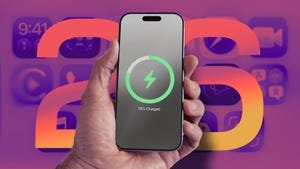
    Adaptive Power is an Apple Intelligence feature that can automatically give your battery the boost it needs. Here’s how it works.

    Jeff Carlson Senior Writer

    Jeff Carlson writes about mobile technology for CNET. He is also the author of dozens of how-to books covering a wide spectrum ranging from Apple devices and cameras to photo editing software and PalmPilots. He drinks a lot of coffee in Seattle.

    Expertise mobile technology, apple devices, generative ai, photography

    Battery life in the latest iPhone models is more important than ever, whether you’re taking advantage of the physically larger cells in the iPhone 17 Pro — the “best battery life of any phone that CNET has ever tested,” CNET Managing Editor Patrick Holland said in his review — or getting the most out of the thin battery in the iPhone Air. And software now also plays a big role.

    A new feature in iOS 26 called Adaptive Power is enabled by default on Apple’s latest phones, but is also available on older models that support Apple Intelligence.

    Currently, the iPhone uses as much power as it needs to perform its tasks. You can extend battery life by doing a number of things, such as decreasing screen brightness and turning off the always-on display. Or, if your battery is running low, you can turn on Low Power Mode, which limits background activity, like fetching mail and downloading data, and dims the screen to help extend battery life. Low Power Mode also kicks in automatically when the battery level reaches 20%.


    Don’t miss any of our unbiased tech content and lab-based reviews. Add CNET as a preferred Google source.


    If Low Power Mode is the hammer that knocks down power consumption, Adaptive Power is the scalpel that intelligently trims energy savings here and there as needed. Based on Apple’s description that accompanies the control, the savings will be felt mostly in power-hungry situations such as recording videos, editing photos or even playing games.

    Apple says Adaptive Power takes about a week to analyze your usage behavior before it begins actively working. And it works in the background without needing any management on your part. 

    Here’s how Apple describes it in the iPhone user guide: “It uses on-device intelligence to predict when you’ll need extra battery power based on your recent usage patterns, then makes performance adjustments to help your battery last longer.”

    Watch this: The iPhone 17 Pro Max Has Incredible Battery Life

    12:10

    Which iPhone models can use Adaptive Power?

    The feature uses AI to monitor and choose when its power-saving measures should be activated, so that means only phones compatible with Apple Intelligence get the feature. These are the models that have the option:

    • iPhone 17
    • iPhone 17 Pro and iPhone 17 Pro Max
    • iPhone Air
    • iPhone 16 and iPhone 16 Plus
    • iPhone 16 Pro and iPhone 16 Pro Max
    • iPhone 16e
    • iPhone 15 Pro and iPhone 15 Pro Max

    Although some iPad and Mac models support Apple Intelligence, the feature is only available on iPhones.

    How to turn Adaptive Power on

    Adaptive Power is on by default on the iPhone 17, iPhone 17 Pro, iPhone 17 Pro Max and iPhone Air. For other models, you must opt in to use it. In iOS 26, you’ll find the Adaptive Power toggle in Settings > Battery > Power Mode. To be alerted when the feature is active, turn on the Adaptive Power Notifications option.


    Enlarge Image

    In iOS 26, turn on the Adaptive Power setting to help extend battery life.

    Screenshots by Jeff Carlson/CNET

    Adaptive Power sounds like an outgrowth of Gaming Mode, introduced in iOS 18, which routes all available processing and graphics power to the frontmost app and pauses other processes in order to deliver the best experience possible — at the notable expense of battery life.

    When the iPhone is using Adaptive Power, a notification appears.

    Screenshot by Jeff Carlson/CNET

    What does this mean for your charging habits?

    Although we all want as much battery life as possible all the time, judging by the description, it sounds as if Adaptive Power’s optimizations will not always be active, even if you leave the feature on. “When your battery usage is higher than usual” could include a limited number of situations. Still, considering that according to a CNET survey, 61% of people upgrade their phones because of battery life, a feature such as Adaptive Power could extend the longevity of their phones just by updating to iOS 26.

    I also wonder whether slightly adjusting display brightness could be disruptive, but in my experience so far, it hasn’t been noticeable. Because the feature also selectively de-prioritizes processing tasks, the outward effects seem minimal. When it’s activated on my iPhone 16 Pro, the only indication was the Adaptive Power alert that appeared.

    We’ll get a better idea about how well Adaptive Power works as more people adopt iOS 26 and start buying new iPhone models. Also, remember that shortly after installing a major software update, it’s common to experience worse battery life as the system optimizes data in the background; Apple went so far as to remind customers that it’s a temporary side effect.

    Share. Facebook Twitter Pinterest LinkedIn Reddit WhatsApp Telegram Email
    Previous ArticleApple Is Planning Cheaper Macs That Compete With Budget Chromebooks and PCs, Report Says
    Next Article You Can Now Add Your Passport to Your iPhone in Apple Wallet. Here’s How
    TechAiVerse
    • Website

    Jonathan is a tech enthusiast and the mind behind Tech AI Verse. With a passion for artificial intelligence, consumer tech, and emerging innovations, he deliver clear, insightful content to keep readers informed. From cutting-edge gadgets to AI advancements and cryptocurrency trends, Jonathan breaks down complex topics to make technology accessible to all.

    Related Posts

    SwifDoo PDF Pro drops to $35—and it’s a lifetime license

    February 8, 2026

    This $60 Bitcoin miner can be run on your desk

    February 8, 2026

    Internet Archive unveils tool to save the web from dead links

    February 8, 2026
    Leave A Reply Cancel Reply

    Top Posts

    Ping, You’ve Got Whale: AI detection system alerts ships of whales in their path

    April 22, 2025658 Views

    Lumo vs. Duck AI: Which AI is Better for Your Privacy?

    July 31, 2025245 Views

    6.7 Cummins Lifter Failure: What Years Are Affected (And Possible Fixes)

    April 14, 2025148 Views

    6 Best MagSafe Phone Grips (2025), Tested and Reviewed

    April 6, 2025111 Views
    Don't Miss
    Technology February 8, 2026

    SwifDoo PDF Pro drops to $35—and it’s a lifetime license

    SwifDoo PDF Pro drops to $35—and it’s a lifetime license Image: StackCommerce TL;DR: SwifDoo PDF Pro gives…

    This $60 Bitcoin miner can be run on your desk

    Internet Archive unveils tool to save the web from dead links

    I’m obsessed with this 3D-printed tray for Costco hot dogs

    Stay In Touch
    • Facebook
    • Twitter
    • Pinterest
    • Instagram
    • YouTube
    • Vimeo

    Subscribe to Updates

    Get the latest creative news from SmartMag about art & design.

    About Us
    About Us

    Welcome to Tech AI Verse, your go-to destination for everything technology! We bring you the latest news, trends, and insights from the ever-evolving world of tech. Our coverage spans across global technology industry updates, artificial intelligence advancements, machine learning ethics, and automation innovations. Stay connected with us as we explore the limitless possibilities of technology!

    Facebook X (Twitter) Pinterest YouTube WhatsApp
    Our Picks

    SwifDoo PDF Pro drops to $35—and it’s a lifetime license

    February 8, 20263 Views

    This $60 Bitcoin miner can be run on your desk

    February 8, 20263 Views

    Internet Archive unveils tool to save the web from dead links

    February 8, 20264 Views
    Most Popular

    7 Best Kids Bikes (2025): Mountain, Balance, Pedal, Coaster

    March 13, 20250 Views

    VTOMAN FlashSpeed 1500: Plenty Of Power For All Your Gear

    March 13, 20250 Views

    This new Roomba finally solves the big problem I have with robot vacuums

    March 13, 20250 Views
    © 2026 TechAiVerse. Designed by Divya Tech.
    • Home
    • About Us
    • Contact Us
    • Privacy Policy
    • Terms & Conditions

    Type above and press Enter to search. Press Esc to cancel.