Close Menu

    Subscribe to Updates

    Get the latest creative news from FooBar about art, design and business.

    What's Hot

    Despite the hype, agentic AI isn’t ready to take the brand controls just yet

    How brands shifted marketing and media strategies through year of tariffs

    Ad Tech Briefing: Big Tech won 2025 (even when it lost)

    Facebook X (Twitter) Instagram
    • Artificial Intelligence
    • Business Technology
    • Cryptocurrency
    • Gadgets
    • Gaming
    • Health
    • Software and Apps
    • Technology
    Facebook X (Twitter) Instagram Pinterest Vimeo
    Tech AI Verse
    • Home
    • Artificial Intelligence

      Trump signs executive order seeking to ban states from regulating AI companies

      December 13, 2025

      Apple’s AI chief abruptly steps down

      December 3, 2025

      The issue that’s scrambling both parties: From the Politics Desk

      December 3, 2025

      More of Silicon Valley is building on free Chinese AI

      December 1, 2025

      From Steve Bannon to Elizabeth Warren, backlash erupts over push to block states from regulating AI

      November 23, 2025
    • Business

      Top 10 cloud computing stories of 2025

      December 22, 2025

      Saudia Arabia’s STC commits to five-year network upgrade programme with Ericsson

      December 18, 2025

      Zeroday Cloud hacking event awards $320,0000 for 11 zero days

      December 18, 2025

      Amazon: Ongoing cryptomining campaign uses hacked AWS accounts

      December 18, 2025

      Want to back up your iPhone securely without paying the Apple tax? There’s a hack for that, but it isn’t for everyone… yet

      December 16, 2025
    • Crypto

      10x Research Targets 8% Up for Gold: Today’s ATH Is the Cheapest You’ll See

      December 23, 2025

      Bitcoin Fintech Enters Russell 2000 While Strategy Risks MSCI Exclusion

      December 23, 2025

      3 Meme Coins To Watch In The Week of Christmas 2025

      December 23, 2025

      3 Altcoins To Watch In The Christmas 2025 Week

      December 23, 2025

      5 Charts Suggest Bitcoin Could Enter a Bear Market in Early 2026

      December 23, 2025
    • Technology

      Despite the hype, agentic AI isn’t ready to take the brand controls just yet

      December 23, 2025

      How brands shifted marketing and media strategies through year of tariffs

      December 23, 2025

      Ad Tech Briefing: Big Tech won 2025 (even when it lost)

      December 23, 2025

      ‘A year of loose ends’: Digiday editors share top takeaways from 2025

      December 23, 2025

      What publishers are wishing for this holiday season: End AI scraping and determine AI-powered audience value

      December 23, 2025
    • Others
      • Gadgets
      • Gaming
      • Health
      • Software and Apps
    Check BMI
    Tech AI Verse
    You are at:Home»Technology»4 Handy Uses For Your Chromebook’s USB Ports
    Technology

    4 Handy Uses For Your Chromebook’s USB Ports

    TechAiVerseBy TechAiVerseDecember 16, 2025No Comments5 Mins Read0 Views
    Facebook Twitter Pinterest Telegram LinkedIn Tumblr Email Reddit
    4 Handy Uses For Your Chromebook’s USB Ports
    Share
    Facebook Twitter LinkedIn Pinterest WhatsApp Email

    4 Handy Uses For Your Chromebook’s USB Ports

    ffeeaarr/Shutterstock

    We may receive a commission on purchases made from links.

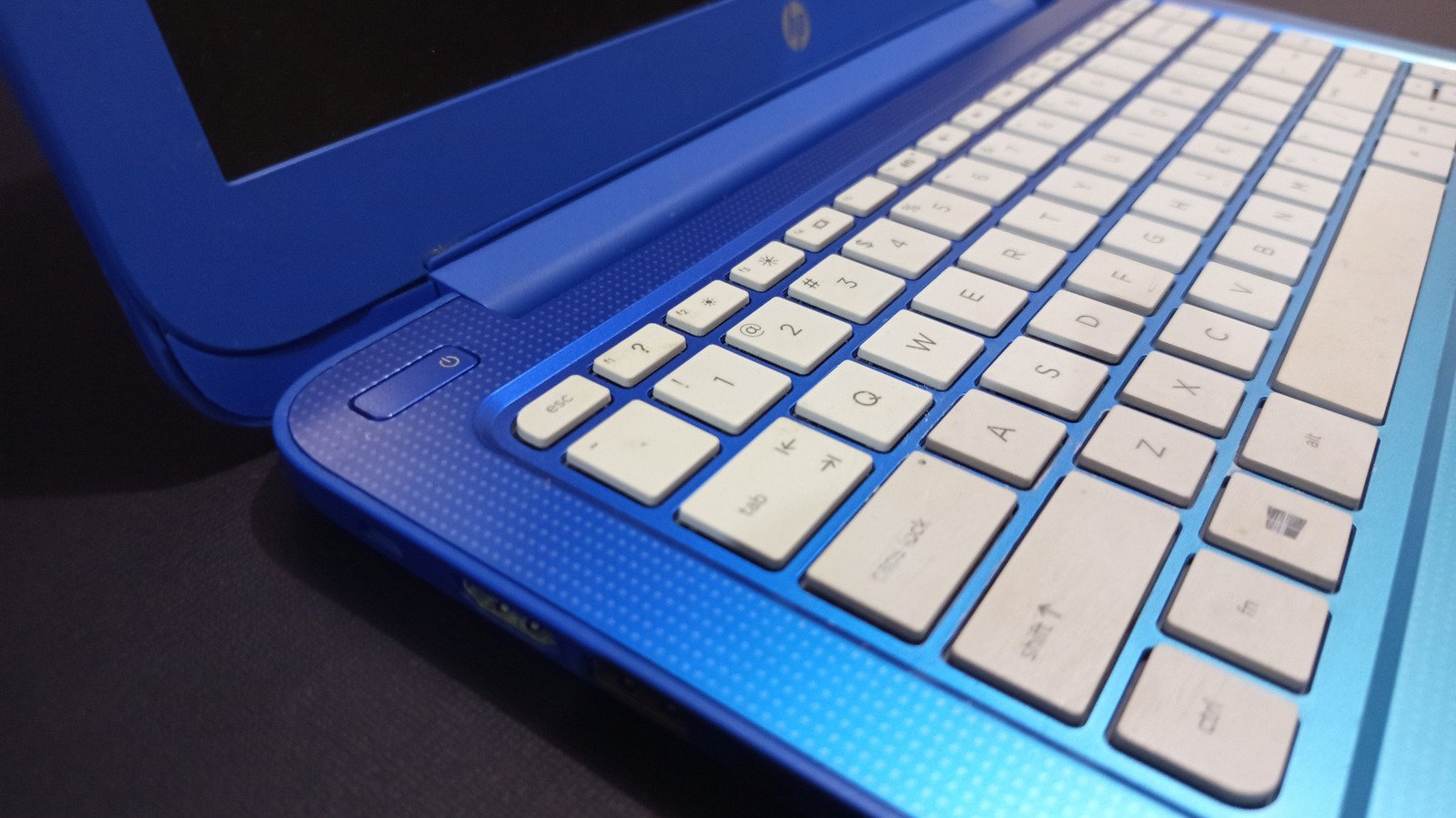
    Chromebooks might be commonly thought of as those cheap laptops your kid uses at school, but they’re gradually improving in functionality to the point that there are plenty of people who use them as their main computer for either work or school. Some Chromebooks are even built to handle gaming, while others have surprisingly long battery life. They’re more affordable than MacBooks and most Windows laptops, so it’s not a bad choice.

    However, one major drawback with Chromebooks is that they typically have fewer USB ports than conventional laptops — since they’re designed to primarily handle web-based tasks. Some don’t even have a USB-C port, which is used for so many different purposes. So, it’s only natural to want to get the most out of the USB ports your Chromebook does have. So whether you’re a casual user or a professional, there is plenty to do with the one or two USB ports you have access to.

    Plug in a USB docking station or hub

    Vladdeep/Getty Images

    It’s important to note that while most newer Chromebooks come with a USB-C port, not every Chromebook does. So, if you don’t have a USB-C port, you most likely won’t be able to utilize a docking station or hub since they typically connect via USB-C. If your Chromebook does happen to have one, then investing in a USB docking station will greatly improve your experience, especially if it’s your sole computer.

    A dock or hub will give you more USB-A and USB-C ports, sometimes an SD or microSD card slot, and, depending on the version you get, HDMI and DisplayPort ports. A hub is a smaller, portable version of a docking station with fewer connectivity options, but it will still provide more than what your Chromebook likely has on its own. If you can’t decide between a docking station or a hub, Anker’s new 13-in-1 dock has a nifty feature, which is a removable hub, giving you the best of both worlds.

    External hard drive or SSD

    Maule/Shutterstock

    One of the biggest drawbacks of most Chromebooks is their lack of storage capacity, so buying a 1 TB external hard drive will go a long way. It doesn’t even have to be 1 TB. Go with 500 GB or half of that, and it’s still going to improve your Chromebook’s functionality. Whether you’re using the Chromebook for school, work, or creative endeavors, an external hard drive will be your prized possession. You can actually find a 5 TB My Passport by WD for about $120, which is considerably cheaper than external hard drives were more than a decade ago.

    If you’re looking for speed, then a fast portable SSD would be the way to go. Once again, however, many connect via USB-C, so if your Chromebook lacks such a port, then you’re going to have to settle for a conventional HDD. That’s okay, though, because the speed at which software loads is a bit overrated. It’s really a matter of capacity over speed. SSDs are a little pricier than HDDs, but are still a good investment. You can get a Samsung T7 Portable SSD with 1 TB for around $109.

    Transfer files from another device

    Proxima Studio/Shutterstock

    Speaking of storage space, if you happen to have a Windows laptop, desktop, or another device with photos, music, or documents, and you want those files on your Chromebook, you can use a USB cable to transfer the files. Yes, you could do it all virtually and transfer the same files using your primary Google account, but there’s something satisfying about connecting two computers to each other via USB and doing it that way. Plus, it’s faster and more stable this way, especially if you’re using USB-C.

    There are a few steps to go through, such as making sure the USB is set to transfer files rather than charging. But once that’s done, it’s just a matter of using the Files app to drag the files you want from the external device to the Chromebook. The other method would require uploading documents and photos to your Google Drive, waiting for them to upload, then downloading them onto the Chromebook.

    Microphone

    Yana Morozova/Shutterstock

    In the day and age of Microsoft Teams and Zoom meetings, hooking up a USB microphone to your Chromebook isn’t a terrible idea. Without a dedicated microphone, your coworkers or classmates are going to hear your voice echo, as well as every other little sound. It’s unlikely you’re going to use a Chromebook for streaming your “Cyberpunk 2077” gameplay to Twitch, but something like the Razer Seiren V3 is great because it’s a simple plug and play microphone, and that’s all you need to eliminate an echo for your work meetings or virtual classrooms.

    If you’re just using the mic for meetings and don’t need to record anything, there aren’t any issues. If you need to record your audio for something like a podcast, however, you may need to jump into the Google Play Store and download an app to help with that. That’s easy enough, though, as there are plenty of apps to choose from.

    Share. Facebook Twitter Pinterest LinkedIn Reddit WhatsApp Telegram Email
    Previous ArticleSilksong is getting a free expansion next year
    Next Article Powerful Nvidia AI Chips Are Already In China: Here’s How
    TechAiVerse
    • Website

    Jonathan is a tech enthusiast and the mind behind Tech AI Verse. With a passion for artificial intelligence, consumer tech, and emerging innovations, he deliver clear, insightful content to keep readers informed. From cutting-edge gadgets to AI advancements and cryptocurrency trends, Jonathan breaks down complex topics to make technology accessible to all.

    Related Posts

    Despite the hype, agentic AI isn’t ready to take the brand controls just yet

    December 23, 2025

    How brands shifted marketing and media strategies through year of tariffs

    December 23, 2025

    Ad Tech Briefing: Big Tech won 2025 (even when it lost)

    December 23, 2025
    Leave A Reply Cancel Reply

    Top Posts

    Ping, You’ve Got Whale: AI detection system alerts ships of whales in their path

    April 22, 2025533 Views

    Lumo vs. Duck AI: Which AI is Better for Your Privacy?

    July 31, 2025191 Views

    6.7 Cummins Lifter Failure: What Years Are Affected (And Possible Fixes)

    April 14, 202593 Views

    6 Best MagSafe Phone Grips (2025), Tested and Reviewed

    April 6, 202579 Views
    Don't Miss
    Technology December 23, 2025

    Despite the hype, agentic AI isn’t ready to take the brand controls just yet

    Despite the hype, agentic AI isn’t ready to take the brand controls just yet By…

    How brands shifted marketing and media strategies through year of tariffs

    Ad Tech Briefing: Big Tech won 2025 (even when it lost)

    ‘A year of loose ends’: Digiday editors share top takeaways from 2025

    Stay In Touch
    • Facebook
    • Twitter
    • Pinterest
    • Instagram
    • YouTube
    • Vimeo

    Subscribe to Updates

    Get the latest creative news from SmartMag about art & design.

    About Us
    About Us

    Welcome to Tech AI Verse, your go-to destination for everything technology! We bring you the latest news, trends, and insights from the ever-evolving world of tech. Our coverage spans across global technology industry updates, artificial intelligence advancements, machine learning ethics, and automation innovations. Stay connected with us as we explore the limitless possibilities of technology!

    Facebook X (Twitter) Pinterest YouTube WhatsApp
    Our Picks

    Despite the hype, agentic AI isn’t ready to take the brand controls just yet

    December 23, 20250 Views

    How brands shifted marketing and media strategies through year of tariffs

    December 23, 20250 Views

    Ad Tech Briefing: Big Tech won 2025 (even when it lost)

    December 23, 20250 Views
    Most Popular

    What to Know and Where to Find Apple Intelligence Summaries on iPhone

    March 12, 20250 Views

    A Team of Female Founders Is Launching Cloud Security Tech That Could Overhaul AI Protection

    March 12, 20250 Views

    Senua’s Saga: Hellblade 2 leads BAFTA Game Awards 2025 nominations

    March 12, 20250 Views
    © 2025 TechAiVerse. Designed by Divya Tech.
    • Home
    • About Us
    • Contact Us
    • Privacy Policy
    • Terms & Conditions

    Type above and press Enter to search. Press Esc to cancel.