

Tapo Smart Wi-Fi Light Switch Dimmer S505D review: Smart lighting for a song
Image: Christopher Null/Foundry
At a glance
Expert’s Rating
Pros
- Matter certified
- Relatively clean room-facing design
- Quick onboarding and easy management with the Tapo app
- Very low-priced
Cons
- Physical installation is a bit more onerous than other devices
- Requires a neutral wire
- Some slight hiccups during setup
Our Verdict
The Tapo S505D smart dimmer is Matter certified, which guarantees compatibility with every major smart home ecosystem, and it certainly won’t break the bank. On the other hand, it’s a very simple single-pole device that depends on the presence of a neutral wire in the box where it’s installed.
Price When Reviewed
This value will show the geolocated pricing text for product undefined
Best Pricing Today
Best Prices Today: Tapo Smart Wi-Fi Light Switch Dimmer S505D
In-wall smart switches and dimmers are approaching commodity status. To make an impact on the market, the Tapo Smart Wi-Fi Dimmer (model S505D) delivers Matter certification, a very simple industrial design, and—above all—a dirt-cheap price tag.
It’s a capable enough product, although it doesn’t really move the needle for the category. Buyers will also want to know that this is a single-pole device that depends on the presence of a neutral wire in the electrical box where it’s installed (not all dimmers require that). If you’re replacing a 3-way dimmer, you should consider the Tapo S515D Kit ($33 at Amazon), which includes a companion dimmer; otherwise, you’ll need to jump through some extra installation hoops that will remove the ability to control that light from a second location in your home.
With a street price of less than $15, it’s hardly a big investment to give this dimmer a try.
Tapo does offer a wireless, battery-powered companion dimmer—the Tapo S200D (around $20 at Amazon)—that you can mount anywhere and get 3-way functionality. But you would also need one of Tapo’s smart home hubs if you go that route.
Specifications
The Tapo S505D uses a combination of pigtail wires and screw terminals/clamps to connect to your home’s wiring. A neutral wire is required.
Christopher Null/Foundry
This single-pole smart dimmer supports a maximum load of 300 watts of incandescent bulbs or 150 watts of LEDs. Fluorescent bulbs are not supported. Once installed, it connects to your 2.4GHz Wi-Fi network, eliminating the need for a smart home hub (5GHz networks are not supported). As I’ve already mentioned, it’s a Matter-certified device, which means it can be incorporated into Amazon Alexa, Apple Home, Google Home, Samsung SmartThings and many other smart home ecosystems. You can also use the dimmer with IFTTT.
Its dependence on neutral wire might complicate your installation, since there might not be one in every box in your home, especially if it’s older construction.
Installation and setup
The Tapo S505D has a hybrid connector design, with pigtails for neutral and ground, while your home’s load and line wires connect via terminal clamps and screws. This design saves a little space inside the box, since you only need two wire nuts instead of four, as would be required for an all-pigtail design.
The Tapo S505D isn’t a small device and we encountered some difficulty getting it and the wires stuffed back into the box.
Christopher Null/Foundry
On the other hand, this also makes for a somewhat more difficult physical installation because it can be a challenge to push the line and load wires coming out of the wall through the back of the dimmer, under the clamps on the terminals on its left-hand side and then tighten the screws to secure them.
After carefully straightening the line and load wires, which had previously been twisted inside wire nuts, I was able to get everything connected in about 10 minutes. I’ve found competing products easier to install.
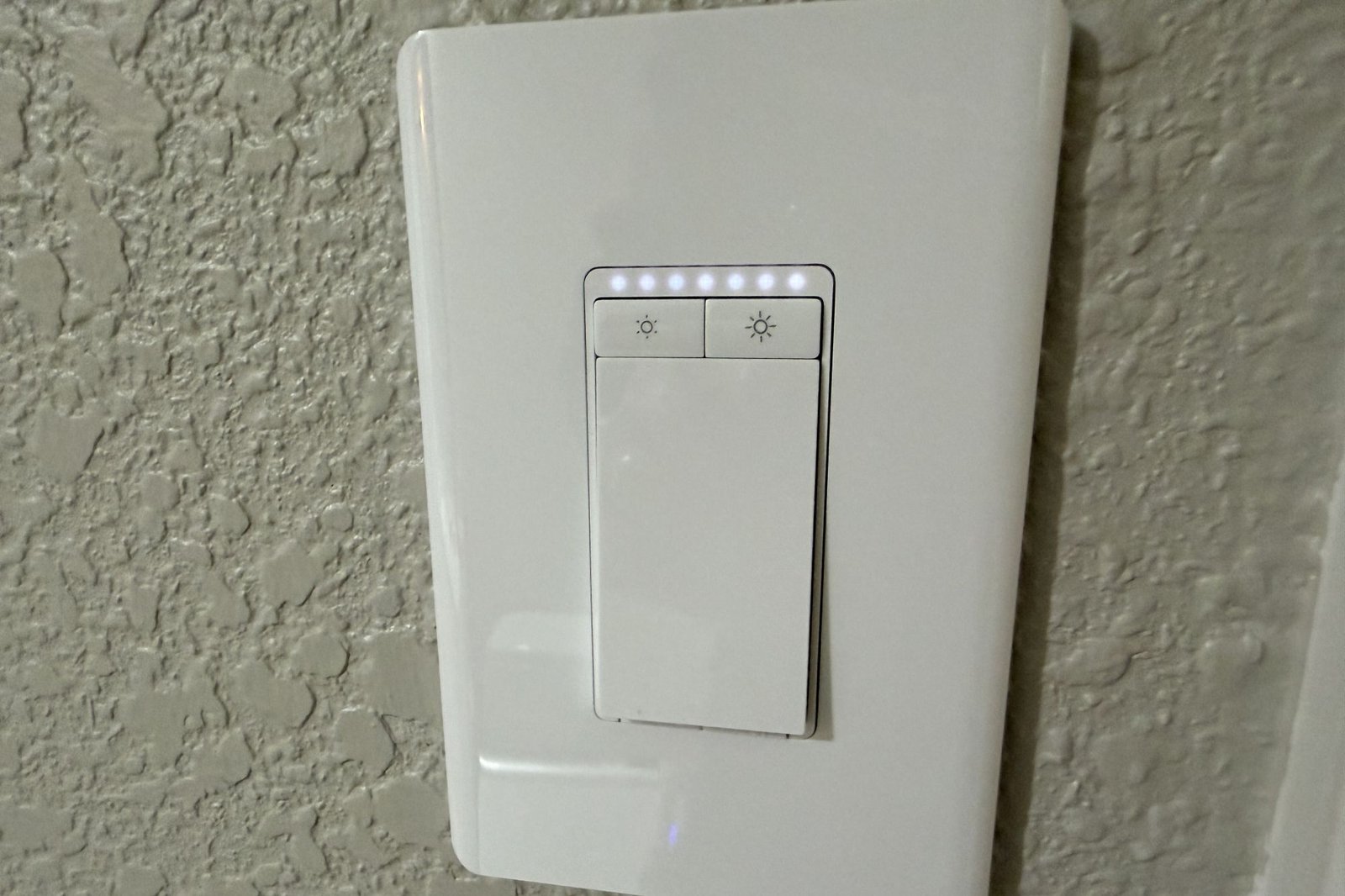
The unit is not particularly small and jamming it back into the box took some effort. Once in place and with the included cover plate attached, however, the finished design is attractive and not overly busy.
A series of LEDs indicates the level of brightness for the connected load.
Christopher Null/Foundry
Being a Matter device, you can onboard it either through the Tapo app or by scanning the Matter code (which is printed on the switch hardware without a QR code and provided as a sticker with one). Setting up with the Tapo app is the recommended course of action, in part because the unit will likely need a firmware update after installation (as mine did).
I didn’t encounter any issues with onboarding, although the Tapo app cannot automatically identify which product you are setting up. You must select the specific and easy-to-forget model number from a lengthy list, which is an unnecessary nuisance. The only other issue I had during setup involved the dimming calibration, which failed. Fortunately, it worked fine after I had completed the rest of the setup and visited the app’s settings menu.
Using the Tapo Smart Wi-Fi Light Switch Dimmer S505D
The Tapo S505D hardware is simple and intuitive. The large rocker-style switch is a simple on/off toggle: One press turns either turns the light on or off, depending on the state it’s in when you push it. Two smaller buttons above the toggle let you step through a series of brightness settings, one click at a time. Alternately you can hold down the dimmer buttons for a somewhat smooth, dynamic dimming/brightening operation, but I found it a lot quicker to just tap either button a few times to reach my desired brightness level.
An LED embedded in the switch can be set to glow as a locator when the switch is in the off position, or you can program it to glow only at night. You can also turn this LED off altogether if you consider it light pollution.
The Tapo app has all the basic features you’d expect to find for a smart dimmer.
Christopher Null/Foundry
The Tapo app is straightforward and unsurprising, with a main screen that contains all your Tapo devices and allows you to control power on or off. Drill down into the detail screen and you can control brightness either with a 0-to-100 percent slider or through five brightness presets that you configure.
Both a countdown timer and a simple scheduling system are included, as is an away mode taht which randomly turns the light on and off during a time you specify to emulate the presence of people. The app also reports operating time for the current day, the last week, and the last 30 days. I had no trouble with any of the app’s features, and I found the switch fully responsive to commands.
Should you buy the Tapo Smart Wi-Fi Light Switch Dimmer S505D?
With a street price of less than $15, it’s hardly a big investment to give this dimmer a try if you’re looking for a simple single-pole dimmer and there’s a neutral wire in the location you want to install it. Users with more ambitious smart home designs, however, will likely find it to be too basic.
This review is part of TechHive’s in-depth coverage of the best smart lighting controls.
Best Prices Today: Tapo Smart Wi-Fi Light Switch Dimmer S505D
Author: Christopher Null, Contributor, PCWorld
Christopher Null is an award-winning technology journalist with more than 25 years of experience writing about and reviewing consumer and business tech products. Previously, he served as Executive Editor for PC Computing magazine and was the founder and Editor in Chief of Mobile magazine, the first print publication focused exclusively on mobile tech. In addition to covering a wide range of smart home gear for TechHive, he is a frequent contributor to Wired, This Old House, and AAA’s Via Magazine.
