

The Best Desk Accessories (2025)
The Best Desk Accessories to Make Your Workstation More Inviting
Brighten up your bare desk with these cute, fidgety, functional, and stylish desk accessories.
Featured in this article
I have never had a bare desk in my life. Those minimalist setups you see online? My workspace is the complete opposite, overflowing with gizmos, tchotchkes from my travels, and an overabundance of gear. If you’re looking to spruce up your home office desktop (or maybe gift a friend who works from home), I’ve got several fun options for you, from functional stationery to gorgeous paperweights.
Be sure to check out our other home office guides, including the Best WFH Gear, Best Standing Desks, Best Office Chairs, and Best Computer Monitors.
-
A Paperweight and Brain Teaser
It took me embarrassingly longer than expected to complete Craighill’s Jack Puzzle. It comes fully assembled, but I regretfully pulled the six metal bars apart seconds after I unboxed it, and then spent more than 40 minutes trying to figure out how to put it back together. It’s not just about which piece goes where—the whole thing can be a little tricky to hold as you assemble it, which adds to the difficulty. Thankfully, I completed it, and this hefty brass amalgamation of rods now proudly sits as a paperweight on my desk. It also comes in stainless steel.
-
Recycled Notes
-
Photograph: Julian Chokkattu
-
Photograph: Julian Chokkattu
Why buy the usual stack of Post-Its when you can get Resketch’s Notepad and save the environment a bit? Each stack has 175 3×3 sheets, and it’s important to know that, unlike Post-Its, there’s no adhesive—don’t buy these if you plan to stick notes all over your desk or wall. Instead, the entire stack is made from reclaimed paper sourced in the US; you can easily tear off a piece to write on it. As you flip through the pad, you’ll notice some sheets are lined, and some are colorful—each stack is unique.
If the Notepad isn’t for you, but you like Resketch’s ethos, you can opt for standard notebooks, reporter-style handbooks, and even journals. I also quite like the company’s Hex Pencil, if you prefer a pencil over a pen.
-
-
A Hovering Pen
-
Photograph: Julian Chokkattu
-
Photograph: Julian Chokkattu
Novium
Hoverpen Interstellar
It feels like something you’d find on Agent Zed’s desk in Men in Black—the Novium Hoverpen is a ballpoint pen that hovers in place on its dock thanks to a bevy of magnets. The best part is you can spin the top, and the pen will rotate in place—fun! Getting it back on the dock perfectly will take a few attempts as you have to angle it just the right way, but it gets easier over time.
The ballpoint writes nicely, and you can refill the Schmidt cartridges (Novium also sells a kit). There’s an included pincer tool to pull out the ink cartridge from the pen.
-
-
Porcelain Accessories
-
Photograph: Julian Chokkattu
-
Photograph: Julian Chokkattu
-
Photograph: Julian Chokkattu
-
Photograph: Julian Chokkattu
Ergonofis
Desk Accessories Set
Ergonofis sells this solid porcelain Desk Accessories Set as a bundle, but you can also buy each item individually. I don’t care for the Catch-All Tray much, but I really like the Vertical Laptop Dock, Pencil Holder, and Headphone Stand, especially in the blush color. There’s a cork underpad on these to keep your desktop scuff-free. I’ve stored my 16-inch MacBook Pro on the laptop stand with no issues, and my headphones are neatly rocking just fine.
I wouldn’t have minded a little more heft to the pencil holder, because if you put a heavy item in there (like a nice pair of scissors), it doesn’t take much to tip over. Outside of this, this set is an elegant way to get some matching accessories for all your desk gear. I also like Ergonofis’ Leather Desk Pad, though at that price, I prefer Harber London’s option (see below).
-
-
A Luxe Desk Mat
I have tried numerous desk mats now, but I keep coming to this one from Harber London. I don’t like mats that are too stiff, but this supple leather pad is soft, flexible, and does a remarkable job of staying put. After a year of use, it still looks great (it’s very easy to clean), and the “Medium” size option is perfect for my keyboard and mouse, plus a little extra. (You can also go for a Large or XL size, if you have a large enough desk.)
-
Hefty Scissors
-
Photograph: Julian Chokkattu
-
Photograph: Julian Chokkattu
I don’t think I’ve ever used a pair of scissors as impressive as the Chroma from Craighill. They cut smoothly and precisely, with vinyl-dipped handles that are nice and grippy. It comes in Blue, Stainless Steel, Black, and Primary, but the latter is my favorite, and apparently everyone else’s, considering it’s often sold out. Whichever color you buy, the Chroma will proudly stand out in your pencil case.
-
-
Ring Ring
-
Photograph: Julian Chokkattu
-
Photograph: Julian Chokkattu
It’s no landline, but this playful accessory from Native Union can give you a blast from the past. Plug the Pop Phone into your smartphone (via the USB-C plug), and you can take your calls just like we all used to on a rotary phone or phone booth. There’s something about the shape, size, and heft that makes it so much nicer for phone calls than today’s smartphones. There’s even a button right in the middle to answer or end a call. My family and friends on the other end didn’t seem to have any issues with my microphone quality, and I could hear them loud and clear.
Keep it on your desk, ready for when someone calls. I only wish there were a dedicated dock I could place it on, to emulate slamming the phone down to hang up.
-
-
The Prettiest Charging Strip
-
Photograph: Julian Chokkattu
-
Photograph: Julian Chokkattu
Most power strips are designed to be out of sight and out of mind; hulking, ugly black, white, or grey strips stowed under the desk, never to be seen again. Not the Moonbase. If you’re frequently plugging in various gadgets, you’ll want to pop this power strip on your desk for everyone to see, and it’ll handle the job in style. The three AC chargers at the top subtly glow—you can press a button on the side to change the colors!—and there are four USB-C ports at the end: two 30W, one 100W, and one 140W. It comes with a nice, color-matching braided 1.5-meter power cable.
It’s not all style either. Genki claims several features that keep your devices protected, including surge protection, overcurrent protection, temperature control, and safety door shutters, not to mention support for multiple fast charging standards, from Power Delivery 3.1 to Qualcomm’s Quick Charge.
-
-
A Mini Light
-
Photograph: Julian Chokkattu
-
Photograph: Julian Chokkattu
Gingko Design
Sylva Portable Lamp
I’ve got a few substantial task light options further below, but look at this adorable little table lamp! It’s a fun little gizmo for any desk, though you can also buy it in a large size. Tap the top for the light to turn it on, and tap it again to change from a warm white to a range of colors (you can tap and hold to cycle through the color spectrum). It operates off a USB-C rechargeable battery, which should last 15 hours on a single charge, but you can also keep it running via the cable. If you prefer working with a minimal amount of light, the Sylva can help maintain that ambiance.
-
-
A Pencil Case
-
Photograph: Julian Chokkattu
-
Photograph: Julian Chokkattu
MoMA Design Store
Colorplay Pen & Pencil Cup Holder
My home is a funhouse of colors, so it makes sense that my pencil case is too. Functional and affordable, this acrylic Colorplay Pen & Pencil Cup Holder from the MoMA Design Store is striking on a desk with a fun mix of amber and pink or blue and green. The top part can hold your pens, pencils, and scissors, while the bottom cup is good for paperclips and other bits and pieces. As WIRED’s smartphone reviewer, I’ve tossed various SIM ejection pins in there, ready whenever I need to swap devices.
-
-
Fidgety Magnets
I have played around with a variation of these magnetic, er, balls from Speks for a few years now, ranging from the very loud Supers 33-mm Magnet Balls to these silicone-clad Odds, which are virtually silent when you fidget them around in your hand. The magnetic strength isn’t as strong as the Supers, but they’re not going to annoy everyone else in the house (or office), and the silicone feels quite soft. You can get them in different shapes or textures. They’re great for those meetings that tend to run long—the sort that could have been an email.
-
A Task Light
Gantri’s lights are 3D printed from plant-based polymers, and it uses a water-based paint. (You can read more about the company here.) I’ve tried a handful of its lamps, and they’re all uniquely designed statement pieces that are also functional. There’s a dizzying number of table lamps to choose from, but I like the Analog Task Light. Gantri even lets you customize the colors of the lamp itself. You can rotate the light cube to position the light on your workspace, and the E12 bulb doesn’t get glaringly bright (around 600 lumens at 2700K color temperature). And yes, you can replace the bulb.
-
Smart Cable Organization
I’ve tried so many cable organizers, but Smartish’s Cable Wrangler is still by far the best. This wedge comes with two magnetic straps for each of your charging cables, allowing the wires to stay neatly in one place, tethered to the Wrangler. Separate the cable and the wedge when you need to charge a device, and put it back when you’re done. It’s simple, effective, and affordable.
-
Eye Rest
-
Photograph: Julian Chokkattu
-
Photograph: Julian Chokkattu
Don’t just toss your specs on the desk when you need a second to rub your eyes after that painful hour-long company meeting. Pop ‘em on this eyewear stand from Craighill instead. The cast-metal construction is hefty, keeping it in one place on your desk, and it looks gorgeous in brass (stainless steel is also an option). Placing the glasses in the groove is easy, and I’ve tried several pairs without fail—they all fit. And hey, it’s heavy enough to use as a paperweight when you’re not using it to carry your glasses.
-
-
A Sleek Wireless Charger
-
Photograph: Julian Chokkattu
-
Photograph: Julian Chokkattu
Nomad
Stand One (4th Gen, Qi2 25W)
I’ve long liked the look of Nomad’s Stand One wireless charger—a mix of metal and glass blended beautifully. This fourth-gen model is the latest, now finally with Qi2 25W compatibility, meaning the latest smartphones that support this charging standard will be able to charge super fast. (That includes the iPhone 16 and 17 range, plus the Google Pixel 10 Pro XL.) It’s also a good way to future-proof your wireless charger, as more and more phones will support Qi2 25W, even if yours doesn’t right now. And as long as you have a MagSafe or Qi2 smartphone, you’ll still be able to wirelessly charge your device on the Stand One.
The only catch you need to know is that Nomad doesn’t include a charging adapter in the box, just a USB-C cable. You’ll need at least a 40-watt adapter to get the most out of it.
-
-
Elevated Lighting
-
Photograph: Julian Chokkattu
-
Photograph: Julian Chokkattu
-
Photograph: Julian Chokkattu
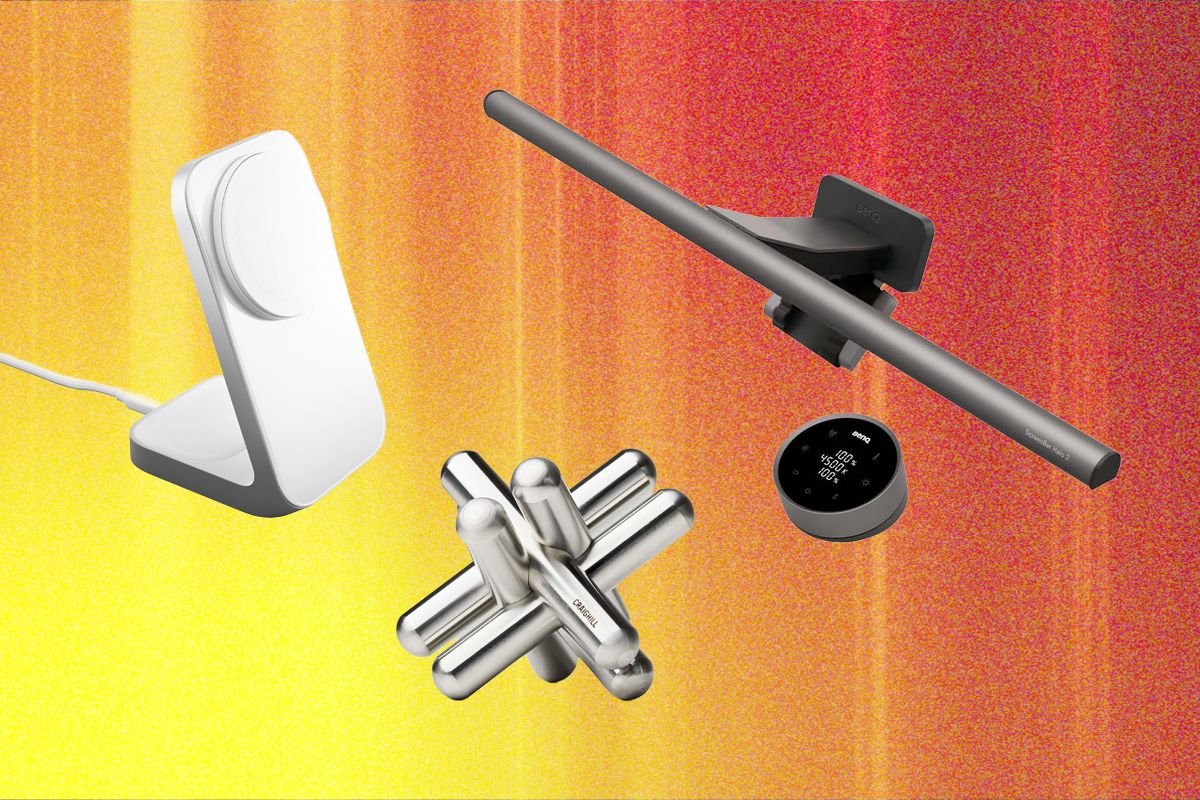
Why take up valuable desk space when you can mount your desk lamp over your monitor? I’ve raved about BenQ’s ScreenBar lights before, and now I’ve finally had a chance to try the ScreenBar Halo 2. This version doesn’t have any of the controls on top of the light, but instead uses a wireless, USB-C rechargeable remote. You can smoothly rotate this remote to cycle through color temperature and brightness, and there’s a backlight on the Halo you can turn on for even more illumination. The best part is presence detection, meaning the light boots up your workspace when you sit down, and turns off automatically when you’re AFK.
-
