Close Menu

    Subscribe to Updates

    Get the latest creative news from FooBar about art, design and business.

    What's Hot

    Canadian indie Salt XC expands its U.S. presence with purchase of Craft & Commerce

    In Graphic Detail: AI licensing deals, protection measures aren’t slowing web scraping

    Future of TV Briefing: CTV identity matches are usually wrong

    Facebook X (Twitter) Instagram
    • Artificial Intelligence
    • Business Technology
    • Cryptocurrency
    • Gadgets
    • Gaming
    • Health
    • Software and Apps
    • Technology
    Facebook X (Twitter) Instagram Pinterest Vimeo
    Tech AI Verse
    • Home
    • Artificial Intelligence

      Read the extended transcript: President Donald Trump interviewed by ‘NBC Nightly News’ anchor Tom Llamas

      February 6, 2026

      Stocks and bitcoin sink as investors dump software company shares

      February 4, 2026

      AI, crypto and Trump super PACs stash millions to spend on the midterms

      February 2, 2026

      To avoid accusations of AI cheating, college students are turning to AI

      January 29, 2026

      ChatGPT can embrace authoritarian ideas after just one prompt, researchers say

      January 24, 2026
    • Business

      The HDD brand that brought you the 1.8-inch, 2.5-inch, and 3.5-inch hard drives is now back with a $19 pocket-sized personal cloud for your smartphones

      February 12, 2026

      New VoidLink malware framework targets Linux cloud servers

      January 14, 2026

      Nvidia Rubin’s rack-scale encryption signals a turning point for enterprise AI security

      January 13, 2026

      How KPMG is redefining the future of SAP consulting on a global scale

      January 10, 2026

      Top 10 cloud computing stories of 2025

      December 22, 2025
    • Crypto

      Berachain Jumps 150% as Strategic Pivot Lifts BERA

      February 12, 2026

      Tom Lee’s BitMine (BMNR) Stock Faces Cost-Basis Risk — Price Breakdown at 10%?

      February 12, 2026

      Why the US Jobs Data Makes a Worrying Case for Bitcoin

      February 12, 2026

      MYX Falls Below $5 as Short Sellers Take Control — 42% Decline Risk Emerges

      February 12, 2026

      Solana Pins Its $75 Support on Short-Term Buyers — Can Price Survive This Risky Setup?

      February 12, 2026
    • Technology

      Canadian indie Salt XC expands its U.S. presence with purchase of Craft & Commerce

      February 12, 2026

      In Graphic Detail: AI licensing deals, protection measures aren’t slowing web scraping

      February 12, 2026

      Future of TV Briefing: CTV identity matches are usually wrong

      February 12, 2026

      AI is changing how retailers select tech partners

      February 12, 2026

      Digiday+ Research: Dow Jones, Business Insider and other publishers on AI-driven search

      February 12, 2026
    • Others
      • Gadgets
      • Gaming
      • Health
      • Software and Apps
    Check BMI
    Tech AI Verse
    You are at:Home»Technology»How to transfer your games to the Nintendo Switch 2
    Technology

    How to transfer your games to the Nintendo Switch 2

    TechAiVerseBy TechAiVerseDecember 25, 2025No Comments5 Mins Read1 Views
    Facebook Twitter Pinterest Telegram LinkedIn Tumblr Email Reddit
    How to transfer your games to the Nintendo Switch 2
    Share
    Facebook Twitter LinkedIn Pinterest WhatsApp Email

    How to transfer your games to the Nintendo Switch 2

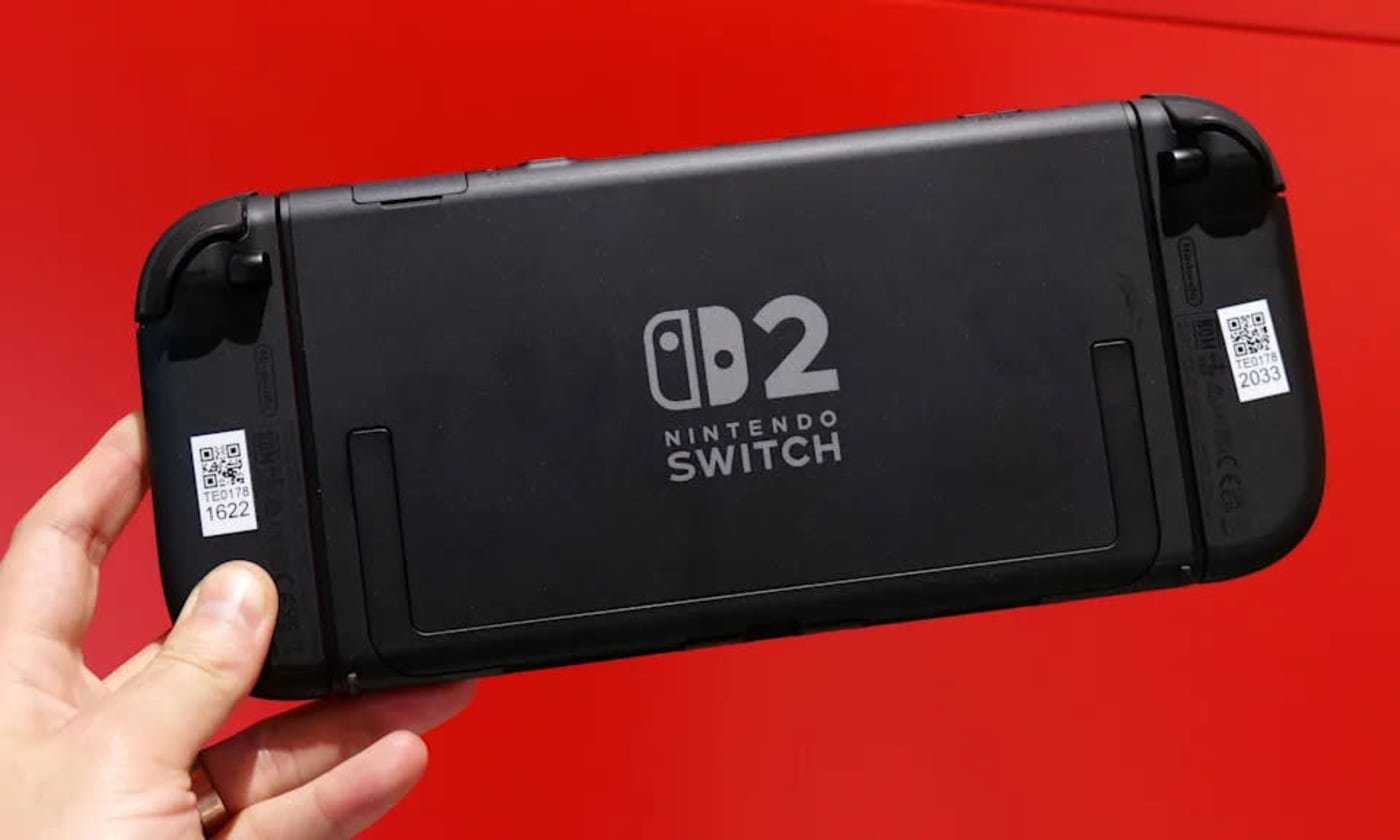
    Upgrading to the Switch 2 is a big step forward, thanks to the larger screen, new features and improved performance. But shifting to a new console naturally raises the question of what happens to all your games and save data on the one you already have. Thankfully, Nintendo has built a clear System Transfer process that lets you move your account, digital purchases, save files and other key data from your original Switch to the Switch 2. If you prepare ahead of time, you can be back to playing your favorite titles on new hardware in minutes.

    We’ll walk you through everything you need to know, including what transfers, how to start the process and what to check once you’re set up.

    Before you transfer: A quick checklist

    Running through these steps first will save you time later:

    • Charge your original Switch and your Switch 2, and keep them near each other.

    • Connect to a stable Wi-Fi connection, as this is required to verify your Nintendo Account and manage redownloads.

    • Update your original Switch by installing the latest system software so the transfer can run without interruptions.

    • Confirm your Nintendo Account is linked, and each user you want to move is tied to a Nintendo Account.

    • Most Switch titles work on Switch 2, but a few may have issues, so it’s worth checking Nintendo’s compatibility list ahead of time.

    • Back up screenshots and videos if needed. These should transfer, but it never hurts to have your own copy.

    How to start the transfer of data from your old Switch to the Switch 2

    With your original Nintendo Switch to hand, navigate to System Settings, select Users then select Transfer Your User & Save Data. Pick the user profile you want to move, confirm your Nintendo Account information and follow the on-screen prompts.

    Power on your Switch 2 and go through the initial setup. When the console asks if you want to transfer data from another system, select Start System Transfer. Make sure both consoles are connected to the same Wi-Fi network and remain powered on during the process.

    Once the Switch 2 detects your original console, it will guide you through pairing the systems for the transfer. After the connection is established the original Switch will begin sending your user information, save data and settings.

    When the transfer is complete, your new console will automatically log in using your Nintendo Account. Your digital games will appear in the Redownload section of the eShop so you can pull them onto your Switch 2 as needed.

    What to do after your transfer is complete

    Once everything has moved to the Switch 2, there are a few final steps that help round out the process. You can redownload your digital games from the eShop and start reinstalling your favorites. Any controllers, Joy-Con or Bluetooth accessories you used with your original console will need to be paired again (provided they are Switch 2-compatible accessories), which only takes a minute. It’s also a good time to update your games to their latest versions and restore any parental controls or family group settings you had before.

    When you’re confident that all your data has transferred and everything is working as expected, you can then decide whether to keep your old console, hand it down or perform a factory reset if you plan to sell it.

    What data transfers to the Switch 2

    Nintendo’s System Transfer moves everything tied to your Nintendo Account, including digital games you’ve purchased, save data, user profiles, parental controls, system settings and screenshots and video captures.

    Your Nintendo Switch Online membership moves as well, and you’ll be able to immediately re-download your digital games on the Switch 2 once the transfer completes. Physical Switch game cards also work on the new console, though some titles may require patches or updates for the best performance. Nintendo has noted that a small number of older games may have temporary compatibility issues, but these are being reviewed.

    What data doesn’t transfer automatically

    A few settings won’t carry over on their own, so you may need to handle them manually once your Switch 2 is set up. Bluetooth pairing for controllers or headphones will need to be reconnected, since those device links stay tied to the original console. Your Wi-Fi passwords also won’t transfer, so you’ll have to sign in to your home network again.

    Some game-specific preferences, as well as language or region settings, may require another quick adjustment on the Switch 2, but these are simple to reconfigure and only take a few moments.

    Troubleshooting and other things to consider

    If you run into issues while getting settled, a few common scenarios are worth keeping in mind. Some older titles may have temporary compatibility problems on the new console, so if a game behaves unexpectedly, check Nintendo’s updated compatibility list for known issues.

    You may also notice slower download speeds as the Switch 2 queues up your full library after the transfer. It helps to prioritize the games you want to play first so they can download ahead of the rest. Storage can also play a role. If you use a microSD card, wait until the system transfer is complete before inserting it into the new console, since the Switch 2 may need to reformat the card.

    And finally, don’t reset your old Switch right away. Keeping it powered on and accessible ensures you can confirm that all your saves and data made it across safely.

    Share. Facebook Twitter Pinterest LinkedIn Reddit WhatsApp Telegram Email
    Previous Article2025 Christmas Day NFL games: How to watch today, full streaming schedule and more
    Next Article Pandora is betting on AI agents to scale service and emotional selling during the peak holiday season
    TechAiVerse
    • Website

    Jonathan is a tech enthusiast and the mind behind Tech AI Verse. With a passion for artificial intelligence, consumer tech, and emerging innovations, he deliver clear, insightful content to keep readers informed. From cutting-edge gadgets to AI advancements and cryptocurrency trends, Jonathan breaks down complex topics to make technology accessible to all.

    Related Posts

    Canadian indie Salt XC expands its U.S. presence with purchase of Craft & Commerce

    February 12, 2026

    In Graphic Detail: AI licensing deals, protection measures aren’t slowing web scraping

    February 12, 2026

    Future of TV Briefing: CTV identity matches are usually wrong

    February 12, 2026
    Leave A Reply Cancel Reply

    Top Posts

    Ping, You’ve Got Whale: AI detection system alerts ships of whales in their path

    April 22, 2025667 Views

    Lumo vs. Duck AI: Which AI is Better for Your Privacy?

    July 31, 2025253 Views

    6.7 Cummins Lifter Failure: What Years Are Affected (And Possible Fixes)

    April 14, 2025152 Views

    6 Best MagSafe Phone Grips (2025), Tested and Reviewed

    April 6, 2025111 Views
    Don't Miss
    Technology February 12, 2026

    Canadian indie Salt XC expands its U.S. presence with purchase of Craft & Commerce

    Canadian indie Salt XC expands its U.S. presence with purchase of Craft & Commerce By…

    In Graphic Detail: AI licensing deals, protection measures aren’t slowing web scraping

    Future of TV Briefing: CTV identity matches are usually wrong

    AI is changing how retailers select tech partners

    Stay In Touch
    • Facebook
    • Twitter
    • Pinterest
    • Instagram
    • YouTube
    • Vimeo

    Subscribe to Updates

    Get the latest creative news from SmartMag about art & design.

    About Us
    About Us

    Welcome to Tech AI Verse, your go-to destination for everything technology! We bring you the latest news, trends, and insights from the ever-evolving world of tech. Our coverage spans across global technology industry updates, artificial intelligence advancements, machine learning ethics, and automation innovations. Stay connected with us as we explore the limitless possibilities of technology!

    Facebook X (Twitter) Pinterest YouTube WhatsApp
    Our Picks

    Canadian indie Salt XC expands its U.S. presence with purchase of Craft & Commerce

    February 12, 20263 Views

    In Graphic Detail: AI licensing deals, protection measures aren’t slowing web scraping

    February 12, 20265 Views

    Future of TV Briefing: CTV identity matches are usually wrong

    February 12, 20263 Views
    Most Popular

    7 Best Kids Bikes (2025): Mountain, Balance, Pedal, Coaster

    March 13, 20250 Views

    VTOMAN FlashSpeed 1500: Plenty Of Power For All Your Gear

    March 13, 20250 Views

    This new Roomba finally solves the big problem I have with robot vacuums

    March 13, 20250 Views
    © 2026 TechAiVerse. Designed by Divya Tech.
    • Home
    • About Us
    • Contact Us
    • Privacy Policy
    • Terms & Conditions

    Type above and press Enter to search. Press Esc to cancel.