

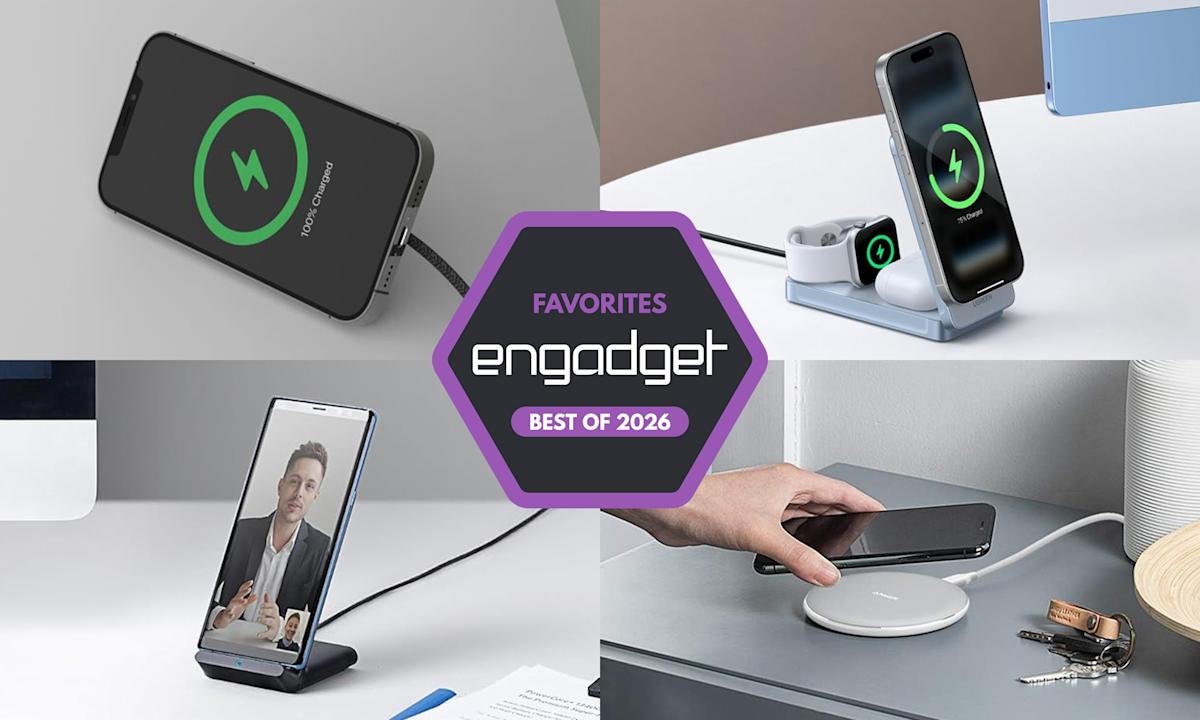
The best wireless chargers for 2026
Imagine never having to fumble with a charging cable again. That’s the magic of a wireless charger. Not only does going wireless clear up your space and make charging as simple as setting your phone down, but it’s also surprisingly versatile. Whether you’re looking for a sleek charging pad for your nightstand, a stand that keeps your phone propped up on your desk or even a foldable charger for convenient travel, there’s a wireless charger designed to fit your lifestyle. Some can even double as a car charger, keeping your phone powered up on the go without the hassle of cables to plug in. With so many convenient options, it’s easy to see why more people are ditching their wired chargers and embracing the effortlessness of wireless. These are the best wireless chargers we’ve tested so far.
Table of contents
Best wireless chargers for 2026
Max output: 15W | Cable length: 6.6ft | Box contents: Charging pad, USB-C cable
It’s easy to find wireless power charging pucks that are fast or portable, but rarely both — and certainly not as well-considered as Belkin’s BoostCharge Pro Portable Wireless Charger Pad. Its extremely compact design not only offers 15W MagSafe charging (plus Qi charging when flat), but includes a kickstand that lets you watch videos while you power up. Add a long 6.6ft braided cable and this is an ideal charger whether you’re traveling or catching up on TV shows.
The emphasis on MagSafe-compatible may make the Belkin BoostCharge less appealing for Android devices, and a better option for Apple devices. However, this is designed specifically as a phone charger rather than an Apple Watch charger, or multi-device charger. Still, it’s a definite step up from Apple’s more affordable but simpler MagSafe Charger. And importantly, you have the choice of buying Belkin’s accessory with ($80) or without ($60) a power adapter.
Max output: 10W | Cable length: 4ft | Box contents: Charging pad, microUSB cable, welcome guide
If you just need the basics, Anker’s 313 Wireless Charger offers significant value from a well-known name. It tops out at 10W (7.5W for iPhones), doesn’t include a power adapter and relies on a microUSB cable instead of a USB-C cable, but it also costs only $20. Even if you have to buy an adapter, you’ll be hard-pressed to find a better deal. This charger works well with various devices, including AirPods Pro.
Max output: 15W | Cable length: 4ft | Box contents: Charging stand, USB-C cable
There’s fierce competition in the wireless charging stand space, and it’s easy to get a good 15W charger if you’re willing to pay. Belkin, however, is one of the few that promises truly solid value. Its $45 BoostCharge 15W Wireless Charging Stand costs less than some alternatives while including a power adapter in the box. The lip at the bottom will keep your phone stable, and dual charging coils let you use the device while watching a video in landscape mode. You can also easily keep an eye on your phone’s battery level.
There’s no MagSafe or other device-specific charging optimizations on this one for your Apple devices. And like many wireless charging stands, this doesn’t officially support the iPhone 13 mini and similarly small handsets. But there’s otherwise little to complain about here — this is a no-nonsense power solution at a good price, and conveniently comes packaged with an included USB-C cable
Max output: 15W | Cable length: 5.9ft | Box contents: Charging pad, USB-C cable
There aren’t many great options for wireless chargers that use Samsung’s fast power delivery technology, particularly if you want a stand. Thankfully, Spigen’s charger is up to the job. It delivers 15W to all Samsung Galaxy phones that support Super Fast Wireless Charging, and it’s a well-made (if unspectacular) perch that prevents your device from sliding around. The universal form factor works with other smartphones too, though it doesn’t specify that it works with Apple devices.
You’ll want to shop carefully. Some versions don’t include a power adapter, and some stores sell for less than the official $80. If you can score a good deal, though, this is an ideal way to charge your Galaxy device while providing a clear view of the always-on display, allowing you to check your phone’s battery with a quick glance
Max output: 10W | Cable length: 3ft | Box contents: Charging stand, microUSB cable, welcome guide
Anker’s strong value in pad chargers also applies to stands. The 313 Wireless Charger tops out at 10W (5W for iPhones), doesn’t include a power brick and uses a microUSB cable rather than a USB-C cable, but it’s also $20. You can buy an adapter and still undercut the price of some equally competent alternatives. It can charge while your phone is in landscape orientation, too – an added bonus to this phone charger. You might want to look at competing products if they cost under $40 with an adapter included, but the 313 is otherwise difficult to top.
This 2-in-1 UltraCharge station from Belkin ticks all the right boxes if you’re looking for duo charger. It supports Qi2 25W power technology, it’s MagSafe compatible, its design is slim yet sturdy and could even be used during travel and it comes with a cable and 45W adapter in the box. All of that for well under $100 makes it a great value if you have one of the latest iPhones, or an older model that supports MagSafe. You’ll be able to charge one of those iPhones and a pair of AirPods simultaneously, and when you have the juice you need, the charging station flips closed so you can toss it in your bag. And for folks with Apple Watch as well, there’s a 3-in-1 version you can pick up instead.
Pros
- Compact, travel-friendly design
- Qi2 25W charging
- Includes a 45W adapter in the box
Cons
- Only available in three colors
UGreen’s MagFlow Qi2 3-in-1 charger station offers a ton of value for $140. The company managed to build a trio charger that works well as a permanent fixture on your bedside table or desk, as well as a compact portable charging station. As the former, it takes up very little space when fully setup, and the magnetic phone charger can be tilt-adjusted up to 70 degrees so you can get the right viewing angle if you’re watching videos on your iPhone while charging. The Apple Watch charging pad is similarly adjustable, and the space that wirelessly powers up AirPods or other earbuds sits right in front of that.
Since this is a Qi2 25W charger, it can power up the latest iPhones as quickly as possible, so you won’t have to wait long before you can grab your phone and get going. The magnets are strong and allow you to use the phone in either portrait or landscape mode while it’s powering up, and when you’re done, you can fold the entire charging station flat and easily toss it in a bag to take with you. UGreen includes a USB-C to C cable and a 45W adapter in the box, so you’re given everything the station needs to power up all your devices as quickly as possible.
The design is clever and feels premium without being too heavy, and I appreciate the soft-touch accents throughout. There are also four rubberized feet on the bottom so the device is less likely to move around or fall over when perched on a table. Overall, this 3-in-1 charger station essentially gives you a unit you can easily take with you as much as you want, using it at work, at home and everywhere in between.
Pros
- Compact, travel-friendly design
- Qi2 25W charging
- Includes USB-C cable and 45W adapter in the box
Cons
- Included USB-C cable is a tad short
What to look for in a wireless charger
While it’s tempting to buy a wireless charging pad optimized for the specific phone you have now, resist that urge. Instead, think about the types of devices (phones included) that you could see yourself using in the near future. If you’re sure you’ll use iPhones for a long time, an Apple MagSafe-compatible magnetic wireless charger will be faster and more convenient. If you use Android phones or think you might switch sides, however, you’ll want a more universal design. If you have other accessories like wireless earbuds or a smartwatch that supports wireless charging, maybe you’d be better off with a 3-in-1 wireless charger or full wireless charging station.
Where and how will you use your charger?
Odds are that you have a specific use case in mind for your charger. You may want it by your bedside on your nightstand for a quick charge in the morning, or on your desk for at-a-glance notifications. You might even keep it in your bag for convenient travel charging instead of bulky portable chargers or power banks. Think about where you want to use this accessory and what you want to do with the device(s) it charges while it’s powering up. For example, a wireless charging pad might be better for bedside use if you just want to be able to drop your phone down at the end of a long day and know it’ll be powered up in the morning. However, a stand will be better if you have an iPhone and want to make use of the Standby feature during the nighttime hours.
For a desk wireless charger, a stand lets you more easily glance at phone notifications throughout the day. For traveling, undoubtedly, a puck-style charging pad is best since it will take up much less space in your bag than a stand would. Many power banks also include wireless charging pads built in, so one of those might make even more sense for those who are always on the go. Some foldable chargers are also designed for travel, collapsing flat to take up less space.
Wireless charging performance
Although wireless charging is usually slower than its wired equivalent, speed and wattage are still important considerations. A fast charger can supply enough power for a long night out in the time it takes to change outfits. Look for options that promise faster charging and support standards like Qi2 certified charging for the best balance of efficiency and compatibility.
In general, a 15W charger is more than quick enough for most situations, and you’ll need a MagSafe-compatible charger to extract that level of performance from an iPhone. With that said, even the slower 7.5W and 10W chargers are fast enough for an overnight power-up. If anything, you’ll want to worry more about support for cases. While many models can deliver power through a reasonably thick case (typically 3mm to 5mm), you’ll occasionally run into examples that only work with naked phones.
There are some proprietary chargers that smash the 15W barrier if you have the right phone. Apple’s latest MagSafe charging pad can provide up to 25W of wireless power to compatible iPhones when paired with a 30W or 35W adapter — the latter being another component you’ll have to get right to make sure the whole equation works as fast as it possibly can.
Quality and box contents
Pay attention to what’s included in the box. Some wireless chargers don’t include power adapters, and others may even ask you to reuse your phone’s USB-C charging cable. What may seem to be a bargain may prove expensive if you have to buy extras just to use it properly. As mentioned above, you’ll want to make sure all of the components needed to use the wireless charger can provide the level of power you need — you’re only as strong (or in this case, fast) as your weakest link.
Fit and finish is also worth considering. You’re likely going to use your wireless charger every day, so even small differences in build quality could make the difference between joy and frustration. If your charger doesn’t use MagSafe-compatible tech, textured surfaces like fabric or rubberized plastic are more likely to keep your phone in place. The base should be grippy or weighty enough that the charger won’t slide around. Also double check that the wireless charger you’re considering can support phones outfitted with cases — the specifications are usually listed in the charger’s description or specs.
You’ll also want to think about the minor conveniences. Status lights are useful for indicating correct phone placement, but an overly bright light can be distracting. Ideally, the light dims or shuts off after a certain period of time. And while we caution against lips and trays that limit compatibility, you may still want some barriers to prevent your device falling off its perch on the charging station.
Wireless chargers FAQs
Do wireless chargers work if you have a phone case?
Many wireless chargers do work if you leave the case on your phone. Generally, a case up to 3mm thick should be compatible with most wireless chargers. However, you should check the manufacturer’s guide to ensure a case is supported.
How do I know if my phone supports wireless charging?
Checking the phone’s specification should tell you if your phone is compatible with wireless charging. You might see words like “Qi wireless charging” or “wireless charging compatible.”
Do cords charge your phone faster?
Most often, wired charging will be faster than wireless charging. However, wired charging also depends on what the charging cable’s speed is and how much power it’s designed to carry. A quick-charging cable that can transmit up to 120W of power is going to be faster than a wireless charger.
