

Samsung halts Galaxy Watch 4 update after users report battery drain and broken sensors
A troubled One UI 8 Watch rollout highlights the risks of major updates on aging hardware, and why Samsung’s response matters for long-term wearable support.
Galaxy Watch 4
Andy Boxall / Digital Trends
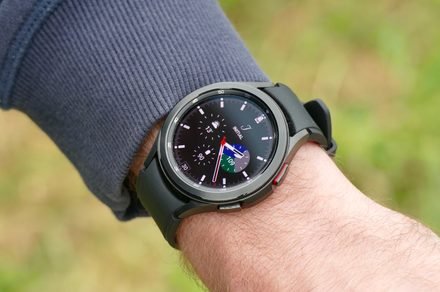
Samsung’s latest firmware update for the Galaxy Watch 4 and Galaxy Watch 4 Classic, which introduced One UI 8 Watch (based on Wear OS 6) to the devices, has run into some serious trouble.
Shortly after the Korean giant rolled out the update (in early to mid-December), users began experiencing issues, including unusually fast battery drain and malfunctioning sensors.
A promising update that went sideways
Multiple user reports (via 9To5Google) indicate that heart rate monitoring, sleep tracking, and step counting are not working correctly or have stopped working altogether after installing the latest update.
Battery life, which is already a sensitive topic for older smartwatches, also took a significant hit, wherein the smartwatch failed to last an entire day after installing the update. As complaints about the firmware piled up, Samsung appears to have quietly paused the rollout.
The Galaxy Watch 4 is one of the most important devices in the company’s wearable lineup. It was the first smartwatch to fully embrace Wear OS, offering long-term software support as a key selling point. A buggy update, especially one that hinders the day-to-day functionalities, undermines the promise.
Furthermore, a halted update also signals that the issues weren’t isolated edge cases. If you own a Galaxy Watch 4 or the Watch 4 Classic, the issue directly affects your usage experience. A smartwatch that can’t track your heart rate or dies halfway through the day could quickly turn into an expensive and not-so-useful wrist accessory.
If you haven’t already installed the update, I’d suggest waiting a while, as this is one of the rare cases where hitting “install” could actually lead to trouble.
If you’ve already updated to the latest version, there are a couple of workarounds, such as clearing the cache, rebooting the smartwatch, or resetting the device to factory settings. Still, they won’t solve the issue entirely.
Samsung is expected to release a follow-up firmware update to address the issues, though there’s no official timeline yet.
For more than five years, Shikhar has consistently simplified developments in the field of consumer tech and presented them…
The Apple Watch Ultra 2 is still overbuilt in the best way, just not overpriced anymore
Apple Watch Ultra 2 [GPS + Cellular, 49mm] is on sale for $549, down from its $799 list price (31% off).
If you’ve been eyeing the Apple Watch Ultra 2 but choking a bit at the usual $799 price tag, this discount is the nudge you’ve been waiting for. At $549, you’re getting Apple’s most rugged, feature-packed smartwatch with cellular, serious fitness tracking, and long battery life for a lot less than usual.
get the deal
Meta’s Horizon OS isn’t coming to third-party headsets anytime soon
Asus and Lenovo’s Horizon OS headsets now face an uncertain future.
Meta has hit the brakes on its plans to open up the operating system that powers its Quest headsets to third-party manufacturers. First announced last year alongside the Horizon OS rebrand, the initiative now hangs in limbo as the company shifts focus to building “the world-class first-party hardware and software needed to advance the VR market.”
When it initially pitched the idea, Meta aimed to democratize Horizon OS and create a new ecosystem of devices powered by its operating software. The company had even named Asus and Lenovo as early partners, with Asus developing a gaming VR headset and Lenovo focusing on a productivity model. With the latest announcement, these devices are effectively canceled.
Androidify now lets you turn your custom Android Bot into a watch face
Create personalized watch faces with your bugdroid avatar.
Google’s new Androidify app just made the jump over to Wear OS, and you can now use it to create custom watch faces for your smartwatch. Launched earlier this year, the rebooted app uses Google’s Gemini and Imagen to turn your photos into personalized bugdroid avatars. Now, with its latest update, you can display these custom Android Bots on your wrist.
Until now, the Androidify app let you use your custom bots as wallpapers, social media avatars, or stickers. It now also lets you push these bots from your phone to your Wear OS watch as a personalized watch face.
