

Your Amazon Fire Stick May Be In The Wrong HDMI Port — Here’s How To Know
Backyardproduction/Getty Images
We may receive a commission on purchases made from links.
Amazon Fire TV Stick isn’t quite what you expected? The problem might not be with the device… it might be with the HDMI port you plugged it into. While most TVs give you multiple HDMI inputs that all look the same, they don’t always perform the same. Knowing which HDMI port to use could be the difference between a fully functioning Fire TV Stick and one that leaves you wondering what all the hype is about, especially if you’re using one of their new 4K Ultra HD streaming sticks.
Modern TVs typically give you a mix of HDMI 2.0 and HDMI 2.1 ports — you might also see them marked with abbreviations like ARC or eARC. On paper, both HDMI 2.1 and 2.0 ports will support up to 4K resolution. So, sure, you could plug in a streaming stick and never think twice, but when it comes to bandwidth and overall quality, there will be differences. HDMI 2.0 only gives you 18 Gbps, while HDMI 2.1 doesn’t top out until 48. That’s a ton of extra capacity for things like higher color depth and better gaming performance. Long story short, that’s the one you want for your Amazon Fire TV Stick 4K in.
How to find the right HDMI port on your TV
Cristian Storto Fotografia/Getty Images
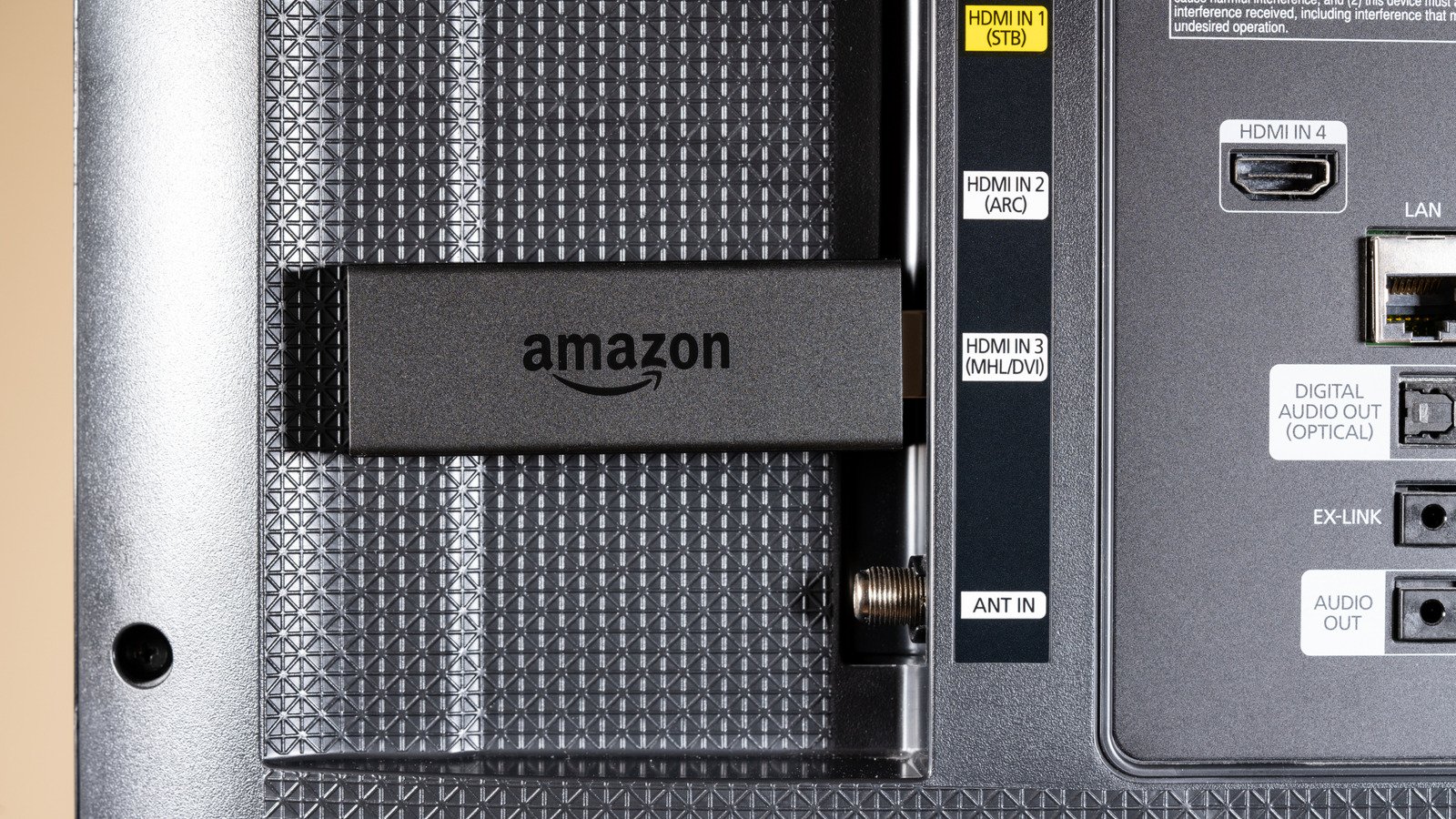
That said, finding the right HDMI port isn’t always easy, especially if it’s properly mounted to the wall with very little visibility back there. Nevertheless, it’s going to be worth it to get it right. Start by checking the labels next to each HDMI input on the back or side of the TV. Ports marked “4K,” “120Hz,” or “HDMI 2.1” are probably going to be your best options. Ports labeled ARC or eARC should be reserved for audio return, so the sound can travel from the TV to a soundbar or receiver over the same cable. If you don’t use external audio equipment, you don’t need to use one of those ports, especially if a separate HDMI 2.1 slot is available.
If the labels have been rubbed off or you just can’t get a good look at them, check your TV’s manual. That’ll tell you which inputs support HDMI 2.1, HDCP 2.2, ARC, etc. If you’re not using a Fire TV Stick with 4K capabilities (maybe you haven’t bought a new Fire TV Stick in a while), your choice in HDMI port isn’t going to matter as much. Those 1080p HD sticks won’t benefit from HDMI 2.1’s extra bandwidth, so plugging them into a 2.0 port won’t affect your picture quality.
