

Microsoft Store goes zero-clutter—through the command line
Image: Microsoft
Summary created by Smart Answers AI
In summary:
- PCWorld reports that Microsoft has introduced a command-line interface for the Microsoft Store, offering a text-based alternative to the traditional graphical interface.
- The CLI enables users to browse apps with `store browse-apps`, install software using `store install `, and update applications through simple commands.
- This streamlined approach provides developers and power users with efficient app management tools while reducing visual clutter.
If you think there’s too much unnecessary clutter in the regular version of the Microsoft Store app, there’s now a new way to manage your Microsoft Store apps on your Windows PC. According to a Windows Developer blog post, Microsoft is introducing a command-line interface for the Microsoft Store for devs and power users.
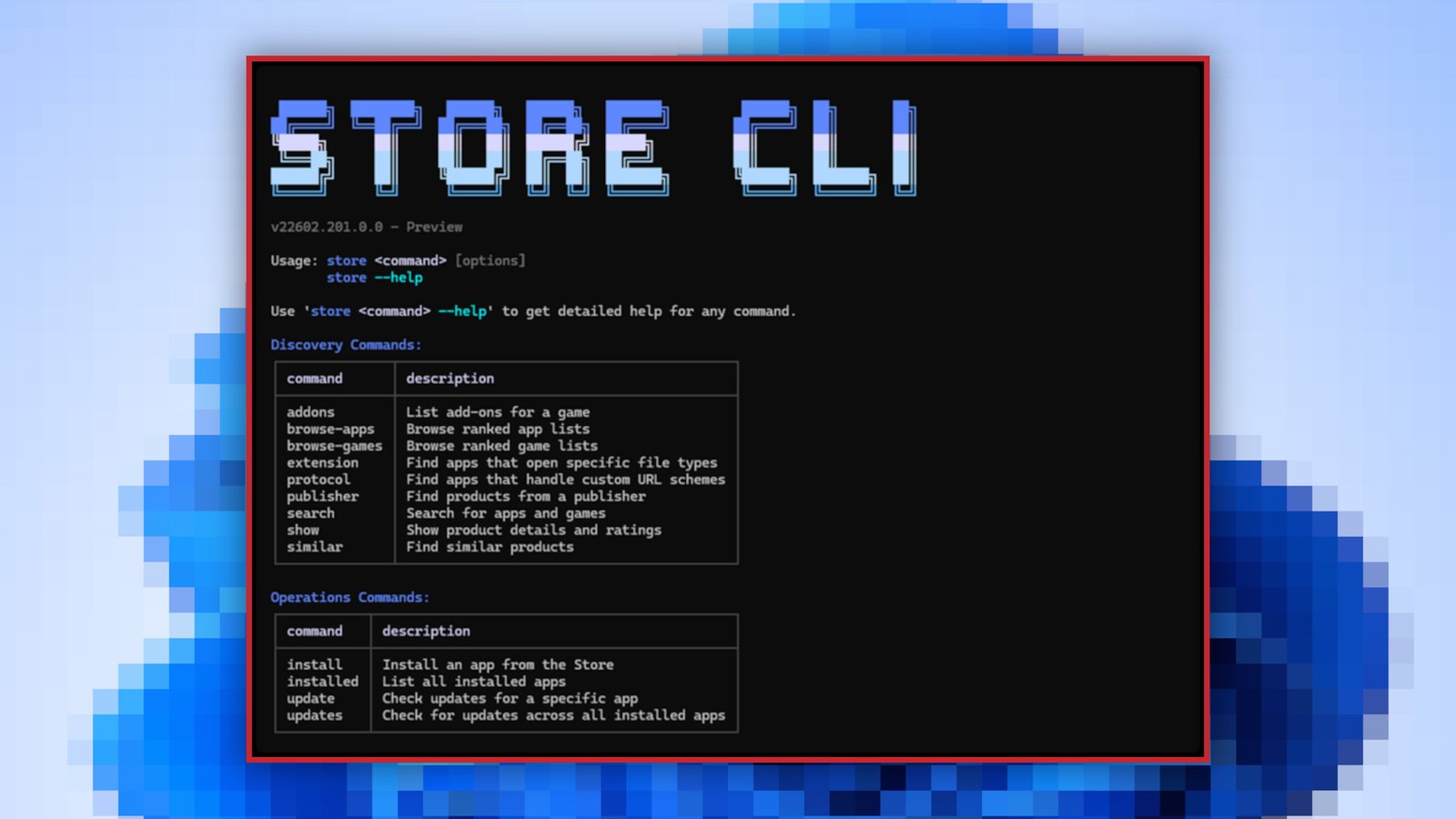
The Microsoft Store Command-Line Interface (or Microsoft Store CLI) eschews the graphical user interface in favor of letting you manage the app store’s functions using simple text commands.
With store browse-apps, you can sort, search, and filter the Store catalog to find the apps you need. With store install , you can install and deploy apps. With store update , you can update an existing app to the latest version. See more with store --help.
Unsurprisingly, the new Microsoft Store CLI is only available on systems that have the Microsoft Store enabled.
This article originally appeared on our sister publication PC för Alla and was translated and localized from Swedish.
Author: Kristian Kask, Contributor, PCWorld
Kristian is passionate about gadgets and gaming and mainly writes news for our sister sites, M3 and PC for Alla. He also tests products, mainly game accessories, and translates articles from the Foundry network.
