

12 Of My All-Time Favorite USB Gadgets (That You Might Love, Too)
The USB port isn’t just a place to plug your mouse and keyboard into; it can now support many devices that add convenience. These ports have moved past data transfer and can now deliver power and send high-definition video. There are plenty of gadgets you can run straight from your computer that you may not have considered before.
I’ve used many USB devices in my time, and there were some that stood out above the rest. I would spend the money to buy any of these again if I needed to, and some have been repurchased multiple times. Just remember to keep your shopping cart filled with things you need, not just those you want.
Also, consider what USB ports you have available. While you certainly don’t need the absolute newest standard for everything, putting your money into peripherals that use the currently dominant connector, USB-C, helps ensure they’ll work better with the laptops and phones you buy later. If you have standard USB ports, then many of these are already built to be used on your computer. If you need USB-C-compatible gadgets, they may be harder to find, since not every desktop is built with them.
Benfei USB 3.0 Switch
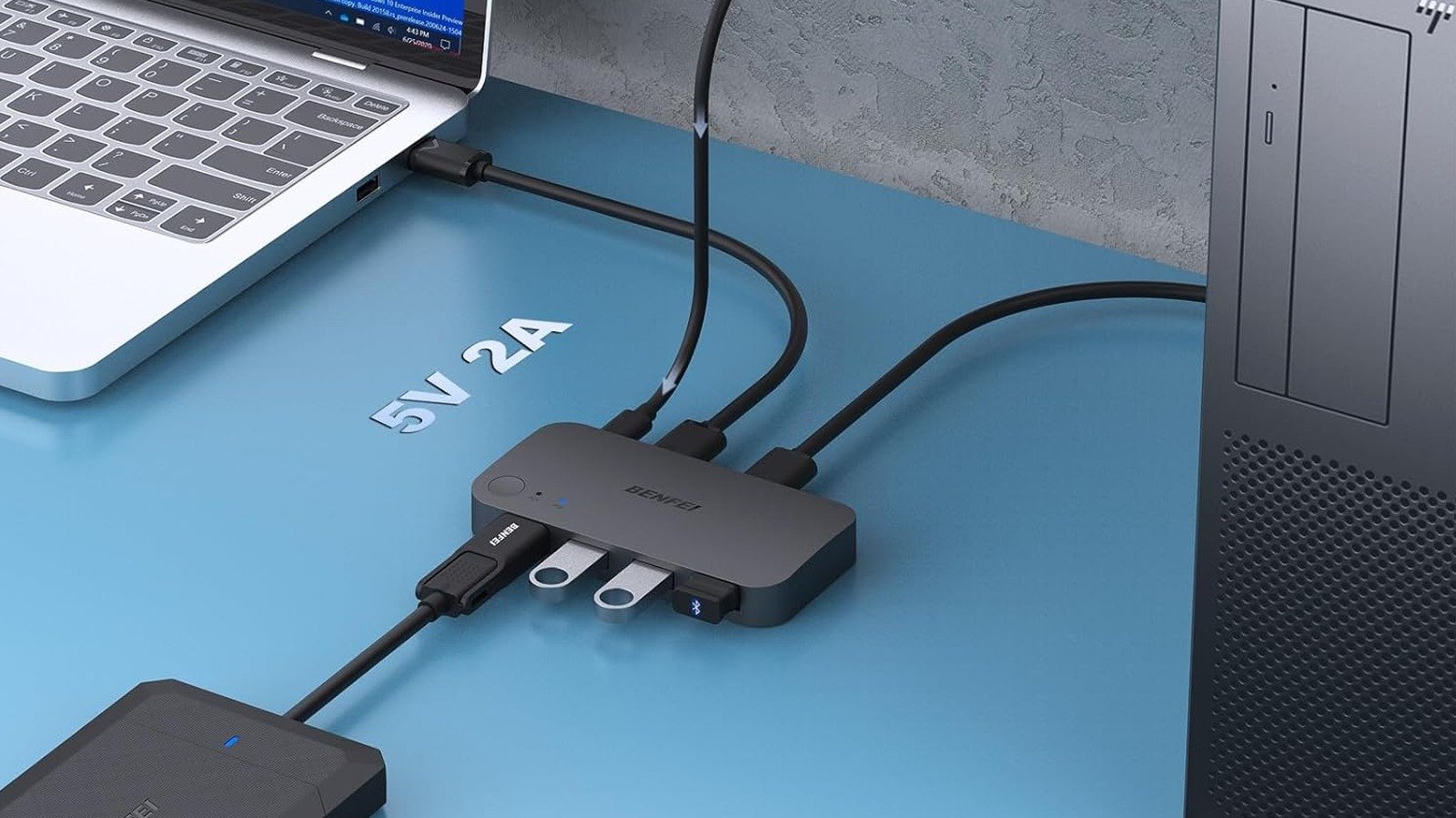
If you use two computers for different tasks, like art and programming, then you know the issue with having multiple mice and keyboards. Constantly unplugging your keyboard and mouse, moving them, and using other devices can be tiring, but having different sets of peripherals is confusing and looks like clutter. The Benfei USB 3.0 Switch fixes all of these issues.
This device solves that specific headache because it acts as a central hub for all your peripherals. Instead of a wire tangle, you just plug your mouse, keyboard, webcam, and maybe even a USB headset into the switch’s device ports. Then you connect the switch to your computers using two outgoing USB cables. Once set up, you simply tap a button to jump between systems instantly, rerouting all your accessories from one machine to another in seconds.
This small purchase saves your ports from the wear and tear of switching. It also keeps your desktop setup from turning into a chaotic mess of wires, giving you a streamlined look that lets you focus on what you’re doing instead of the clutter. Many popular options, like those from Ugreen or Cable Matters, support USB 3.0 speeds, so data transfer stays quick, even when you’re sharing external drives between machines.
Berlat USB/USB C Hub
The Berlat USB/USB C Hub is a great way to give yourself more ports on your laptop and desktop. Manufacturers are constantly making devices thinner and more compact, but sometimes that means having fewer ports. This forces you to juggle a whole assortment of dongles just to handle basic tasks. A quality hub lets you plug in your mouse, keyboard, printer, and thumb drives through one connection.
Many models have seven ports, but you should be fine with five. They sometimes include HDMI outputs and SD card slots for quickly pulling media files. Prioritize USB power delivery pass-through because it lets the hub charge your laptop at high speeds while it powers all your other connected peripherals at the same time by managing power efficiently. The key is to make sure that boosting your connectivity doesn’t destroy your laptop’s battery life, but finding one with a power supply can help keep your laptop safe.
Performance is just as important as the variety of ports you get. To avoid bottlenecks, look for hubs that support USB 3.0 or 3.1 standards. These give you data transfer speeds between 5 Gbps and 10 Gbps, which is up to 10 times faster than the older USB 2.0 standard.
Saicoo Smart Card Reader
Picking up a USB ID card reader like the Saicoo Smart Card Reader seriously bumps up your personal digital security because it enables hardware authentication, which is much stronger than using passwords alone. Instead of relying on credentials that someone could phish or guess, these readers let you use smart cards, like government IDs or corporate access badges, to physically prove who you are before you get access to sensitive systems.
This physical layer of protection makes it almost impossible for remote attackers to break in because authentication simply won’t start without the actual physical card completing the circuit inside the reader. These devices are also a major convenience for remote workers and professionals who constantly need to deal with corporate or bureaucratic systems.
For example, military personnel, government employees, and contractors can use a common access card (CAC) or personal identity verification (PIV) reader to log into secure portals, digitally sign documents, and check encrypted email without having to use a government-issued laptop. It really bridges the gap between secure networks onsite and the flexibility of your own workstation, letting you stay productive without compromising security protocols. When you’re choosing a reader, make sure to look for models that are PC/SC and ISO 7816 compliant because they’ll work across Windows, macOS, and Linux systems without complicated driver installations.
Ugreen SSD Enclosure
An external SSD enclosure, specifically an M.2 NVMe model, like the Ugreen SSD Enclosure, is the best way to handle high-speed storage because it makes traditional USB flash drives feel outdated for anyone serious about performance. Instead of buying a prebuilt external drive that might use cheap components or offer zero upgrade path, you can snag a high-quality NVMe drive and easily pop it into one of these tough casings.
Since NVMe SSDs use the PCIe interface to deliver performance far beyond older SATA-based external drives, you get much faster transfer speeds. Standard thumb drives often slow down as they heat up, but quality NVMe enclosures are designed with better heat management, often using aluminum bodies and thermal pads to maintain high speeds during sustained activity.
These devices tend to come with big storage capacities, like 1 TB to 4 TB, so you won’t need to juggle a bunch of smaller sticks anymore. If you’re a gamer, it makes sense to buy a bigger version. “Call of Duty: Black Ops 7” was around 116 GB by itself at launch, and that’s not counting update sizes, so you’ll need more space to carry multiple games on a single SSD enclosure. You can also turn it into a portable drive if you don’t have another use for it.
Ediy Major Policy Decision Button USB
An Ediy Major Policy Decision Button USB is tactile laziness in the best possible way. Keyboard shortcuts are pretty reliable, but a bigger button you can reach that does exactly what you need is efficient and satisfying. These devices are single programmable keys or sophisticated consoles that make repeatable tasks easy. You can map these keys to perform complex macros that automate tasks you do often, but this one comes with an app that simplifies setup.
For instance, you could program one physical button to flip on your entire work mode instantly. It could launch your specific browser tabs, Slack, and your integrated development environment or writing tools, close any unrelated apps, and set your status, all with just one press. You can also map a button to turn off all your smart lights or trigger specific lighting scenes using integrations with supported platforms.
This lets you control your room’s ambiance without even getting up from your desk. Using this as a dedicated, physical mute switch that cuts your microphone system-wide can also save you from those embarrassing hot-mic moments. You’ll feel much more in control during calls. When you offload frequent actions to a dedicated piece of hardware, you’re giving yourself a break from memorizing shortcuts or building macros.
Desktop Vacuum Cleaner USB
The Desktop Vacuum Cleaner USB is one of those things you don’t realize you need until you finally grab one. Your keyboard and desk space can get filled with crumbs, dust, and pet hair. This little gadget lets you handle quick cleanup without hauling out a giant vacuum cleaner or constantly throwing money away on cans of compressed air.
Though some people might think this compact device is just a gimmick, it’s surprisingly effective for keeping your workspace clean and protecting your gear. Keyboards are often used constantly, especially if you work from home, and yet they collect debris that can affect how hygienic they are. You need to clean them regularly to stop buildup, and a vacuum is a good way to enhance your desktop workspace.
Unlike a can of air that just pushes dirt around, a mini vacuum actually sucks up debris. You’ll want a model that’s USB-C rechargeable or fully wired, because that’s easier than dealing with batteries. You can also get special attachments, like brush nozzles perfect for scrubbing stubborn dust off keycaps, and flat crevice tools designed to get into tight spots on your desk or inside your computer tower.
Ugreen USB Bluetooth 5.3 Adapter
Not every computer comes with Bluetooth built in, and while you may not think you need it, it’s very convenient to have it for spare earbuds and other devices you can connect; a high quality adapter optimizes Bluetooth headphones. The Ugreen USB Bluetooth 5.3 Adapter comes with a high-gain antenna and is great at replacing a weak internal signal with a more powerful external solution built for stability and long range.
Unlike older dongles, the latest Bluetooth 5.3 standard brings upgrades like channel classification, which actively scans for and avoids congested frequencies. This minimizes interference from other wireless devices in your home. It also supports higher data rates, up to around 2 Mbps. That means your audio streams stay clear and file transfers happen without a hitch.
Keep in mind that you may need to install drivers if your computer didn’t already come with built-in Bluetooth support. You don’t have to plug this into a USB 3.0 port; using it with USB 2.0 is just fine. You can even use it on a USB hub, as long as the port stays powered while it’s in use.
Thetis Pro FIDO2 Security Key
The Thetis Pro FIDO2 Security Key is one of the best ways to protect your privacy. It has a strong layer of defense that makes old passwords and standard two-factor authentication (2FA) feel outdated. Data breaches happen all the time, so if you’re still relying only on a password or even just text-message verification, you’re taking a huge risk. Hackers can intercept SMS codes through SIM-swapping or trick you into giving up your details through phishing emails.
A physical key cuts off these attacks because you literally have to touch the device to log in. This requirement means that even if a criminal steals your username and password, they still can’t get in because they don’t have the piece of hardware sitting on your keychain.
It works by using FIDO2 and WebAuthn standards to handle a cryptographic handshake in the background. Instead of typing a six-digit code, the key talks directly to the website to confirm the URL. If you accidentally land on a fake site that looks exactly like your bank or email provider, the key spots the deception and refuses to authenticate, which makes those phishing attempts useless.
Ksipze LED Lights
Ksipze LED Lights cast a gentle glow behind your screen, which helps cut down on eye strain and makes the black levels on your monitor look richer and more intense. This gives you a much more comfortable viewing experience when you’re working late or having a long gaming session.
LED strips may seem like they’re only good for decoration, but they’re surprisingly useful if you like your room particularly dark. When you use them in a dark room, they give you some visibility outside the area your monitor lights up, helping you see your surroundings thanks to the soft illumination coming from the sides. This is a simple way to light up parts of your room without needing a dedicated light source.
Bias lighting raises the overall illumination level in your field of vision while reducing eye strain. Since it doesn’t shine directly on the screen, you avoid the glare and reflections that a typical desk lamp can cause. This balanced setup keeps your eyes from getting overworked, letting you game or work for longer stretches with noticeably less discomfort. If you get USB versions, then you don’t have to worry about batteries running out or the lights dimming due to inconsistent power.
Vsdinside Macro Keypad
The Stream Deck isn’t just for broadcasters and streamers. It’s great for anyone who needs multiple buttons to make things faster, and the Vsdinside Macro Keypad does that for cheaper than you’d expect. Essentially, the gadget is a physical interface packed with customizable keys, and each one has a tiny LCD screen showing icons, text, or even animated GIFs. This visual feedback is useful because you don’t have to strain your brain memorizing keyboard shortcuts like Control-Alt-Delete.
With a Stream Deck-style setup, you just glance at the dashboard and hit the button marked “Launch Email” or “Mute Mic.” You can program these buttons to run practically any digital task you can think of, whether that’s controlling Spotify playback, adjusting your system volume, or opening specific file folders buried deep in your drive.
Some Stream Deck models offer smart profiles, which automatically swap button layouts depending on the application you’re using. However, you’ll have to pay more for that feature with devices like the Elgato Stream Deck Mk2. However, that level of automation isn’t needed by everyone, and with this macro keypad, you can still customize what each button does, which makes it very useful. That’s why it earned a spot on our list of the best Stream Deck alternatives.
Samson Gomic Go Mic Portable USB
Many laptops and MacBooks come with built-in microphones, and some of these are great. However, sounding clear and audible makes you come across as more authoritative and much easier to follow in meetings. Everyone benefits when your voice comes through crystal clear, especially during work calls.
While it’s cheaper, the Samson Gomic Go Mic Portable USB can sound as good as a Blue Yeti in the right conditions. Gadgets like this usually come equipped with multiple recording patterns, with the most crucial being the cardioid setting. Cardioid captures sound directly in front of the mic while actively rejecting background noise from things like a mechanical keyboard or an air conditioner.
This microphone has controls right on the body, including a physical mute button. This is important because it lets you silence the mic instantly, and it also comes with a headphone jack for zero-latency monitoring. The clip at the base lets you mount it on the edge of your desk, so it won’t block other devices while you record your audio.
1080P HD Webcam with Microphone
Getting a 1080P HD webcam with a microphone and a privacy cover is a huge win because it gives you both great video quality and added security. It’s not uncommon to rely on the tiny cameras built into your laptop bezel, but they aren’t always the highest quality, and some don’t come with any physical cover at all. External webcams use larger housings to fit better sensors and stronger processing hardware, which means you get sharper images and better lighting.
The physical cover is really the key feature here. It’s a simple, reliable way to guarantee that no one is watching you, even if your security software somehow gets compromised. Security professionals and leaders, including FBI directors, have recommended physically covering webcams for years because of the risk of hackers hijacking them.
Hackers can use remote access trojans (RATs) to spy on people for extortion or data theft, and often the person being watched never finds out. Relying only on software permissions is risky because if an app is compromised, you won’t always know. It’s not paranoia to cover your webcam; a physical privacy shutter is like closing the curtains on a window in your home, blocking the view.
