

The humble Windows NotePad might finally get image support
Notepad’s capabilities continue to expand on Windows 11
Microsoft
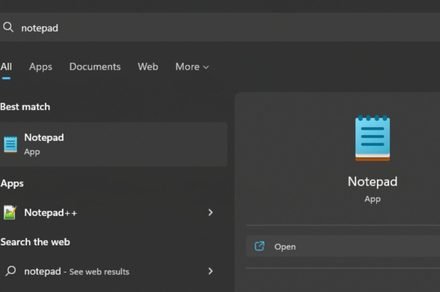
Microsoft is preparing to bring another change to the humble Notepad app. According to Windows Latest, internal testing on Windows 11 shows that the classic text editor is gaining full image support.
Notepad was once just a simple tool for typing plain text, but that simplicity has steadily evolved over multiple updates. Microsoft has modernized Notepad with autosave, undo history, and Markdown formatting. You can now apply basic styling, such as bold text, italics, and links.
WordPad, the older rich text editor that could handle images, has been removed from Windows, leaving Notepad to fill the gap. With WordPad gone, Microsoft appears to be expanding Notepad’s capabilities to cover more use cases.
The new image support will be part of Notepad’s extended formatting features. Microsoft sources told Windows Latest that image support is being tested in internal versions of Notepad. You’d be able to turn the feature off in Settings if you prefer the classic text-only experience.
How Notepad has been quietly changing
Image support in Notepad can be seen as a natural step toward a more capable note-taking tool, similar to Apple’s Notes or other built-in apps that support text formatting and images.
Microsoft has also added major features to Notepad, including artificial intelligence to automatically summarize notes and built-in spell check and autocorrect support.
However, adding too many features could dilute what made Notepad appealing to users in the first place. Adding visual elements risks blurring the line between Notepad and more complex apps like OneNote.
Notepad’s evolution reflects broader changes in how people use built-in apps. If image support rolls out widely, the simple editor could become a more flexible space for jotting down ideas, links, and pictures all in one place.
Manisha likes to cover technology that is a part of everyday life, from smartphones & apps to gaming & streaming…
Apple apparently has two new Studio Display models lined up for launch
Apple could debut two Studio Display 2 models in March, with macOS 26.3 code pointing to hardware upgrades, including 120Hz refresh rates and mini-LED panels.
A couple of days ago, I compiled a detailed roundup of all the products we’re expecting from Apple at the upcoming media “experience” on March 4, 2026. In the story, we discussed new devices like new MacBooks, iPhone 17e, and a couple of other Apple devices, including the proposed Studio Display 2.
Now, folks over at Macworld have discovered something very interesting about Apple’s external display (or displays). Per the outlet, the public version of macOS 26.3 contains kernel extensions for not one but two new Studio Display models.
OpenAI’s hardware debut may come in the form of a camera-equipped ChatGPT speaker
A new report suggests the company’s first device could be a $200 to $300 speaker with a built-in camera and biometric authentication.
OpenAI is preparing to launch its first ChatGPT-powered device, with a senior executive recently confirming it could debut later this year. Earlier leaks pointed to a wearable that sits behind the user’s ear and offers hands-free access to ChatGPT, but a new report now claims the company’s first product may instead be a speaker with a built-in camera.
According to The Information, the speaker could be priced between $200 and $300 and may be capable of identifying “items on a nearby table or conversations people are having in the vicinity.” The camera is also said to support biometric authentication, similar to Face ID from Apple, enabling users to verify purchases.
Copilot is coming to your Windows taskbar and File Explorer
Microsoft’s AI can now summarize documents, find specific data, and handle voice commands without switching apps.
Microsoft is bringing Copilot to the Windows 11 taskbar and File Explorer. The update turns the plain old search box into something that actually understands how you ask questions. Type “When is my performance review due?” and the system pulls the answer from your calendar, emails, and local files. No more digging through folders.
The taskbar becomes a kind of mission control for AI. The search field now connects your local PC with your Microsoft 365 data. It knows who you work with and what documents you touch most.
