

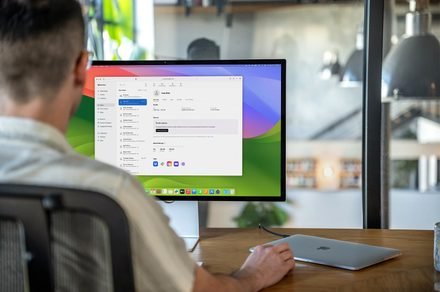
Apple apparently has two new Studio Display models lined up for launch
Apple could debut two Studio Display 2 models in March, with macOS 26.3 code pointing to hardware upgrades, including 120Hz refresh rates and mini-LED panels.
Apple
A couple of days ago, I compiled a detailed roundup of all the products we’re expecting from Apple at the upcoming media “experience” on March 4, 2026. In the story, we discussed new devices like new MacBooks, iPhone 17e, and a couple of other Apple devices, including the proposed Studio Display 2.
Now, folks over at Macworld have discovered something very interesting about Apple’s external display (or displays). Per the outlet, the public version of macOS 26.3 contains kernel extensions for not one but two new Studio Display models.
macOS 26.3 hints at two Studio Display 2 models
In total, the new software build contains alphanumeric codenames for three devices. The first, “J700,” is the internal name for the affordable 12.9-inch MacBook that is rumored to launch alongside the new M5 MacBook Air and the M5 Pro and M5 Pro Mac Pro versions.
However, the other two — J427 and J527 — are believed to be references to two different models of the Studio Display 2. Although there’s no information about the differences between the two models, Apple could use either size or features to differentiate them.
Currently, Apple’s first-generation Studio Display is available with a 27-inch 5K panel. So, there’s a chance that we see a 27-inch Studio Display 2, along with another model with either a smaller or a bigger screen.
Size or features: How Apple might differentiate between the models
The second (and the more likely) way is that the company could reserve some features for one model, which would be the more expensive of the two, and another, cheaper model (either retains the current set of specifications or gets only minor upgrades).
From what I know, at least one of the two rumored models could get a bump in refresh rate (up to 120Hz), a mini-LED backlighting panel for enhanced brightness and contrast, and a more capable A19 chip (also found on the iPhone 17).
For more than five years, Shikhar has consistently simplified developments in the field of consumer tech and presented them…
The humble Windows NotePad might finally get image support
Notepad’s capabilities continue to expand on Windows 11
Microsoft is preparing to bring another change to the humble Notepad app. According to Windows Latest, internal testing on Windows 11 shows that the classic text editor is gaining full image support.
Notepad was once just a simple tool for typing plain text, but that simplicity has steadily evolved over multiple updates. Microsoft has modernized Notepad with autosave, undo history, and Markdown formatting. You can now apply basic styling, such as bold text, italics, and links.
OpenAI’s hardware debut may come in the form of a camera-equipped ChatGPT speaker
A new report suggests the company’s first device could be a $200 to $300 speaker with a built-in camera and biometric authentication.
OpenAI is preparing to launch its first ChatGPT-powered device, with a senior executive recently confirming it could debut later this year. Earlier leaks pointed to a wearable that sits behind the user’s ear and offers hands-free access to ChatGPT, but a new report now claims the company’s first product may instead be a speaker with a built-in camera.
According to The Information, the speaker could be priced between $200 and $300 and may be capable of identifying “items on a nearby table or conversations people are having in the vicinity.” The camera is also said to support biometric authentication, similar to Face ID from Apple, enabling users to verify purchases.
Copilot is coming to your Windows taskbar and File Explorer
Microsoft’s AI can now summarize documents, find specific data, and handle voice commands without switching apps.
Microsoft is bringing Copilot to the Windows 11 taskbar and File Explorer. The update turns the plain old search box into something that actually understands how you ask questions. Type “When is my performance review due?” and the system pulls the answer from your calendar, emails, and local files. No more digging through folders.
The taskbar becomes a kind of mission control for AI. The search field now connects your local PC with your Microsoft 365 data. It knows who you work with and what documents you touch most.
