Close Menu

    Subscribe to Updates

    Get the latest creative news from FooBar about art, design and business.

    What's Hot

    This MacBook Pro has a Touch Bar and is only $410 while stock lasts

    Intel’s tough decision boosted AMD to record highs

    Bundle deal! Ring Battery Doorbell and Outdoor Cam Plus (44% off)

    Facebook X (Twitter) Instagram
    • Artificial Intelligence
    • Business Technology
    • Cryptocurrency
    • Gadgets
    • Gaming
    • Health
    • Software and Apps
    • Technology
    Facebook X (Twitter) Instagram Pinterest Vimeo
    Tech AI Verse
    • Home
    • Artificial Intelligence

      Read the extended transcript: President Donald Trump interviewed by ‘NBC Nightly News’ anchor Tom Llamas

      February 6, 2026

      Stocks and bitcoin sink as investors dump software company shares

      February 4, 2026

      AI, crypto and Trump super PACs stash millions to spend on the midterms

      February 2, 2026

      To avoid accusations of AI cheating, college students are turning to AI

      January 29, 2026

      ChatGPT can embrace authoritarian ideas after just one prompt, researchers say

      January 24, 2026
    • Business

      The HDD brand that brought you the 1.8-inch, 2.5-inch, and 3.5-inch hard drives is now back with a $19 pocket-sized personal cloud for your smartphones

      February 12, 2026

      New VoidLink malware framework targets Linux cloud servers

      January 14, 2026

      Nvidia Rubin’s rack-scale encryption signals a turning point for enterprise AI security

      January 13, 2026

      How KPMG is redefining the future of SAP consulting on a global scale

      January 10, 2026

      Top 10 cloud computing stories of 2025

      December 22, 2025
    • Crypto

      How Polymarket Is Turning Bitcoin Volatility Into a Five-Minute Betting Market

      February 13, 2026

      Israel Indicts Two Over Secret Bets on Military Operations via Polymarket

      February 13, 2026

      Binance’s October 10 Defense at Consensus Hong Kong Falls Flat

      February 13, 2026

      Argentina Congress Strips Workers’ Right to Choose Digital Wallet Deposits

      February 13, 2026

      Monero Price Breakdown Begins? Dip Buyers Now Fight XMR’s Drop to $135

      February 13, 2026
    • Technology

      This MacBook Pro has a Touch Bar and is only $410 while stock lasts

      February 13, 2026

      Intel’s tough decision boosted AMD to record highs

      February 13, 2026

      Bundle deal! Ring Battery Doorbell and Outdoor Cam Plus (44% off)

      February 13, 2026

      Microsoft Store goes zero-clutter—through the command line

      February 13, 2026

      How Boll & Branch leverages AI for operational and creative tasks

      February 13, 2026
    • Others
      • Gadgets
      • Gaming
      • Health
      • Software and Apps
    Check BMI
    Tech AI Verse
    You are at:Home»Technology»Best Apple Watch apps for boosting your productivity
    Technology

    Best Apple Watch apps for boosting your productivity

    TechAiVerseBy TechAiVerseSeptember 20, 2025No Comments6 Mins Read5 Views
    Facebook Twitter Pinterest Telegram LinkedIn Tumblr Email Reddit
    Best Apple Watch apps for boosting your productivity
    Share
    Facebook Twitter LinkedIn Pinterest WhatsApp Email

    Best Apple Watch apps for boosting your productivity

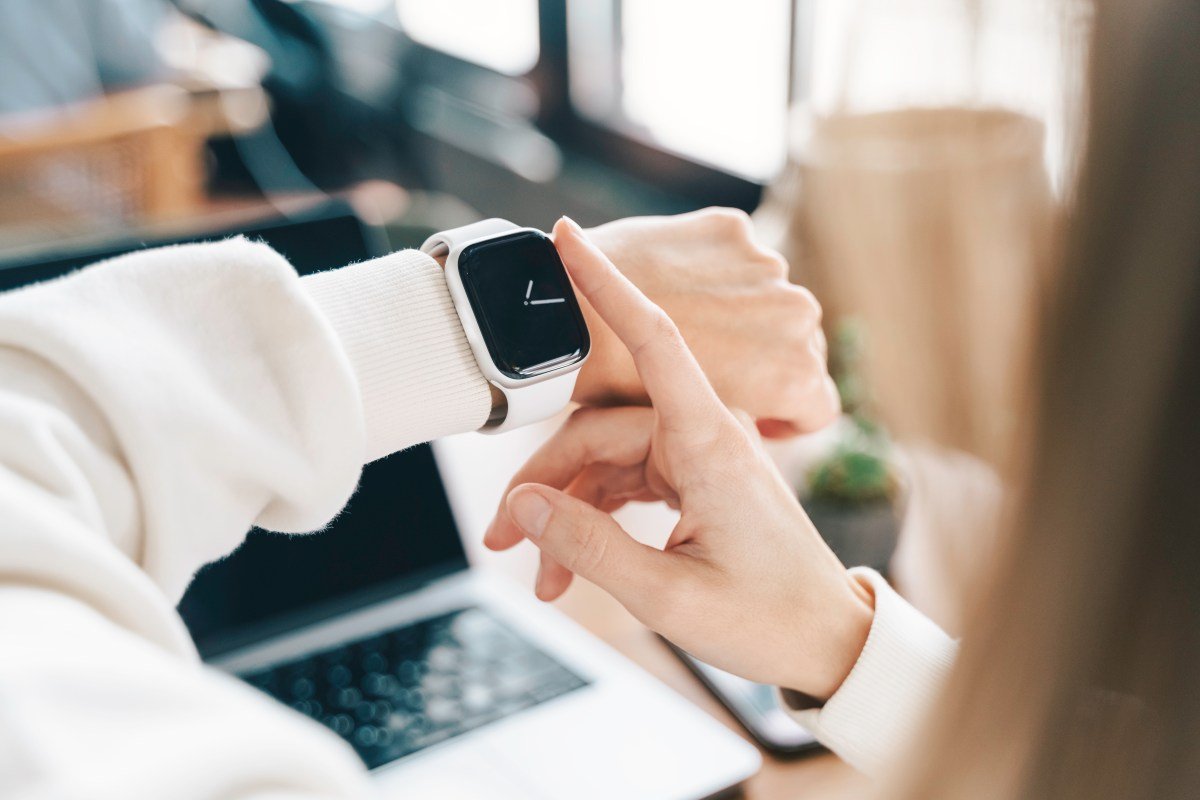
    The Apple Watch helps people track their health and fitness, but it can also be a great tool to help people stay productive and get work done. This is especially true for people who get easily distracted by their phone.

    Although the Apple Watch comes with simple built-in productivity apps like Reminders and Calendar, it’s worth exploring some third-party apps that are designed to boost productivity by offering additional functionality. 

    Todoist

    Image Credits:Todoist

    Todoist is a great app for managing tasks on your Apple Watch when you don’t want to pull out your iPhone. The app lets you create and manage tasks, organize these tasks into projects, mark them as complete, and also set reminders. You can add tasks via voice command or the keyboard. 

    The app is great for people who prefer to quickly glance at their wrist instead of pulling out their phone when doing things, like looking at a grocery list at the store or jotting down a quick note or reminder. 

    You can stay updated on the progress of your tasks for the day straight from your Apple Watch’s face. For instance, you can choose to have your next task or the completed percentage of tasks for the day displayed. 

    Todoist is free and offers a $4 monthly subscription if you want additional features like custom task reminders, an AI assistant, a calendar layout, and more.

    Drafts

    Image Credits:Drafts

    Since the Apple Watch doesn’t have a Notes app, Drafts is a good app for those who want a digital notepad without a phone. You can capture notes through voice command, the watchOS Scribble feature, or the keyboard. 

    Techcrunch event

    San Francisco
    |
    October 27-29, 2025

    Your drafts inbox syncs from your iPhone and displays the number of drafts you have, while also showing the number of flagged drafts, so you can quickly access important ones. 

    The app defaults to a blank note to give you a place to quickly enter an idea without interrupting your thought process. You can file notes into a folder to organize your thoughts or just have a free-flowing canvas. 

    The app is free and offers a $1.99 monthly subscription if you want access to additional functionality, such as themes and the ability to send your emails to the app. 

    Focus

    Image Credits:Focus

    Focus is a good app for people who want a productivity timer to help them get work done and like to complete tasks one at a time. The app is designed to break down your work time into smaller chunks, which it calls “Focus Sessions.” By working in sessions, you can stay focused on the task at hand before moving on to the next task. 

    By using your Apple Watch instead of your phone to stay focused, you can minimize distractions. You can quickly glance at your wrist to see how much time is left in your Focus Session and then get right back to work. Focus will also encourage you to take breaks between your sessions. 

    The app is available for $7.99 per month. 

    AutoSleep

    Image Credits:AutoSleep

    AutoSleep is one of the most popular Apple Watch apps for tracking your sleep, and that’s for good reason. The app gives you an informative look at your sleep quality, heart rate, sleep consistency, and more. It can help you track the time it takes you to fall asleep and measure the efficiency of your sleep. 

    AutoSleep shows you all of this data through a clock view with sleep rings to give you a quick overview of your stats in a way that’s similar to your Watch’s Activity Rings. You can see if you’re getting enough sleep or if you need to try to sleep more. 

    The app also shows you a “readiness” score that estimates how mentally and physically ready you are for the day ahead based on how you slept, which resembles how the Oura Ring’s app tackles the same metric. It can also suggest the best time for you to go to bed to ensure you catch up on sleep. 

    You can get access to the app for a one-time fee of $5.99. 

    Streaks

    Image Credits:Streaks

    Streaks is a good app for people who want to form good habits and track their progress. Each day that you complete a task, your streak is extended. If you break the chain, your streak resets to zero. You can track up to 24 habits, such as flossing your teeth, practicing a new language, and eating healthy. 

    The app also lets you track tasks that aren’t meant to occur every day, too. For instance, you may want to set a task of walking to work from Monday to Friday, going to the gym three days a week, or avoiding junk food over the weekend. 

    A quick glance at your Apple Watch lets you quickly see which tasks you still need to complete for the day, see your progress, and mark tasks as completed.

    The app is available for a one-time fee of $5.99.

    Fantastical 

    Image Credits:Fantastical

    Fantastical is a great calendar app that can help you stay organized right from your Apple Watch. You can use the app to create events and set reminders that you can view with a quick glance. 

    The Apple Watch app has three views that you can choose from. The “Up Next” view gives you a quick overview of your next appointment alongside the current weather. The “List” view shows you any events and tasks that you have coming up over the next few days, alongside the expected weather forecast. The “Tasks” view compiles all of your tasks into one view and allows you to check them off with a quick tap. 

    The app also lets you receive alerts for upcoming events and tasks. If you want this information on your watch face, Fantastical’s Smart Stack widget gives you a quick peek at your calendar.

    Fantastical costs $4.99 per month.

    Things 3

    Image Credits:Things 3

    Things 3 is a great productivity manager that can help you create to-do lists, manage projects, and track progress toward your goals. It can be used to organize your personal, work, financial, and other aspects of your life into special “Areas.”

    The app features reminders, a calendar integration, widgets, tags to categorize your to-do lists, and more. Things 3 also lets you automatically repeat to-dos on a schedule you set and has a special place for evening plans under the “This Evening” section.

    As the day goes on, you can quickly check off things from your wrist and add new ones on the go.

    You can get Things 3 for a one-time payment of $9.99.

    Share. Facebook Twitter Pinterest LinkedIn Reddit WhatsApp Telegram Email
    Previous ArticleMicrosoft starts rolling out Gaming Copilot on Windows 11 PCs
    Next Article Cracking product-market fit: Lessons from founders and investors at TechCrunch Disrupt 2025
    TechAiVerse
    • Website

    Jonathan is a tech enthusiast and the mind behind Tech AI Verse. With a passion for artificial intelligence, consumer tech, and emerging innovations, he deliver clear, insightful content to keep readers informed. From cutting-edge gadgets to AI advancements and cryptocurrency trends, Jonathan breaks down complex topics to make technology accessible to all.

    Related Posts

    This MacBook Pro has a Touch Bar and is only $410 while stock lasts

    February 13, 2026

    Intel’s tough decision boosted AMD to record highs

    February 13, 2026

    Bundle deal! Ring Battery Doorbell and Outdoor Cam Plus (44% off)

    February 13, 2026
    Leave A Reply Cancel Reply

    Top Posts

    Ping, You’ve Got Whale: AI detection system alerts ships of whales in their path

    April 22, 2025669 Views

    Lumo vs. Duck AI: Which AI is Better for Your Privacy?

    July 31, 2025258 Views

    6.7 Cummins Lifter Failure: What Years Are Affected (And Possible Fixes)

    April 14, 2025153 Views

    6 Best MagSafe Phone Grips (2025), Tested and Reviewed

    April 6, 2025111 Views
    Don't Miss
    Technology February 13, 2026

    This MacBook Pro has a Touch Bar and is only $410 while stock lasts

    This MacBook Pro has a Touch Bar and is only $410 while stock lasts Image:…

    Intel’s tough decision boosted AMD to record highs

    Bundle deal! Ring Battery Doorbell and Outdoor Cam Plus (44% off)

    Microsoft Store goes zero-clutter—through the command line

    Stay In Touch
    • Facebook
    • Twitter
    • Pinterest
    • Instagram
    • YouTube
    • Vimeo

    Subscribe to Updates

    Get the latest creative news from SmartMag about art & design.

    About Us
    About Us

    Welcome to Tech AI Verse, your go-to destination for everything technology! We bring you the latest news, trends, and insights from the ever-evolving world of tech. Our coverage spans across global technology industry updates, artificial intelligence advancements, machine learning ethics, and automation innovations. Stay connected with us as we explore the limitless possibilities of technology!

    Facebook X (Twitter) Pinterest YouTube WhatsApp
    Our Picks

    This MacBook Pro has a Touch Bar and is only $410 while stock lasts

    February 13, 20263 Views

    Intel’s tough decision boosted AMD to record highs

    February 13, 20262 Views

    Bundle deal! Ring Battery Doorbell and Outdoor Cam Plus (44% off)

    February 13, 20263 Views
    Most Popular

    7 Best Kids Bikes (2025): Mountain, Balance, Pedal, Coaster

    March 13, 20250 Views

    VTOMAN FlashSpeed 1500: Plenty Of Power For All Your Gear

    March 13, 20250 Views

    This new Roomba finally solves the big problem I have with robot vacuums

    March 13, 20250 Views
    © 2026 TechAiVerse. Designed by Divya Tech.
    • Home
    • About Us
    • Contact Us
    • Privacy Policy
    • Terms & Conditions

    Type above and press Enter to search. Press Esc to cancel.