

Best wireless keyboards 2025: Top Bluetooth and USB models
Image: Keychron
In 2025, there’s no reason you can’t have a wireless keyboard. From the most complex mechanical boards to the sleekest designer models to the flashiest gamer planks, and everything in between, there are options aplenty for wireless excellence. That even includes keyboards for budget buyers — you can find a great pick in every category for well under three-digit prices.
I’ve spent hours and hours using each model, banging away on product reviews, surfing the web, and keeping up on social media to bring you a list of the very best wireless keyboards around.
While there’s no one-size-fits-all keyboard, these recommendations aim to help you make an informed decision based on your own personal needs. After you’ve perused our best picks, be sure to check out our buying advice at the end to help you learn what to look for when shopping for a wireless keyboard.
Logitech MX Keys S Wireless Keyboard – Best overall wireless desktop keyboard
Pros
- Great typing experience
- Customizable keys
- Long battery life
- Auto-dimming backlight
Cons
- No height adjustment
- Wireless can get choppy in crowded environments
Best Prices Today:
Why I like the Logitech MX Keys S
Logitech’s top-of-the-line keyboard design returns in an S variant, this time with an updated Bolt multi-device receiver and a new auto-adjusting backlight feature. The typing experience is as good as it was in the original model, and it’s even a tiny bit cheaper, so this upgrade is a win-win if you like your keyboards thin and stylish.
Just be aware that dozens of Bluetooth devices in the vicinity might bog it down. If you prefer your Logitech boards a little more clicky-clacky, check out the MX Mechanical variant. This design is also available in a smaller “60%” model — see below.
Who should buy the Logitech MX Keys S
If you want one of the most stylish keyboards around that isn’t mechanical, and one that effortlessly works with multiple devices, this is it. The MX Keys is also shockingly quiet, so it’s a good choice for crowded offices. But it you want a longer, more traditional key travel or an ergonomic layout, there are better options out there.
Keychron B1 Pro (or B6 Pro) – Best budget wireless keyboard
Pros
- Great value
- Programming options
- Long battery life
Best Prices Today:
Why I like the Keychron B1 Pro
Logitech’s keyboards are great, but they often command high prices, especially at the top end. If you’re looking for something that has nearly all the same features but is much more affordable, check out the B1 Pro from Keychron (or its bigger brother, the full-sized B6 Pro). For less than half of the price, you get an almost identical stylish design, plus more programming options. The only thing it’s lacking is a backlight.
Who should buy the Keychron B1 Pro
If you’re not a fan of mechanical designs and you want something slim, quiet, and good-looking, and you don’t want to pay triple digits, this is the perfect fit. Bluetooth and 2.4GHz wireless support means easy switching between multiple devices, though it’s not quite as seamless as Logitech’s Flow software.
Read our full
Keychron B1 Pro keyboard review
Cooler Master MK770 – Best wireless gaming keyboard
Pros
- High-quality workmanship and aluminum top plate
- Kailh-Box V2 Red switch with a pleasant typing feel
- Hot-swap function and stable stabilizer design
- Comprehensive sound insulation for quieter typing
- Three connection modes (2.4 GHz, Bluetooth 5.1, and USB-C)
- Dedicated volume control
Cons
- Only average battery life with RGB lighting
- Eye-catching design not suitable for everyone
- No palm rest
Best Prices Today:
Why I like the MK770
Cooler Master’s entry into the wireless gaming keyboard field is loaded with premium features. And unlike a lot of the competition, it doesn’t demand a premium price. We’re talking hot-swap mechanical switches, gasket mounting, Bluetooth 5.1 and 2.4GHz wireless with device switching, and a nice, chunky knob for volume control. Even the included switches are pretty great, Kailh Box Red V2s for extra smoothness and stability.
The linear, reinforced stems are great for both gaming and typing, though you can swap them out if you prefer something different. Even the keycaps are great, coming with PBT plastic for the U.S. model. The only thing that might throw you off is the 1800 layout, which very slightly squishes the right Shift button in order to fit a full number pad into a smaller space.
Who should buy the MK770
If you want a great wireless keyboard for both gaming and typing, perhaps on a work-from-home setup that does double duty, the MK770 is a fantastic pick. The standard black-and-gray coloring is solid, but for something a little brighter, the “Macaron” color variants are certainly eye-catching — it kind of looks like a keyboard made out of Marshmallow Peeps.
At $120 USD retail, the MK770 is already well below similarly equipped boards from Razer and Corsair. But it’s frequently on sale for $100 or less, making it a downright steal. The only people who really won’t like it are those who have beef with the number pad being a little close to the typing area.
Read our full
Cooler Master MK770 review
Logitech Keys To Go 2 – Best wireless keyboard for travel
Pros
- High mechanical quality
- Slim and portable
- Compatible with most devices
Cons
- Keys feel slightly cramped
- No physical support for mobile and tablet
- Battery change requires chisel
Best Prices Today:
Why I like the Logitech Keys To Go 2
Logitech’s first try at the Keys To Go design was uninspiring, a flat, fabric-covered slab that was more of a tablet cover than a keyboard. The second-gen design is an improvement in every way, a fully functional conventional keyboard that’s super-slim and comes with an integrated protective cover that can add a little angle to your typing. With three years of battery life and multi-device pairing, it’s a great companion to any keyboard or phone.
Who should buy the Logitech Keys To Go 2
Mobile-focused typists and road warriors will love this little sliver of a keyboard, which can fit into places even the MX Keys Mini and Apple Magic Keyboard can’t. Even so, it manages to fit a 75 percent layout in there, with a full function row (and a few squished keys outside the alphanumerics). It’s also not a bad deal at $80 retail.
There are some comfort compromises here. If you need a tiny, super-light keyboard with some more key travel, I’d go with the Lofree Edge. But for those who need the absolutely tiniest keyboard that’s still usable, Logitech has it covered.
Read our full
Logitech Keys-to-Go 2 review
Logitech Casa – Best all-in-one travel option
Pros
- Clever, aesthetically pleasing design
- Excellent battery life
- Range of remappable keys
- Makes working-from-home more ergonomic
Cons
- Not travel friendly
- Expensive
Price When Reviewed:
£179
Best Prices Today:
£179
Why I like the Logitech Casa
If you need something a little more comprehensive for your travel needs, Logitech’s Casa might just hit the spot. It’s a keyboard and touchpad set that also comes in a swanky bento-style case, which doubles as a stand that significantly elevates your laptop. As an all-in-one solution for those who want to set up an office-style workstation on the go, it’s a pretty neat little package.
It is on the pricey side, though — for the same price you could get a laptop stand, keyboard, and touchpad and save a bit of dough, albeit without the neat travel-friendly design.
Who should buy the Logitech Casa
If you can’t stand typing on your laptop but you prefer a touchpad to a mouse, then this is the perfect package for you. It’s also surprisingly stylish in its all-in-one case, which folds down into a portfolio for grab-and-go convenience.
The option to raise your laptop screen may appeal, though there are easier ways to do that on the go. There are certainly cheaper ways to do all three.
Read our full
Logitech Casa Pop-Up Desk review
Keychron Q Max series – Best high-end mechanical keyboard
Pros
- Tons of features
- Excellent typing
- Improved 2.4GHz wireless
- Endless customization
Cons
- No adjustable feet
- No wrist rest
Best Prices Today:
Why I like the Keychron Q Max series
For the last couple of years Keychron has been absolutely killing it with its high-end Q series. These mechanical boards make features previously available only via building your own or spending a fortune on a boutique design available to everyone, like full aluminum bodies, gasket-mounted PCBs, and easy, open-source programming with VIA. They’re about as good as you can get for a standard design.
The Q Max series takes these designs and shores up their one weakness: reliance on Bluetooth. While Q Max keyboards have multi-device Bluetooth available, they’re also packing standard 2.4GHz wireless with a USB dongle, making them ideal for use with a hefty desktop PC (and they even do alright as gaming boards).
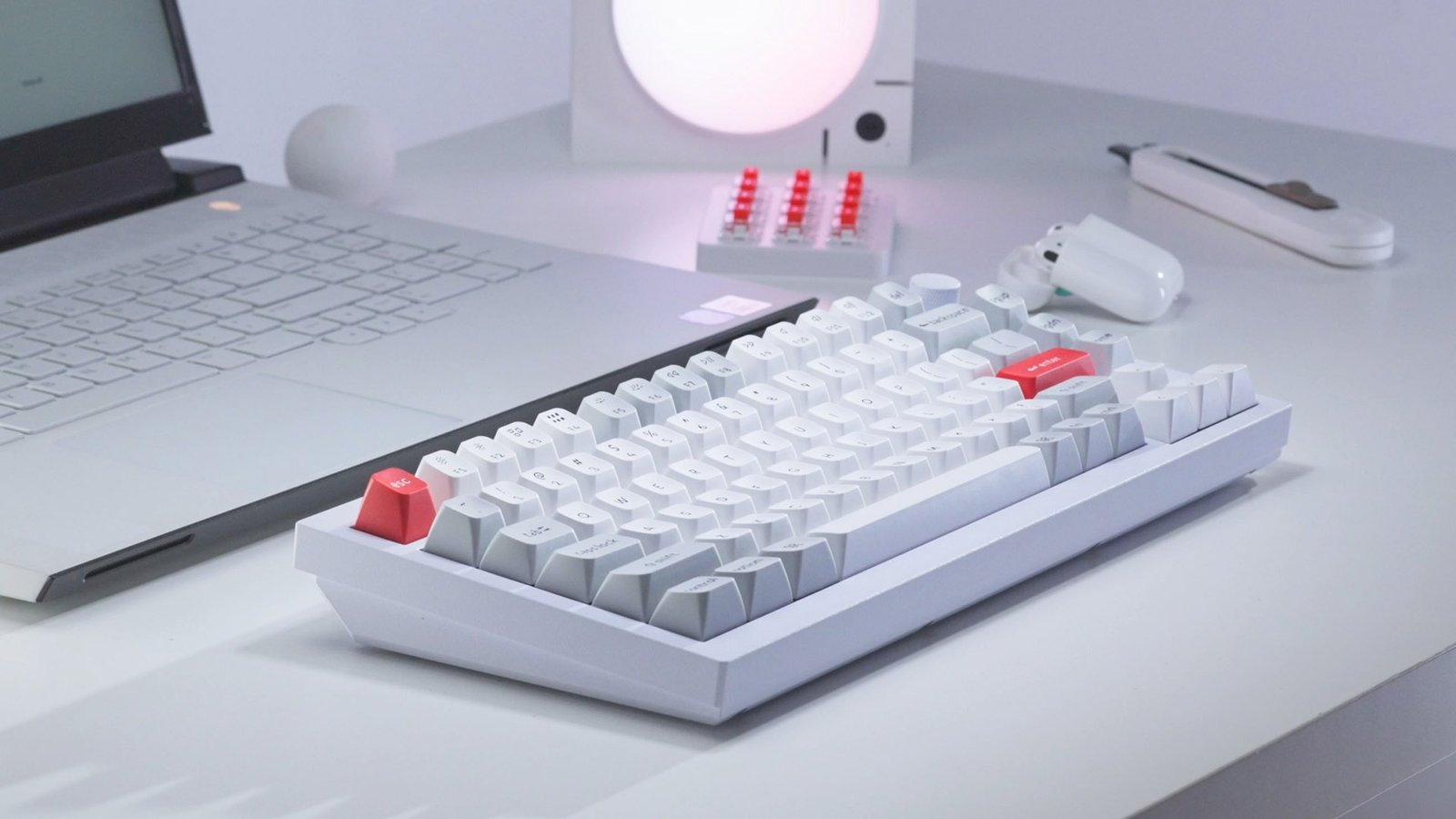
With a wide variety of layouts like the TKL-sized Q3 Max above, there’s a keyboard in this series for just about anyone, including split “ergonomic” designs. They’re fantastic as stand-alone purchases, or bases for your custom dream build with replacement switches and keycaps.
Who should buy the Keychron Q Max Series
If you’re ready to step up to a premium mechanical keyboard design, one of these Q Max models should be at the top of your list. At the time of writing they’re available in full-size with number pad, TKL, 75%, 65%, and compact “1800” sizes, plus oddball Alice and left-handed models. There’s even a Happy Hacking Keyboard clone version, all of which come with hot-swap switch sockets and RGB lighting.
They’re great on their own with no extra mods, with the only real downside being so-so stabilizers. But you can swap those out too if you’re okay with opening the case, and the rest of the board is just as customizable. They can be custom-programmed, too, so both newbies and veterans are welcome.
Keychron’s high-end boards are on the pricey side, even if they aren’t as expensive as the boutique builds they’re inspired by, so bargain hunters should hunt somewhere else. And while they offer 2.4GHz wireless and wired options for gamers, the lack of game-specific software features means that there are better choices if you want to slay first and type later.
Read our full
Keychron Q3 Max keyboard review
Keydous NJ80-AP – Best typing experience
Pros
- Amazing typing experience
- High-quality parts
- Bluetooth and 2.4GHz wireless
- Long battery life
Cons
- Clunky software
- Plastic case
- A bit heavy
Best Prices Today:
$135
Why I like the Keydous NJ80-AP
Keychron gets the recommendation for an all-around mechanical keyboard. But if what you really want is a fantastic “thocky” typing feel right out of the box, then this unassuming little keyboard is the best I’ve ever tested. It does this with a lot of high-quality components, like PBT keycaps, a brass plate, premium stabilizers, and lots of internal sound dampening. But the big magic is in the switches.
Keydous went with exotic, high-end switches from Kailh to make the NJ80-AP and its stablemates stand out. These “Blueberry Ice Cream” BOX switches have a ridiculous name, but with soft POM plastic housing, reinforced stems, and a factory-lubed sliding mechanism, they feel amazing. They’re the best I’ve ever seen come standard on a keyboard, and that includes boards that cost twice as much as this one.
The NJ80-AP also offers both Bluetooth and dongle-based wireless, RGB lighting, an aluminum volume wheel — all the standards from a high-end mechanical design. Its plastic case and fiddly, proprietary programming software are a disappointment, but for satisfying typing out of the box, it’s simply the best around.
Who should buy the Keydous NJ80-AP
If you’re looking for a standard design with absolutely amazing typing, look no further. The NJ80-AP delivers, and if you want something bigger or (slightly) smaller, the same features are available in 65% and compact “1800” layouts (full number pad, slightly squished). Just make sure to order the one with those fancy switches.
But on the other hand, the software leaves a lot to be desired, and you can get keyboards with better all-metal bodies or faster wireless by spending a little more. And if you really want to go all out, you can get most of the way towards the high-quality typing of this board by ordering the same switches online and putting them in another board with hot-swap capability.
It’ll cost a lot — Keydous designs are on the cheap side of the high end — but if you’re dropping more than three digits on a keyboard anyway, it’s a legitimate option.
Read our full
Keydous NJ80-AP wireless mechanical keyboard review
K780 Multi-Device Wireless Keyboard – Best full-size multi-device option
Pros
- Works with all major platforms
- Can toggle between three paired devices
- Quiet keys with great travel
Cons
- Not built for portability
Price When Reviewed:
£89.99
Best Prices Today:
£65.49
£79
Why I like the Logitech K780
If you like the convenience of a Bluetooth keyboard that can switch among different devices, but don’t require the compact layout of the MX Keys Mini, Logitech’s K780 Multi-Device Wireless Keyboard promises to be the one keyboard to rule all your computing gizmos. Indeed, it’s fully compatible with Windows, Mac OS, Chrome OS, Android, and iOS for fast and effortless switching between your computer, smartphone, and tablet.
It also costs a good deal less than the MX Keys Mini, and offers a roomy layout with a numpad. The integrated device stand is especially good for phones and tablets up to about ten inches in size — like the standard iPad Air. Anything bigger might need its own separate stand. That makes this an excellent companion for a multi-device desk…though it doesn’t exactly pack away well.
Who should buy the Logitech K780
If you’re constantly switching between a PC and a phone or other mobile gadget, this keyboard is exactly what you’re looking for. The dedicated keys for switching gadgets and the integrated stand make it an excellent way to save time and space on your desk.
Read our full
Logitech K780 Multi-Device Wireless Keyboard review
Logitech Ergo K860 – Best ergonomic wireless keyboard
Pros
- Curved and split ergonomic design
- Comfortable wrist support
- Palm raise feature lets you adjust height for sitting or standing
Cons
- Requires some time to get used to split design
- Expensive
Why I like the Logitech Ergo K860
Logitech’s Ergo K860 has finally conquered our skepticism about awkward ergonomic keyboards. In the course of our review, there was a marked improvement in typing comfort and reduced muscle tension, all without sacrificing productivity to a steep learning curve.
It’s a little expensive compared to a conventional wireless keyboard, but if you’re struggling with comfort, the K860 is the only ergonomic keyboard we’d heartily recommend. If you need a more compact, affordable version of Logitech’s curvy keyboard design, check out the Wave Keys instead.
Who should buy the Logitech Ergo K860
Ergonomic keyboards aren’t the easiest to find, especially with big, comfy integrated wrist rests. Among major vendors it’s basically this design and the Microsoft Ergonomic Keyboard, which is wired. So if the split, angled layout with low-profile keys is what you want, the K860 is the best game in town.
If you aren’t trained in strict home row-style typing (index fingers on F and J, et cetera), the split layout may cause a headache. Try the Wave Keys instead if you want bigger, more responsive individual keys and a continuous layout that still has a comfy wrist rest integrated into the design.
Read our full
Logitech Ergo K860 review
What to know about wireless keyboards
In our keyboard evaluation process we look at everything from build quality to typing experience to customization options and bundled software. We use the heck out of a keyboard before rendering a verdict. To learn all the ins and outs of our review process see our article on how we test keyboards.
In addition to that, here are answers to some of the most common questions about wireless keyboards. Our answers could help with your keyboard purchase.
What’s the difference between a Bluetooth keyboard and a wireless keyboard?
Wireless keyboards connect to a PC in one of two ways: via Bluetooth or a USB receiver. Wireless keyboards that connect via a USB receiver or dongle can only connect to a computer or device if it has a USB port. Bluetooth connectivity on the other hand does not require any dongle or extra receiver and can therefore easily connect to other Bluetooth-enabled devices without the need for any ports. Additionally, Bluetooth keyboards tend to cost a little more but also offer longer battery life.
While shopping, you may find that older devices do not support Bluetooth. However, if you need a keyboard to work across different platforms on newer devices, a Bluetooth-enabled model is the way to go.
Do wireless keyboards need special batteries?
Usually wireless keyboards are powered using either rechargeable or disposable batteries. Wireless keyboards with rechargeable batteries will just need to be plugged into an external power source such as a computer or wall outlet when the battery is low. Otherwise, wireless keyboards with disposable batteries will need those batteries to be replaced when they die. The most common types of batteries these keyboards use will be either AA or AAA alkaline batteries.
Can a laptop be used with a wireless keyboard?
Yes, you can use a wireless keyboard with a laptop without issue. Depending on whether you are using a wireless USB dongle keyboard or a Bluetooth keyboard, you just need to connect to the laptop and then you are good to go. This is true if you wish to connect a wireless keyboard to your tablet or 2-in-1, as well.
Are wireless keyboards good for gaming?
Wireless keyboards are a fantastic option for most people, but they have a few limitations when it comes to gaming. Wireless keyboards can produce some slight latency issues between the keystroke being made and it being registered by your computer. This lag can be especially frustrating when playing games that require fast reaction times or in competitive environments — the latency may in some instances lead to a competitive disadvantage.
That being said, wireless technologies have improved immensely in recent years and any lag or interference issues are becoming extremely rare with the latest technology. Most casual gamers will be just fine with a wireless keyboard — opt for 2.4GHz wireless over Bluetooth for the most reliable results. You can minimize interference issues by keeping other wireless devices away from your wireless keyboard, as well.
