

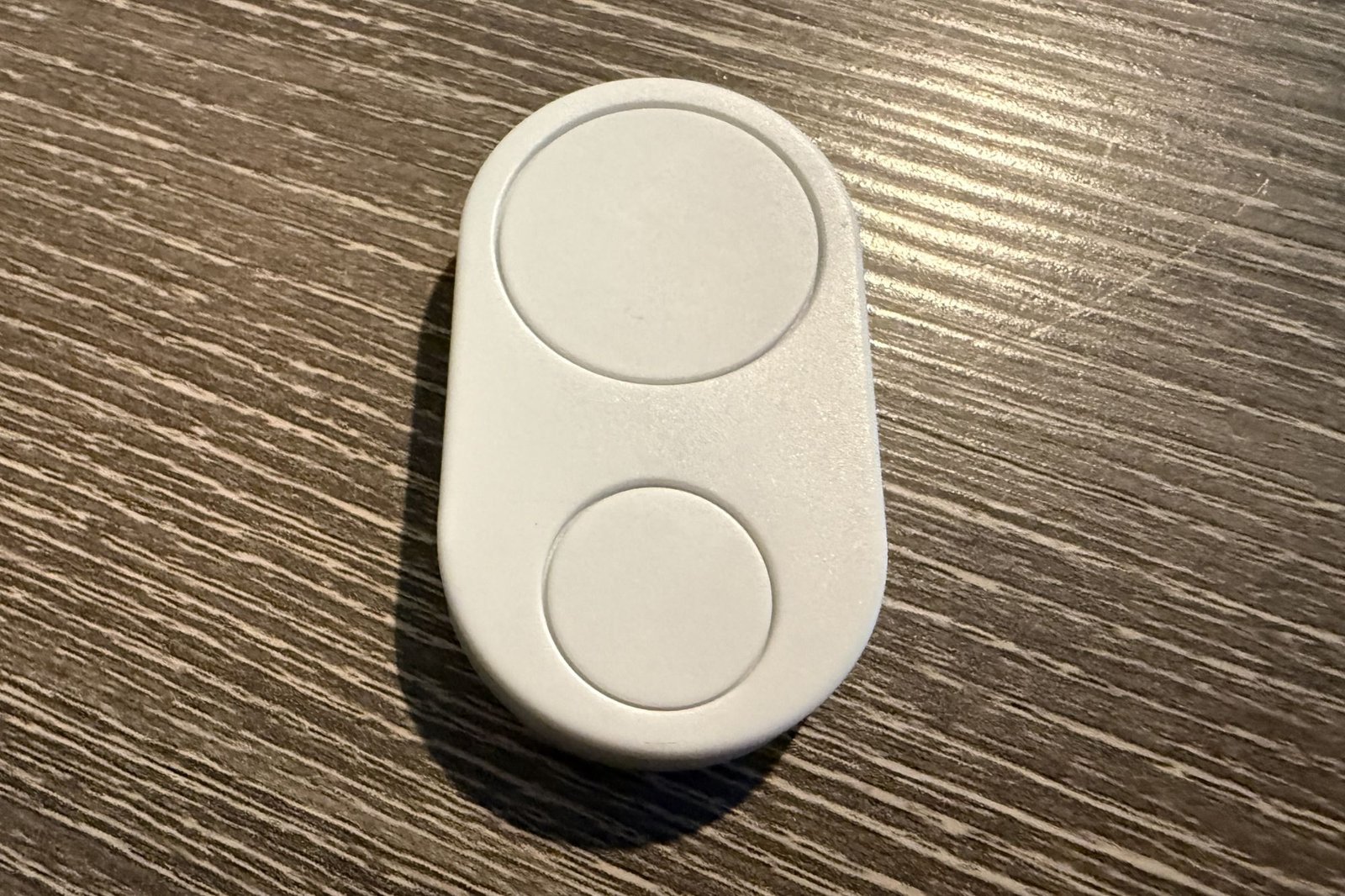
Flic Duo review: Smart home control with a ‘flic’ of your wrist
Image: Christopher Null/Foundry
At a glance
Expert’s Rating
Pros
- Hugely versatile
- Compact and unobtrusive
- New, intuitive functions like twist offer analog-like controls
Cons
- Integration setups can be a bear
- Swipe function is rocky at best
- Somewhat expensive
Our Verdict
With more than 20 trigger possibilities, the broadly compatible Flic Duo is a tremendously versatile and useful control-anything smart home controller.
Price When Reviewed
This value will show the geolocated pricing text for product undefined
Best Pricing Today
Best Prices Today: Flic Duo
Flic’s smart button is a tiny device with a powerful concept, a platform-agnostic gadget that literally gives you a button that can be placed anywhere for easy, tactile control of all types of smart home devices.
The all-new Flic Duo, reviewed here, builds considerably on what that original gadget can do, moving from three functions to a whopping 22. It’s a significant expansion of capabilities, although getting everything set up within the Flic ecosystem remains an endeavor that smart home novices might find challenging.
Specifications
Like the original Flic Button, the Flic Duo is so small it might easily be misplaced—or even consumed by an rambunctious pet. Measuring 2 x 1.25 inches overall–and roughly 1/3 of an inch thick–it’s designed to be used in the hand or mounted to the wall—or both. A magnetic back means you can slap it onto a metal backing plate (sold separately, $10) or affix it to any metal surface for a semi-permanent setup while also allowing you to remove it as needed.
The Flic system can control devices across scads of third-party ecosystems, the major ones being Matter, Alexa, IFTTT, and SmartThings.
As the name suggests, the Duo has two buttons instead of one, billed simply as “Big Button” and “Small Button” respectively. As with the standard Flic Button, you can assign tasks to each of these buttons with single-push, double-push, or push-and-hold triggers. Unique to this new model are hold-and-swipe and hold-and-twist triggers, both of which I’ll get to in a bit.
The Bluetooth-enabled Flic Duo will work with or without a Flic Hub (either the basic, single-band-Wi-Fi Hub Mini, $30; or the dual-band-Wi-Fi Hub LR, which adds infrared blaster and ethernet ports, and Apple Home support. It costs $90.) But the Flic Duo is less capable if you choose instead to pair it directly to your phone.
The Flic Duo is about the height of a stack of four quarters, and not much bigger in overall size, either.
Christopher Null/Foundry
A phone-centric approach isn’t ideal, as it makes the Flic Duo useless if your phone isn’t in Bluetooth range; and some features, including the twist function, don’t work at all without a hub. Either Flic Hub will do the grunt work of pushing the Flic Duo’s commands to the internet or to local smart home devices as needed. I tested the Flic Duo with a Hub Mini.
However you choose to pair it, the Flic system can control devices across scads of third-party ecosystems, the major ones being Matter, Alexa, IFTTT, and SmartThings. It can also control Philips Hue, LIFX, Ikea, and Nanoleaf devices directly without an intermediary, and it can work as a remote for Chromecast and Sonos. Integration with Google Home is handled via Matter or IFTTT. A complete list of integrations can be found here.
Installation and setup
I’d encourage buyers to use the Flic Duo the way I tested it, in concert with either the Flic Hub Mini, shown here, or the more robust Flic Hub LR.
Christopher Null/Foundry
Setting up the Flic Duo is fairly painless. Presuming you’re using a Hub, the Flic app will automatically discover the Hub once it is plugged in, asking for the password printed on its backside and configuring basic Wi-Fi settings. With the Hub connected, you can now pair it with the Duo, which is a similar, albeit password-free process.
It’s a quick and easy process; the much more daunting part of the experience comes next, when it’s time to set up your integrations.
Using the Flic Duo
Flic hasn’t changed much about the way its integration setup system works, and despite the promise that “new partners are continuously being added,” I didn’t see much of a change from the list available last year, although I’ll admit it’s impossible to keep track of every single option of the dozens available (including the “fart generator,” which is now called “fart sound”).
Configuring these integrations hasn’t changed, and the process remains complex at best. For example, to set up an Alexa integration, you must add the Flic skill to Alexa, then return to the Flic app and select the desired trigger you want to set up. Next, it’s back to the Alexa app to create a routine (or use an existing one), where you assign the Flic trigger you just selected to that routine. Alexa does most of the heavy lifting, and Flic just serves as a middleman.
Flic’s exhaustive list of integrations can be daunting to sift through.
Christopher Null/Foundry
Things like controlling lighting directly with LIFX or Philips Hue devices is more straightforward, as the Flic app can discover the lights you have set up in those apps and control them directly. Still, you need to have a strong grasp on smart home fundamentals for this to be intuitive.
The real advantage of the Flic Duo comes when you take advantage of the new triggers available, including those swipe and twist functions I mentioned previously. With these, you hold down a button then swipe in one of four directions; this can be helpful for cycling through music tracks or toggling an on/off state (swipe up for on, down for off, for example).
The problem is that Flic’s version of a swipe is very tough to pull off successfully. Rather than just pushing the button and moving your thumb in one direction, I found you had to kind of jerk the entire device in that direction while also sliding your thumb across it at the same time.
The Flic Duo’s “twist” feature gives new life to analog-like actions such as dimming and volume control.
Christopher Null/Foundry
So, push the button, slide upwards while simultaneously lifting your wrist, and then let go. Rarely could I perform this successfully on a single try, often leaving me maniacally waving the Duo around to try to get a command to go through.
The twist function is even more interesting. Here you press a button, then rotate your wrist left or right. “Twist” is probably a misnomer for this motion, but I found it worked a lot more effectively than the swipe function, without any trial and error at all. Twist can be used to intuitively control volume or the brightness of lights, and I found it great for dynamically cycling through color lighting options on a lamp, too. Unlike the swipe feature, twisting worked seamlessly every time I tried it.
Should you buy the Flic Duo?
The Flic Duo is the even more powerful big brother to the original Flic Button, and it’s also arguably more useful (albeit also less intuitive to program and use) than the Flic Twist. It’s not a device for smart home novices, who I expect will quickly become lost in the complex machinations required to set up even basic integrations. More advanced users, on the other hand, will likely find it incredibly useful—even if you find you need to build a cheat sheet to keep track of the dozens of integrations you end up creating.
It’s not perfect, of course: The swipe function needs a lot of work, stickers to label the Flic buttons still cost extra ($10 pack for the Flic Duo), documentation is basically nonexistent, and certain promised features like a “find my Flic” function in the app are still pending for 2026. It’s also expensive: $59 compared to $35 for a single Flic Button.
All that said, if you’re willing to invest a little time, energy, and patience, there’s almost no smart home environment where the Flic Duo won’t be useful.
Best Prices Today: Flic Duo
Author: Christopher Null, Contributor, PCWorld
Christopher Null is an award-winning technology journalist with more than 25 years of experience writing about and reviewing consumer and business tech products. Previously, he served as Executive Editor for PC Computing magazine and was the founder and Editor in Chief of Mobile magazine, the first print publication focused exclusively on mobile tech. In addition to covering a wide range of smart home gear for TechHive, he is a frequent contributor to Wired, This Old House, and AAA’s Via Magazine.
