Close Menu

    Subscribe to Updates

    Get the latest creative news from FooBar about art, design and business.

    What's Hot

    Champions League Playoff Soccer: Livestream Benfica vs. Real Madrid Live From Anywhere

    Today’s NYT Connections: Sports Edition Hints and Answers for Feb. 17, No. 512

    Today’s Wordle Hints, Answer and Help for Feb. 17, #1704

    Facebook X (Twitter) Instagram
    • Artificial Intelligence
    • Business Technology
    • Cryptocurrency
    • Gadgets
    • Gaming
    • Health
    • Software and Apps
    • Technology
    Facebook X (Twitter) Instagram Pinterest Vimeo
    Tech AI Verse
    • Home
    • Artificial Intelligence

      Read the extended transcript: President Donald Trump interviewed by ‘NBC Nightly News’ anchor Tom Llamas

      February 6, 2026

      Stocks and bitcoin sink as investors dump software company shares

      February 4, 2026

      AI, crypto and Trump super PACs stash millions to spend on the midterms

      February 2, 2026

      To avoid accusations of AI cheating, college students are turning to AI

      January 29, 2026

      ChatGPT can embrace authoritarian ideas after just one prompt, researchers say

      January 24, 2026
    • Business

      The HDD brand that brought you the 1.8-inch, 2.5-inch, and 3.5-inch hard drives is now back with a $19 pocket-sized personal cloud for your smartphones

      February 12, 2026

      New VoidLink malware framework targets Linux cloud servers

      January 14, 2026

      Nvidia Rubin’s rack-scale encryption signals a turning point for enterprise AI security

      January 13, 2026

      How KPMG is redefining the future of SAP consulting on a global scale

      January 10, 2026

      Top 10 cloud computing stories of 2025

      December 22, 2025
    • Crypto

      Metaplanet Reports FY2025 Results as Bitcoin Unrealized Losses Top $1 Billion

      February 17, 2026

      Crypto’s AI Pivot: Hype, Infrastructure, and a Two-Year Countdown

      February 17, 2026

      The RWA War: Stablecoins, Speed, and Control

      February 17, 2026

      Jeffrey Epstein Emails Show Plans to Meet Gary Gensler To Talk Crypto

      February 17, 2026

      Bitcoin Bounce Fades, Q1 Losses Deepen, and New Price Risk Back in Focus

      February 17, 2026
    • Technology

      Champions League Playoff Soccer: Livestream Benfica vs. Real Madrid Live From Anywhere

      February 17, 2026

      Today’s NYT Connections: Sports Edition Hints and Answers for Feb. 17, No. 512

      February 17, 2026

      Today’s Wordle Hints, Answer and Help for Feb. 17, #1704

      February 17, 2026

      Today’s NYT Connections Hints, Answers and Help for Feb. 17, #982

      February 17, 2026

      Today’s NYT Strands Hints, Answers and Help for Feb. 17 #716

      February 17, 2026
    • Others
      • Gadgets
      • Gaming
      • Health
      • Software and Apps
    Check BMI
    Tech AI Verse
    You are at:Home»Technology»Google’s AI Mode gets new ‘Canvas’ feature, real-time help with Search Live, and more
    Technology

    Google’s AI Mode gets new ‘Canvas’ feature, real-time help with Search Live, and more

    TechAiVerseBy TechAiVerseJuly 29, 2025No Comments3 Mins Read2 Views
    Facebook Twitter Pinterest Telegram LinkedIn Tumblr Email Reddit
    Google’s AI Mode gets new ‘Canvas’ feature, real-time help with Search Live, and more
    Share
    Facebook Twitter LinkedIn Pinterest WhatsApp Email

    Google’s AI Mode gets new ‘Canvas’ feature, real-time help with Search Live, and more

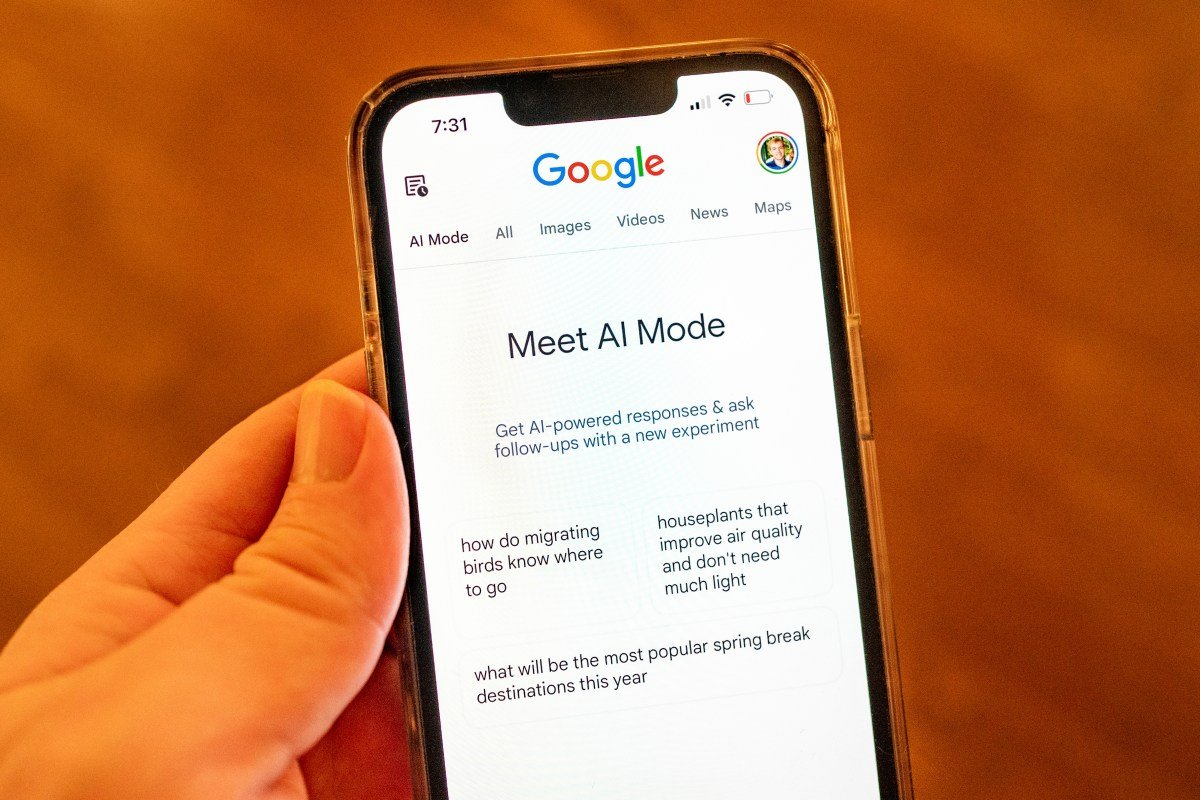
    Google announced on Tuesday that it’s adding new capabilities to AI Mode, its experimental feature that allows users to ask complex questions and follow-ups to dig deeper on a topic directly within Search.

    One of the new features, Canvas, helps you build study plans and organize information over multiple sessions in a side panel. For example, if you want to create a study plan for an upcoming test, you can click the new “Create Canvas” button to get started. From there, AI Mode will start putting things together in the Canvas side panel, and you can keep refining the output with follow-up prompts until it fits what you’re looking for.

    Soon, you will also be able to upload files like class notes or a syllabus to customize your study guide. Users enrolled in the AI Mode Labs experiment in the U.S. will see Canvas in the coming weeks.

    Image Credits:Google

    Google is also bringing Project Astra capabilities directly into AI Mode via Search Live, which is integrated with Google Lens, the tech giant’s visual search tool.

    “When you go Live with Search, it’s like having an expert on speed dial who can see what you see and talk through tricky concepts in real-time, all with easy access to helpful links on the web,” wrote Robby Stein, VP of Product, Google Search, in a press release.

    To use the feature, open Lens in the Google app, tap the Live icon, and ask a question while pointing the camera at something. With this feature, users can have a back-and-forth conversation with Search in AI Mode using visual context from their camera feed.

    Image Credits:Google

    Search Live with video input is rolling out this week on mobile in the U.S. for users enrolled in the AI Mode Labs experiment.

    Techcrunch event

    San Francisco
    |
    October 27-29, 2025

    In addition, Google announced that users will soon be able to use Lens in AI Mode to ask about what’s on their desktop screen.

    “Perhaps you’re looking at a geometry problem and want to better understand one of the diagrams,” Stein said. “Click on ‘Ask Google about this page’ from the address bar and select the diagram. You’ll get an AI Overview with a snapshot of key information directly in the side panel. And this week, you’ll be able to follow up with more questions through AI Mode, by selecting AI Mode at the top of the Lens search results or by clicking the “Dive deeper” button at the bottom of the AI Overview.”

    Image Credits:Google

    Plus, while you can already use AI Mode in the Google app to ask questions about images, you can now do so on desktop as well. Google is also adding support for PDF uploads on desktop, letting you ask detailed questions about documents.

    For example, you can upload PDF slides from a school lecture and ask follow-up questions to deepen your understanding beyond the class materials.

    Google says AI Mode will support additional file types beyond PDFs and images later this year, including Google Drive files.

    Aisha is a consumer news reporter at TechCrunch. Prior to joining the publication in 2021, she was a telecom reporter at MobileSyrup. Aisha holds an honours bachelor’s degree from University of Toronto and a master’s degree in journalism from Western University.

    View Bio

    Share. Facebook Twitter Pinterest LinkedIn Reddit WhatsApp Telegram Email
    Previous ArticleYouTube rolls out age estimation tech to identify US teens and apply additional protections
    Next Article HTX Introduces Custom Invitation Code Feature with Referral Campaign Offering 1 BTC Grand Prize
    TechAiVerse
    • Website

    Jonathan is a tech enthusiast and the mind behind Tech AI Verse. With a passion for artificial intelligence, consumer tech, and emerging innovations, he deliver clear, insightful content to keep readers informed. From cutting-edge gadgets to AI advancements and cryptocurrency trends, Jonathan breaks down complex topics to make technology accessible to all.

    Related Posts

    Champions League Playoff Soccer: Livestream Benfica vs. Real Madrid Live From Anywhere

    February 17, 2026

    Today’s NYT Connections: Sports Edition Hints and Answers for Feb. 17, No. 512

    February 17, 2026

    Today’s Wordle Hints, Answer and Help for Feb. 17, #1704

    February 17, 2026
    Leave A Reply Cancel Reply

    Top Posts

    Ping, You’ve Got Whale: AI detection system alerts ships of whales in their path

    April 22, 2025680 Views

    Lumo vs. Duck AI: Which AI is Better for Your Privacy?

    July 31, 2025261 Views

    6.7 Cummins Lifter Failure: What Years Are Affected (And Possible Fixes)

    April 14, 2025155 Views

    6 Best MagSafe Phone Grips (2025), Tested and Reviewed

    April 6, 2025112 Views
    Don't Miss
    Technology February 17, 2026

    Champions League Playoff Soccer: Livestream Benfica vs. Real Madrid Live From Anywhere

    Champions League Playoff Soccer: Livestream Benfica vs. Real Madrid Live From Anywhere Why You Can…

    Today’s NYT Connections: Sports Edition Hints and Answers for Feb. 17, No. 512

    Today’s Wordle Hints, Answer and Help for Feb. 17, #1704

    Today’s NYT Connections Hints, Answers and Help for Feb. 17, #982

    Stay In Touch
    • Facebook
    • Twitter
    • Pinterest
    • Instagram
    • YouTube
    • Vimeo

    Subscribe to Updates

    Get the latest creative news from SmartMag about art & design.

    About Us
    About Us

    Welcome to Tech AI Verse, your go-to destination for everything technology! We bring you the latest news, trends, and insights from the ever-evolving world of tech. Our coverage spans across global technology industry updates, artificial intelligence advancements, machine learning ethics, and automation innovations. Stay connected with us as we explore the limitless possibilities of technology!

    Facebook X (Twitter) Pinterest YouTube WhatsApp
    Our Picks

    Champions League Playoff Soccer: Livestream Benfica vs. Real Madrid Live From Anywhere

    February 17, 20262 Views

    Today’s NYT Connections: Sports Edition Hints and Answers for Feb. 17, No. 512

    February 17, 20262 Views

    Today’s Wordle Hints, Answer and Help for Feb. 17, #1704

    February 17, 20261 Views
    Most Popular

    7 Best Kids Bikes (2025): Mountain, Balance, Pedal, Coaster

    March 13, 20250 Views

    VTOMAN FlashSpeed 1500: Plenty Of Power For All Your Gear

    March 13, 20250 Views

    This new Roomba finally solves the big problem I have with robot vacuums

    March 13, 20250 Views
    © 2026 TechAiVerse. Designed by Divya Tech.
    • Home
    • About Us
    • Contact Us
    • Privacy Policy
    • Terms & Conditions

    Type above and press Enter to search. Press Esc to cancel.