

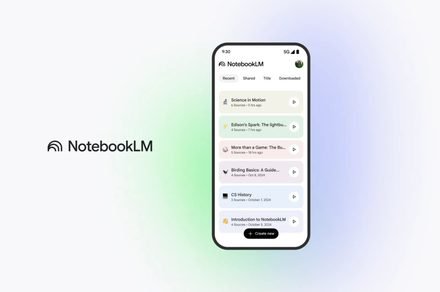
Google’s underrated NotebookLM tool is about to solve your diary mess
Visual headers could organize your diaries in NotebookLM and make it easier to navigate.
Google
It seems that Google wants to give NotebookLM a makeover that could make messy projects and text-heavy notebooks more organized and visually appealing.
A new visual customization feature now in testing suggests the AI-powered tool is about to feel more personal. It will help you visually organize your notebooks and make notes, journals, and diaries easier to navigate.
According to Testing Catalog, Google is experimenting with custom banner images for individual notebooks in NotebookLM. The change would add a clear visual identity to each notebook, helping users quickly tell them apart instead of scrolling through pages that all look the same.
Google may soon allow users to customize their notebooks on NotebookLM with a banner image.
Do you have a notebook worth featuring? 👀 pic.twitter.com/5O1l4Xg8jx
— TestingCatalog News 🗞 (@testingcatalog) February 22, 2026
Upcoming customization features on Google NotebookLM
The custom banner feature will introduce a dedicated header area at the top of each notebook. Instead of the current layout, where the title is followed immediately by the source count, NotebookLM may soon separate this into a distinct header section.
In the new design, the notebook title will appear over a banner image, making it easier to identify at a glance. As shown in the image, a “Customize” button is located on the right side of the header, allowing users to add images stored on their device or in the cloud. It will give each notebook a visual cue that matches its purpose or tone.
However, it remains unclear whether users would be able to add their own banner images or if Google would let its Nano Banana AI generate visuals based on a notebook’s content.
Google is also adding more context to that header. The date the notebook was created will appear just below the title, alongside the number of sources. That small detail could help users better track older notebooks or understand when a project or diary began.
The feature is still in testing and not widely available yet. Nevertheless, if your notes or projects on NotebookLM look cluttered, this update could bring welcome clarity and a sense of order.
Manisha likes to cover technology that is a part of everyday life, from smartphones & apps to gaming & streaming…
Google’s new plan to check if your AI is actually ethical
DeepMind researchers say current tests only measure whether chatbots sound moral, not whether they understand morality.
You ask a chatbot for medical advice. It responds with something thoughtful. But did it actually weigh what’s at stake, or did it just get lucky with words?
That’s the problem Google DeepMind tackles in a new Nature paper. The team argues that the way we test AI morality is broken. We check if models produce answers that look right, what they call moral performance. But that tells us nothing about whether the system grasps why something is right or wrong.
Samsung brings Galaxy Book6 laptops to the US, and they roam pretty close to MacBook Air
The Galaxy Book 6 lineup debuts in the US with three models, AMOLED displays, Intel Panther Lake processors, and pricing that challenges Apple’s MacBook Air directly.
Samsung has launched its latest Galaxy Book 6 lineup in the United States. It comprises three models: Book 6, Book 6 Pro, and Book 6 Ultra.
While all the notebooks are powered by the Core Ultra Series 3 (Panther Lake) chipsets, built on Intel’s 18A manufacturing process, they feature slightly different chipsets.
Your ChatGPT chats are more personal than you think
New OpenAI data shows a surprising amount of consumer usage is for non-work tasks and personal expression.
OpenAI released fresh Signals data pulled from millions of consumer messages sent between July 2024 and the end of 2025. The company sorted through those conversations to figure out what people actually do with ChatGPT when they are not at work.
The findings paint a surprisingly human picture. The analysis splits interactions into three buckets. Asking covers moments when you want information or clarification. Doing includes tasks where you need ChatGPT to produce something. Expressing is when users share thoughts or feelings without expecting any output or answer. That third category keeps showing up, suggesting people are finding something in the chatbot that goes beyond productivity.
