Close Menu

    Subscribe to Updates

    Get the latest creative news from FooBar about art, design and business.

    What's Hot

    TSA Allows You To Add Your Passport To This Apple Wallet Alternative

    OpenAI taps Tata for 100MW AI data center capacity in India, eyes 1GW

    OpenAI deepens India push with Pine Labs fintech partnership

    Facebook X (Twitter) Instagram
    • Artificial Intelligence
    • Business Technology
    • Cryptocurrency
    • Gadgets
    • Gaming
    • Health
    • Software and Apps
    • Technology
    Facebook X (Twitter) Instagram Pinterest Vimeo
    Tech AI Verse
    • Home
    • Artificial Intelligence

      Read the extended transcript: President Donald Trump interviewed by ‘NBC Nightly News’ anchor Tom Llamas

      February 6, 2026

      Stocks and bitcoin sink as investors dump software company shares

      February 4, 2026

      AI, crypto and Trump super PACs stash millions to spend on the midterms

      February 2, 2026

      To avoid accusations of AI cheating, college students are turning to AI

      January 29, 2026

      ChatGPT can embrace authoritarian ideas after just one prompt, researchers say

      January 24, 2026
    • Business

      The HDD brand that brought you the 1.8-inch, 2.5-inch, and 3.5-inch hard drives is now back with a $19 pocket-sized personal cloud for your smartphones

      February 12, 2026

      New VoidLink malware framework targets Linux cloud servers

      January 14, 2026

      Nvidia Rubin’s rack-scale encryption signals a turning point for enterprise AI security

      January 13, 2026

      How KPMG is redefining the future of SAP consulting on a global scale

      January 10, 2026

      Top 10 cloud computing stories of 2025

      December 22, 2025
    • Crypto

      Wall Street Moves Into Prediction Markets With Election-Contract ETF Filings

      February 18, 2026

      Tectonic to Host Inaugural Quantum Summit at ETHDenver 2026 Focused on Post-Quantum Cryptography Readiness for Web3

      February 18, 2026

      Ki Young Ju Says Bitcoin May Need to Hit $55K Before True Recovery Begins

      February 18, 2026

      MYX Finance Is Oversold For The First Time Ever, Yet No Relief In Sight

      February 18, 2026

      Everyone is Talking about the SaaSpocalypse, But Why Does it matter for Crypto?

      February 18, 2026
    • Technology

      TSA Allows You To Add Your Passport To This Apple Wallet Alternative

      February 19, 2026

      OpenAI taps Tata for 100MW AI data center capacity in India, eyes 1GW

      February 19, 2026

      OpenAI deepens India push with Pine Labs fintech partnership

      February 19, 2026

      Etsy sells secondhand clothing marketplace Depop to eBay for $1.2B

      February 19, 2026

      Hacking conference Def Con bans three people linked to Epstein

      February 19, 2026
    • Others
      • Gadgets
      • Gaming
      • Health
      • Software and Apps
    Check BMI
    Tech AI Verse
    You are at:Home»Technology»Here’s What You Should Do To Optimize Your Wi-Fi Router’s Capabilities When Setting It Up
    Technology

    Here’s What You Should Do To Optimize Your Wi-Fi Router’s Capabilities When Setting It Up

    TechAiVerseBy TechAiVerseAugust 1, 2025No Comments5 Mins Read10 Views
    Facebook Twitter Pinterest Telegram LinkedIn Tumblr Email Reddit
    Here’s What You Should Do To Optimize Your Wi-Fi Router’s Capabilities When Setting It Up
    Share
    Facebook Twitter LinkedIn Pinterest WhatsApp Email

    Here’s What You Should Do To Optimize Your Wi-Fi Router’s Capabilities When Setting It Up

    New Africa/Shutterstock

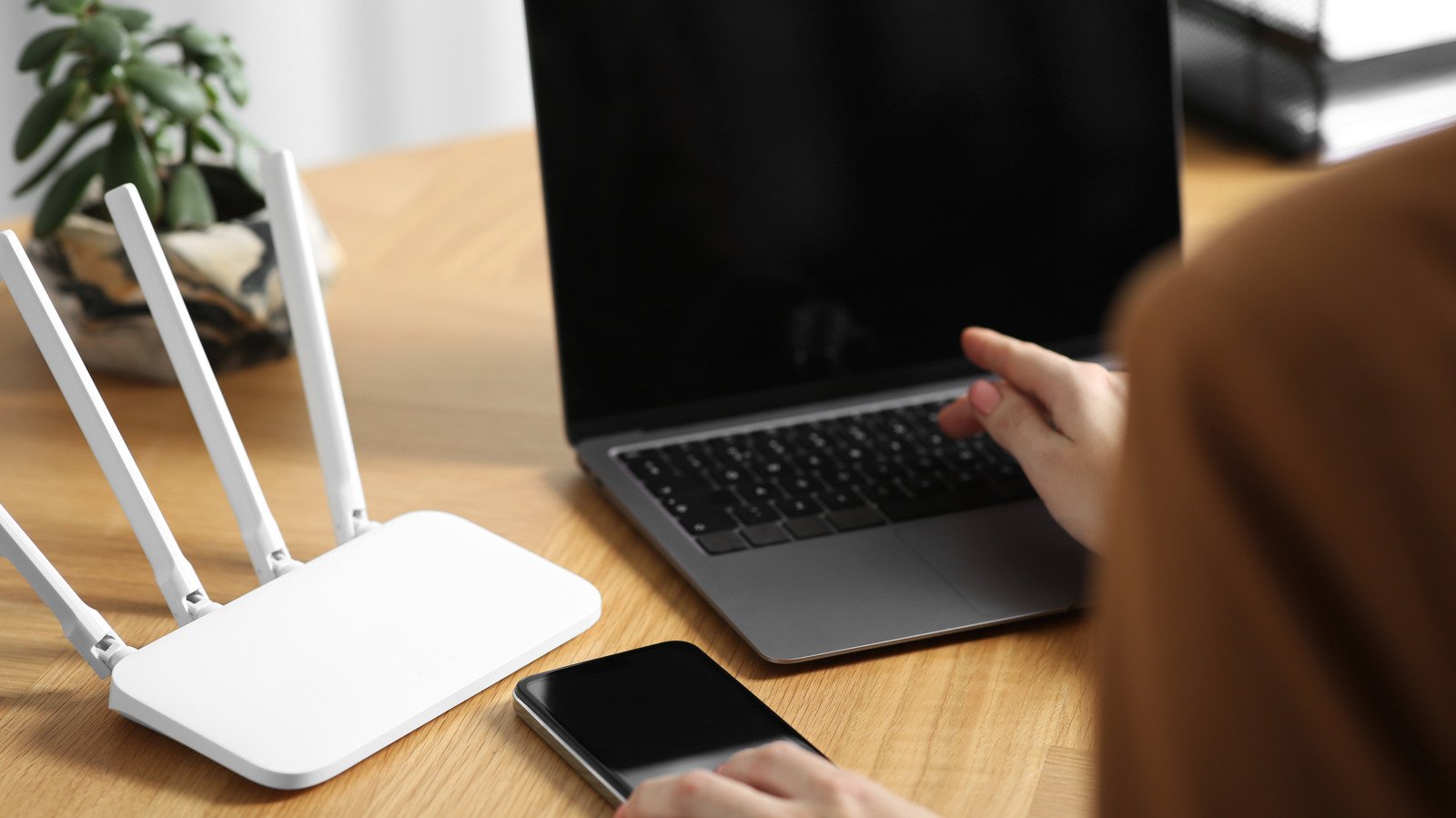
    Have you purchased a new Wi-Fi router for your home or office to connect to the online world? If yes, then you can’t simply set it up like any other electronic device and expect it to offer uninterrupted, fast internet. There are various things you need to take care of while setting up your Wi-Fi router to optimize its capabilities. The very first thing you need to optimize is its position. Placing the router at a central location in your house will allow it to offer equal coverage to all areas. If you install the router in one corner of your house, you might not receive the best network strength and speed when using the connection from the other corner. 

    Furthermore, if the router is placed at the corner, there’s a possibility that your neighbors may also have the option to connect to the network. And if they somehow get access to the Wi-Fi password, it will increase the load on your router, which can eventually affect your router’s speed. To avoid this, it’s best to install the Wi-Fi router at a central location in your home. In addition to selecting a suitable location, there are several other steps you can take to optimize your Wi-Fi router’s capabilities. Let’s check out all of them so that you get the best coverage and speed from your Wi-Fi router.

    Give special attention to your router’s surroundings

    FinnJack/Shutterstock

    Ensure your Wi-Fi router is not surrounded by other electronics, large walls, or any other type of obstruction. All these items interfere with the Wi-Fi signal, affecting its strength. As a result, you might experience a weak and slow internet connection. Most importantly, remove electronic items that emit the same frequency as your Wi-Fi router. For instance, the microwave operates in the 2.4 GHz band, which is similar to the frequencies used by most routers; therefore, placing a Wi-Fi router near it is impractical.

    In addition to microwaves, cordless telephones, baby monitors, and garage door openers are a few other common household items that emit the same frequency as that of your Wi-Fi router. Therefore, it’s better to keep these items as far away from the router as possible. 

    The antennas play a major role in determining your router’s speed and strength. It’s crucial to position the antennas in the right direction so that you get the best signal coverage throughout your entire home. For instance, if there are four antennas and you plan to use the Wi-Fi connection from the same floor where the router is placed, then you should place all four antennas vertically.

    However, if you live in a multi-story house and plan to use the Wi-Fi connection from all the floors, then you should place the antenna at an angle of 30°. This will allow the router to transmit the signal on the floor where it is placed, as well as the floors both above and below it. If your Wi-Fi router has only one antenna, we recommend placing it in the direction where you want the Wi-Fi signal to be strongest.

    Adjust the router settings

    Luis Alvarez/Getty Images

    The 5 GHz network is enabled on most dual-band routers. However, if you don’t see your router’s 5 GHz connection when checking the available Wi-Fi networks on your smartphone, it means you need to manually enable the network. The process to turn on the 5 GHz network varies by router, but the general rule of thumb is to access your router settings through a web browser, select the Network tab, and then enable the 5 GHz network. You can also refer to the manual that came with your router to find the exact steps to enable the 5 GHz connection.

    The next thing you should do when you are setting up your Wi-Fi router is to create a guest Wi-Fi account, especially if you are sure that your connection will be used by multiple users. Creating a guest Wi-Fi account ensures that any new person connecting to your router only has limited access to the network. It’s important to note that limited access doesn’t mean that the user will get a comparatively slower network speed; instead, a guest account will make sure that the person doesn’t have access to other devices connected to the network, like your printer, file servers, and more. 

    Lastly, you should disable the rarely used features of your router, like WPS and port forwarding. Keeping WPS enabled is also not recommended from a safety perspective, as it allows users to connect to your Wi-Fi network using a WPS PIN instead of your Wi-Fi password. While these WPS PINs make it easier to connect to the network, at the same time, they are very easy to crack, as, like normal passwords, they don’t contain any letters, special characters, or formatting.

    Share. Facebook Twitter Pinterest LinkedIn Reddit WhatsApp Telegram Email
    Previous Article12 Microwave Brands Made In America
    Next Article How decades-old frozen embryos are changing the shape of families
    TechAiVerse
    • Website

    Jonathan is a tech enthusiast and the mind behind Tech AI Verse. With a passion for artificial intelligence, consumer tech, and emerging innovations, he deliver clear, insightful content to keep readers informed. From cutting-edge gadgets to AI advancements and cryptocurrency trends, Jonathan breaks down complex topics to make technology accessible to all.

    Related Posts

    TSA Allows You To Add Your Passport To This Apple Wallet Alternative

    February 19, 2026

    OpenAI taps Tata for 100MW AI data center capacity in India, eyes 1GW

    February 19, 2026

    OpenAI deepens India push with Pine Labs fintech partnership

    February 19, 2026
    Leave A Reply Cancel Reply

    Top Posts

    Ping, You’ve Got Whale: AI detection system alerts ships of whales in their path

    April 22, 2025684 Views

    Lumo vs. Duck AI: Which AI is Better for Your Privacy?

    July 31, 2025273 Views

    6.7 Cummins Lifter Failure: What Years Are Affected (And Possible Fixes)

    April 14, 2025156 Views

    6 Best MagSafe Phone Grips (2025), Tested and Reviewed

    April 6, 2025117 Views
    Don't Miss
    Technology February 19, 2026

    TSA Allows You To Add Your Passport To This Apple Wallet Alternative

    TSA Allows You To Add Your Passport To This Apple Wallet Alternative Ilona Titova/Getty Images…

    OpenAI taps Tata for 100MW AI data center capacity in India, eyes 1GW

    OpenAI deepens India push with Pine Labs fintech partnership

    Etsy sells secondhand clothing marketplace Depop to eBay for $1.2B

    Stay In Touch
    • Facebook
    • Twitter
    • Pinterest
    • Instagram
    • YouTube
    • Vimeo

    Subscribe to Updates

    Get the latest creative news from SmartMag about art & design.

    About Us
    About Us

    Welcome to Tech AI Verse, your go-to destination for everything technology! We bring you the latest news, trends, and insights from the ever-evolving world of tech. Our coverage spans across global technology industry updates, artificial intelligence advancements, machine learning ethics, and automation innovations. Stay connected with us as we explore the limitless possibilities of technology!

    Facebook X (Twitter) Pinterest YouTube WhatsApp
    Our Picks

    TSA Allows You To Add Your Passport To This Apple Wallet Alternative

    February 19, 20262 Views

    OpenAI taps Tata for 100MW AI data center capacity in India, eyes 1GW

    February 19, 20262 Views

    OpenAI deepens India push with Pine Labs fintech partnership

    February 19, 20262 Views
    Most Popular

    7 Best Kids Bikes (2025): Mountain, Balance, Pedal, Coaster

    March 13, 20250 Views

    VTOMAN FlashSpeed 1500: Plenty Of Power For All Your Gear

    March 13, 20250 Views

    This new Roomba finally solves the big problem I have with robot vacuums

    March 13, 20250 Views
    © 2026 TechAiVerse. Designed by Divya Tech.
    • Home
    • About Us
    • Contact Us
    • Privacy Policy
    • Terms & Conditions

    Type above and press Enter to search. Press Esc to cancel.