Close Menu

    Subscribe to Updates

    Get the latest creative news from FooBar about art, design and business.

    What's Hot

    Radicle: The Sovereign Forge

    Microsoft Mishandling Example.com

    What has Docker become?

    Facebook X (Twitter) Instagram
    • Artificial Intelligence
    • Business Technology
    • Cryptocurrency
    • Gadgets
    • Gaming
    • Health
    • Software and Apps
    • Technology
    Facebook X (Twitter) Instagram Pinterest Vimeo
    Tech AI Verse
    • Home
    • Artificial Intelligence

      Ashley St. Clair, the mother of one of Elon Musk’s children, sues xAI over Grok sexual images

      January 17, 2026

      Anthropic joins OpenAI’s push into health care with new Claude tools

      January 12, 2026

      The mother of one of Elon Musk’s children says his AI bot won’t stop creating sexualized images of her

      January 7, 2026

      A new pope, political shake-ups and celebs in space: The 2025-in-review news quiz

      December 31, 2025

      AI has become the norm for students. Teachers are playing catch-up.

      December 23, 2025
    • Business

      New VoidLink malware framework targets Linux cloud servers

      January 14, 2026

      Nvidia Rubin’s rack-scale encryption signals a turning point for enterprise AI security

      January 13, 2026

      How KPMG is redefining the future of SAP consulting on a global scale

      January 10, 2026

      Top 10 cloud computing stories of 2025

      December 22, 2025

      Saudia Arabia’s STC commits to five-year network upgrade programme with Ericsson

      December 18, 2025
    • Crypto

      Monero Holds $500, But Rising Risk Emerges as Traders Pull Back

      January 23, 2026

      US DOJ Recasts Crypto as Fraud Infrastructure in New Review

      January 23, 2026

      Where Is Ethereum’s Bottom? Analysts Weigh On-Chain and Technical Signals

      January 23, 2026

      Ledger To Turn Crypto Security into Wall Street Gold in $4 Billion IPO

      January 23, 2026

      Can XRP HODLer Conviction Beat Profit Booking and the 18% Price Breakdown Risk?

      January 23, 2026
    • Technology

      Radicle: The Sovereign Forge

      January 23, 2026

      Microsoft Mishandling Example.com

      January 23, 2026

      What has Docker become?

      January 23, 2026

      Microsoft Gave FBI Keys to Unlock Encrypted Data, Exposing Major Privacy Flaw

      January 23, 2026

      Presence in Death

      January 23, 2026
    • Others
      • Gadgets
      • Gaming
      • Health
      • Software and Apps
    Check BMI
    Tech AI Verse
    You are at:Home»Technology»How to Fix an iPhone Stuck on the Apple Logo in 3 Steps
    Technology

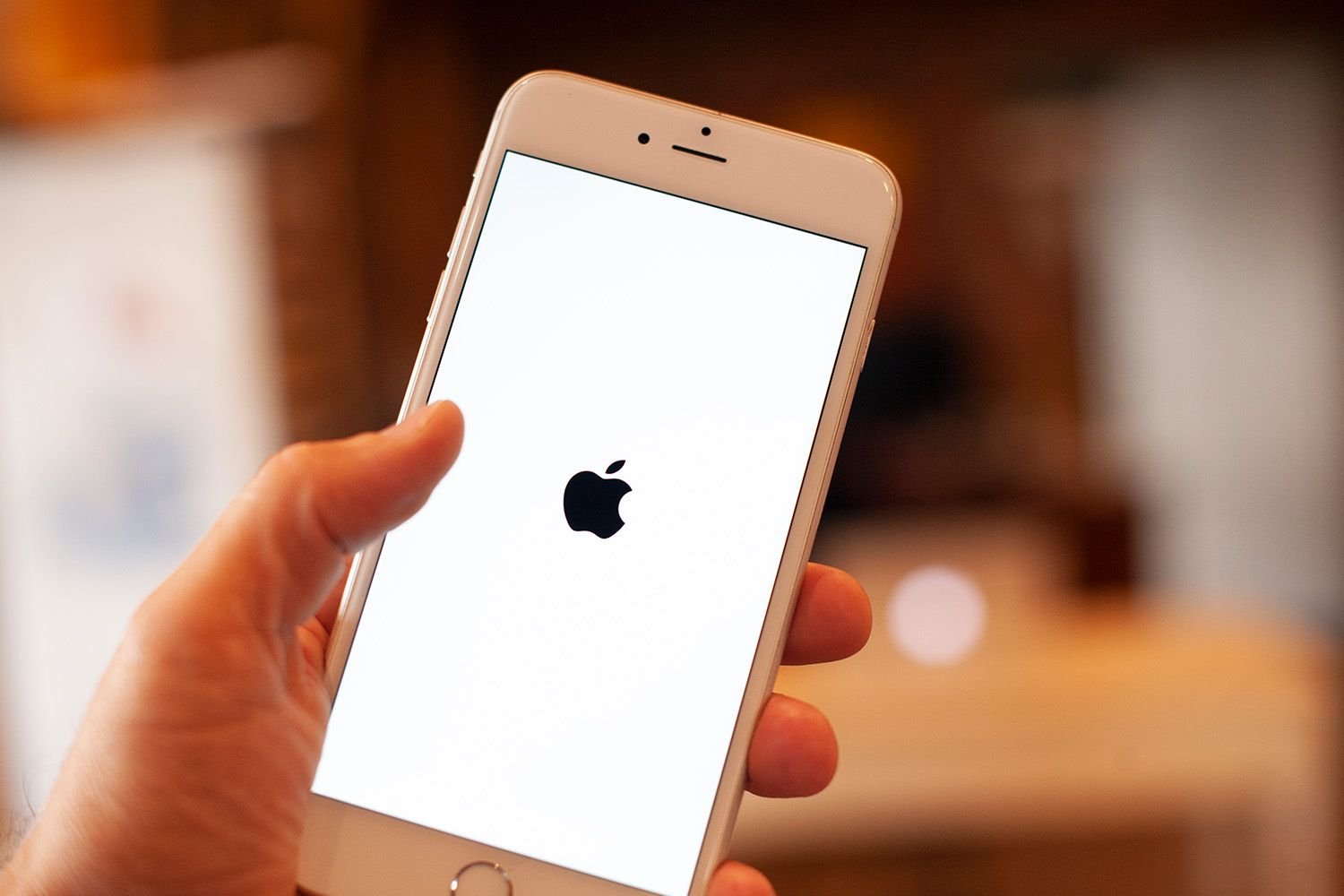
    How to Fix an iPhone Stuck on the Apple Logo in 3 Steps

    TechAiVerseBy TechAiVerseJanuary 22, 2026No Comments4 Mins Read2 Views
    Facebook Twitter Pinterest Telegram LinkedIn Tumblr Email Reddit
    How to Fix an iPhone Stuck on the Apple Logo in 3 Steps
    Share
    Facebook Twitter LinkedIn Pinterest WhatsApp Email

    How to Fix an iPhone Stuck on the Apple Logo in 3 Steps

    The fastest ways to restore normal startup

    Updated on January 21, 2026

    NurPhoto / Contributor / Getty Images


    The Download

    • Restarting your iPhone can sometimes fix it if it’s stuck on the Apple logo.
    • Recovery Mode can help your iPhone if it won’t start normally, letting you fix or restore it.
    • DFU Mode offers a deep fix by allowing complete restoration, which often helps with tough startup issues.

    This article guides you in troubleshooting how to move your iPhone beyond the Apple logo and out of the startup loop.

    The fixes discussed in this article are applicable to all iPhone models.

    How to Fix an iPhone Stuck on the Apple Logo

    Try these three steps to resolve the issue:

    1. Restart the iPhone. Many problems, including an iPhone stuck on the Apple logo, can be resolved with a simple restart. Although a restart might not solve the underlying issue since your iPhone is having trouble booting, it’s easy to try and only takes a minute.

    2. Put the iPhone into Recovery Mode. Recovery Mode is a troubleshooting mode that can be helpful here. When your iPhone is stuck at the Apple logo, the operating system is having trouble starting. Recovery Mode boots up the phone but prevents the OS from running, allowing you to fix the issue.

      Using Recovery Mode, you can install a fresh version of iOS or restore a backup. It’s relatively simple and often resolves the problem.

    3. Use DFU Mode. DFU (Device Firmware Update) Mode stops your iPhone partway through the startup process to restore the iPhone, load a backup, or start fresh. While similar to Recovery Mode, DFU Mode is more focused on resolving low-level issues causing the iPhone to be stuck on the Apple logo. Mastering DFU Mode requires practice due to its precise actions, but it is often effective.

    Here’s an additional tip: If your iPhone is stuck at the Apple logo while connected to a computer with a USB cable, the cable might be the issue. Try replacing the USB cable with one that is known to work well.

    Get Help From Apple

    If all the above steps haven’t resolved the issue and your iPhone remains stuck at the Apple logo, it’s time to seek expert help. Make an Apple Store appointment through the app for in-person support, or contact Apple Support online.

    Causes of an iPhone Stuck on the Apple Logo

    The iPhone can get stuck on the Apple logo screen due to issues with the operating system or hardware. Common causes include:

    • Problems during an upgrade to a new version of iOS
    • Issues transferring data from an older device to a new one
    • Hardware damage within the iPhone

    Pinpointing the exact cause can be difficult, so try each solution one at a time until the issue is resolved.

    FAQ

    • When an iPhone is stuck on a white screen, it’s usually due to a system update failure after jailbreaking your iPhone. Or, maybe the internal cable connected to the phone’s motherboard is breaking. Although labeled the “White Screen of Death,” there are several fixes for the white screen.

    • If you’ve done a hard reset, but the black screen with a moving circle remains, your phone’s software system is more than likely corrupt. If that’s the case, you’ll need to put your iPhone in Recovery Mode and then reset or reinstall iOS.

    • To fix an iPhone stuck in Recovery Mode, try a hard reset first. If that doesn’t work, restore the iPhone by connecting it to Finder on your laptop. As a last do-it-yourself option, put your phone in Device Firmware Update (DFU) Mode, then wait for the computer to download the necessary software and follow the prompts to restore your phone. 

    Thanks for letting us know!

    Get the Latest Tech News Delivered Every Day

    Subscribe

    Share. Facebook Twitter Pinterest LinkedIn Reddit WhatsApp Telegram Email
    Previous ArticleOur Favorite Decluttering Apps for a Tidier 2026 Home
    Next Article Why adding modern controls to 1996’s Tomb Raider simply doesn’t work
    TechAiVerse
    • Website

    Jonathan is a tech enthusiast and the mind behind Tech AI Verse. With a passion for artificial intelligence, consumer tech, and emerging innovations, he deliver clear, insightful content to keep readers informed. From cutting-edge gadgets to AI advancements and cryptocurrency trends, Jonathan breaks down complex topics to make technology accessible to all.

    Related Posts

    Radicle: The Sovereign Forge

    January 23, 2026

    Microsoft Mishandling Example.com

    January 23, 2026

    What has Docker become?

    January 23, 2026
    Leave A Reply Cancel Reply

    Top Posts

    Ping, You’ve Got Whale: AI detection system alerts ships of whales in their path

    April 22, 2025631 Views

    Lumo vs. Duck AI: Which AI is Better for Your Privacy?

    July 31, 2025238 Views

    6.7 Cummins Lifter Failure: What Years Are Affected (And Possible Fixes)

    April 14, 2025138 Views

    6 Best MagSafe Phone Grips (2025), Tested and Reviewed

    April 6, 2025111 Views
    Don't Miss
    Technology January 23, 2026

    Radicle: The Sovereign Forge

    Radicle: The Sovereign Forge Radicle is a sovereign {code forge} built on Git. Get started…

    Microsoft Mishandling Example.com

    What has Docker become?

    Microsoft Gave FBI Keys to Unlock Encrypted Data, Exposing Major Privacy Flaw

    Stay In Touch
    • Facebook
    • Twitter
    • Pinterest
    • Instagram
    • YouTube
    • Vimeo

    Subscribe to Updates

    Get the latest creative news from SmartMag about art & design.

    About Us
    About Us

    Welcome to Tech AI Verse, your go-to destination for everything technology! We bring you the latest news, trends, and insights from the ever-evolving world of tech. Our coverage spans across global technology industry updates, artificial intelligence advancements, machine learning ethics, and automation innovations. Stay connected with us as we explore the limitless possibilities of technology!

    Facebook X (Twitter) Pinterest YouTube WhatsApp
    Our Picks

    Radicle: The Sovereign Forge

    January 23, 20262 Views

    Microsoft Mishandling Example.com

    January 23, 20261 Views

    What has Docker become?

    January 23, 20262 Views
    Most Popular

    A Team of Female Founders Is Launching Cloud Security Tech That Could Overhaul AI Protection

    March 12, 20250 Views

    7 Best Kids Bikes (2025): Mountain, Balance, Pedal, Coaster

    March 13, 20250 Views

    VTOMAN FlashSpeed 1500: Plenty Of Power For All Your Gear

    March 13, 20250 Views
    © 2026 TechAiVerse. Designed by Divya Tech.
    • Home
    • About Us
    • Contact Us
    • Privacy Policy
    • Terms & Conditions

    Type above and press Enter to search. Press Esc to cancel.