Close Menu

    Subscribe to Updates

    Get the latest creative news from FooBar about art, design and business.

    What's Hot

    Galaxy S26 details leaked with 25 February launch date

    Games with co-op modes generated $8.2 billion in gross revenue on Steam in 2025

    Humble Bundle offers 7 acclaimed shooters with over 450,000 combined reviews for $20

    Facebook X (Twitter) Instagram
    • Artificial Intelligence
    • Business Technology
    • Cryptocurrency
    • Gadgets
    • Gaming
    • Health
    • Software and Apps
    • Technology
    Facebook X (Twitter) Instagram Pinterest Vimeo
    Tech AI Verse
    • Home
    • Artificial Intelligence

      AI, crypto and Trump super PACs stash millions to spend on the midterms

      February 2, 2026

      To avoid accusations of AI cheating, college students are turning to AI

      January 29, 2026

      ChatGPT can embrace authoritarian ideas after just one prompt, researchers say

      January 24, 2026

      Ashley St. Clair, the mother of one of Elon Musk’s children, sues xAI over Grok sexual images

      January 17, 2026

      Anthropic joins OpenAI’s push into health care with new Claude tools

      January 12, 2026
    • Business

      New VoidLink malware framework targets Linux cloud servers

      January 14, 2026

      Nvidia Rubin’s rack-scale encryption signals a turning point for enterprise AI security

      January 13, 2026

      How KPMG is redefining the future of SAP consulting on a global scale

      January 10, 2026

      Top 10 cloud computing stories of 2025

      December 22, 2025

      Saudia Arabia’s STC commits to five-year network upgrade programme with Ericsson

      December 18, 2025
    • Crypto

      XRP Advances 3% After Ripple Achieves Major Regulatory Breakthrough in Europe

      February 3, 2026

      BitMEX Launches the Grand Ascent Campaign Featuring a 100,000 USDT Prize Pool

      February 3, 2026

      At $76K, Strategy’s Average Cost Meets Bitcoin’s Current Price

      February 3, 2026

      Solana Rebounds After Sell-Off as Big Money Returns — Why $120 Matters Next

      February 3, 2026

      Clarity Act Loses Clarity Over Trump’s UAE Crypto Deal

      February 3, 2026
    • Technology

      Games with co-op modes generated $8.2 billion in gross revenue on Steam in 2025

      February 3, 2026

      Humble Bundle offers 7 acclaimed shooters with over 450,000 combined reviews for $20

      February 3, 2026

      Casio launches new G-Shock Mudmaster watches with quad sensor, mission log feature and a tougher shell

      February 3, 2026

      Anker unveils Solix C2000 Gen 2 portable power station with 2,048 Wh capacity and launch discount

      February 3, 2026

      Moto G17 may not receive any Android updates as Motorola cites lack of EU requirements

      February 3, 2026
    • Others
      • Gadgets
      • Gaming
      • Health
      • Software and Apps
    Check BMI
    Tech AI Verse
    You are at:Home»Technology»How to turn a USB flash drive into a portable games console
    Technology

    How to turn a USB flash drive into a portable games console

    TechAiVerseBy TechAiVerseAugust 31, 2025No Comments5 Mins Read2 Views
    Facebook Twitter Pinterest Telegram LinkedIn Tumblr Email Reddit
    How to turn a USB flash drive into a portable games console
    Share
    Facebook Twitter LinkedIn Pinterest WhatsApp Email

    How to turn a USB flash drive into a portable games console

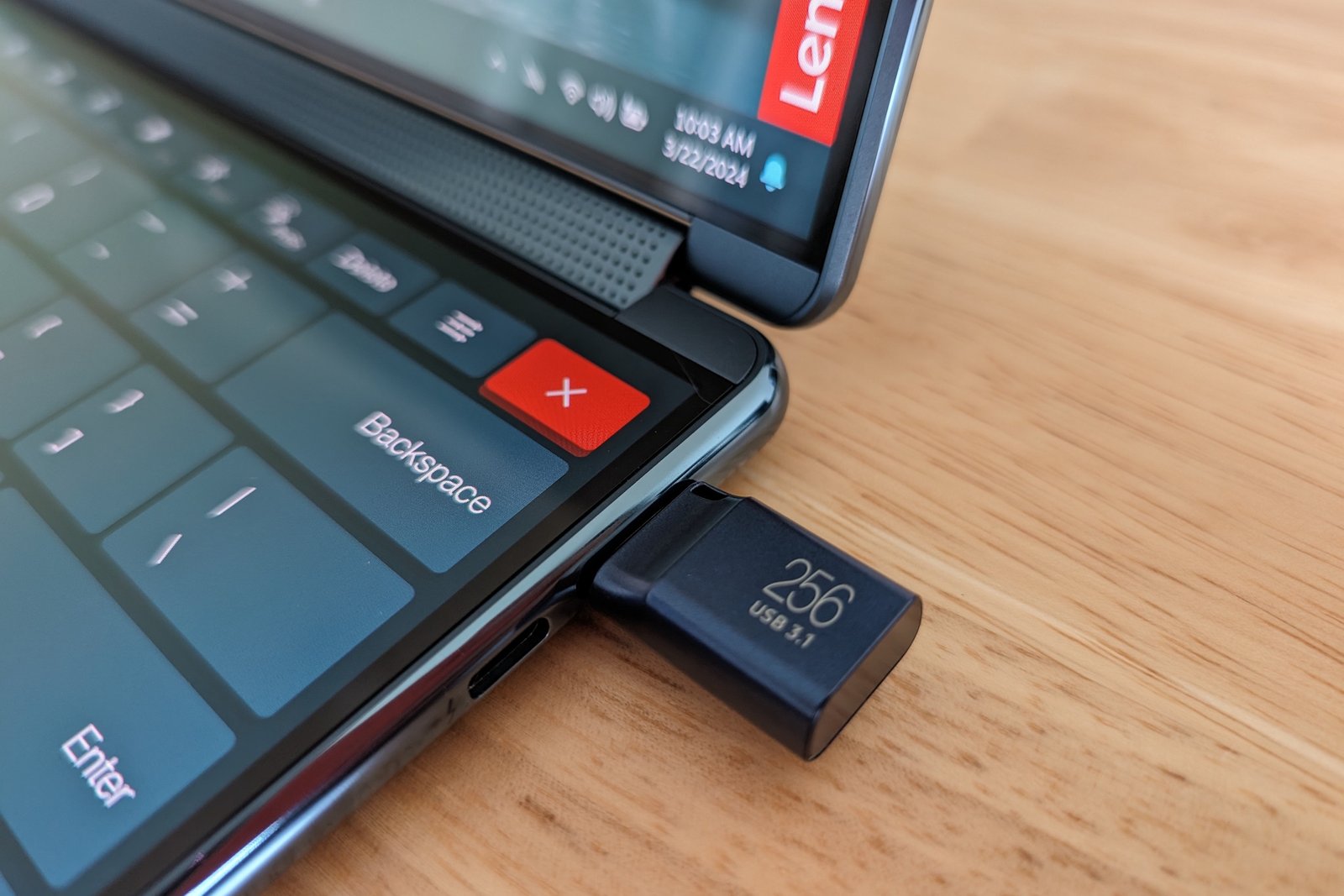
    Image: Chris Hoffman / Foundry

    A lot of gamers go to great lengths to find a portable retro gaming device with the lightest and most compact kit. The Linux powered Raspberry Pi 5 does a decent job on that front.

    But what many players don’t know is that an even smaller and lighter solution is available by turning the humble USB flash drive into a portable gaming console. You still need a PC to play, but it means you can get around with more compact gear. Here’s how to do it for under $100…

    What you’ll need…

    • A USB flash drive: I’m using the SanDisk 512GB drive, but you can also use one with a smaller or larger capacity.
    • A small wireless keyboard: Here’s one on Amazon I found for just $10 that will do the job just fine. It also has a compartment in the back to store your USB flash drive.
    • A gamepad: A lot of USB gamers rate the 8BitDo Pro 2. It supports USB-C, so you can just plug it into your PC without any fuss.

    Adam Patrick Murray

    What to do…

    Install the OS on your flash drive

    Your flash drive needs to be set up with the open-source OS Batocera to play. Here are the steps:

    • Plug your USB flash drive into your PC.
    • Go to the Batocera website. Then select the x64 Windows version of the OS and wait until it downloads.
    • Now download and install the BalenaEtcher tool which you will need to flash the Batocera OS to your flash drive.
    • Open BalenaEtcher, click Flash from File and choose the downloaded Batocera file.
    • Choose your USB flash drive and select Flash to flash the OS to the device.
    • When the flashing is done, hit Cancel or Ignore on all the windows that pop up.

    Boot into your flash drive

    Now that the OS is installed, you need to boot into your flash drive. There are two ways to do this, so if the right options don’t appear the first way, try the second way.

    Method 1

    • Type recovery options into the Windows start menu and under Advanced Startup hit Restart now.
    • Now select Use a device and then UEFI: Removable Device. Batocera should boot now. If you didn’t see the option to select the UEFI: Removable Device, use the next method.

    Method 2

    • Power down your PC and power it up again.
    • While your PC is powering up hit the F12 key to enter your PC’s BIOS menu.
    • When given the choice to pick a boot device select UEFI: USB, Partition (your USB flash device). This should boot you into Batocera.

    Further reading: Best external drives

    Load games into Batocera

    Now that you have Batocera installed you’re going to want to populate the OS with some games. Batocera is an emulation frontend that supports a large number of game emulators for retro game consoles.

    PlayStation 2, PlayStation 3, and Nintendo 3DS games are just a small fraction of the game types you can play using Batocera. The OS does come with a limited number of game ROMs preloaded, which are free and legal to use, but if you want more than that you’ll need to install your own ROMs.

    Dominic Bayley / IDG

    I can’t tell you where to get these from. It’s illegal to use ROMs without a license, so you’ll want to own each and every one. Here’s how to load them up.

    • In Batocera press F1 to launch the file manager.
    • Find the location of the ROM files on your computer, or else plug in the storage device that has the ROMs (USB stick or hard drive) and select it from the list on the left-hand side.
    • Highlight and right click on the files you want to copy.
    • Click on ROMs down the left-hand side. Find the folder for the appropriate game emulator and paste the game files into it.
    • Now your games will be visible, but some may not have artwork.
    • To apply artwork to each game, find the game in Batocera and long press the X button (number 3 button) on your controller. Now select Scrape. You will have to be connected to the internet for this to work.

    You should be up and running now and can use your flash drive on any PC to play retro games. As a general rule any PC with mid-range specs will work a treat; you should hit about 60fps in most games.

    Some things to take note of

    This whole process can be done with an SD card or a portable hard drive instead of a USB flash drive. Personally, I find a USB flash drive is the ideal size to carry, being neither too small, nor too large.

    To get the best out of Batocera and your games, it’s also worth watching a few “How to” videos to familiarize yourself with the OS. You’ll want to learn how to adjust the video settings and resolution for specific emulators, for example, so that your games will look great. For these and more tutorials, a great source of information is the YouTube channel Batocera Nation.

    That’s all for now. Happy retro gaming!

    Further reading: Is your USB flash drive trustworthy? These tips will tell you


    Author: Dominic Bayley
    , Australian Editor, PCWorld

    Based in Australia, Dominic Bayley is a hardcore tech enthusiast. His PCWorld focus is on PC gaming hardware: laptops, mice, headsets and keyboards.

    Share. Facebook Twitter Pinterest LinkedIn Reddit WhatsApp Telegram Email
    Previous ArticleDon’t buy a PCIe 5.0 SSD unless you say ‘Yes’ to these 3 questions
    Next Article Best AI Workstation Processors 2025: Why AMD Ryzen Beats Intel for Local AI Computing for now!
    TechAiVerse
    • Website

    Jonathan is a tech enthusiast and the mind behind Tech AI Verse. With a passion for artificial intelligence, consumer tech, and emerging innovations, he deliver clear, insightful content to keep readers informed. From cutting-edge gadgets to AI advancements and cryptocurrency trends, Jonathan breaks down complex topics to make technology accessible to all.

    Related Posts

    Games with co-op modes generated $8.2 billion in gross revenue on Steam in 2025

    February 3, 2026

    Humble Bundle offers 7 acclaimed shooters with over 450,000 combined reviews for $20

    February 3, 2026

    Casio launches new G-Shock Mudmaster watches with quad sensor, mission log feature and a tougher shell

    February 3, 2026
    Leave A Reply Cancel Reply

    Top Posts

    Ping, You’ve Got Whale: AI detection system alerts ships of whales in their path

    April 22, 2025651 Views

    Lumo vs. Duck AI: Which AI is Better for Your Privacy?

    July 31, 2025245 Views

    6.7 Cummins Lifter Failure: What Years Are Affected (And Possible Fixes)

    April 14, 2025145 Views

    6 Best MagSafe Phone Grips (2025), Tested and Reviewed

    April 6, 2025111 Views
    Don't Miss
    Gadgets February 3, 2026

    Galaxy S26 details leaked with 25 February launch date

    Galaxy S26 details leaked with 25 February launch date While we have seen a whole…

    Games with co-op modes generated $8.2 billion in gross revenue on Steam in 2025

    Humble Bundle offers 7 acclaimed shooters with over 450,000 combined reviews for $20

    Casio launches new G-Shock Mudmaster watches with quad sensor, mission log feature and a tougher shell

    Stay In Touch
    • Facebook
    • Twitter
    • Pinterest
    • Instagram
    • YouTube
    • Vimeo

    Subscribe to Updates

    Get the latest creative news from SmartMag about art & design.

    About Us
    About Us

    Welcome to Tech AI Verse, your go-to destination for everything technology! We bring you the latest news, trends, and insights from the ever-evolving world of tech. Our coverage spans across global technology industry updates, artificial intelligence advancements, machine learning ethics, and automation innovations. Stay connected with us as we explore the limitless possibilities of technology!

    Facebook X (Twitter) Pinterest YouTube WhatsApp
    Our Picks

    Galaxy S26 details leaked with 25 February launch date

    February 3, 20262 Views

    Games with co-op modes generated $8.2 billion in gross revenue on Steam in 2025

    February 3, 20262 Views

    Humble Bundle offers 7 acclaimed shooters with over 450,000 combined reviews for $20

    February 3, 20262 Views
    Most Popular

    A Team of Female Founders Is Launching Cloud Security Tech That Could Overhaul AI Protection

    March 12, 20250 Views

    7 Best Kids Bikes (2025): Mountain, Balance, Pedal, Coaster

    March 13, 20250 Views

    VTOMAN FlashSpeed 1500: Plenty Of Power For All Your Gear

    March 13, 20250 Views
    © 2026 TechAiVerse. Designed by Divya Tech.
    • Home
    • About Us
    • Contact Us
    • Privacy Policy
    • Terms & Conditions

    Type above and press Enter to search. Press Esc to cancel.