

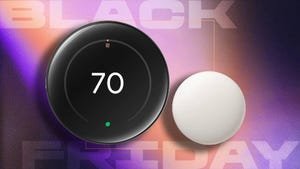
I Already Slashed My Heating Bill. You Can, Too, but This $54 Off Nest Deal is About to End
Cyber Monday Deal: Looking for an easy way to save cash and control your thermostat without moving off of the couch? Nest’s fourth-gen smart thermostat is a bit pricey, but you can get it for a great price right now. Plus, the Nest Learning Thermostat pays for itself in about a year, depending on the season. But you don’t have to spend full price on it right now. In fact, you can now snag one for just $230 during Amazon’s ongoing Cyber Monday sale. That’s a 19% discount, which is $54 off its usual price.
This smart thermostat’s learning features and eco-friendly suggestions can save you around $20 per month, especially on expensive winter heating. As previously stated, mine did end up paying for itself this year. If you jump on this deal now, you can get a head start on its money-saving properties. And there’s no better time to do that than right now.
CNET’s key takeaways
- $230 for a smart thermostat may sound like a tough deal, but mine paid for itself this fall, thanks to lower heating and cooling bills.
- Automated Eco Modes make energy saving easy, even if you don’t have time to plan out your schedule.
- Local utility rebates may also help make the thermostat more affordable.
When friends walk past my Nest Learning Thermostat Gen 4 for the first time, they often stop and stare. The thermostat can detect nearby movement and lights up with a beautiful display of the outside weather, like setting suns or shifting rain animations. That beauty comes at a cost, nearly $300 when not on sale, making it one of the most expensive smart thermostats I recommend.
So why take the plunge? Because Nest’s Eco modes are so effective that my Nest smart thermostat paid for itself at the start of the cooler fall season with electricity savings — and I barely had to do anything except set it up. Here’s how it all works, and why I’m glad I kept this Nest smart thermostat around.
Read more: One Tiny Gadget Is the Unsung Hero of Today’s Smart, Energy-Saving Home
SMART LOCK DEALS OF THE WEEK
Deals are selected by the CNET Group commerce team, and may be unrelated to this article.
My experience with the Nest Learning Thermostat Gen 4
A Nest Thermostat showing lightning.
Google NestWith a larger dial than ever, the Nest Learning Thermostat 4 is well suited to showing off, both aesthetically and with data-backed insights on indoor and outdoor temperatures, humidity and more. My favorite customization is putting the outside weather at the forefront of the display, which shows moving weather graphics that capture the current state of the skies, from falling snow to twinkling stars.
Google’s research indicates people save around 10% to 15% on their energy bills with a smart thermostat, which works out to an average savings of $132 to $145 per year.
Nest’s reports help you chart savings and troubleshoot energy problems.
Tyler Lacoma/CNETThose numbers reflected my results fairly well. From early fall to the colder winter months, I saved around $10 to $15 per month with Nest’s tweaks and by balancing my electricity usage with less costly natural gas heating. As the months warmed up, that number grew higher for me, saving my heat pump work and me up to $20 during the hottest months. As autumn came around and I started saving money on cooling, I reached the breakpoint where I recouped the money spent on the thermostat. After that, it’s all gravy.
Smarts behind a pretty face
Nest Thermostat fourth-gen showing app controls, sensor settings and more.
Tyler Lacoma/CNETGiven permission, the thermostat learns my habits and adjusts heating and cooling levels in response.
Auto-Eco mode, for example, will turn the thermostat down automatically if it senses there’s no activity in the house, which saves more money. Adaptive Eco will take care of the details for me, while Eco Hold will stick to a money-saving temperature that I choose manually. The Auto-Scheduling function does something similar, since it learns how I adjust the thermostat throughout the day and mimics my comfort preferences over time so I don’t have to keep tweaking the settings.
Google Home makes it easy to apply weekly schedules in moments.
Tyler Lacoma/CNETAdjust the temperature manually at any time and when you see the green leaf icon appear, you’ll know you’re in savings mode. That makes it easy to adjust on the fly when the temperature feels about right, but you’d like to squeeze more savings out of the thermostat.
Nest’s Eco Modes also generate reports so I can see monthly progress and note any sudden problems or unexpected energy use. If there’s a strange jump in energy use, the scheduling may be off, or you may be using electricity-hungry devices too much (as temperatures plummeted this October, my heating use spiked, which means I’m heading into the app to make a few tweaks). There’s also a gamified “leafs” competition against other users that I don’t care much about, but it’s there for those interested.
Satellite sensors and other ways to save
Thermostat satellite sensors are one of the best inventions for home heating.
Tyler Lacoma/CNETMy Nest model also came with a satellite sensor, a little white puck that wirelessly transmits the temperature where it’s placed to the thermostat. I can tell the Nest Learning Thermostat Gen 4 to turn on or off based on its own built-in readings, on the readings of the satellite sensor or a combination of both.
Sensors like these help thermostats be more accurate based on where you actually spend time. For example, if I’m going to be spending the evening in a movie session at my TV or computer, I can bring the sensor along and when those heat-exhaling electronics heat up my personal space, the thermostat will take that as a sign to shut off early.
The Nest thermostat smart home integrations are very limited, but that does make it easier to set up.
Tyler Lacoma/CNETThen there are the peak hours programs, under names like Peak Perks, Rush Hour Rewards, Nest Renew from Google and other labels that indicate a partnership with utility companies. If your local utility supports these programs, you can join up and your Nest thermostat will make additional small changes throughout the day, avoiding higher-priced peak hour energy use when possible.
You give up some control of your thermostat with programs like these, which may displease some users, but it does enable you to save more. Many energy providers will also offer bonuses or rebates to help consumers recoup the cost of an expensive thermostat even faster.
A quick note about setup: If you’re worried about installing the thermostat in your home, there’s not much to fear from the process. I have a full guide here, but as long as you practice electrical safety and snap a picture of your current thermostat wiring, setting up the Nest Thermostat Gen 4 and getting it connected to Wi-Fi shouldn’t be a problem, especially with Google Home app walkthroughs.
The specs for the Nest Learning Thermostat Gen 4
- Diameter: 3.9 in (98 mm)
- Depth: 1.1 in (29 mm)
- Weight: 5.7 oz (161.8 g)
- Display: 2.7 inch (68 mm) diameter circular liquid crystal display (600 x 600 pixels)
- Sensors: Soli sensor for motion, temperature, humidity and ambient light
- Power consumption: Less than 1 kWh/month
- Power source: HVAC system wiring
- C (common) wire: Not required
- Connectivity: Wi-Fi 802.11n (2.4 GHz / 5 GHz)
- HVAC system compatibility (Check your Nest compatibility here): Most 24V systems, including gas, electric, oil, forced air, heat pump, and radiant. It can control: Heating 1, 2, and 3 stages (W1, W2, W3); Cooling 1 and 2 stages (Y1, Y2); Heat pump with auxiliary and emergency heat (O/B, AUX, E); Fan (G, G2, G3); Power (C, RH, RC); Humidifier and dehumidifier (HUM, DEHUM); Ventilation (VENT).
- Smart home: Works with Google Home and Matter
- Warranty: 2-year standard for retail, 5-year standard for HVAC Pros
- Certifications: Energy Star-certified
CNET’s buying advice
Nest’s thermostat is one of the best high-end models I’ve seen.
Tyler Lacoma/CNETIt turns out a $230 smart thermostat isn’t such a tough sell when I can see how mine will pay for itself in just about a year. It offers a plethora of energy-saving modes that users can pick from to rack up monthly savings — most of them automated without requiring tinkering or calculators. I’ve even seen it available with rebates and free installation to speed up that payoff date.
While Nest’s circular thermostats have always had a flair for the dramatic, the Gen 4 model blows away the competition with a larger design that makes the most of its beautiful LED lighting and presence sensing to light up whenever someone walks past. The bright green leaf icon always shows instant savings for those who don’t want to dive too deep into app management. Those who do want to explore the app will find settings for seasons, learning behaviors, weekly schedules and lots more.
