Close Menu

    Subscribe to Updates

    Get the latest creative news from FooBar about art, design and business.

    What's Hot

    Optimizing Content for Agents

    Our Experience with I-Ready

    Show HN: Simple plugin to get Claude Code to listen to you

    Facebook X (Twitter) Instagram
    • Artificial Intelligence
    • Business Technology
    • Cryptocurrency
    • Gadgets
    • Gaming
    • Health
    • Software and Apps
    • Technology
    Facebook X (Twitter) Instagram Pinterest Vimeo
    Tech AI Verse
    • Home
    • Artificial Intelligence

      What the polls say about how Americans are using AI

      February 27, 2026

      Tensions between the Pentagon and AI giant Anthropic reach a boiling point

      February 21, 2026

      Read the extended transcript: President Donald Trump interviewed by ‘NBC Nightly News’ anchor Tom Llamas

      February 6, 2026

      Stocks and bitcoin sink as investors dump software company shares

      February 4, 2026

      AI, crypto and Trump super PACs stash millions to spend on the midterms

      February 2, 2026
    • Business

      The team behind continuous batching says your idle GPUs should be running inference, not sitting dark

      March 13, 2026

      Met Office ‘supercomputing as a service’ one year old

      March 12, 2026

      Tech hiring evolves as candidates ask for AI compute alongside pay and perks

      March 11, 2026

      Oracle is spending billions on AI data centers as cash flow turns negative

      March 11, 2026

      Google: Cloud attacks exploit flaws more than weak credentials

      March 10, 2026
    • Crypto

      Banks Respond to Kraken’s Federal Reserve Access as Trump Sides with Crypto

      March 4, 2026

      Hyperliquid and DEXs Break the Top 10 — Is the CEX Era Ending?

      March 4, 2026

      Consensus Hong Kong 2026: The Institutional Turn 

      March 4, 2026

      New Crypto Mutuum Finance (MUTM) Reports V1 Protocol Progress as Roadmap Enters Phase 3

      March 4, 2026

      Bitcoin Short Sellers Caught Off Guard in New White House Move

      March 4, 2026
    • Technology

      Optimizing Content for Agents

      March 14, 2026

      Our Experience with I-Ready

      March 14, 2026

      Show HN: Simple plugin to get Claude Code to listen to you

      March 14, 2026

      I beg you to follow Crocker’s Rules, even if you will be rude to me

      March 14, 2026

      5 Ways To Use Your PC’s Ethernet Port (Besides Plugging In Your Router)

      March 14, 2026
    • Others
      • Gadgets
      • Gaming
      • Health
      • Software and Apps
    Check BMI
    Tech AI Verse
    You are at:Home»Technology»Im Never Splitting AirPods With My Wife Again Thanks to This iPhone Trick
    Technology

    Im Never Splitting AirPods With My Wife Again Thanks to This iPhone Trick

    TechAiVerseBy TechAiVerseJuly 9, 2025No Comments4 Mins Read0 Views
    Facebook Twitter Pinterest Telegram LinkedIn Tumblr Email Reddit
    Im Never Splitting AirPods With My Wife Again Thanks to This iPhone Trick
    Share
    Facebook Twitter LinkedIn Pinterest WhatsApp Email

    Im Never Splitting AirPods With My Wife Again Thanks to This iPhone Trick

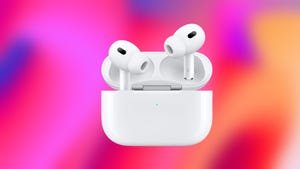
    When my wife and I travel, we usually download some shows to watch on our flight. But we always have to split a set of AirPods when we watch these shows so we each have one earbud. That means one of our ears is enjoying the show while the other is forced to endure the crying baby behind us on the plane, which can be distracting. But thanks to Apple’s Audio Sharing feature, we can each enjoy a show together while using our own sets of AirPods. 

    Audio Sharing was introduced with iOS 18 and iPadOS 18 in 2024. It allows two pairs of compatible AirPods or Beats headphones to pair with a single iPhone or iPad. So you and one other person can immerse yourselves into music, movies or a TED Talk without disturbing those around you. 

    Read more: Everything Apple Announced at WWDC 2025

    Here’s how to share audio with another set of AirPods or Beats headphones.

    How to enjoy music and podcasts together 

    You can share your audio with another pair of headphones by tapping your own headphone control. 

    Apple/Screenshot by CNET

    1. Open Music, Podcasts, Spotify or any similar app with your AirPods in your ears and connected to your iPhone or iPad.
    2. Start playing music or a Podcast.
    3. Open your Control Center by swiping down from the top right corner of your screen. 
    4. Go to your audio controls page — it’s your second Control Center page by default.
    5. Tap the AirPods logo near the bottom of your screen.
    6. Tap Share Audio.
    7. Bring the other pair of AirPods in their case or Beats headphones near your device. You might need to press the button on the back of your AirPods case to go into Pairing Mode. 
    8. Tap Share Audio when your device detects the other AirPods or Beats headphones. 

    You can control the volume of both headphones from the connected device.

    Apple

    Each pair of headphones can change their own volume via headphone controls, or you can change the volume for each pair via the connected device. But you’ll be able to enjoy a podcast or other music together without splitting a pair of AirPods or disturbing people around you. 

    How to watch a movie or show with separate headphones

    Pairing another set of headphones to your device to watch a film or TV series is similar. Here’s how. 

    1. Open Apple TV, Netflix, YouTube or another streaming app with your headphones in. 
    2. Start playing a film or show. 
    3. Swipe down from the top right corner of your screen to open your Control Center. 
    4. Go to your audio controls page — it’s your second Control Center page by default.
    5. Tap the AirPods logo near the bottom of your screen.
    6. Tap Share Audio.
    7. Bring the other pair of AirPods in their case or Beats headphones near your device. You might need to press the button on the back of your AirPods case to go into Pairing Mode. 
    8. Tap Share Audio when your device detects the other AirPods or Beats headphones. 

    Tapping Share Audio will let you connect to another set of headphones so you and another person can listen or watch something together on the same screen.

    Apple/Screenshot by CNET

    Now you and another person can watch a video together without disturbing the people around you and without splitting a pair of AirPods. 

    For more on iOS 18, here’s what you need to know about iOS 18.5 and iOS 18.4, as well as our iOS 18 cheat sheet. You can also check out what you should know about iOS 26 and how the upcoming OS lets us kill the alarm’s 9-minute snooze.

    Watch this: New Vision Pro and Apple Glasses: Here’s What to Expect Next

    04:21

    Share. Facebook Twitter Pinterest LinkedIn Reddit WhatsApp Telegram Email
    Previous ArticleAutonomous MIT robot helps discover better materials for solar panels
    Next Article Orb Is the Internet Speed Test Your Wi-Fi Has Been Waiting For
    TechAiVerse
    • Website

    Jonathan is a tech enthusiast and the mind behind Tech AI Verse. With a passion for artificial intelligence, consumer tech, and emerging innovations, he deliver clear, insightful content to keep readers informed. From cutting-edge gadgets to AI advancements and cryptocurrency trends, Jonathan breaks down complex topics to make technology accessible to all.

    Related Posts

    Optimizing Content for Agents

    March 14, 2026

    Our Experience with I-Ready

    March 14, 2026

    Show HN: Simple plugin to get Claude Code to listen to you

    March 14, 2026
    Leave A Reply Cancel Reply

    Top Posts

    Ping, You’ve Got Whale: AI detection system alerts ships of whales in their path

    April 22, 2025716 Views

    Lumo vs. Duck AI: Which AI is Better for Your Privacy?

    July 31, 2025303 Views

    Wired Headphones Are Making A Comeback, And We Have Gen Z To Thank

    July 22, 2025210 Views

    6.7 Cummins Lifter Failure: What Years Are Affected (And Possible Fixes)

    April 14, 2025173 Views
    Don't Miss
    Technology March 14, 2026

    Optimizing Content for Agents

    Optimizing Content for Agents Just as useless of an idea as LLMs.txt was It’s all…

    Our Experience with I-Ready

    Show HN: Simple plugin to get Claude Code to listen to you

    I beg you to follow Crocker’s Rules, even if you will be rude to me

    Stay In Touch
    • Facebook
    • Twitter
    • Pinterest
    • Instagram
    • YouTube
    • Vimeo

    Subscribe to Updates

    Get the latest creative news from SmartMag about art & design.

    About Us
    About Us

    Welcome to Tech AI Verse, your go-to destination for everything technology! We bring you the latest news, trends, and insights from the ever-evolving world of tech. Our coverage spans across global technology industry updates, artificial intelligence advancements, machine learning ethics, and automation innovations. Stay connected with us as we explore the limitless possibilities of technology!

    Facebook X (Twitter) Pinterest YouTube WhatsApp
    Our Picks

    Optimizing Content for Agents

    March 14, 20261 Views

    Our Experience with I-Ready

    March 14, 20262 Views

    Show HN: Simple plugin to get Claude Code to listen to you

    March 14, 20263 Views
    Most Popular

    Outbreak turns 30

    March 14, 20250 Views

    New SuperBlack ransomware exploits Fortinet auth bypass flaws

    March 14, 20250 Views

    CDs Offer Guaranteed Returns in an Uncertain Market. Today’s CD Rates, March 14, 2025

    March 14, 20250 Views
    © 2026 TechAiVerse. Designed by Divya Tech.
    • Home
    • About Us
    • Contact Us
    • Privacy Policy
    • Terms & Conditions

    Type above and press Enter to search. Press Esc to cancel.