

I’ve Been Doing My Own Renovations For 5 Years, And I Use These 5 Tools More Than Any Others
We may receive a commission on purchases made from links.
Home renovations can feel intimidating, especially if you don’t have the right tools for the job. I spent most of my adult life renting, doing small projects around the house, but leaving the big repairs to my landlord. That all changed when I bought my house. The place was built in 1980, and just about everything inside it was old and either outdated or falling apart. Suffice to say, it needed a fair bit more than a fresh coat of paint.
In the years since, I’ve replaced roofing, plumbing, lighting, flooring, drywall, trim, and crown molding. I’ve also installed and tiled a new shower and tub, built a shed, and converted a room into a home library with custom-built shelves. And with each new project, my tool collection grew a little bit larger.
There are certainly projects that require specialty equipment, but I’ve found that there are a handful of tools that I reach for at some point in just about every job that I do. Of course, there are a few obvious ones. You probably don’t need anyone to tell you that a hammer and a screwdriver set will come in handy during home repairs. There are plenty of other tools you likely already have in your junk drawer that will come up all the time as well. A reliable level, a quality ratchet set, some hex wrenches, and some needlenose pliers are also sterling additions to any collection that deserve an honorable mention, but there are five tools that I find come in handy more often than any others.
Drill and impact driver
This is technically two tools, but drills and impact drivers are often sold together in kits, and it’s definitely worth getting both if you’re going to take on a lot of big projects. The drill is probably the most important power tool for home renovations that you can own. Not only do you need a drill for making pilot holes for fasteners, but it’s also useful for other tasks.
I’ve used a drill with hole saw attachments to cut holes for plumbing and other utilities, for example, while cylindrical sander and burr grinding bits have helped me open up narrow channels in wooden doors when installing new knobs and locks. Brush attachments can be used to clean out vents, while mixing attachments can blend paint, mortar, and grout. The ability to use a drill with so many different attachments that have nothing to do with drilling makes it absolutely vital for almost every kind of maintenance and renovation.
Having a dedicated impact driver expedites many tasks for a couple of reasons. The first is simply that having your drilling and driving bits on separate tools makes it quicker to swap between them. The second is that impact drivers are different from drills. They have more power, with a mechanism that creates a hammer-like motion. This gives the driver mechanical downward force in addition to high-speed rotation. This is particularly useful for framing, roof sheathing, and underfloor installation. It helps get that initial bite in the wood, drives fasteners quickly, and sinks them. I have this DeWalt 20V Max Cordless Drill and Impact Driver kit that has yet to let me down.
Utility knife
A quality utility knife is going to be your best friend in all kinds of different renovation tasks. I’ve used mine for scoring drywall and cement backerboard, cutting lengths of insulation, removing old caulk, cutting roofing shingles, scraping off excess mortar, and running the blade along dried paint lines to prevent accidental peeling. But that’s really just the tip of the iceberg. There are a million different uses for a utility knife that come up in every renovation, and once you own one, you’ll find yourself reaching for it every few minutes.
To be clear, I’m not talking about bargain-bin box cutters with flimsy, plastic cases and blades that dull after the first cut. I personally have two that I use all the time. The first is the OLFA 18mm Heavy-Duty Utility Knife, which uses snap-off blades that are excellent for fine cuts. This utility knife has a sturdy handle and a strong ratcheting lock that doesn’t slip like cheaper ones do. Pair this with a pack of OLFA blades, and you’ll always have a sharp razor that’s ready to go at a moment’s notice. Just break off the dull blade with a pair of pliers, and you have a fresh tip that’s good to go.
For more heavy-duty tasks, I use the Milwaukee Fastback Press and Flip Utility Knife. It uses thicker, stronger blades, and its all-metal construction makes it a strong choice for tasks that require a lot of pressure. It also has tool-free blade changing, which makes it easy to maintain.
Miter saw
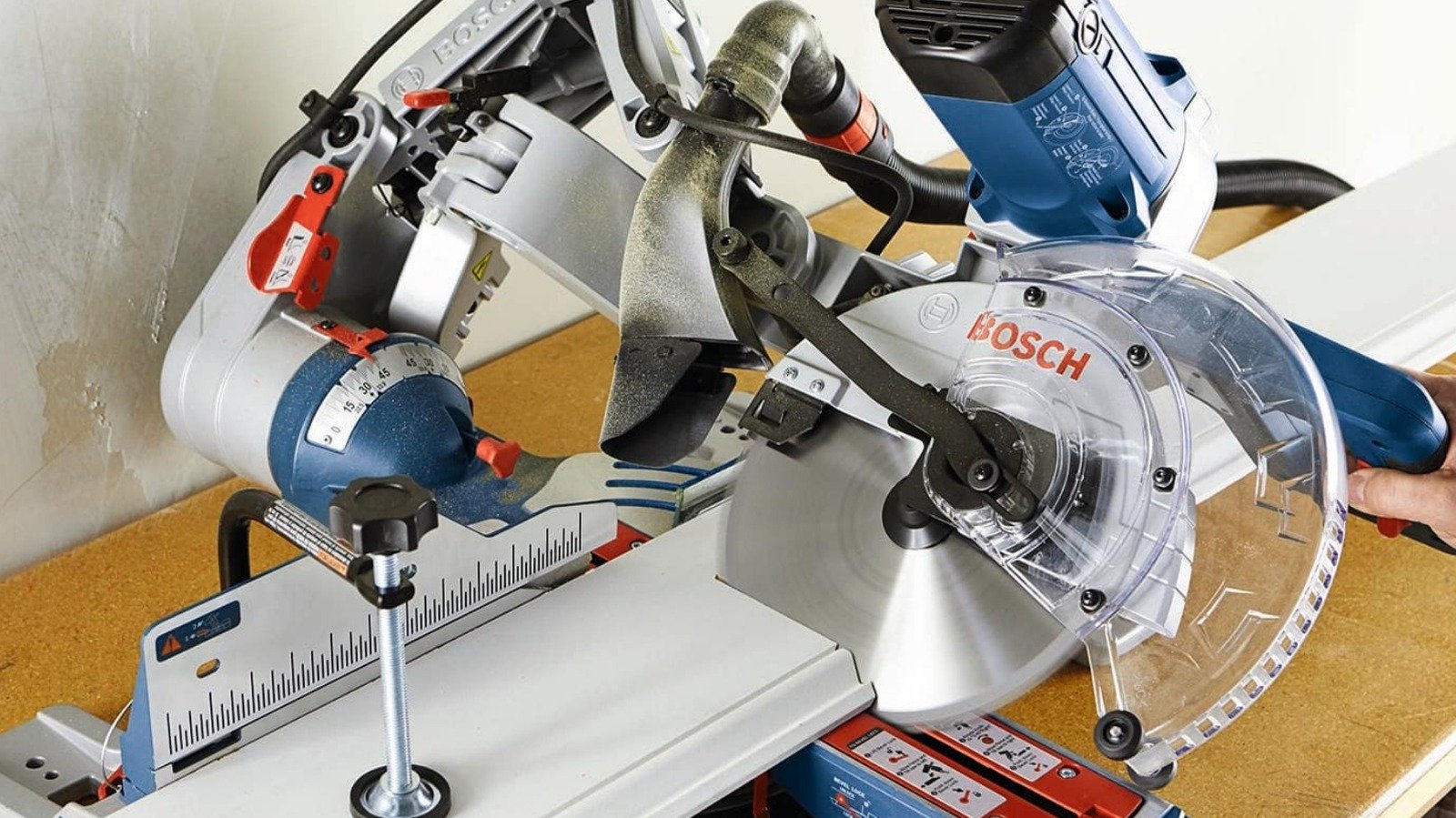
When it comes to big power tools, the miter saw is the one that I’ve found comes in handy most often. I’ve used my table saw, circular saw, jig saw, and reciprocating saw for various projects, but the miter saw is probably the one where I’ve spent the most time with my finger on the trigger.
This tool allows you to make cross, miter, bevel, and compound cuts quickly and easily. That means that you can get reliable 90-degree cuts, as well as the more complex angles you might need for corners and edges. The ability to make all of these different kinds of cuts is what makes the miter saw useful for just about any task that involves cutting a board to length, as long as the board is narrow enough to fit beneath the blade.
I’ve used it to cut 2x4s for framing, as well as flooring boards, shelves, trim, molding, and a wide range of other materials. Your options aren’t limited to just wood, either. You can actually use a miter saw with a good carbide-tipped blade to cut plastics like PVC, ABS, and vinyl, aluminum transition strips, and composite materials like those used in decking.
My miter saw is an old Craftsman model I got from my father-in-law that isn’t in production anymore, but the DeWalt 12-inch Double Bevel Sliding Compound Miter Saw is an excellent premium option for those seeking a reliable tool for all their home renovation needs. Those seeking something more affordable might prefer a tool like the Metabo HPT 10-inch Single Bevel Compound Miter Saw.
Tongue and groove pliers
There are a lot of different kinds of pliers out there, but the type that I reach for most often is tongue-and-groove pliers, also known as channel lock pliers. These have an adjustable slip joint that makes them easy to lock in different widths, allowing you to simply squeeze to get a sturdy grip on whatever it is you’re using them on.
I find these come in handy during plumbing tasks. I’ve used these pliers to tighten and remove threaded pipe, water lines, slip joints, pipe caps, pipe plugs, and various other fixtures. I’ve replaced faucets and toilets, installed tub and shower fixtures, and modified internal plumbing with these guys, and they’ve never let me down. They’re also really good for situations that involve working with large nuts and bolts. Tongue-and-groove pliers are ideal for gripping one side of a connection while you tighten or loosen the other with a ratchet.
These tools are pretty sturdy, and even a cheap pair can handle a lot of abuse. I personally use the Doyle 10-inch High Performance Grove Joint Pliers from Harbor Freight, which I’ve found to be very grippy and offer plenty of leverage. Other options include the Craftsman 10-inch Groove Joint Pliers, which are among the highest rated on Amazon, and the Channellock 10-inch Tongue and Groove Pliers that users consider one of the best tools you can buy at Lowe’s.
Oscillating multi-tool
The oscillating multi-tool is one of those products that you can get by without for a really long time, but which you’ll question why you didn’t buy sooner once you actually have one. These little tools oscillate blades of various types and shapes, making them great for many different applications. I first purchased mine when I was replacing some old, ratty roll-on flooring with vinyl tile. The old flooring was much thinner than the tile, so I needed to trim the door frames to make the tile fit underneath. An oscillating multi-tool was the perfect tool to get the job done without breaking out a hacksaw or taking the framing off the wall first.
Since I added one to my tool bag, I’ve found myself using it more and more for all kinds of renovation tasks. It’s great for the small, straight drywall cuts needed for things like vents, switches, and outlets, which is why I ended up using it every single day when I replaced the ceiling in my bedroom. I’ve also used it to start plunge cuts in underflooring, to cut threaded screws, and to sand corners and tight spaces that round sanders couldn’t reach. I also purchased some diamond file blades when I replaced my shower to remove large mortar deposits from between the tiles before grouting.
I use the DeWalt 20V Max XR Oscillating Multi-Tool. It’s strong and reliable, and I’ve yet to encounter any issues with it. That said, there are dozens of more affordable options out there, such as the WEN Oscillating Multi-Tool Kit, if you only need a multi-tool for a single project.
