

Linkind Solar Pathway Lights SP6 review: Ground control with full color
Image: Christopher Null/Foundry
At a glance
Expert’s Rating
Pros
- Powerful lighting effects
- Long-lived batteries keep them going all night
- Reasonably priced
Cons
- App can be confusing
- Initial lens selection can be confusing
- Hardware isn’t the most attractive during the day
Our Verdict
These Bluetooth landscape lights will make a colorful statement on your property, no wires or disposable batteries needed.
Price When Reviewed
This value will show the geolocated pricing text for product undefined
Best Pricing Today
Best Prices Today: Linkind Solar Pathway Lights SP6
Solar-powered pathway lights get a bad rap for a good reason: Most of them look like garbage, with dim bulbs that cast a weak glow after hours. With its Solar Pathway Lights SP6, Linkind smartens up this space for a second time, building on the success of its smart landscape lighting product launched earlier this year.
Specifications
Like the Solar Spotlight SL5C I reviewed in April 2025, Linkind’s SP6 lights are entirely self-contained and designed to be powered by the sun. Four pathway lights come to a box, each featuring a head unit that’s six inches square along with a bulbous shade and a three-part ground stake. Entirely made of plastic, all the pieces go together without tools, and the unit measures 14 inches tall once it’s staked into the ground.
Linkind Solar Pathway Lights SP6 are bright, dramatic, and much more impressive than off-the-shelf hardware-store lighting.
There is no other way to secure the product than via the ground stake, so this is not a good solution for hardscape or deck installations. Each light carries an IP67 weatherproofing rating. TechHive’s IP code guide indicates that means the path lights can’t be disabled by particulate matter getting inside, and that they can withstand being submerged in a meter of water for up to 30 minutes.
Linkind Solar Pathway Lights SP6 come packed either two or four to a box with copious amounts of plastic.
Christopher Null/Foundry
The top of each head unit features a 1.8W solar panel that charges an 1800mAh battery underneath. Flip the head unit over and you’ll see what is probably the SP6’s most unusual feature: Not one LED but four, arranged in a grid. Each LED offers a maximum of 60 lumens of brightness but note that only one LED can be used at a time.
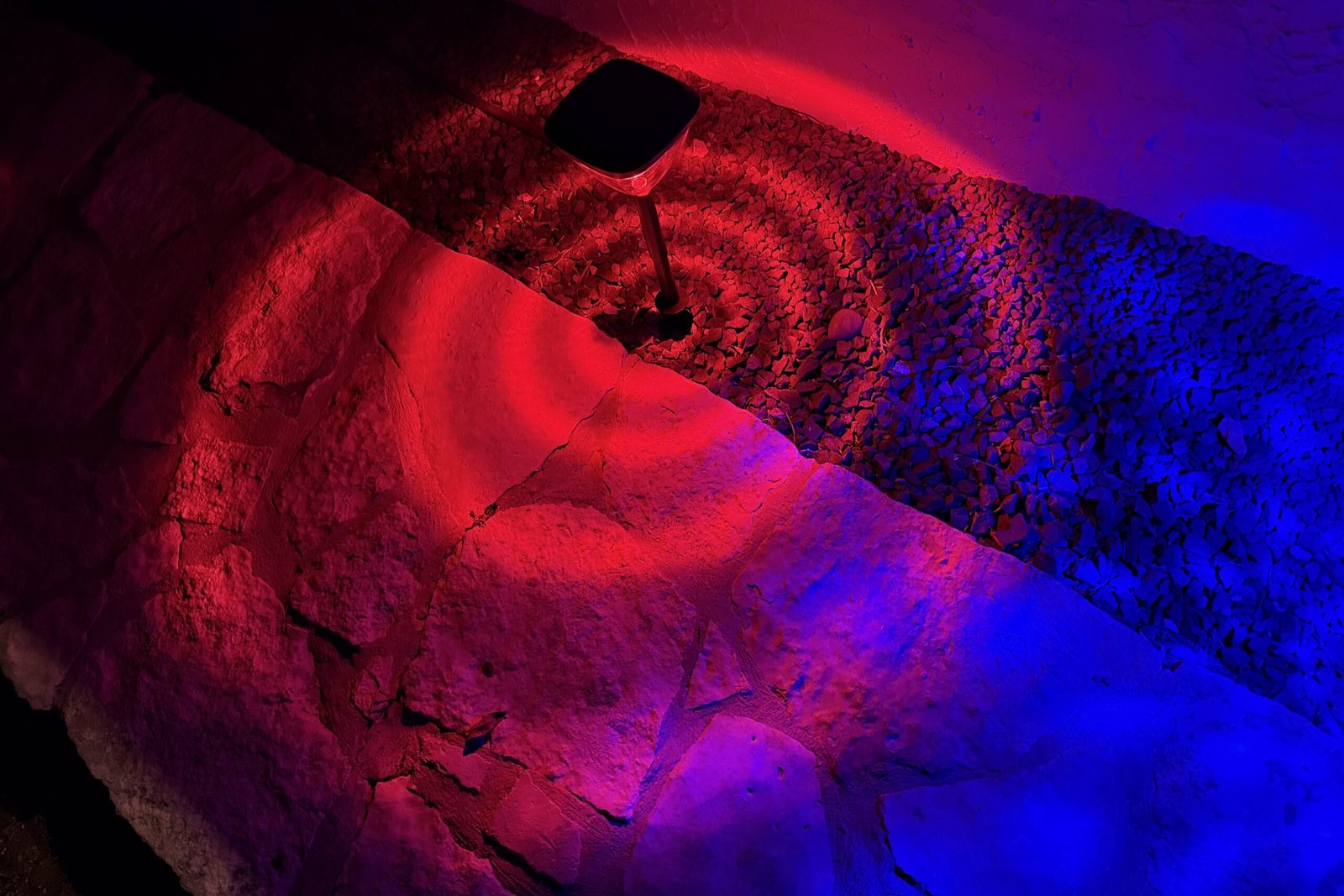
The idea is that each LED gets covered with a plastic lens that creates a different light pattern on the ground: concentric circles, shimmery ripples, a swirl effect, and so on. With four LEDs but five lens options, it’s up to you to decide which four effects you like the best. Each RGBTW (red, green, blue, and temperature-tunable white) LED supports 16 million colors and white temperatures from a warm 2700K to a very cool 6500K.
Assembling these pathlights can be tedious, as each light has nine parts.
Christopher Null/Foundry
You’ll want to charge the spotlights via a USB-C cable for a couple of hours before first use, or you can park them in the sun for two days to get them ready for initial deployment. Linkind says a full charge will provide 12 to 14 hours of running time depending on your brightness settings.
As with the SL5C, the SP6 lights connect to the AiDot app on your smart phone via a Bluetooth mesh. You’ll need to be close to one of the lights to control any of them. Linkind says the lights have a maximum range of 98 feet, unobstructed, between the controlling phone and between each other. (With obstructions, I managed a range of about 25 feet.) Up to 8 groups of 32 lights can be managed in the app. Linkind offers a $40 Bluetooth-to-Wi-Fi bridge if you’d rather connect up to 32 lights to your Wi-Fi network (2.4GHz only).
Installation and setup
Assembling the lighting units is the more tedious part of installation, with each lamp involving nine components that you must fit together. Figuring out the lenses is the hardest part of this, as it’s not altogether easy to see at a glance which is which, and there’s no way to really understand what each lighting effect will look like until you give it a try. You should plan to test with just one of the lights to finalize your lens selection before you put the rest together and jam the stakes into the ground where you want them.
Onboarding to the AiDot app is as simple as pressing the power button on each head unit and waiting for the app to auto-discover it via Bluetooth. It’s really a one-step process that couldn’t have gone more quickly in my testing.
Using the Linkind Solar Pathway Lights SP6
The user interface of the AiDot app Linkind uses needs a refresh.
Christopher Null/Foundry
There’s not a lot to the rather dated AiDot app, to be honest. Each light appears on its own, and they can be grouped for control en masse.
Individual management is limited to altering brightness with a slider, choosing white temperature or color from another slider, and selecting which of the four lens effects you want to use. Choosing a different lens doesn’t change the rest of the lighting settings; whatever color or effect was applied when you had the “diamond” lens active will be copied over to the “triangle” lens once you select it.
In other words, you can’t configure four different effects, one for each lens, and then cycle among them that way. You can, however, configure each lamp to cycle through the four available lens patterns, shifting every 30 seconds (this time limit can’t be adjusted). You’ll just get the same color or effect cast through a different lens.
Various preset effects are also available, with a range of holiday and seasonal themes offered. If those don’t work, you can use the DIY editor to choose up to eight colors to cycle through, as well as set how they transition and how quickly. A music mode can cause lights to dance either via the built-in microphone on the lamp or your phone’s mic. Finally, if you want to see what other people have done, you can check out AiDot’s “Light Lab;” however, I was unable to import any of the publicly available settings to my SP6 installation—even from other SP6 users.
These lenses must be fitted over the four LEDs in each pathlight. Only one LED is active at a time, with its beam shaped by the pattern of its lesn.
Christopher Null/Foundry
Groups are a more useful way to control lights in bulk, and group management adds a new mode called Light Show, which lets the lights work as a team. “Christmas Cheer” cycles lights through different colors so they all blink at the same time, while “Spellbound Specter” creates a shimmering effect that runs along the lights from one to the next as if they were wired together.
The unfortunate issue with groups is that they can’t do everything, and numerous settings must be applied light by light. This includes power-saving features such as the automatic power-down setting, which defaults to 30 seconds, and any timers you set. As with the SL5C, you can tie a schedule to the ambient light level or time of day, but only in the individual light management system. There is however a shortcut workaround: Using the “Copy Work Mode” feature you’ll can find in the gear-icon menu, you can take the settings on one light and push them out to others. (Note also that these lights do not work with AiDot’s more complex Automations system.)
The Linkind Solar Pathway Lights SP6 can also cast white light in various color temperatures.
Christopher Null/Foundry
Again, much like the SL5C, the lights are bright, dramatic, and much more impressive than off-the-shelf hardware-store lighting. Cast down, the lights create a circle four feet in diameter, so you can quickly cover a lot of ground with just a handful of units. For what it’s worth, I found the SP6’s downlighting to be more impressive than the SL5C’s uplighting. On the other hand, the SP6 hardware isn’t very interesting to look at when it’s off, coming off as a little cheap. Remember, you’ll be looking at the hardware during the day when it’s dormant as well as at night when it’s lit up.
Should you buy the Linkind Solar Pathway Lights SP6?
At a street price of $100 for four lamps, the Linkind SP6 is well priced, particularly if you want to make a colorful splash on your driveway or sidewalk. Users who only need white light for safety reasons can probably get by with dimmer commodity bulbs. But those who want to make a seasonal statement with their lighting will find these to be an impressive and flexible alternative.
In fact, I’m keeping a few of them around for the holidays to see if they merit a permanent home in my yard.
Best Prices Today: Linkind Solar Pathway Lights SP6
Author: Christopher Null, Contributor, PCWorld
Christopher Null is an award-winning technology journalist with more than 25 years of experience writing about and reviewing consumer and business tech products. Previously, he served as Executive Editor for PC Computing magazine and was the founder and Editor in Chief of Mobile magazine, the first print publication focused exclusively on mobile tech. In addition to covering a wide range of smart home gear for TechHive, he is a frequent contributor to Wired, This Old House, and AAA’s Via Magazine.
