

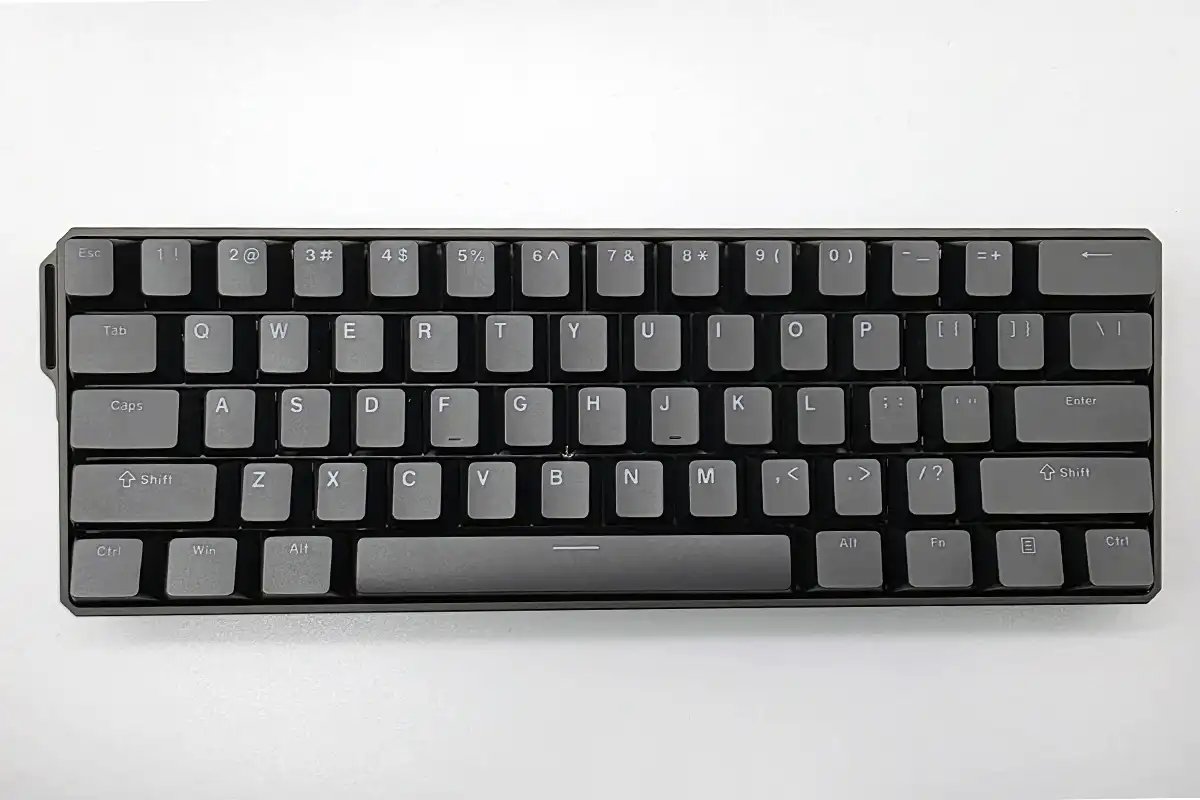
Monsgeek FUN60 Ultra review: The TMR-powered keyboard every gamer needs
Image: Friedrich Stiemer
At a glance
Expert’s Rating
Pros
- High-quality workmanship
- All-aluminum housing
- Extremely low latency with rapid trigger
- “MagMech” technology: magnetic & mechanical switches can be mixed
- Great acoustics when typing
- Good price-performance ratio
Cons
- Very short battery life in 8K wireless mode
- Mode switch awkwardly hidden under the keycap
- Software can be confusing and takes some getting used to
- No adjustable tilt angle
Our Verdict
The Monsgeek FUN60 Ultra may not be perfect, as the hidden mode switch and poor battery life in gaming mode are clear points of criticism. However, Considering the price of less than $100, the overall package is simply impressive. You get premium-level workmanship, cutting-edge switch technology with extremely low latency and the unique freedom to combine magnetic and mechanical switches. If you’re looking for maximum performance for shooters and can do without a numpad, it’s hard to find a better offer at the moment.
Price When Reviewed
This value will show the geolocated pricing text for product undefined
Best Pricing Today
Best Prices Today: Monsgeek FUN60 Ultra
Can a keyboard for less than $100 really keep up with the high-end competition, which often costs twice as much? In our test, the Monsgeek FUN60 Ultra proves that it’s not only aggressively priced, but also teaches the established top dogs the how to provide great value without sacrificing performance thanks to its world-first switch technology.
Friedrich Stiemer
Anyone looking around the gaming peripherals market at the moment will inevitably stumble across terms such as “rapid trigger” or magnetic switches. These technologies have changed competitive gaming, but were usually an expensive investment—until now.
Brands such as Wooting or Steelseries often charge $200 or more for their top models. But now, with the Monsgeek FUN60 Ultra, a challenger is entering the arena that’s shaking up this premium price structure.
The manufacturer promises similar—in some cases even superior—performance for just under half the money. We put the “Ultra” in the name to the test to see if it’s justified.
Friedrich Stiemer
Hardly any other product on the market currently offers this flexibility, making the keyboard a true hybrid for work and play.
Monsgeek FUN60 Ultra: Design
When you first unpack the Monsgeek FUN60 Ultra, you immediately notice its unexpectedly high weight. At around one kilogram (2.2lbs), this compact 60 percent dwarf keyboard is significantly heavier than most of its plastic competitors.
This is due to the solid, CNC-milled all-aluminium housing, which is complemented by a steel base plate. This choice of material ensures that the keyboard is extremely torsion-resistant and sits on your desk as if nailed down.
The build quality is surprisingly high and conveys a real premium feel that is rarely found in this price range.
Friedrich Stiemer
The design of the Monsgeek FUN60 Ultra is minimalist and straightforward, which really brings out the powerful RGB lighting, especially in the white color version. The only curious detail is the eyelet for a carrying strap on the left-hand side of the case, which is probably more of a visual gimmick than anything.
However, we take a more critical view of the lack of adjustable feet. You have to make do with the fixed typing angle of six to seven degrees, which we found to be ergonomically pleasant in the test, but still restricts flexibility.
However, the engineers made a real design faux pas with the switch for the operating modes. This is hidden under the cap lock button, so you actually have to remove the button cap every time you want to switch between cable and wireless. This is an unnecessarily cumbersome solution in everyday use.
Friedrich Stiemer
Monsgeek FUN60 Ultra: Typing
The so-called “Akko Glare Magnetic Switches” came with our test sample. As these switches are already pre-lubricated at the factory, they glide down smoothly and without any noticeable scratching.
Acoustically, the Monsgeek FUN60 Ultra is absolutely surprising, as it’s unbelievably quiet in operation despite the metal housing. Thanks to extensive internal insulation, the result is a rich, muffled sound that is often referred to as “thocky” in enthusiast circles.
You won’t find any annoying metallic echoes or rattling of the large keys here, which is why the input device is also suitable for office environments, provided you can do without the numeric keypad.
Friedrich Stiemer
Haptically, you should note that the circuit board is firmly screwed into the housing, which is known as the tray-mount design. This makes for a very direct, precise touch, but with less give than on spring-mounted keyboards. If you prefer a very soft touch, you might find the Monsgeek FUN60 Ultra a little stiff.
The PBT plastic keycaps showed a small shortcoming in the long-term test though: Although these are generally robust, the heavily used WASD keys tended to develop a shiny surface relatively quickly. However, as the keyboard follows the standard layout, you can easily replace the caps with a set of your choice.
Friedrich Stiemer
Monsgeek FUN60 Ultra: TMR technology and the “MagMech” feature
Technically, the Monsgeek FUN60 Ultra clearly stands out from the crowd. While most current high-end models rely on Hall-effect sensors, TMR (Tunnel Magneto Resistance) technology is used here.
This technology allows an even finer signal resolution and theoretically saves power. In practice, this means that you can set the trigger point of each individual button extremely granularly between 0.1 millimetres and 3.4 millimetres.
Particularly impressive is the rapid trigger function, which means that the button does not have to return to its original position to be triggered again. A minimal stroke of just 0.01 millimetres is enough for the Monsgeek FUN60 Ultra to register a new command.
In fast-paced shooters such as Valorant or Counter-Strike 2, this enables movement maneuvers and firing sequences at a speed that would hardly be possible with conventional mechanical keyboards.
Friedrich Stiemer
An absolutely unique feature is the so-called “MagMech” functionality. The TMR version of the Monsgeek FUN60 Ultra is cross-compatible, which means that you can mix magnetic switches and classic mechanical switches (5-pin) on the same board.
You therefore have the option of equipping only the WASD keys relevant for gaming with the fast magnetic switches and using your favourite tactile mechanical switches for the rest of the keyboard.
Hardly any other product on the market currently offers this flexibility, making the keyboard a true hybrid for work and play.
Friedrich Stiemer
Connectivity and battery life
The name “Ultra”, as you’d expect, indicates a variety of connectivity options, as the keyboard can be operated via USB-C cable, Bluetooth 5.0, and fast 2.4 GHz radio.
The wireless performance is exemplary, as the Monsgeek FUN60 Ultra achieves a sampling rate of up to 8,000 hertz in 2.4 GHz mode. This means that it responds wirelessly just as quickly as a wired keyboard, and even professionals shouldn’t notice any difference in latency.
Friedrich Stiemer
However, this extreme performance takes its toll on energy consumption: If you use the full 8,000Hz polling rate and activate the RGB lighting at the same time, the 4000 mAh battery runs out of breath very quickly.
In our tests, the Monsgeek FUN60 Ultra often only lasted a few hours in this high-performance mode. If you want to game wirelessly with maximum performance, you’ll have to charge the keyboard almost every day.
In Bluetooth mode or with dimmed lighting, on the other hand, the battery lasts for days, which is why we recommend only using the 8K mode for competitive gaming sessions.
Friedrich Stiemer
Monsgeek FUN60 Ultra: Software
The Monsgeek FUN60 Ultra is configured using driver-based software that runs in the browser but still requires installation in the background. The range of functions is extensive and extends from the creation of complex macros to “dynamic keystrokes”, in which different pressure depths trigger different actions.
Features such as SOCD, i.e. the prioritization of opposing directional inputs, are also available. However, the user interface is not yet fully developed making the menu navigation confusing at times.
Although the manufacturer has already fixed many initial bugs with firmware updates, beginners will have to be prepared for a certain learning curve in order to utilize the full potential of the Monsgeek FUN60 Ultra.
Best Prices Today: Monsgeek FUN60 Ultra
This article originally appeared on our sister publication PC-WELT and was translated and localized from German.
