

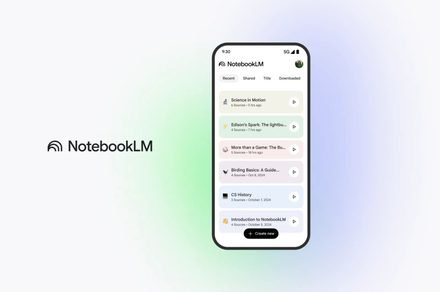
NotebookLM can turn your messy data into structured tables for Google Sheets
You can turn scattered notes into clean tables and export them to Google Sheets or Docs
Google
Google has added a new feature to NotebookLM that turns messy research into something you can actually use. The company has introduced Data Tables, a tool that pulls information from multiple sources and automatically organizes it into clean, structured tables that can be exported directly to Google Sheets for further editing, sharing, or use in Google Docs.
Sneaking in a few more gifts before the holidays… 🎁
Export your Notes and Reports! In the Studio Panel, select the three dots next to your Study Guide, Briefing Docs, or saved Notes to export to Docs or (if they contain tables) Sheets!
For easy, editable access on-the-go. pic.twitter.com/xY4V56qRYb
— NotebookLM (@NotebookLM) December 18, 2025
NotebookLM has always been about helping users make sense of scattered notes, PDFs, and documents using AI. Data Tables builds on this idea by handling one of the most time-consuming parts of research, which is manual organization.
Instead of copying and pasting information into spreadsheets, users can now ask NotebookLM, in plain language, to generate a table with specific rows and columns based on their sources. The result is a structured overview that can be exported and edited further in Sheets.
Using NotebookLM to organize scattered information
The feature lives in the Studio panel on the right side of NotebookLM. Like other tools in the app, users can choose a preferred language and describe what they want in natural language before generating a table.
Once created, users can view the prompt, export the table to Google Sheets, or delete it. However, the tables themselves are not interactive inside NotebookLM, meaning edits have to be made after exporting or by generating a new table.
Google says Data Tables can be used in a wide range of real-world scenarios. You could turn meeting transcripts into a table of action items sorted by owner and priority, build competitor comparison charts that break down pricing and strategy, or aggregate results from multiple research papers into a single view.
Students can create study tables of historical events organized by date, key figures, and outcomes, while travelers can compare destinations, best times to visit, and estimated costs in one place. Data Tables are available now for Google AI Pro and Ultra subscribers, with a broader rollout planned for all users over the coming weeks.
The update follows Google’s recent addition of Deep Research mode and other memory and research upgrades to NotebookLM. Together, these changes highlight Google’s effort to turn the tool into a more powerful research and synthesis workspace, rather than just an AI note-taking assistant.
Manisha likes to cover technology that is a part of everyday life, from smartphones & apps to gaming & streaming…
How to download 4K and 8K YouTube videos
Here’s how you can use simple software to download 4K and 8K videos from YouTube and other platforms.
This article is part of a paid promotion with 4K Video Downloader Plus
If you’re interested in downloading YouTube content, one of the most powerful choices around is 4K Video Downloader Plus, which, despite the name, actually lets you download videos up to 8K.
Finding a new GPU in 2026 might get a lot harder
Your next graphics card upgrade could take longer than expected
It looks like PC gamers might be in for another rough ride next year. A new report claims NVIDIA is planning to drastically dial back production of its GeForce RTX 50-series graphics cards in 2026. The problem isn’t that people aren’t buying them; it’s that the global memory market is in a crunch, and the massive explosion of artificial intelligence is eating up all the supply.
AI demand may squeeze RTX 50-series supply
Your next MacBook could use an iPhone-class chip
Leaked Apple engineering files point to an A18 Pro-based MacBook that reads more like a shippable configuration than the A15 test entry.
Apple may be inching toward an iPhone-class chip MacBook, and the trail starts in a place most people never see: internal kernel debug kit files used by its engineers. MacRumors reports that Apple accidentally posted the kit on its website earlier this year, then pulled it after details began leaking.
Inside the Mac-related listings, the files reference two unreleased MacBook setups. One uses the older A15, the other points to A18 Pro. The split matters because it suggests Apple tested the concept with whatever worked, then moved on to something that looks closer to a real product candidate.
