

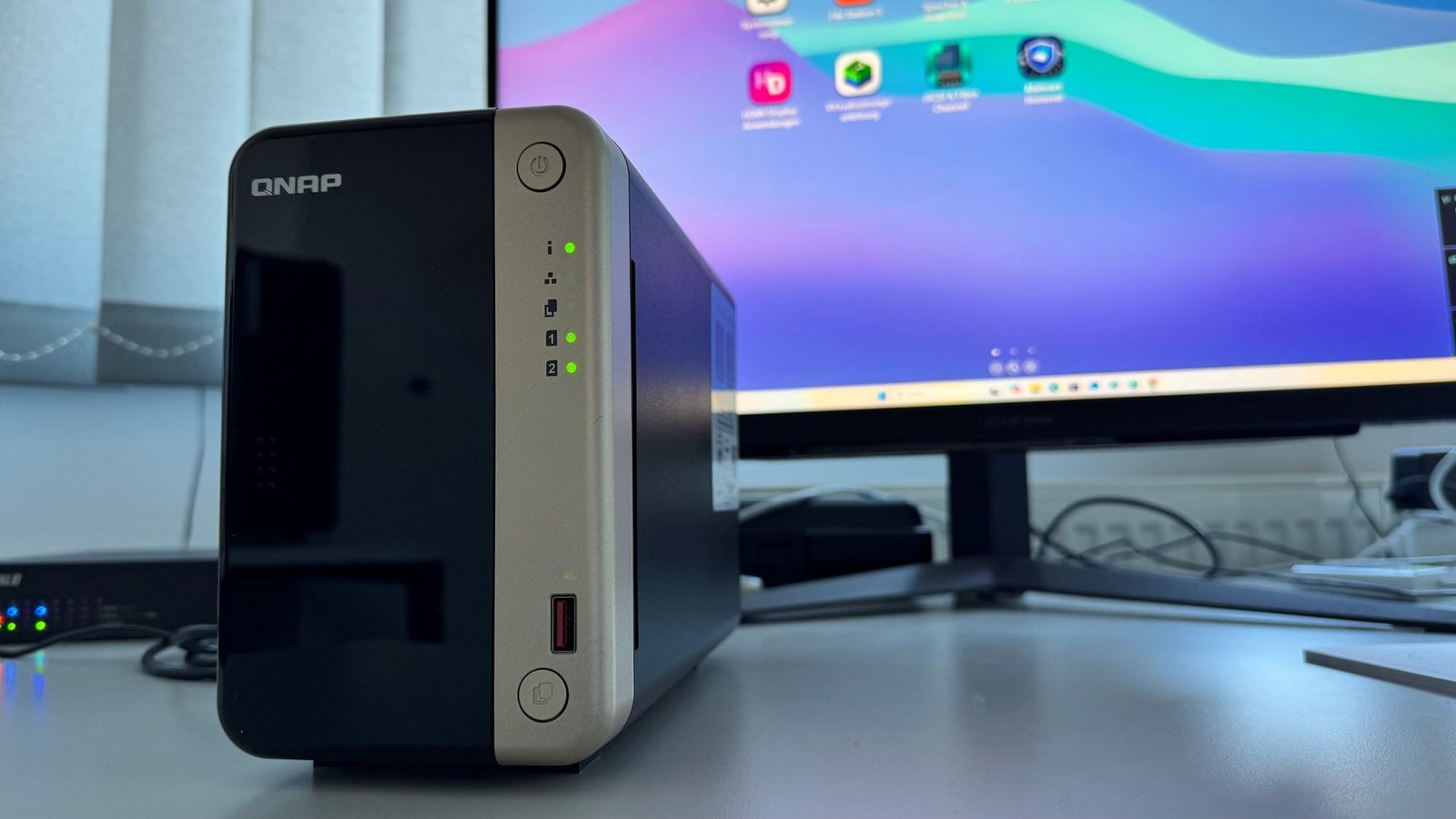
QNAP TurboStation TS-264-8G review: A powerful NAS with upgrade potential
Image: Foundry
At a glance
Expert’s Rating
Pros
- High transfer speed
- Compact design
- Many upgrade options
- HDMI connection
Cons
- High price
- Increased power Consumption
Our Verdict
Even in its factory configuration, the QNAP TS-264-8G is an extremely fast NAS server for the 2.5GbE network. At the same time, it also commands a correspondingly high purchase price for the empty housing.
Price When Reviewed
This value will show the geolocated pricing text for product undefined
Best Pricing Today
Best Prices Today: Qnap Turbostation TS-264-8G
£459.97
The QNAP Turbostation TS-264-8G network storage is a high-priced NAS enclosure for the home and home office. Nevertheless, the two-bay NAS server enjoys great popularity. We get to the bottom of the reasons in this review.
Features: Plenty on offer ex works
Two components immediately stand out on the QNAP Turbostation TS-264-8G NAS system: The Intel Celeron N5095 processor with four cores and a clock speed of up to 2.9GHz. It comes with the graphics unit — Intel UHD Graphics — and is optimized for multiple, simultaneous tasks. It also comes with 8GB of RAM (DDR4 SODIMM). This ample RAM configuration can be expanded to 16GB with a second 8GB module — that’s quite a statement for a home server.
In addition to classic 3.5-inch HDDs, the two hard drive bays can also accommodate the narrower 2.5-inch versions or SSDs.
The QNAP TS-264-8G also offers flexible upgrade options: Thanks to the two M.2 slots, the network storage can be expanded with NVMe SSDs. They can be configured as caching accelerators, but also as additional storage space.
A PCIe 3.0 slot is also integrated, which can be used to further expand the network storage using the manufacturer’s own expansion cards — for example, to add a 10GbE LAN port or additional NVMe SSDs. You can’t upgrade much more in this NAS class.
Foundry
There is a USB 3.2 Gen2 port on the front of the case, which is equipped with a copy function. At the rear, there is a standard USB-A port, two USB 2.0 ports, and one HDMI port. The HDMI port is intended to simplify virtualization applications by allowing a display to be connected so that the NAS system can then be used like a computer.
Two 2.5GbE LAN ports round off the extensive features. The two Ethernet ports can even be combined via link aggregation.
High output power of the QNAP TS-264-8G
Even without upgrade options, the QNAP Turbostation TS-264-8G NAS server proves to be powerful in the tests. Two NAS HDDs are used — more precisely the 3.5-inch Seagate Ironwolf ST4000NE001 models with 4TB capacity each, which are configured in a Raid 1 network. We only use one of the two 2.5 gigabit LAN ports for this purpose.
Even the benchmark runs with NAS Performance Tester result in data transfer rates that are absolutely impressive: The QNAP model writes the 8,000MB package at a good 247MB/s and reads it at almost 285MB/s. It is even faster with smaller data packets — in the 400MB run, for example, with almost 252MB/s writing and a good 296MB/s reading.
What is not self-evident: The high performance is confirmed in the practical runs. When copying the 4K film Tears of Steel back and forth, the QNAP Turbostation TS-264-8G network storage achieves a good 223MB/s in writing and 261MB/s in reading. In both cases, these are new records in the test field.
A good 42MB/s is also a top result when writing our 2GB backup. The TS-264-8G also ranks near the top with over 103MB/s when backups and films are written simultaneously.
Uncomplicated setup
You don’t need to be a NAS specialist to set up the QNAP Turbostation TS-264-8G NAS server. The 3.5-inch HDDs can be attached to the holders without tools using clips. The network storage can be easily identified in the home network using the free Qfinder Pro tool, which you can download from the manufacturer(www.qnap.com/qfinderpro). In the test, the device is recognised as “Server not yet initialised”.
As soon as you click on the notice, the commissioning process starts with basic steps such as firmware version check, account creation and time zone selection. You can also specify here whether you want to access the NAS system via automatic or static IP. As always with QNAP, you will receive a summary of the settings made before initialisation starts.
Once the firmware has been installed, you will find a guide to the next steps on the right-hand side of the screen. For example, you create the storage pool, specify the raid mode and determine the snapshot storage allocation.
Again, there is a summary before the storage pools are created. This takes time – it is best to give the NAS server time overnight. After that, specify your volume(s).
Foundry
QTS firmware: Clear, with many apps
You make the NAS settings in the QTS firmware. It is graphically organized — as is now the case with most NAS manufacturers. QNAP is known for its extensive app store — here called the App Center. This can be used to add additional features. For example, you can load media servers such as Plex, Minim, or Kazoo onto the NAS, but also protect the device against malware.
The QTS firmware is comprehensive and offers all the important settings. Central areas such as “Storage & Snapshots” are located directly on the interface and can be accessed quickly — similar to the NAS competitor.
Special feature: With this network storage, you can even switch to the QuTS hero operating system, which is particularly suitable for mixed storage consisting of HDDs and SSDs thanks to the ZFS file system. However, switching requires at least QTS version 5.2.1.
Environment and health
As always with 2.5GbE network storage, the power consumption is higher than with comparable 1GbE NAS systems. In the case of the QNAP TS-264-8G, we already notice this in the test when only HDDs are in the system.
During operation, the measuring device shows up to 33.7 watts. And even in idle and sleep mode with 26.5 and 16.8 watts, the higher energy consumption is noticeable. The fact that the device still draws 1.9 watts when switched off is no longer very significant, although this value is also comparatively high.
Even if the temperature in the housing rises under load, the air control works well, as the values remain in the green range throughout the test.
QNAP Turbostation TS-264-8G: Test results and technical data
| QNAP Turbostation TS-264-8G : Test results | |
| Tested firmware version | QTS 5.2.7.3297 |
| UHD movie write / UHD movie read (MB/s) | 223.40 / 261.41 |
| Backup write (MB/s) | 42.43 |
| Copy UHD film and write backup (simultaneously) (MB/s) | 103.53 |
| NAS performance tester: 100 MB write / read (MB/s) | 253.80 / 294.39 |
| NAS performance tester: 400 MB write / read (MB/s) | 251.67 / 296.11 |
| NAS performance tester: 8000 MB write / read (MB/s) | 247.31 / 284.89 |
| Installation / control panel / buttons | Simple / LEDs only / yes (copy) |
| Changing the hard drive / changing the hard drive during operation | Without tools / yes |
| Status messages via | Signal tone / e-mail / SMS |
| Power consumption: Idle / sleep mode / load / off | 26.5 / 16.8 / 33.7 / 1.9 watts |
| Temperature: Idle / load | 22 / 28.5 ° Celsius |
| Operating noise: Idle / load | Quiet / medium |
| Dimensions (W × D × H) / weight (unequipped) | 113 x 228 x 170 millimetres / 1.6 kilograms |
View QNAP Turbostation TS-264-8G at Amazon
| QNAP Turbostation TS-264-8G: Features | |
| Number of hard drive bays / built-in disks | 2 / 0 |
| Ports: USB 3.0 (USB 3.2 Gen2) / USB 2.0 / network / anti-theft protection | 2 / 2 / 2 / yes |
| File system(s) | EXT4 |
| Memory: available / upgradeable | 8.192 MB DDR4 / yes |
| Processor (clock speed) | Intel Celeron N5095 (Boost 2.9 GHz) |
| Jumbo Frames Support | Yes |
| Encryption | Yes |
| Scope of delivery | Power supply unit, power cable, LAN cable (1 ×), 6 × and 8 × screws (2.5 inch, SSD), Info Extended Warranty, Quick Installation Guide, Limited Warranty |
| Included programmes | Qfinder Pro (Download) |
| Server services: FTP / Print / Webserver / Webaccess | Yes / no / yes / yes |
| Media server via: DLNA / UPnP-AV / iTunes | Yes / yes / no |
| Raid modes: 0 / 1 / 5 / 1 5 / Matrix / JBOD | Yes / yes / no / no / no / yes |
| IPV6 compatible | Yes / yes |
| Installation of 2.5-inch HDD/SSD possible | Yes |
| Extras | Slot for PCIe 3.0 expansion card (5/10GbE), 2 × M.2 slots |
| Internet | www.qnap.com/de |
| Warranty from the manufacturer | 36 months |
Best Prices Today: Qnap Turbostation TS-264-8G
£459.97
This article originally appeared on our sister publication PC-WELT and was translated and localized from German.
Author: Ines Walke-Chomjakov, Contributor, PCWorld
Ines Walke-Chomjakov takes care of everything you need to know about IT peripherals. Her specialist areas include printers, external SSDs and HDDs, network storage, and displays. Outside her work here, she dedicates her heart and soul to the IT series Digital Life Step by Step, which imparts practical knowledge about Windows, iPhone or Fritzbox in monothematic editions.
