

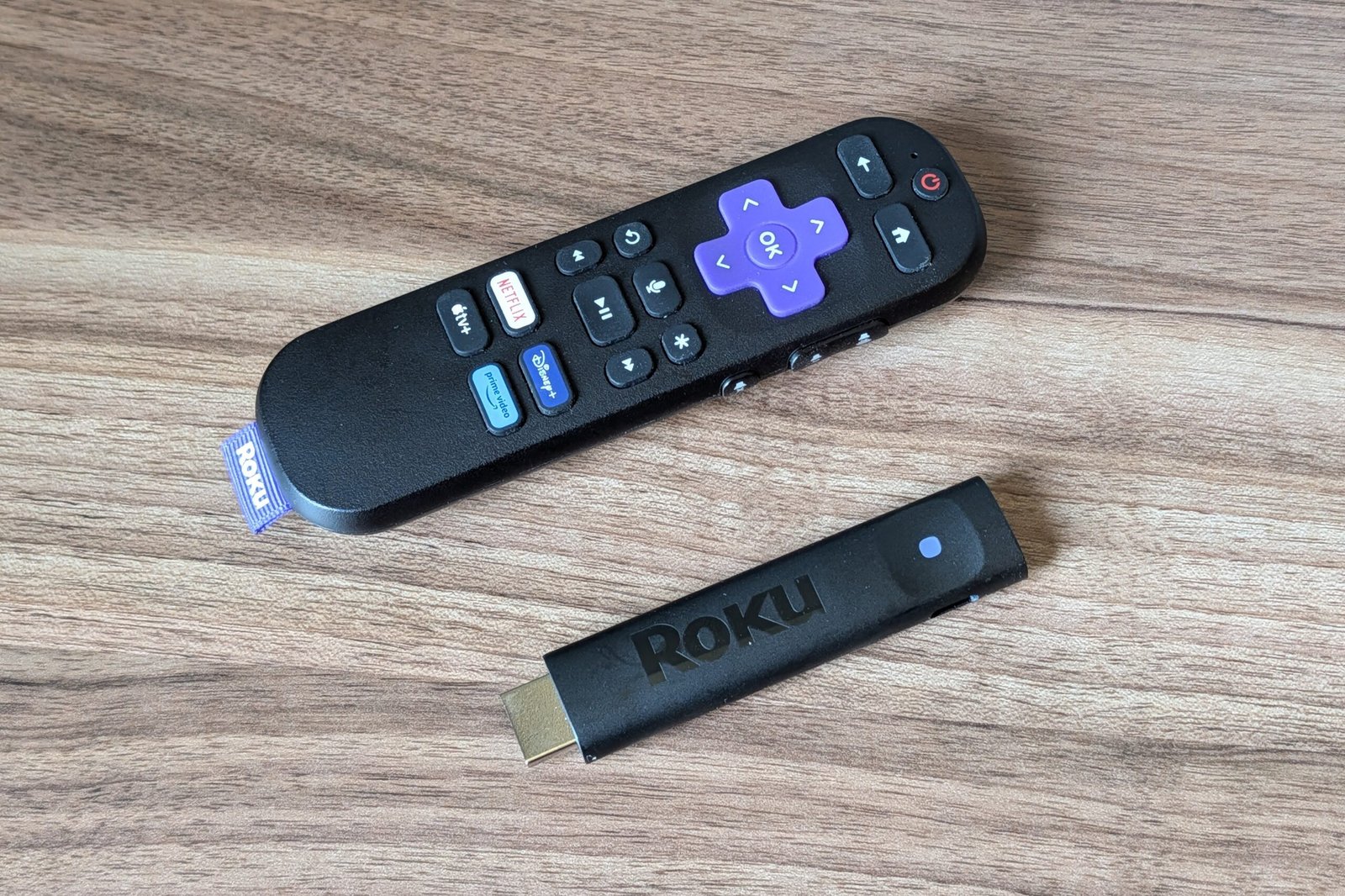
Roku Streaming Stick Plus review: The sweet spot for upgraders
Image: Jared Newman / Foundry
At a glance
Expert’s Rating
Pros
- Roku’s least expensive 4K HDR player
- Compact design fits behind a TV and is suitable for travel
- Better performance and Wi-Fi reception than the cheaper Roku Streaming Stick
Cons
- Increasingly cluttered home screen
- Some old TVs might require a separate power adapter
- No Dolby Vision or Dolby Atmos support
Our Verdict
The middle dongle in Roku’s latest streamer lineup is just right.
Price When Reviewed
This value will show the geolocated pricing text for product undefined
Best Pricing Today
Price When Reviewed
£39.99
Best Prices Today: Roku Streaming Stick Plus
At a list price of $40—and often on sale for less—the Roku Streaming Stick Plus hits a sweet spot.
It’s not the cheapest streaming dongle Roku sells, but it’s the least expensive option with 4K HDR video, and it sports slightly better performance than the $30 Roku Streaming Stick. Its portable design is also an improvement over the Roku Express 4K+, which Roku previously sold at the same price.
I still have some misgivings about Roku’s software, which is gradually getting more complicated and bloated. But if you enjoy the Roku experience as it is, the Roku Streaming Stick Plus is a solid option.
What’s included with the Roku Streaming Stick Plus
The Roku Streaming Stick Plus has the same finger-sized design as the cheaper Roku Streaming Stick I reviewed in July, distinguished only by its embossed black “Roku” logo instead of a painted-on purple one. Its built-in HDMI connector plugs directly into one of your TV’s HDMI ports, and if it doesn’t fit within the spacing of those ports, you can request a free extender cable.
Unlike earlier Roku models, the Streaming Stick Plus does not include a power adapter. Instead, you get a five-foot USB-A-to USB-C cable to plug into the USB power port on most modern TVs. The dongle had no trouble drawing enough power this way from the TVs I tested it with, but you might need to go hunting for an outlet adapter for old TVs that don’t provide USB power.
For video, the Roku Streaming Stick Plus streams at up to 4K resolution with support for HDR and HDR10+, but not Dolby Vision. You need to step up to the $50 Roku Streaming Stick 4K for that. On the audio side, Dolby Atmos is also missing, as that feature is only available on the $100 Roku Ultra.
Jared Newman / Foundry
Roku now ships the same basic Voice Remote with all of its lower-end players. Like every other Roku current model, it includes buttons to control your TV’s volume and power, providing a single-remote solution unless you have an external sound system that doesn’t support HDMI-CEC. If that’s the case, you’ll need a separate remote for volume adjustments. (Because the Streaming Stick Plus doesn’t accept IR input, it won’t work with basic universal remotes.)
One thing missing from this model is Bluetooth support. You can still connect earbuds to your phone and use Roku’s mobile app for private listening, but the Roku Ultra remains the only player that supports pairing headphones or earbuds directly to the streaming device.
Roku Streaming Stick Plus performance and Wi-Fi reception
Roku does an admirable job optimizing its software to run on lightweight hardware, so there isn’t a huge performance difference between each of its players. Still, the Roku Streaming Stick Plus does have some noticeable improvements over the cheaper Streaming Stick.
In my side-by-side testing, the Streaming Stick Plus typically loaded apps a few seconds faster, and was quicker at filling program guide details as I scrolled through the Pluto TV app. Netflix in particular seemed to benefit, as the Streaming Stick Plus would often would return to where I was in Netflix’s menu system after switching to a different app. (With the cheaper Streaming Stick, Netflix usually needed a full reload.)
The Roku Streaming Stick Plus also supports Wi-Fi 5, rather than Wi-Fi 4 as on the Streaming Stick, and I observed better Wi-Fi performance at long range as a result. Testing from the far end of my back yard on a portable monitor, the Roku Streaming Stick Plus maintained speeds around 20Mbps, while the Streaming Stick averaged less than 10Mbps and displayed a weak signal warning. Meanwhile, the $50 Roku Streaming Stick 4K achieved speeds of around 100Mbps in the same test.
The improved Wi-Fi won’t matter in areas with solid reception—both models maintained 100Mbps connections in the office where my router is located—but it could make a difference on the fringes.
If you want to use wired ethernet, Roku says the Streaming Stick Plus is compatible with USB-C-to-ethernet adapters that supply power, but I was unable to get it connected with several multiport USB-C hubs. The Roku Ultra is a better bet if ethernet is a must.
Roku software: Familiar layout, new distractions
Jared Newman / Foundry
While Roku has traditionally prided itself on simplicity, in recent years that mission has been at odds with the economics of Roku’s business, which calls for ever-more ad revenue and—more recently—a push for more subscriptions.
This manifests itself in a bunch of ways:
- The Home section, which once presented a straightforward list of your installed apps, now includes promotional content tiles and links to various content submenus.
- The left sidebar menu now has a banner ad at the bottom, which means the default menu options don’t all fit and you must scroll up and down to see them all.
- The banner ads in both the Home section and sidebar menu now have animations and video.
- More of Roku’s own apps are now pre-installed, including the recently acquired Frndly TV and the recently launched Howdy.
The bottom-left banner covers up some menu options.
Jared Newman / Foundry
Fundamentally, it’s fine for Roku to try moving past the app grid paradigm and recommending more things to watch from the home screen. People do need help sorting through all their streaming services, and other streaming platforms have been trying to tackle that problem for years.
But a lot of what Roku’s doing weighs too heavily on the side of upselling more services instead of helping navigate what you’re already paying for. To wit: Roku has a useful “Continue Watching” feature that tracks all the shows you’re watching across different services, but it’s buried in a “What to Watch” menu that’s all too easy to ignore. Why not put it in the newly-expanded Home section instead?
“Continue Watching” is a great feature that’s too hard to reach.
Jared Newman / Foundry
Roku still deserves credit for nailing a lot of the little things. Many folks appreciate the remote’s dedicated fast-forward, rewind, and play/pause buttons—Google TV and Apple TV devices omit these—as well as the “Replay” button that jumps back in time with closed captions temporarily enabled. Roku also does a great job surfacing free content through its Featured Free menu and Roku Channel app, and support for Apple’s AirPlay comes in handy for sharing content from iPhones and iPads. The experience is overall positive; there’s just so much room for improvement.
“Featured Free” is a dedicated menu for free movies and shows (with ads).
Jared Newman / Foundry
Roku Streaming Stick Plus vs. the rest
For most Roku fans, the Streaming Stick Plus is a better option than the $30 Streaming Stick, with speedier app load times, better Wi-Fi connectivity, and 4K HDR video support. It’s also worth considering over the $50 Roku Streaming Stick 4K if you don’t care about Dolby Vision and have a decent Wi-Fi setup.
I’d also pick the Roku Streaming Stick Plus over Amazon’s low-cost Fire TV Sticks, because for as cluttered as Roku’s software has become, Amazon’s is still a lot worse. If you prefer a more content-forward interface, consider Walmart’s Onn streaming devices (the $20 Onn box, $30 Onn 4K Plus, or $50 Onn 4K Pro) as alternatives.
Otherwise, the middle dongle in Roku’s lineup should be all you need.
This review is part of TechHive’s in-depth coverage of the best streaming devices.
Best Prices Today: Roku Streaming Stick Plus
Author: Jared Newman, Contributor
Jared has been a freelance technology journalist for more than 15 years and is a regular contributor to PCWorld, Fast Company, and TechHive, where he’s written a weekly cord-cutting column since 2014. His Cord Cutter Weekly newsletter has more than 30,000 subscribers, and his Advisorator tech advice newsletter is read by nearly 10,000 people each week. Jared has a master’s degree in journalism from NYU and specializes in making complex tech topics easy to understand, from streaming and cord-cutting to neat apps and useful tech tricks. He is based in Cincinnati, OH.
