

The best gadgets for students under $50
Sure, you’ve remembered to pack the most important things as you prep to go back to campus for the new semester. But the little things can get you in college. It’s not uncommon to discover that, a few days into your new class schedule, you forgot to pack small things like an extra charger, a portable battery pack or a beater pair of earbuds. These unassuming things can make a big difference in how you work and play while at college, so do yourself a favor and think about all the small things you need to make this semester your best one yet. To prevent you from playing catch-up, we’ve compiled the best gadgets for school under $50 so you can cross the most crucial ones off your list before you even set foot on campus.
A Bluetooth tracker can be an essential piece of tech for students going back to campus. The Chipolo Pop is our current favorite, and it builds upon the solid foundation of our previous top pick, the Chipolo One. The latest model can tap into a larger finding network by utilizing those of both Google and Apple, so it can more easily pinpoint the location of their lost things. Its ping is louder than an AirTag, too, which should make it even easier for them to find their bag, backpack, wallet or anything else they’ve lost when they believe it’s close by. And unlike an AirTag, the Pop has a built-in keyring hole so they can simply slide it onto their keychain and forget about it. Regardless of if the student in your life is prone to losing things, the Chipolo Pop will give them peace of mind knowing they’ll always be able to find their belongings.
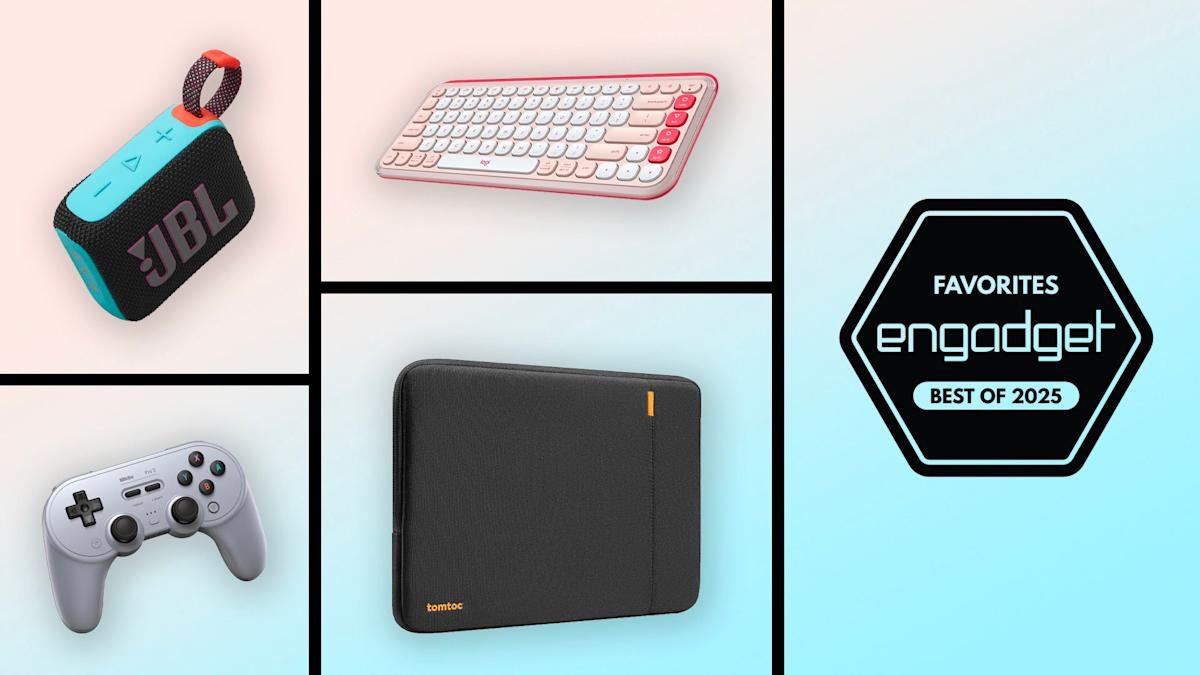
Students may not have a lot of space to spare on their desks or in their dorm rooms, but there’s probably enough space for the Logitech Pop Icon Keys. It’s a compact keyboard that is one of our top picks for the best keyboards thanks to its attractive design, customizable action buttons and long battery life. Even if your student doesn’t have an external monitor or big computer setup, a Bluetooth keyboard like this one can improve their ergonomics overall and prevent them from slouching and slumping for hours over their laptop. The customizable, right-side action buttons are a great touch, allowing them to program frequently-used shortcuts for easier and quicker access. And in addition to coming in a few fun colors, the Pop Icon Keys can connect to three devices simultaneously and can last up to three years on a single pair of AAA batteries (depending on usage, of course).
Academic life will quickly become overwhelming if it’s all work and no play. 8Bitdo’s Pro 2 controller can make a student’s game time more enjoyable and comfortable. In general, 8Bitdo’s controllers are more ergonomic than, say, relying on a keyboard and mouse when playing certain PC games. They’re also a dramatic improvement over the Switch’s Joy-Cons which, if we’re honest, aren’t the most comfortable to use for long stretches of time. The Pro 2 is compatible with the Switch, Windows, macOS, Android and Raspberry Pi, and they can map functions to buttons using its companion smartphone app. Your student will appreciate that they can charge it up with any USB-C cable they have lying around, but also that they can remove the battery pack and power it with AA batteries if they want to avoid frequent recharges.
You can’t go wrong gifting a student a portable speaker. Chances are, they probably use their phone as their main speaker when they want to have an impromptu tiny desk concert or when they’re hanging out with friends. But a dedicated speaker will provide much better performance, even one as affordable as the JBL Go 4. This $50, palm-sized speaker packs a punch with loud sound and decent bass for a device of its size. It’ll be almost too easy for them to pair the Go 4 with their smartphone, tablet or laptop and they can take it pretty much anywhere thanks to its compact design and the fact that it’s IP67 waterproof and dustproof. The built-in carrying loop is a nice touch as well, allowing them to use a clip or carabineer to attach the speaker to a backpack or bike while they’re out and about.
You don’t have to go all-out and gift your favorite student a new laptop, but you can help them protect the one they already have. The Tomtoc 360 protective laptop case is a great option that works with MacBooks, Windows laptops and Chromebooks — just be sure to get the right size to fit your student’s machine. The case has thick edges that absorb impacts from drops and bumps, and the exterior is spill-resistant as well. The exterior zipper pocket will allow them to easily carry a charging brick and cable with them wherever they go, and there’s a built-in strap inside of it to which they could attach a Bluetooth tracker or their keys for safe keeping. There’s also nearly a dozen colors to choose from, so you’re bound to find one that suits your student’s tastes.
If you’re unsure of your student’s TV situation, or know they don’t have the cash to buy a brand new set, get them the Amazon Fire TV Stick HD. It’s an easy way for them to upgrade their streaming experience using whatever TV they already have thanks to its ability to stream content at 1080p/60 fps. Amazon updated this model at the end of 2024 and fixed our major issue with the previous streaming stick: the included remote can now control TV power and volume, so they won’t have to keep track of two controllers anymore. Despite the fact that Fire TV devices tend to put Amazon Prime Video content front-and-center, the Stick HD is still a great option that will give your student access to all of the content they deem essential from Netflix, HBO Max, Hulu and other streaming apps.
It’s safe to say that the ergonomics of being a student aren’t great. Your back and shoulders won’t thank you hours after hunching over a laptop when you need to rush out a paper or cram before a big exam. But you can alleviate some of this with a few key accessories, a wireless mouse being one of them. Whether you spring for a special ergonomic mouse will be up to your preference, but even just a simple upgrade to a solid mouse like Logitech’s M720 Triathlon can make a big difference. Logitech’s accessory works across all major operating systems, including iPadOS, and it can connect either via a wireless dongle or Bluetooth. It supports 1,000 DPI and super-fast scrolling, and Logitech’s Flow software allows you to use it across two devices at the same time. And since it has a max battery life of two years using its two AA cells, you won’t have to worry about it dying in the middle of a study session.
A good pair of noise-canceling headphones or earbuds can help students stay focused while studying or finishing up a big report. The Earfun Free 2S are our current favorite budget wireless earbuds thanks in part to the excellent active noise cancellation they provide at their affordable price tag. While not as strong as the ANC you’d find on flagship, $250+ earbuds, the ANC here is impressive, and by default, the buds will automatically adjust ANC strength depending on your surroundings. In addition, the Free 2S has a pleasant, warm sound profile, a comfortable design, good battery life and multi-device connectivity, so they’ll be able to use them with both their phone and the laptop as needed.
The Echo Dot is Amazon’s most popular smart speaker for a reason: It’s small, it sounds pretty good for its size, and it does a lot more than just play music. Students will like the fact that it won’t take up much space on their desks and that they can ask Alexa to play music from Spotify, Apple Music and other services whenever they want to have an impromptu dorm-room dance party. And, since it plugs into a wall outlet, they never have to remember to charge the Echo Dot like they would with a portable speaker. What’s more, when an assignment stumps them, students can consult Alexa for help. Are we suggesting they ask Alexa for the answers to all their homework conundrums? Not exactly, but at the very least, it’ll be fun to see how much the voice assistant actually knows about any given topic.
When you’re a student, there’s nothing worse than realizing your iPhone is down to 2 percent battery in the middle of a long day filled with classes, extracurriculars and study sessions. The charging cable that came with your phone has probably served you well, but having a second, longer cable can allow you to power up in dire situations even when the closest outlet is across the room. We’ve been fans of Anker’s Powerline series for a while, and this 10-foot USB-C to Lightning cable is worth investing in. Not only is it MFi-certified so it will work well with all Apple devices, but its length gives you much more flexibility than your standard three-foot cable does. It also supports fast charging if you have an appropriately specced adapter to use it with. And for those who don’t have iPhones, Anker has a 10-foot USB-C to C cable that should serve your handsets well, too.
Students have enough trouble remembering weekly coursework, deadlines, test dates and the like when they’re at school, so giving them a way to easily access credentials for all of their online accounts will be a welcomed gift. A subscription to 1Password takes all of the guesswork out of logging in to student portals, personal accounts and more. All they’ll need to do is remember one master password, and that will give them access to all of their other login information. 1Password’s browser extensions will even automatically fill in the right usernames and passwords for the websites they’re trying to access, and when the software spots a weak password in their vault, it’ll suggest ways to make it stronger.
Every student should have a reusable bag at their disposal. Whether it lives at the bottom of their backpack or buried in their closet, it will come in handy when they go grocery shopping, take snacks over to a friend’s place or lug extra project materials to class. There are thousands of options out there, but we like Peak Design’s packable tote because it’s affordable at $20 and it elevates the traditional reusable bag design. It’s made of 100-percent recycled ripstop nylon, which is resilient and as well as water resistant, and it has a zip closure — something most other reusable bags don’t have. It’ll keep your items more secure with that, and it’s easier to carry in different ways thanks to its single shoulder/hand strap that sports microfiber padding for extra comfort. We also like that it has an interior pocket that can hold a phone, wallet or keys, and it takes up surprisingly little space when it’s packed into itself.
There are rarely enough power outlets to charge all of the things a student needs when they need it most. If the student in your life likes to work from the library or a coffee shop often, there’s a good chance they’ve had to do the charging dance, choosing which device is most crucial to them at the moment and giving it the prime spot on the wall. A surge protector power strip like this one from Anker can eliminate that problem by giving them eight AC outlets to use simultaneously, along with two USb-A ports and one USB-C connector. They’ll be able to charge up their laptop and phone at the same time, and have plenty of extra options if they also need to power a portable monitor or a tablet, or recharge a pair of headphones before they head home for the day. The USB-C port on this device also supports 20W fast-charging, which will be useful when they need to top up a dying smartphone. And with this power strip measuring just 4.5-inches by 3.6-inches, it’s compact enough to live in their backpack.
If you or a student you know bikes to and from campus, this Crankbrothers M19 multitool could be the item that saves them in a pinch. Among the 19 different tools it includes, it has everything one would need to fix a surprise bike issue like multiple sizes of hex wrench and a universal chain tool. There are also Philips and flathead screwdrivers in the mix as well, so it could come in handy with other tasks. Understandably, the student in your life may not want to carry around (or store) multiple separate tools or a large kit, so this compact model is a good alternative — convenient, too, since it can easily be tossed into a backpack before leaving for the day.
The last thing any student needs is to break into a sweat when they can’t connect their laptop to a screen or projector to give a presentation, or get those crucial files off a thumb drive or SD card. With modern laptops sacrificing connectivity for thin-and-light designs, a USB-C hub could be an essential accessory that lives in your student’s backpack. Our top pick is the UGreen Revodock 9-in-1 hub thanks to the fact that it has a ton of important ports, a long, braided USB-C cable with which to connect to a laptop and support for 100W passthrough charging. In addition to three USB-A ports, it has HDMI and Gigabit Ethernet connectors, SD and microSD card slots and two USB-C ports, all of which should be plenty for most students. It normally costs $55, a tad more expensive than our threshold for this guide, but it’s often on sale for around $40 — we recommend picking it up when you see such a sale.
