

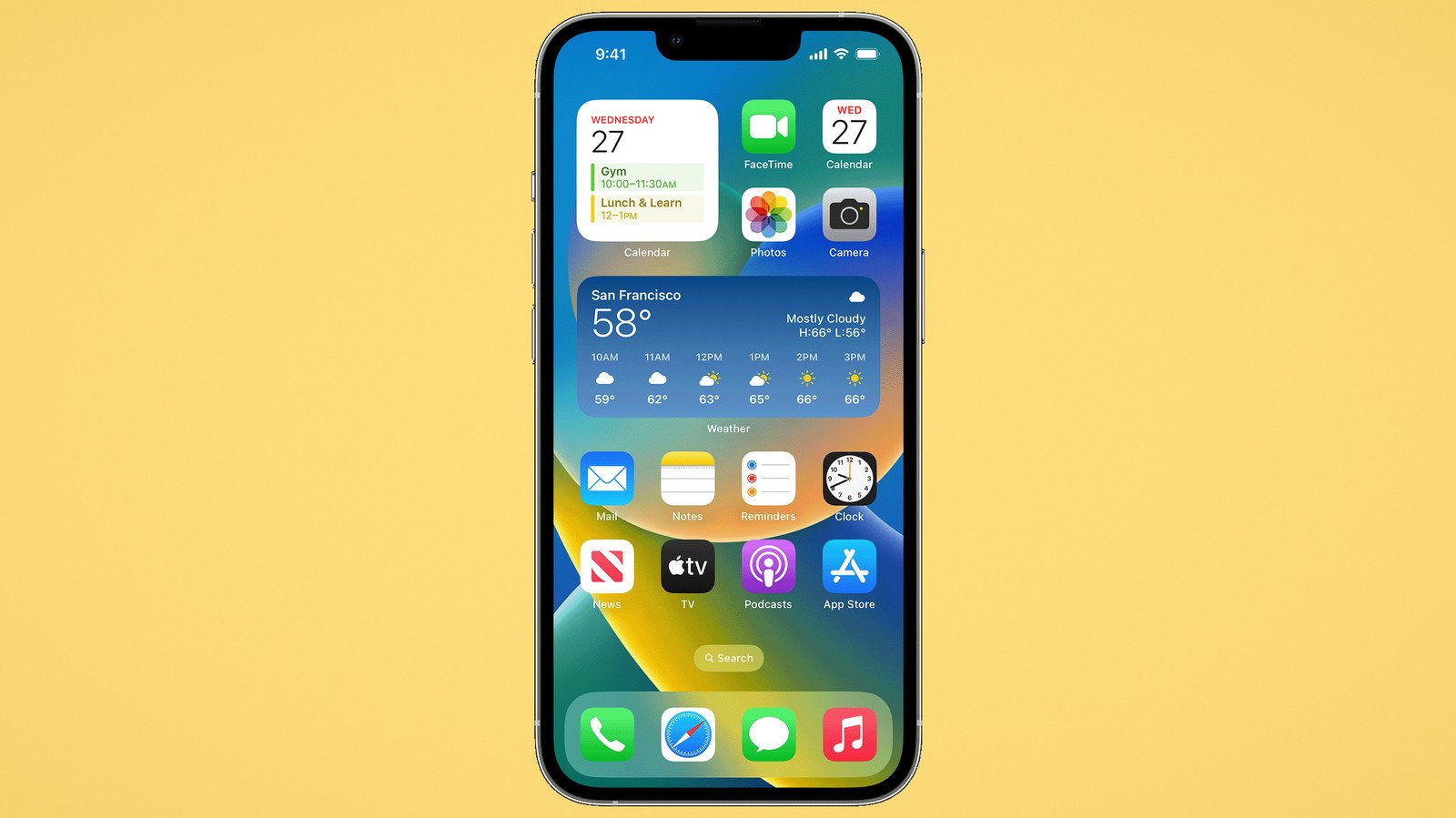
12 Must-Have iPhone Widgets For Your Home Screen
For iOS 17, Apple introduced interactive widgets that let you control certain app functions right from the home screen or lock screen. Since then, you can tick items off your to-do list, press play on a song, copy text directly to a translation app, and more — without ever opening the app. One of the most wanted iOS 18 features was a split screen like they have on Android, so until that day comes, interactive widgets work as something of a stopgap. We’ve already shown you how to add a website shortcut to your iPhone home screen and how to enable dark mode or tinted app icons. Today, we’re looking at helpful widgets you might not have tried or been aware of — but which could become integral parts of your home screen.
Advertisement
Widgets can be found in any app that chooses to implement them, not just the Apple native ones. Most of the apps on this list are free to download, with a select few requiring a one-time purchase or subscription to access all features. Get started with these 12.
Widgy — make your own widget
Jordan Wirth/SlashGear
If none of the interactive widgets you see on this list do it for you, then why not make your own? Widgy claims to be a one-stop shop for making custom widgets on iPhone with everything you want and nothing you don’t. The editor is designed to be simple enough for anyone to use, but still fully featured. The focus with Widgy seems to be on pulling various data sources from your apps and putting them on the home screen. Users can share their bespoke widgets with the community, meaning you might not have to do any work yourself if you find one that suits you.
Advertisement
To give a more concrete example of what Widgy can do, you need only check the r/widgy subreddit. In one example, user u/ulasates has their home screen divvied up into a weather forecast, reminders, and various app categories; user u/quiChuck has home screen widgets that track the battery life and storage space on their various Apple devices; user u/siriusblack999 used it to make their home screen look like visionOS, the operating system on the Apple Vision Pro — which may have made Apple kill its smart glasses project, by the way. Case in point: The sky’s the limit, or rather, its users’ creativity. Do keep in mind that the full extent of Widgy requires in-app purchases; unlocking all home screen and lock screen features costs $8.99 apiece.
Advertisement
Cloud Batteries — see device batteries at a glance
iPhone does have a widget that lets you see the battery level of other Apple devices on the same account, but in my experience, it’s frustratingly limited. It tracks your AirPods, sure, but some devices (like your eye-wateringly expensive MacBook Pro M4) don’t show up at all. Cloud Battery lets you track almost any Apple device’s battery from one place. Once you’ve installed the app on all devices and given it the necessary permissions, you’re finished. Devices will more accurately report their battery level, as long as they have internet. Cloud Battery sends you notifications if a device is low on battery or needs to be unplugged. And of course, it has great widgets.
Advertisement
The widgets are much larger and a bit more comprehensive than the ones you’re used to with the native Apple battery widget; they show battery level in percentage regardless, and let you change up the colorway — a premium feature, mind. Supporters who pay for the app’s $4.99 premium version get no ads. Do keep in mind that this may cause a bit of battery drain, since the app is continuously running in the background on all your devices to report their battery level. Otherwise, this is far and away the best means of keeping tabs on an ecosystem of batteries.
Streaks — track your habits
Habit tracking apps on the App Store are a dime a dozen. Streaks stands out among them. It’s minimalistic and bereft of all the bells and whistles that gum up its competition. Rather than imposing its philosophy for goal-keeping on you, Streaks tracks your good habits and gets out of the way. There are no fancy animations or unwanted motivational messages, just a button press to mark a task as done and statistics to evaluate your dedication later. And, as you might have guessed, it has a great set of widgets.
Advertisement
Streaks widgets come in two flavors: the informative kind — like how many days a week you’ve achieved your goal — and interactive buttons to mark something off for the day. One could argue that the home screen is exactly where you want your goals to be, making it impossible for you to ignore them as your thumb inches toward TikTok again. Unlike many apps in this category, it’s a one-time purchase instead of a subscription. I’ve personally been using Streaks for years, and I absolutely love it.
Lookup — augment your vocab
It seems like ancient history to crack open a dictionary in search of a word these days. New users of the Kindle Paperwhite can look up words with a tap of the finger, then memorize them all with a built-in vocabulary builder. macOS lets you look up a word with a force touch on your trackpad. But what if you want to, very casually, learn a new word every day, sort of like Merriam-Webster’s word of the day? The LookUp app does this, and its widget is perhaps the most convenient means of doing so.
Advertisement
Put the word-of-the-day widget front and center at the top of your screen so each day you can’t miss it. The widget draws attention to itself with a stylish font and pleasing background illustrations to make it more than just a boring dictionary entry. You can tap to hear how the word is pronounced, add it to your favorites, or, if you already know it, get a new one with the shuffle button. The definitions are a single line rather than a complete entry, and the widget doesn’t require any interaction, making it not too overbearing for those who want a stress-free way to learn.
Focus — set Pomodoro timers
One clever way to use your iPhone’s Action button is to create a shortcut that starts a meditation session, music included. Perfect for the occasional spontaneous five minutes that pop up on a busy schedule. Convenient though that may be, not everyone has the Action button yet, so Focus’ interactive timer widgets make a great alternative. The app focuses (pun intended) on timing your various tasks throughout the day, be that a meditation session or a 25-minute Pomodoro chunk of work. It’s designed to be the one app you use to track all your productivity statistics, but there’s nothing stopping you from using just the widget component.
Advertisement
Although the emphasis is on the Pomodoro method, Focus can support timed sessions for any task of any length. What’s great is the widget allows you to swipe through your various pre-programmed timers without opening the app. Lock Screen widgets, Live Activities, and Dynamic Island integration keep your timer at your fingertips even when your phone is locked. For whatever reason, Apple’s Clock app doesn’t have a timer widget, so this can fulfill that purpose until such an option arrives. That said, it’s a costly alternative if you plan to use all of Focus’ features. The subscription runs you $39.99 a year or $4.99 a month.
Outside — countdown to special events
Aside from adding things to your calendar and setting up early reminders, there’s not much you can do if you’re a forgetful sort of person — the sort that can live comfortably detached from the whims of your calendar (speaking from personal experience here). If big events and special dates tend to spring up on you, leaving you unprepared, then the Outside app might help. At its core, this is an app that tries to help you find new things to do — emphasis on outside ones, of course. Think of it like Tripadvisor, if the website catered to finding lesser-known locations and activities and getting you amped up to enjoy them. In a sense, everything in the app sits backseat to the countdown timer that starts once you make plans, and that’s where we get to the widget.
Advertisement
The widget is simply a picture of a particular event with a countdown leading up to it. Nothing more, nothing less. Use it to mentally prepare yourself for something big, like a test or the deadline on a work project. And if you’d rather not sleep in the doghouse, it can be an excellent way to know when your anniversary is coming up. The simplicity of having it always there on the home screen means you’re unlikely to skip by those important calendar items you tend to miss. The app’s complete feature set costs $29.49 a year or $2.99 a month.
Smart Stack — multiple widgets balled into one
Perhaps the biggest issue with widgets on iPhone is that they take up so much space in Apple’s home screen grid. The biggest widgets can easily eat up half your screen, forcing you to let apps overflow onto the next page. You could use Today View, which is where you swipe right from the screen’s left edge to open up a widget-only area, but that just adds an extra swipe to what should be a quick interaction. Smart Stacks may be the solution. By default, the app serves you what it believes to be the most relevant thing when you need it. A Photos widget might show a picture memory that happened on today’s date, then shift to the music app when you start listening. A simple swipe up or down changes the widget to the next one in the row, allowing you to cram a half dozen widgets into the space of one.
Advertisement
However, there’s an even better way to use Smart Stacks, especially for non-Apple apps and widgets. With the icons jiggling in edit mode, drag one widget into another (similar to how dragging one app over another app creates a folder) and voila. Provided they’re both the same size, you can now swipe up or down to change widgets. You can keep all your most important widgets on a single screen and still have room to spare for app icons. Go back to edit mode and choose Edit Stack to change the swipe order. Just keep in mind that the more widgets you have in a stack, the more battery they will drain.
Find My — track people and items
One of my favorite iPhone apps that’s not on Android is Find My. Why? Because it’s the most convenient all-in-one package for tracking devices and people, particularly if you’re invested in the Apple ecosystem with AirTags and Find My-enabled devices. The recent Check In feature even sends you a notification when a particular person has arrived at a location. Speaking purely in terms of ultimate convenience, checking up on a person’s (or item’s) current location requires you to open the app. Thankfully, the Find My widgets put people or items on your home screen so you can keep tabs at a glance.
Advertisement
Enter the home screen edit mode and add the Find My widget. You only have four options: quarter- and half-sized widgets for items, and the same sizes for people. After placing the widget, you can edit it and choose to have it track a specific item or person only. Unfortunately, it doesn’t appear to support automatic switching (such as when you leave a particular item behind), so you’ll have to settle for a single person or item and edit the widget as needed. Also, keep in mind that you’re only going to get a tiny square of the map. Unless you can recognize the area where a person is based on a handful of street names, you’ll probably have to tap on the widget to access the full app.
Home — control lights and smart devices
Jordan Wirth/SlashGear
Apple looks to be working on its next big device: a wall-mounted smart tablet. True to the stereotypical imagining of a high-tech future home, it’s meant to control every smart-enabled device from the lights to the fridge. Until that device comes, the best way to control your HomeKit is directly from your iPhone. The Home app will be good enough for most people if you just want to hit the lights, turn on your smart TV, and maybe open an electronic lock or two. If the ultimate goal is convenience and speed, then opening the Home app or swiping down from the Control Center to control accessories isn’t the fastest way. Instead, use the widget.
Advertisement
I personally use mine to control the lights, and it works flawlessly. Takes one tap to turn them on or off. Sadly, there doesn’t appear to be any hold-down option to control the intensity or color of a light — or any other device-specific controls, like you can from the Control Center. That said, the widget does appear to support a wide variety of smart devices already added to your home, like blinds, air conditioners, and smart plugs. Any device that requires only a single press will work here, but some (like your Apple TV) won’t show up.
Shazam — look up a song you’re listening to
Jordan Wirth/SlashGear
Apple intelligence flopped hard, leaving Google Pixel once more as (arguably) the uncontested “smartest” smartphone thanks to its clever, thoughtfully-implemented features. One such is Now Playing; your Pixel listens non-stop in the background and identifies any music it encounters, keeping a list you can reference later. Apple doesn’t have that (yet) but it does have Shazam, which it acquired back in 2018. Shazam is highly accurate, based on personal experience, but the whole point of such an app is being able to quickly run it before the currently playing song is over. Adding it as a widget to the home screen is probably the fastest means of recognizing a song you like.
Advertisement
One small tip: make sure you hit the Shazam icon in the top right corner, regardless of which widget size you choose. Otherwise, it’ll take you to your playlist of previously identified songs. Doing the former springs you right into the app with the Shazam algorithm already on the hunt for audible music. Having used Shazam’s widget to identify songs in movies and loud public areas, it works surprisingly well. Better yet, you can access it just as fast by making it a watch complication on your Apple Watch — one of several watchOS features you’ll want to start using.
Air Visual — keep track of local air quality
Jordan Wirth/SlashGear
Nothing kills the mood like looking out the window over a beautiful cityscape marred by smog. Ugliness aside, you might be surprised to know that the CO2 produced by average car emissions isn’t the primary culprit. It’s actually the rubber meeting the road. The toxic crap that breaks off tires makes its way into our environment (and your lungs), causing cumulative millions of deaths every year around the globe, according to The Guardian. The best thing you can do — aside from reducing your emissions and advocating for green policies, of course — is to wear a mask when pollution reaches unsafe levels. You can’t just eyeball it and decide to wear a mask when the smog looks especially thick, you need professional-grade measurements from an app like IQAir’s AirVisual. The widget sits on your screen as a constant means of monitoring local air quality.
Advertisement
Having pollution levels always in your face ensures you’re continually mindful and prepared if a day that starts clear turns foul. Like a weather widget, it’s especially useful if you want to know at a glance whether you should grab a mask before rushing out the door. Either set the widget to track a specific city or give it blanket permission to check your current location to provide a more accurate readout wherever you are. You don’t even need to read the number; if you see yellow or red, then you know it’s mask time.
Google News — see recommended stories at a glance
Jordan Wirth/SlashGear
Reading the news is a catch-22. On the one hand, you have to stay abreast of what’s going on in the world, but on the other, the increasingly worsening state of affairs can and will drag you down. While there’s probably no means of interacting with the news that isn’t going to cause or exacerbate that sense of despair, a widget might be the way to interact with it at an arm’s length. We focus in on Google News, more specifically. Google News is probably the best free news app on iOS. It’s a one-stop shop for most major news outlets with a curated “For you” page that lets you escape the dumpster fire of the major headlines and focus on topics that interest you. Adding a widget to your home screen lets you keep that dumpster fire both near and far.
Advertisement
Think of it sort of like having your own personal newsstand on your phone, without opening any app. It can be distracting, sure, but it’s an easy way to glance at the headlines without engaging and reading the whole article. Keep yourself informed, and keep yourself happy. Unfortunately, it looks like Google News doesn’t give you any way to control what shows up. In my experience, it looks to be a mixture of the “For you” and “Headlines” sections. So if you want to only see happy news, Google News may not be the app for you.
