

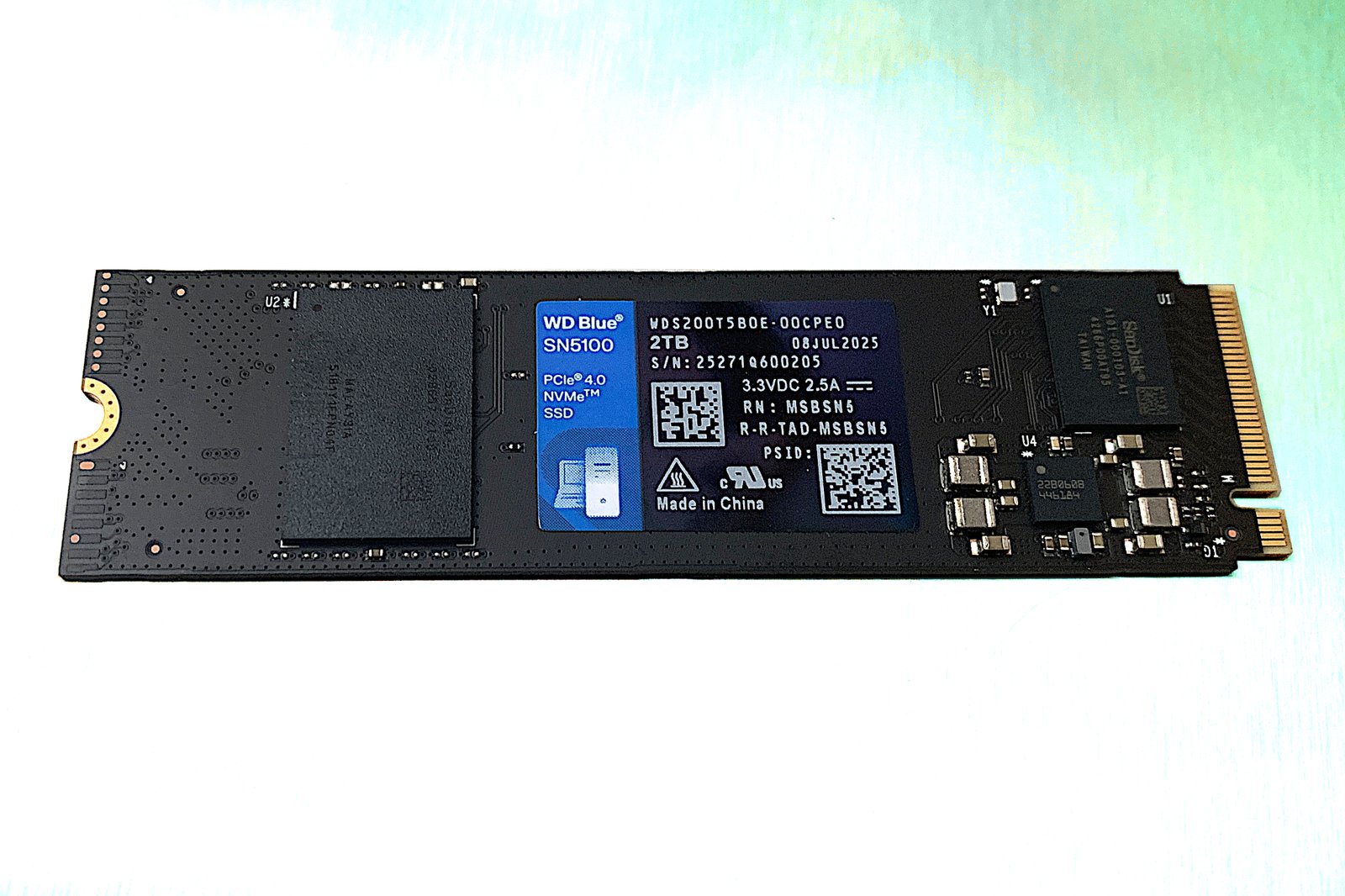
WD Blue SN5100 SSD review: A worthy PCIe 4.0 successor
Image: Jon L. Jacobi
At a glance
Expert’s Rating
Pros
- Very good PCIe 4.0 performer for most workloads
- Single-sided design fits in just about any 2280 slot
- Reputable vendor
Cons
- QLC slows down during very long writes
Our Verdict
At the right (low) price, this drive will deliver the PCIe 4.0 goods and deliver them Consistently. It’s new QLC also offers a significantly faster native write rate than previous generations.
Price When Reviewed
This value will show the geolocated pricing text for product undefined
Best Pricing Today
Best Prices Today: WD Blue SN5100
When push comes to shove, not a whole lot of users need or can use 14GBps PCIe 5.0 NVMe performance. Especially when Windows Explorer can’t take full advantage of it.
So why pay extra cash for something you don’t need when you can have something significantly cheaper such as the PCIe 4.0 WD Blue SN5100, which gets you 95 percent of the way there 95 percent of the time?
Also, what some readers may not realize is that much of the perceived (and real) performance of NVMe comes courtesy of its lightning-fast seek times. These do not improve significantly by generation — PCIe. 3.0 and PCIe 4.0 SSDs are just about as quick to locate files as PCIe 5.0 SSDs.
As to the company’s competition with itself for longest product moniker — WD is winning. “WD Blue SN5100 powered by Sandisk,” which is the drive’s full PR name, trumps even “WD Passport HDD, works with USB C” by a couple of letters. Congrats.
Read on to learn more, then see our roundup of the best SSDs for comparison.
What are the WD Blue SN5100’s features?
The WD Blue SN5100, successor to the SN5000, is a 2280 (22mm wide, 80mm long) NVMe 2.0, PCIe 4.0 SSD utilizing a Sandisk controller and 332-layer Sandisk BiCS8 QLC NAND. It’s also single-sided so the SSD will fit in just about any 2280 NVMe-capable device.
QLC stands for Quad-Layer Cell (4-bit), which typically performs as well as other NAND until you exhaust secondary cache (QLC written as SLC to be later written as QLC) during long writes.
In the case of newer QLC, it’s not quite as tragic as with older versions — sustained transfers drop only to SATA SSD levels, not 2.5-inch SATA HDD levels or worse, as used to be the case.
WD Blue SN5100 retail box
Jon L. Jacobi
The Blue SN5100 is a host memory buffer (HMB) design, meaning it uses system memory for primary caching roles. HMB designs are typically just as fast or even faster than designs that use dedicated DRAM for primary caching (depending on how you transfer files) with sustained reads and writes, but not as fast as DRAM designs when it comes to smaller random operations.
How much does the WD Blue SN5100 cost?
This is the deal, isn’t it? Competition on the low-end of the SSD market, and PCIe 4.0 HMB is the low-end these days, is fierce and there’s not a whole lot of difference in price between the top dogs.
That makes the retail prices that WD quoted to me a bit on the high side: $55 for 500GB, $80 for 1TB, $150 for 2TB, and $300 for 4TB. No doubt you’ll find them cheaper not long after launch as there are simply too many less expensive options for those prices to hold — brand name or not.
How fast is the WD Blue SN5100?
Until it runs out of secondary cache when writing large amounts of data, the 2TB Blue SN5100 that I tested is very fast for a PCIe 4.0 host memory buffer SSD.
Even when secondary cache does run out, write speeds waffle between a passable 250MBps and 700MBps. This means that you likely won’t run screaming into the night cursing the person who recommended the drive if and when you see the write rate drop. Hint, hint…
The Blue SN5100 was a definite improvement over the older Blue SN5000 in terms of sustained throughput, though a bit surprisingly, the older drive proved more adept during CrystalDiskMark 8’s random operations tests.
Note that the SN5000 shown in the charts is the 4TB version, which featured BiCS6 QLC, where the 1TB and 2TB versions used faster TLC. As far as I know, all capacities of the SN5100 use the aforementioned BiCS8 QLC.
As mentioned, I was not expecting the SN5100 to fall so handily to its older cousin in CrystalDiskMark 8’s 4K tests. This makes the older SN5000 likely the better SSD for running an OS off of.
One particularly slow write (a 48GB folder under Explorer) in the 48GB transfer tests (which now include the far faster Xcopy and FastCopy results) saw the Blue SN5100 lose by just over a second to the SN5000. However, it bettered the older drive in the majority of tests.
Note that Windows Explorer tends to even out performance by virtue of being relative garbage at transfers — even compared to its own command-line Xcopy. The Xcopy and FastCopy results are more indicative of true performance and I highly recommend the latter to save time during large file transfers.
The following 450GB write results again highlight the Blue SN5100’s advantage in sustained throughput over the older Blue SN5000. It rivals WD’s own Black SN7100.
I kept waiting for the Blue SN5100 to falter in the 48GB and 450GB write tests, but I couldn’t force it to deplete its secondary cache (QLC written as SLC) until I wrote a 950GB file to it. At just past the 500GB mark, the slowdown made it quite obvious that the NAND was QLC.
That said, this QLC iteration is quite a bit faster writing than older QLC, waffling between 250MBps to 500MBps while older generations could drop to as low as 75MBps and stay there. Livable, if not optimal, and how often will you write 950GB in one fell swoop?
Note that the 4TB SN5000 also has a livable native (off secondary cache) write rate.
The Blue SN5100 is a definite improvement over its predecessor in terms of sustained throughput, and a very good SSD for the average user, but be aware of that QLC native write speed (no secondary cache) if you regularly write large amounts of data. Most users won’t ever see the drop though it will occur significantly sooner in the less capacious 500GB and 1TB models.
On the other hand, you are not giving up all that much if you find the Blue SN5000 at a significantly lower price.
Should you buy the WD Blue SN5100?
At the right price, and for the right reasons, yes. It’s fast enough for most users, and fast enough in most scenarios for all but the pickiest pros. Plus, while it slows down a lot in super-long writes, it’s not a stupidly painful drop.
How we test
Drive tests currently utilize Windows 11 24H2, 64-bit running off of a PCIe 4.0 Samsung 990 Pro in an Asus Z890-Creator WiFi (PCIe 4.0/5.0) motherboard. The CPU is a Core Ultra i5 225 feeding/fed by two Kingston Fury 32GB DDR5 4800MHz modules (64GB of memory total). Both 20Gbps USB and Thunderbolt 5 are integrated and Intel CPU/GPU graphics are used. PCIe 5.0 SSDs involved in testing are mounted in a Asus ROG PCIe 5.0 M.2 adapter card or a HighPoint 7604A 16x PCIe 5.0 4-port M.2 adapter card.
We run the CrystalDiskMark 8 (and 9), AS SSD 2, and ATTO 4 synthetic benchmarks (to keep article length down, we only report one) to find the storage device’s potential performance, then a series of 48GB and 450GB transfers tests using Windows Explorer drag and drop to show what you’ll see under Window, as well as the far faster Xcopy and FastCopy to show what’s possible.
A 25GBps two-SSD RAID 0 array on the aforementioned Highpoint 7604A is used as the second drive in our transfer tests. Formerly the 48GB tests were done with a RAM disk.
Each test is performed on a NTFS-formatted and newly TRIM’d drive so the results are optimal. Note that in normal use, as a drive fills up, performance may decrease due to less NAND for secondary caching, as well as other factors. This issue has abated somewher with the current crop of SSDs with more mature controllers and far faster late-generation NAND.
Caveat: The performance numbers shown apply only to the drive we were shipped and to the capacity tested. SSD performance can and will vary by capacity due to more or fewer chips to shotgun reads/writes across and the amount of NAND available for secondary caching. Vendors also occasionally swap components. If you ever notice a large discrepancy between the performance you experience and that which we report, by all means, let us know.
Best Prices Today: WD Blue SN5100
Author: Jon L. Jacobi, Contributor, PCWorld
Jon Jacobi is a musician, former x86/6800 programmer, and long-time computer enthusiast. He writes reviews on TVs, SSDs, dash cams, remote access software, Bluetooth speakers, and sundry other consumer-tech hardware and software.
