Close Menu

    Subscribe to Updates

    Get the latest creative news from FooBar about art, design and business.

    What's Hot

    Newegg’s Ryzen 7 9850X3D combo bundle offers over $500 in savings on three key components, including 64GB DDR5 RAM

    Tenku Pocket 8 micro laptop launched with 8-inch touch display and 8-core Intel Alder Lake-N CPU

    Endorfy Signum M30 Air and M30 ARGB arrive as brand-new micro ATX PC towers

    Facebook X (Twitter) Instagram
    • Artificial Intelligence
    • Business Technology
    • Cryptocurrency
    • Gadgets
    • Gaming
    • Health
    • Software and Apps
    • Technology
    Facebook X (Twitter) Instagram Pinterest Vimeo
    Tech AI Verse
    • Home
    • Artificial Intelligence

      Tensions between the Pentagon and AI giant Anthropic reach a boiling point

      February 21, 2026

      Read the extended transcript: President Donald Trump interviewed by ‘NBC Nightly News’ anchor Tom Llamas

      February 6, 2026

      Stocks and bitcoin sink as investors dump software company shares

      February 4, 2026

      AI, crypto and Trump super PACs stash millions to spend on the midterms

      February 2, 2026

      To avoid accusations of AI cheating, college students are turning to AI

      January 29, 2026
    • Business

      How Smarsh built an AI front door for regulated industries — and drove 59% self-service adoption

      February 24, 2026

      Where MENA CIOs draw the line on AI sovereignty

      February 24, 2026

      Ex-President’s shift away from Xbox consoles to cloud gaming reportedly caused friction

      February 24, 2026

      Gartner: Why neoclouds are the future of GPU-as-a-Service

      February 21, 2026

      The HDD brand that brought you the 1.8-inch, 2.5-inch, and 3.5-inch hard drives is now back with a $19 pocket-sized personal cloud for your smartphones

      February 12, 2026
    • Crypto

      BitMine Buys $93 Million in ETH, but Ethereum Slides as Holders Resume Selling

      February 24, 2026

      XRP Ledger Sets Multiple Key Records in February Despite Price Decline

      February 24, 2026

      Bhutan Rolls Out Solana-Backed Visas Even As Demand Stays Weak

      February 24, 2026

      ZachXBT Teases Major Crypto Exposé Ahead of Feb. 26 — How Is Smart Money Positioned?

      February 24, 2026

      Acurast turns 225,000 smartphones into a secure AI network on Base

      February 24, 2026
    • Technology

      Newegg’s Ryzen 7 9850X3D combo bundle offers over $500 in savings on three key components, including 64GB DDR5 RAM

      February 25, 2026

      Tenku Pocket 8 micro laptop launched with 8-inch touch display and 8-core Intel Alder Lake-N CPU

      February 25, 2026

      Endorfy Signum M30 Air and M30 ARGB arrive as brand-new micro ATX PC towers

      February 25, 2026

      Ditch the Adobe subscription: This PDF editor is yours for life for $25

      February 25, 2026

      Her AI agent nuked 200 emails. This guardrail stops the next disaster

      February 25, 2026
    • Others
      • Gadgets
      • Gaming
      • Health
      • Software and Apps
    Check BMI
    Tech AI Verse
    You are at:Home»Technology»If Windows Defender flags ‘WinRing0’ on your gaming PC, pay attention
    Technology

    If Windows Defender flags ‘WinRing0’ on your gaming PC, pay attention

    TechAiVerseBy TechAiVerseSeptember 18, 2025No Comments4 Mins Read7 Views
    Facebook Twitter Pinterest Telegram LinkedIn Tumblr Email Reddit
    If Windows Defender flags ‘WinRing0’ on your gaming PC, pay attention
    Share
    Facebook Twitter LinkedIn Pinterest WhatsApp Email

    If Windows Defender flags ‘WinRing0’ on your gaming PC, pay attention

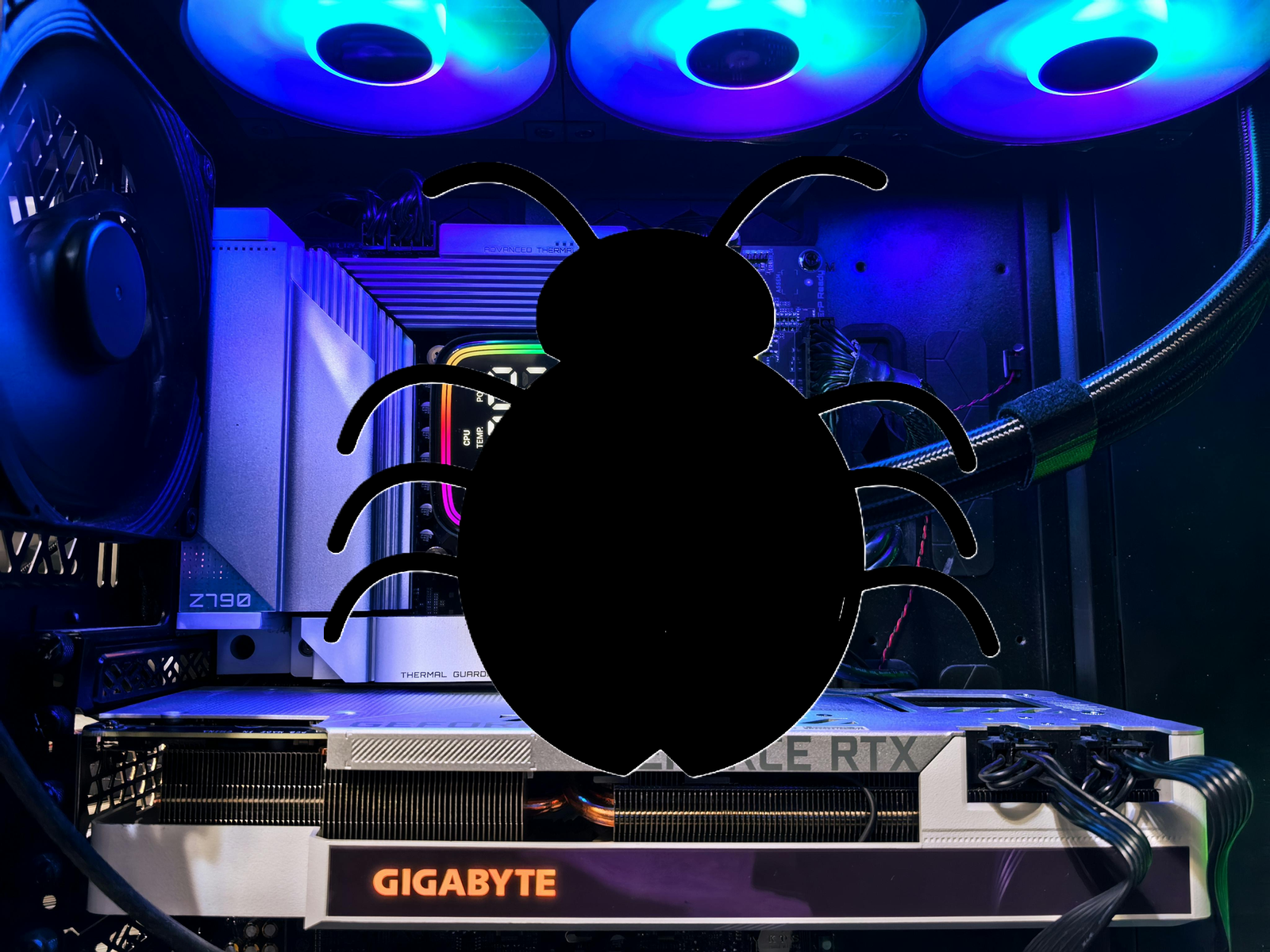
    Image: Mark Hachman / Foundry/ Pexels

    If Microsoft Defender has begun issuing warnings on your gaming PC for a “Winring0 vulnerable driver,” you have a major choice to make: you can set an exception and exempt popular RGB and fan control applications, but you’ll run the risk of malware exploiting it to attack your PC.

    As identified by Microsoft, Defender might issue a warning identifying that “VulnerableDriver:WinNT/Winring0” has been detected on your PC. And it’s a valid concern, because it ties back to a known vulnerablilty in two drivers, WinRing0.sys and WinRing0x64.sys, as recorded by the NIST, part of the U.S. Department of Commerce.

    The problem is that those drivers are the foundation for many, many third-party applications that take advantage of the drivers for controlling functions like fan speed and RGB lighting, “including tools like CapFrameX, EVGA Precision X1 (older versions), FanCtrl, HWiNFO, Libre Hardware Monitor, MSI Afterburner, Open Hardware Monitor, OpenRGB, OmenMon, Panorama9, Razer Synapse, SteelSeries Engine, ZenTimings, and others,” Microsoft says. They’re the tools and utilities used by gamers and enthusiasts alike, and they’re all subject to the same vulnerability.

    As Gamers Nexus pointed out in an in-depth video on the subject, the WinRing0.sys library was written ages ago. In 2010, Hiyohiyo (Noriyuki Miyazaki,) a developer known for CrystalDiskMark, a key benchmark which tracks the read and write speeds used to evaluate the best SSDs, created it. But when it came time for an update, the developer removed almost all functionality and called the project a failure.

    Unfortunately, WinRing0.sys was still a convenient entry point into low-level access into the hardware itself. Without a maintainer, it couldn’t and can’t be patched. At that point, however, the vulnerable library had been incorporated into the many utilities that Microsoft identified. In the meantime, Gamers Nexus found evidence of malware that has been actively using the vulnerability, basically equating the presence of the driver to the presence of powerful gaming hardware and sneakily loading cryptocurrency miners onto the PC to sap its resources.

    Right now, however, Microsoft is playing both sides.

    In its security document, Microsoft states plainly that the “VulnerableDriver:WinNT/Winring0” alert isn’t a mistake: “This detection is valid,” it says. (Note that the driver itself isn’t malware, but it’s vulnerable to other malware applications atacking it.)

    Yet just a few lines down, it offers users the option to add an exclusion within Microsoft Defender Antivirus, allowing the user to choose the affected file or application and essentially whitelist it within Defender. That’s risky. Choosing to ignore a known vulnerability opens your PC up to malware, more of which may be in circulation as the issue comes to light.

    Without Miyazaki’s active particiaption, it’s up to the app developers themselves to come up with their own solutions. EVGA patched their drivers, leaving just older, deprecated drivers vulnerable. But other apps still contain the vulnberability.

    As Wendell Wilson of Level1 Techs noted in the Gamer Nexus video, Microsoft is actively developing the Dynamic Lighting feature within Windows to allow Windows itself to control RGB lighting. That could theoretically lead to a future where Microsoft steps in to replace the functionality of the WinRing0.sys driver with something up-to-date and secure. But Wilson also noted that Microsoft has yet to do that with fan controls. That puts an application like Razer Synapse or MSI Overdrive right back in the same place it began: dependent upon a vulnerable piece of code.

    There are alternatives, as Windows Forum notes: “Software vendors must adapt by using secure driver frameworks or operate in user space, employing techniques such as Windows Management Instrumentation (WMI), Hardware Abstraction Layers (HALs), or other sandboxed environments,” it wrote. “Collaboration between ISVs and Microsoft is critical here.”

    Until that day comes, enthusiasts are in a difficult place: Roll the dice and enjoy all the controls and functionality that you always have, or allow Defender to essentially quarantine key applications that control their gaming PCs’ fans and lighting. We urge you to play it safe, regardless of how blinged-out you’d like your PC to be.


    Author: Mark Hachman
    , Senior Editor, PCWorld

    Mark has written for PCWorld for the last decade, with 30 years of experience covering technology. He has authored over 3,500 articles for PCWorld alone, covering PC microprocessors, peripherals, and Microsoft Windows, among other topics. Mark has written for publications including PC Magazine, Byte, eWEEK, Popular Science and Electronic Buyers’ News, where he shared a Jesse H. Neal Award for breaking news. He recently handed over a collection of several dozen Thunderbolt docks and USB-C hubs because his office simply has no more room.

    Share. Facebook Twitter Pinterest LinkedIn Reddit WhatsApp Telegram Email
    Previous ArticleAcer’s Intel Core i7 laptop with 16GB RAM is a steal for only $394
    Next Article MSI charges into the EV market with its new ‘EV Life’ lineup
    TechAiVerse
    • Website

    Jonathan is a tech enthusiast and the mind behind Tech AI Verse. With a passion for artificial intelligence, consumer tech, and emerging innovations, he deliver clear, insightful content to keep readers informed. From cutting-edge gadgets to AI advancements and cryptocurrency trends, Jonathan breaks down complex topics to make technology accessible to all.

    Related Posts

    Newegg’s Ryzen 7 9850X3D combo bundle offers over $500 in savings on three key components, including 64GB DDR5 RAM

    February 25, 2026

    Tenku Pocket 8 micro laptop launched with 8-inch touch display and 8-core Intel Alder Lake-N CPU

    February 25, 2026

    Endorfy Signum M30 Air and M30 ARGB arrive as brand-new micro ATX PC towers

    February 25, 2026
    Leave A Reply Cancel Reply

    Top Posts

    Ping, You’ve Got Whale: AI detection system alerts ships of whales in their path

    April 22, 2025693 Views

    Lumo vs. Duck AI: Which AI is Better for Your Privacy?

    July 31, 2025279 Views

    6.7 Cummins Lifter Failure: What Years Are Affected (And Possible Fixes)

    April 14, 2025160 Views

    6 Best MagSafe Phone Grips (2025), Tested and Reviewed

    April 6, 2025122 Views
    Don't Miss
    Technology February 25, 2026

    Newegg’s Ryzen 7 9850X3D combo bundle offers over $500 in savings on three key components, including 64GB DDR5 RAM

    Newegg’s Ryzen 7 9850X3D combo bundle offers over $500 in savings on three key components,…

    Tenku Pocket 8 micro laptop launched with 8-inch touch display and 8-core Intel Alder Lake-N CPU

    Endorfy Signum M30 Air and M30 ARGB arrive as brand-new micro ATX PC towers

    Samsung Galaxy S26 series go official, 512GB base storage for Malaysia, from RM5199

    Stay In Touch
    • Facebook
    • Twitter
    • Pinterest
    • Instagram
    • YouTube
    • Vimeo

    Subscribe to Updates

    Get the latest creative news from SmartMag about art & design.

    About Us
    About Us

    Welcome to Tech AI Verse, your go-to destination for everything technology! We bring you the latest news, trends, and insights from the ever-evolving world of tech. Our coverage spans across global technology industry updates, artificial intelligence advancements, machine learning ethics, and automation innovations. Stay connected with us as we explore the limitless possibilities of technology!

    Facebook X (Twitter) Pinterest YouTube WhatsApp
    Our Picks

    Newegg’s Ryzen 7 9850X3D combo bundle offers over $500 in savings on three key components, including 64GB DDR5 RAM

    February 25, 20262 Views

    Tenku Pocket 8 micro laptop launched with 8-inch touch display and 8-core Intel Alder Lake-N CPU

    February 25, 20262 Views

    Endorfy Signum M30 Air and M30 ARGB arrive as brand-new micro ATX PC towers

    February 25, 20262 Views
    Most Popular

    7 Best Kids Bikes (2025): Mountain, Balance, Pedal, Coaster

    March 13, 20250 Views

    VTOMAN FlashSpeed 1500: Plenty Of Power For All Your Gear

    March 13, 20250 Views

    This new Roomba finally solves the big problem I have with robot vacuums

    March 13, 20250 Views
    © 2026 TechAiVerse. Designed by Divya Tech.
    • Home
    • About Us
    • Contact Us
    • Privacy Policy
    • Terms & Conditions

    Type above and press Enter to search. Press Esc to cancel.