Close Menu

    Subscribe to Updates

    Get the latest creative news from FooBar about art, design and business.

    What's Hot

    The best cheap Windows laptops for 2026

    SETI@home: Data Acquisition and Front-End Processing (2025)

    QRTape – Audio Playback from Paper Tape with Computer Vision (2021)

    Facebook X (Twitter) Instagram
    • Artificial Intelligence
    • Business Technology
    • Cryptocurrency
    • Gadgets
    • Gaming
    • Health
    • Software and Apps
    • Technology
    Facebook X (Twitter) Instagram Pinterest Vimeo
    Tech AI Verse
    • Home
    • Artificial Intelligence

      Tensions between the Pentagon and AI giant Anthropic reach a boiling point

      February 21, 2026

      Read the extended transcript: President Donald Trump interviewed by ‘NBC Nightly News’ anchor Tom Llamas

      February 6, 2026

      Stocks and bitcoin sink as investors dump software company shares

      February 4, 2026

      AI, crypto and Trump super PACs stash millions to spend on the midterms

      February 2, 2026

      To avoid accusations of AI cheating, college students are turning to AI

      January 29, 2026
    • Business

      Gartner: Why neoclouds are the future of GPU-as-a-Service

      February 21, 2026

      The HDD brand that brought you the 1.8-inch, 2.5-inch, and 3.5-inch hard drives is now back with a $19 pocket-sized personal cloud for your smartphones

      February 12, 2026

      New VoidLink malware framework targets Linux cloud servers

      January 14, 2026

      Nvidia Rubin’s rack-scale encryption signals a turning point for enterprise AI security

      January 13, 2026

      How KPMG is redefining the future of SAP consulting on a global scale

      January 10, 2026
    • Crypto

      XRP Struggles as On-Chain Stress Mounts: Is a Bottom Forming?

      February 23, 2026

      Vitalik Buterin Sold Over 8,800 ETH in February: Did It Impact the Price?

      February 23, 2026

      Vitalik Buterin Explains How Crypto Can Protect Users When Perfect Security Remains Impossible

      February 23, 2026

      Ethereum, Solana Defy L1 Myth — Bitwise CIO Sees Prediction Markets Changing Everything

      February 23, 2026

      5 Critical Factors That Could End Gold’s 7-Month Green Streak

      February 23, 2026
    • Technology

      The best cheap Windows laptops for 2026

      February 23, 2026

      SETI@home: Data Acquisition and Front-End Processing (2025)

      February 23, 2026

      QRTape – Audio Playback from Paper Tape with Computer Vision (2021)

      February 23, 2026

      Hetzner Prices increase 30-40%

      February 23, 2026

      Elsevier shuts down its finance journal citation cartel

      February 23, 2026
    • Others
      • Gadgets
      • Gaming
      • Health
      • Software and Apps
    Check BMI
    Tech AI Verse
    You are at:Home»Technology»Windows 11 will ask consent before sharing personal files with AI after outrage
    Technology

    Windows 11 will ask consent before sharing personal files with AI after outrage

    TechAiVerseBy TechAiVerseDecember 17, 2025No Comments6 Mins Read3 Views
    Facebook Twitter Pinterest Telegram LinkedIn Tumblr Email Reddit
    Windows 11 will ask consent before sharing personal files with AI after outrage
    Share
    Facebook Twitter LinkedIn Pinterest WhatsApp Email

    Windows 11 will ask consent before sharing personal files with AI after outrage

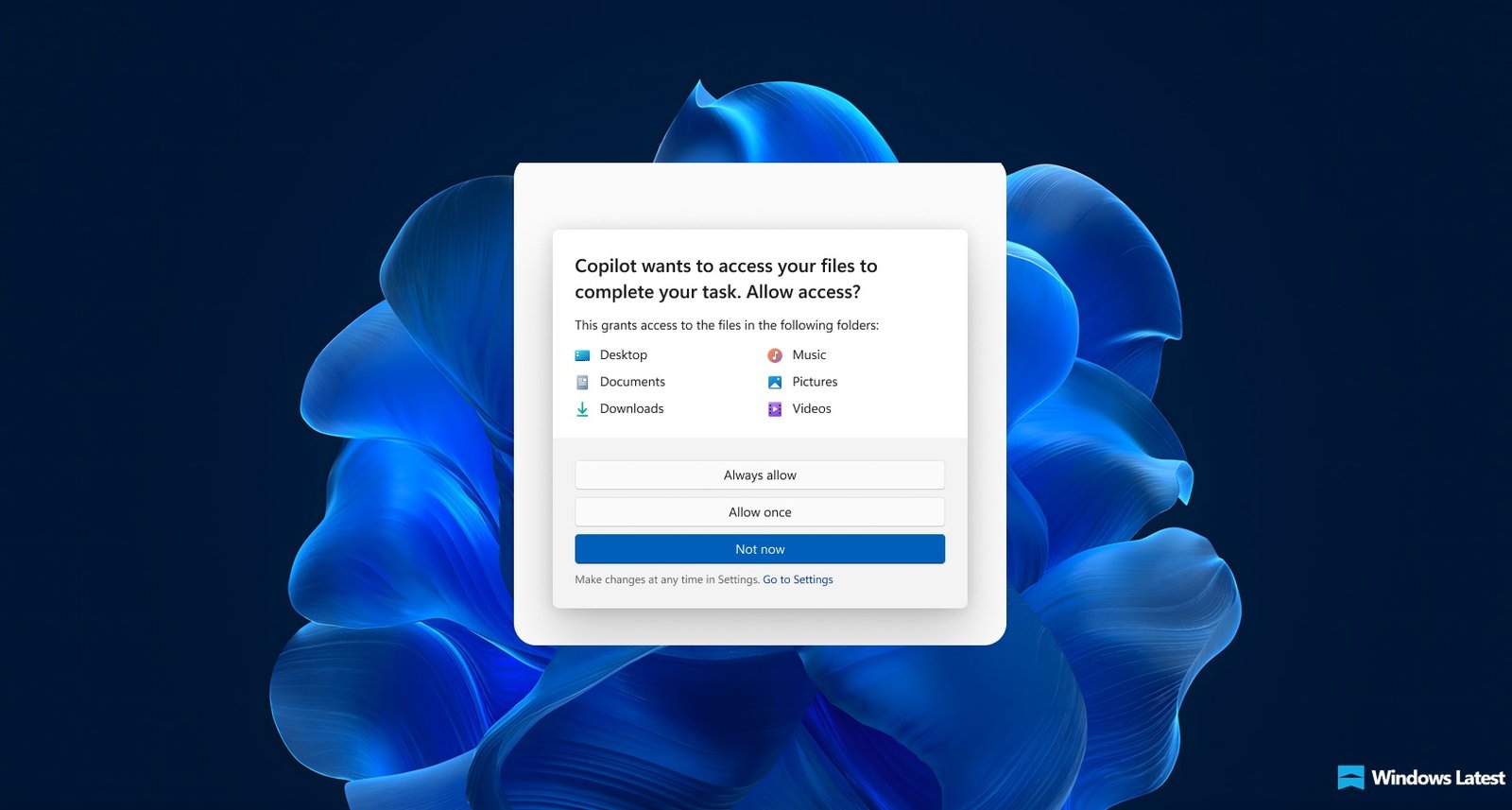
    Microsoft confirms that Windows 11 will ask for your consent before it allows an AI Agent to access your files stored in the six known folders, which include Desktop, Documents, Downloads, Music, Pictures, and Videos. You can also customize file access permissions for each agent.

    This clarification comes after growing concerns around Microsoft’s push to bring AI agents deeper into Windows. Over the past few weeks, the company has been laying the groundwork for agent-based experiences that can interact with your files, apps, and system settings, even while openly admitting that AI models can misbehave, hallucinate, or create new security risks.

    Until now, Microsoft hadn’t clearly explained how file access would work in practice, or whether users would have control over what these agents could see.

    As first spotted by Windows Latest, on December 5, Microsoft quietly updated its Experimental Agentic Features support document to explain how consent, permissions, and agent connectors work in preview builds 26100.7344 and newer, finally confirming that AI agents cannot access your personal files by default and must explicitly ask for permission.

    AI Agents in Windows 11 will need your permission to access files from known folders

    A couple of weeks ago, Windows Latest pointed out how Microsoft wants to give AI access to your files and apps, even while admitting that such AI agents can misbehave and pose security risks.

    “AI models still face functional limitations in terms of how they behave and occasionally may hallucinate and produce unexpected outputs”, says the company in their support document.

    Of course, a company confessing that its most promoted product introduces novel security risks cannot be taken lightly under any circumstances.

    We noticed that although Microsoft insists that AI agents run under an agentic workspace, which is separate from the user workspace, and have limited permissions, Windows will still grant them access to your Desktop, Documents, Downloads, Music, Pictures, and Videos folders, which are collectively called the known folders.

    This happened when you enabled the “Experimental Agentic features” toggle in Settings > System > AI components. Earlier, enabling the above toggle was supposed to grant access to these folders to all AI agents.

    Image Courtesy: WindowsLatest.com

    The company hadn’t made it clear how the agents could access these folders and whether or not we would be able to manage access.

    However, Microsoft was quick to respond with an update to the support document after Windows Latest reached out for statements. Microsoft says it’s adding a clear consent step for AI agents. Even if you turn on Experimental agentic features, an agent doesn’t automatically get to read your files.

    You can also give separate permissions for individual agents, like Copilot, Researcher, or Analyst, to these folders collectively.

    Yes, it means that while you can give per-agent access to the known folders, you cannot choose which of the six folders an AI agent can have access to. It’s either all of them or none of them.

    I would prefer it if the Researcher and Analyst agents had all-time access to my Documents folder, while Copilot has to ask me every time if it needs access to any of my personal folders. But that’s not the case here.

    Invoking agent from Ask Copilot in Taskbar. Credit: Microsoft

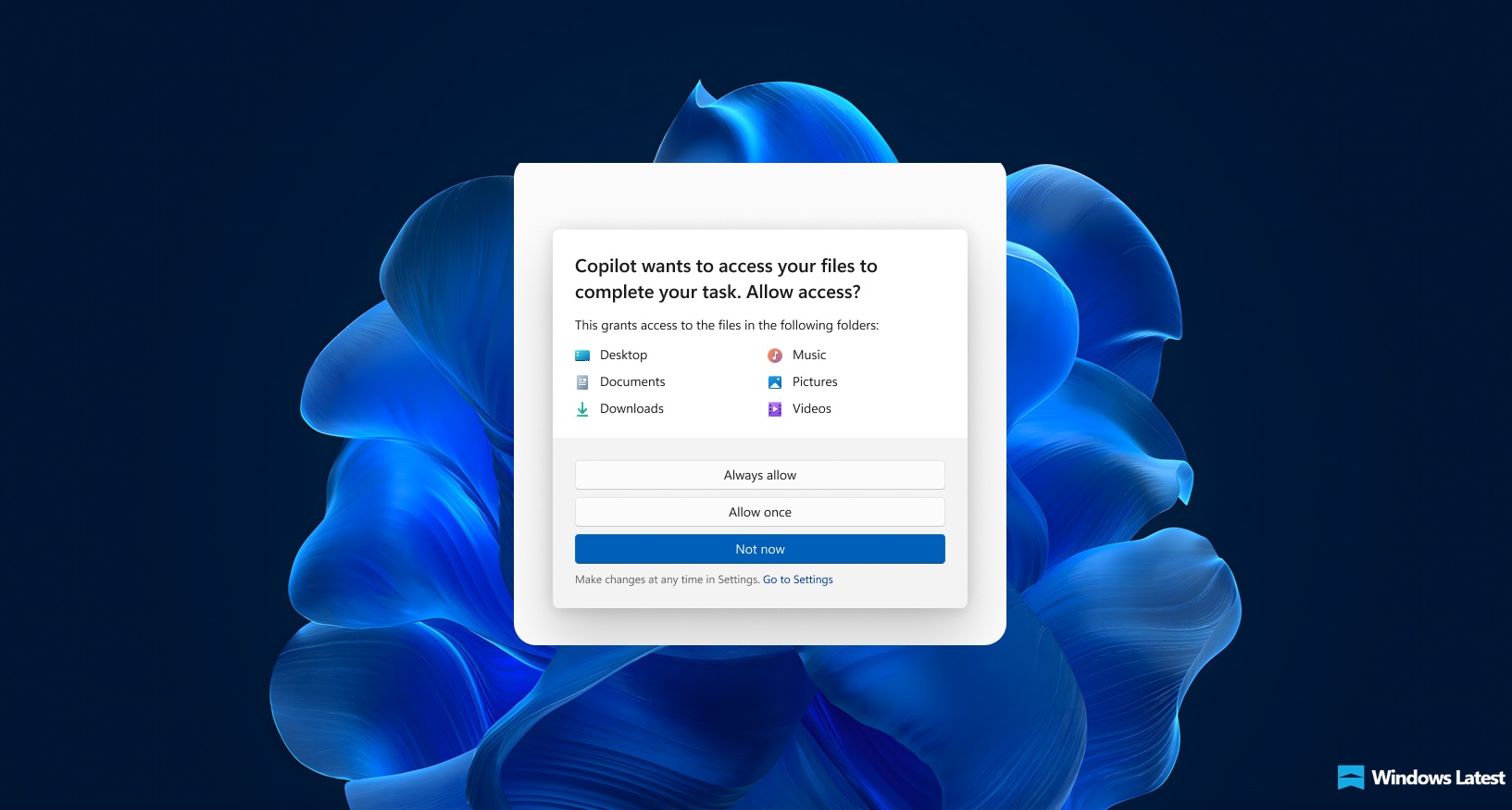
    That being said, you can still choose if the AI agent can get unlimited access at all times, or just allow access once, or no access at all. If an AI agent, like Copilot, needs to get hold of your files to complete a task, you’ll get a pop-up from which you can choose “Always allow”, “Allow once”, or “Not now”.

    These options are only available for systems with preview builds 26100.7344 and above for 24H2, 26200.7344 and above for 25H2.

    AI Agents get a dedicated Settings page in Windows 11

    Each agent you have in Windows now gets its own Settings page from where you can manage its permission to access your files. In the screenshot below, you can change permissions to Connectors in Copilot, like OneDrive and Google Drive integration.

    The other “Connectors” just below Files and Connectors are, in fact, Agent Connectors, which are powered by Model Context Protocol (MCP) and are standardized bridges that allow AI agents to interact with apps in Windows. Microsoft is currently testing this with its push to bring AI Agents to the taskbar.

    In the screenshot provided by Microsoft, you can also see two Agent Connectors, which let the Agent use the File Explorer app and System Settings app. You can set individual permissions for each of these, which means you can either allow AI agents to use these apps at all times, only once when you allow, or never at all.

    To access these settings, go to the Settings app, select System > AI Components > Agents.

    You’ll see the list of Agents available on your PC’s Windows OS. Select the agent and customize what these agents can access on your PC.

    In the case of Files, Microsoft gives you three options. The Allow Always option gives the agent access to the six known folders whenever it has to. Selecting the Ask every time option will make Windows show you a prompt to give permission to share files in these folders when the agent needs them.

    Of course, the Not now option will make Windows deny the request of the agent to access the folders.

    This is a solution to a problem that Microsoft created when it said that AI would have access to your files. Anyway, the ability to manage permissions is good enough for now.

    That being said, Microsoft also says that “​​​​​​​Agent accounts have access to any folders that all authenticated users have access to, e.g., public user profiles.”

    If the folder permissions include groups like Users / Authenticated Users with read access, then an agent account could access it.

    If the folder is locked to your user account (plus SYSTEM/Admins), then the agent account won’t have access unless Windows explicitly grants it via the known-folder consent flow.

    Note that Microsoft has no word on when AI will be able to stop hallucinating or avoid novel security issues like cross-prompt injection (XPIA).

    Interestingly, Microsoft made it a point to post in X that AI in Windows 11 will empower people “securely”, even as malware risks are unavoidable.

    Share. Facebook Twitter Pinterest LinkedIn Reddit WhatsApp Telegram Email
    Previous ArticleDafny: Verification-Aware Programming Language
    Next Article Sei AI (YC W22) Is Hiring
    TechAiVerse
    • Website

    Jonathan is a tech enthusiast and the mind behind Tech AI Verse. With a passion for artificial intelligence, consumer tech, and emerging innovations, he deliver clear, insightful content to keep readers informed. From cutting-edge gadgets to AI advancements and cryptocurrency trends, Jonathan breaks down complex topics to make technology accessible to all.

    Related Posts

    The best cheap Windows laptops for 2026

    February 23, 2026

    SETI@home: Data Acquisition and Front-End Processing (2025)

    February 23, 2026

    QRTape – Audio Playback from Paper Tape with Computer Vision (2021)

    February 23, 2026
    Leave A Reply Cancel Reply

    Top Posts

    Ping, You’ve Got Whale: AI detection system alerts ships of whales in their path

    April 22, 2025690 Views

    Lumo vs. Duck AI: Which AI is Better for Your Privacy?

    July 31, 2025278 Views

    6.7 Cummins Lifter Failure: What Years Are Affected (And Possible Fixes)

    April 14, 2025159 Views

    6 Best MagSafe Phone Grips (2025), Tested and Reviewed

    April 6, 2025120 Views
    Don't Miss
    Technology February 23, 2026

    The best cheap Windows laptops for 2026

    The best cheap Windows laptops for 2026You don’t need to spend a fortune to get…

    SETI@home: Data Acquisition and Front-End Processing (2025)

    QRTape – Audio Playback from Paper Tape with Computer Vision (2021)

    Hetzner Prices increase 30-40%

    Stay In Touch
    • Facebook
    • Twitter
    • Pinterest
    • Instagram
    • YouTube
    • Vimeo

    Subscribe to Updates

    Get the latest creative news from SmartMag about art & design.

    About Us
    About Us

    Welcome to Tech AI Verse, your go-to destination for everything technology! We bring you the latest news, trends, and insights from the ever-evolving world of tech. Our coverage spans across global technology industry updates, artificial intelligence advancements, machine learning ethics, and automation innovations. Stay connected with us as we explore the limitless possibilities of technology!

    Facebook X (Twitter) Pinterest YouTube WhatsApp
    Our Picks

    The best cheap Windows laptops for 2026

    February 23, 20262 Views

    SETI@home: Data Acquisition and Front-End Processing (2025)

    February 23, 20260 Views

    QRTape – Audio Playback from Paper Tape with Computer Vision (2021)

    February 23, 20262 Views
    Most Popular

    7 Best Kids Bikes (2025): Mountain, Balance, Pedal, Coaster

    March 13, 20250 Views

    VTOMAN FlashSpeed 1500: Plenty Of Power For All Your Gear

    March 13, 20250 Views

    This new Roomba finally solves the big problem I have with robot vacuums

    March 13, 20250 Views
    © 2026 TechAiVerse. Designed by Divya Tech.
    • Home
    • About Us
    • Contact Us
    • Privacy Policy
    • Terms & Conditions

    Type above and press Enter to search. Press Esc to cancel.